Studying

Studying

Download on App Store
Logo of Studying

Studying: AI-Powered Learning for the Modern Scholar

Stop wasting time on manual notes. Instantly generate smart flashcards, swipe through reels-style reviews, and master your exams with your personal AI study assistant.

Download on App Store

Publisher

Siarhei Huminski

Category

Education

Downloads

300

User Rating

5.0/5

Total Ratings

0

Locales

4

Learning in Action

Discover the interface used by 300 users.
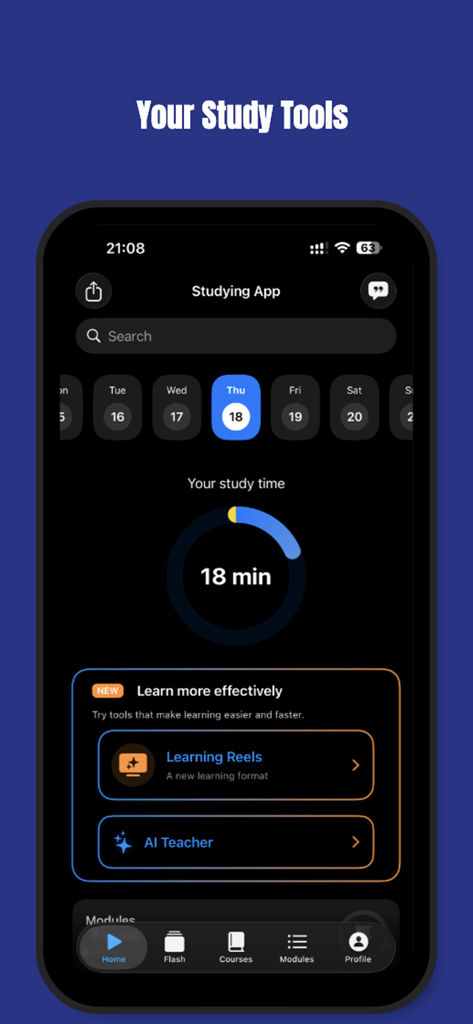
The home screen of the Studying app displaying a daily study time tracker and access to AI learning tools.

The home screen of the Studying app displaying a daily study time tracker and access to AI learning tools.

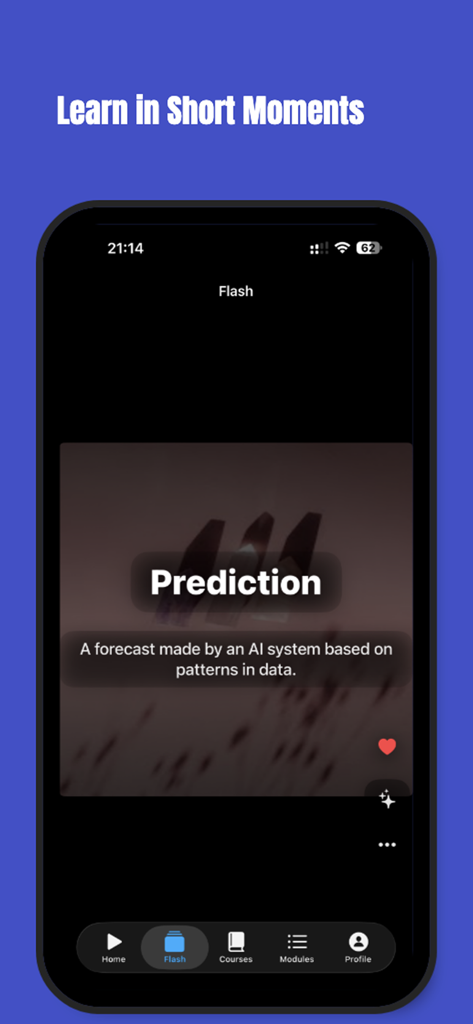
Mobile interface of the Studying app featuring a reels-style AI flashcard for the word prediction

Mobile interface of the Studying app featuring a reels-style AI flashcard for the word prediction

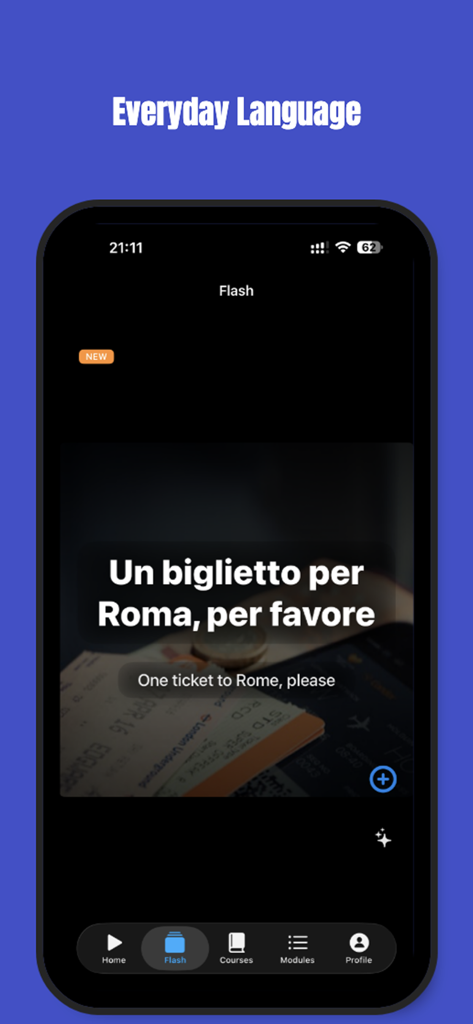
Mobile app screen showing a reels-style flashcard for learning Italian phrases

Mobile app screen showing a reels-style flashcard for learning Italian phrases

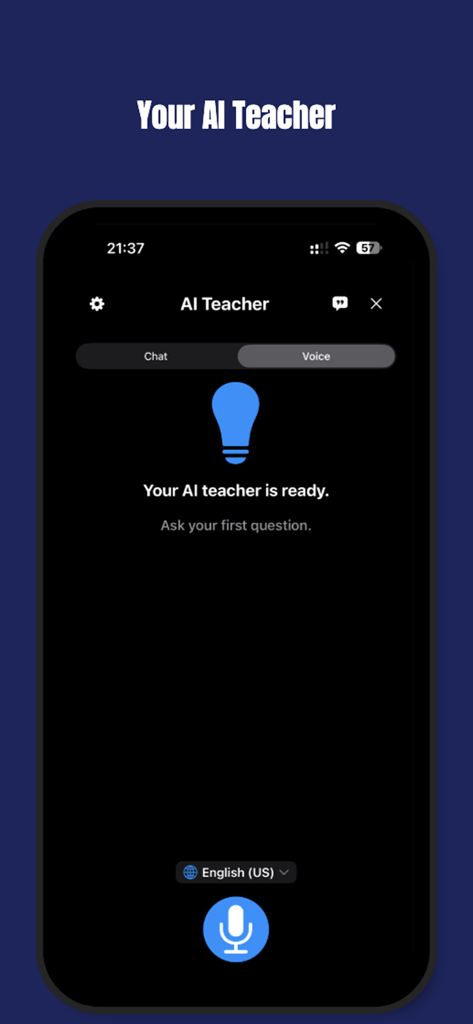
Interface of the AI Teacher feature in the Studying app showing the voice interaction mode for language practice.

Interface of the AI Teacher feature in the Studying app showing the voice interaction mode for language practice.

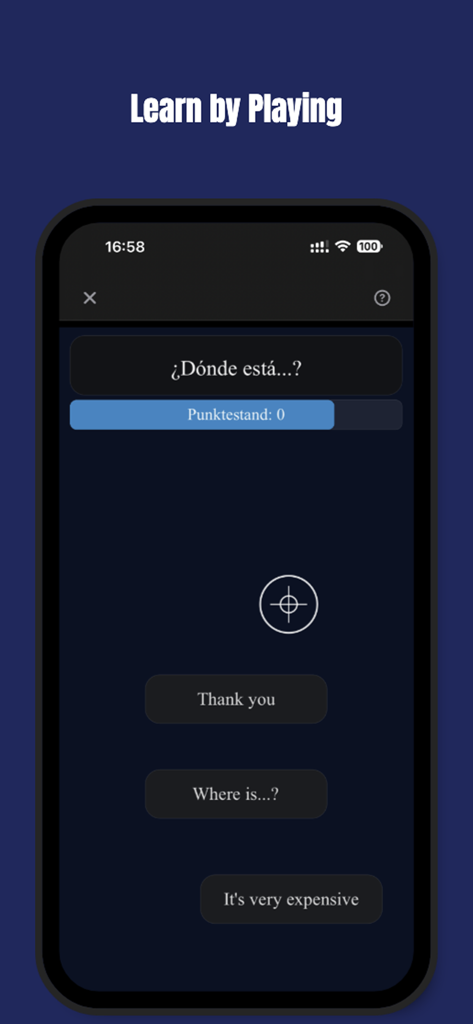
Language learning game interface in the Studying app showing a Spanish phrase translation quiz with multiple choice answers.

Language learning game interface in the Studying app showing a Spanish phrase translation quiz with multiple choice answers.

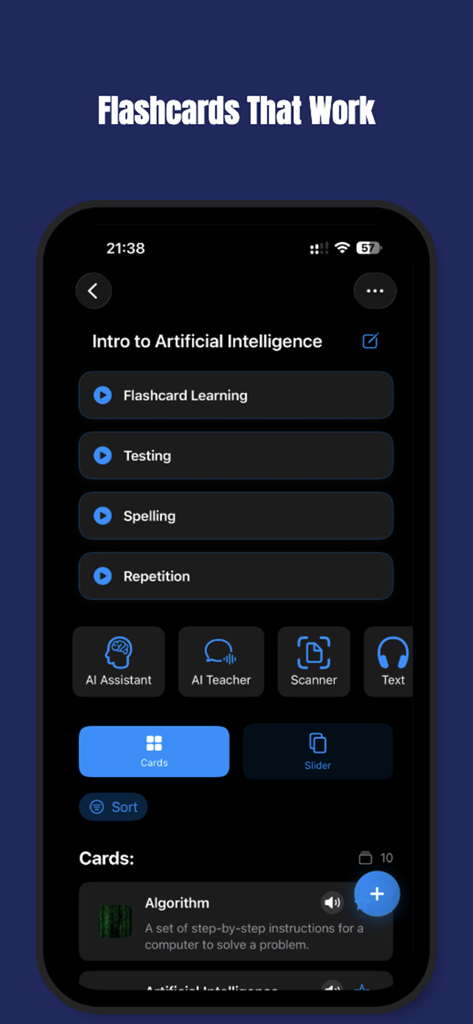
The main interface of the Studying app showing an Intro to Artificial Intelligence flashcard deck with options for testing, repetition, and AI assistance.

The main interface of the Studying app showing an Intro to Artificial Intelligence flashcard deck with options for testing, repetition, and AI assistance.

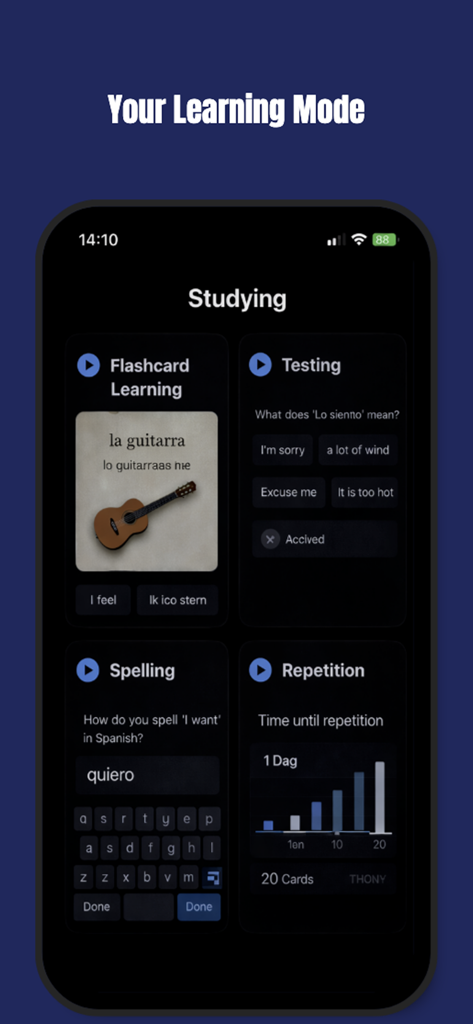
Interface of the Studying app showing Flashcard Learning Testing Spelling and Repetition features

Interface of the Studying app showing Flashcard Learning Testing Spelling and Repetition features

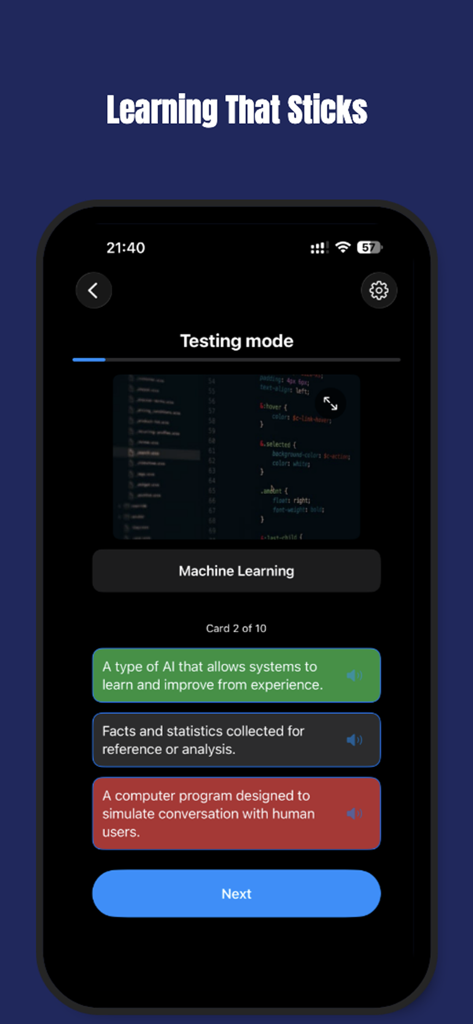
A mobile app screen showing a testing mode for Machine Learning with multiple choice answers and a next button.

A mobile app screen showing a testing mode for Machine Learning with multiple choice answers and a next button.

Master Your Curriculum with AI Precision

The tools that make this app stand out, trusted by 300 users.

Instant AI-Generated Sets

Turn any complex topic or photo of your notes into professional flashcards in seconds. Zero manual entry required.

📱

Reels-Style High-Speed Study

Maximize your focus with a familiar vertical swipe interface. Transform your 'doom-scrolling' into productive micro-learning sessions.

🧠

Smart Spaced Repetition

Our algorithm predicts exactly when you're likely to forget, scheduling reviews at the perfect moment for 100% recall.

About the app

Everything you need to know about Studying.

Description

AI Learning Made Simple Studying is the complete AI-powered study app that combines flashcards, spaced repetition, active recall, and a built-in study assistant to help you learn faster, remember longer, and achieve your goals. Whether you are a student, a language learner, or a professional, Studying makes learning easier and smarter. Practice Speaking with AI Now you can improve your speaking skills in any language. Talk with your AI teacher, practice pronunciation and listening, and build real confidence in conversation — all inside the app. Meet the New AI Assistant Our AI Assistant helps you understand complex topics by providing clear explanations directly in the app. Learn more efficiently, deepen your knowledge, and reduce confusion — all in one place. Learn with AI Flashcards Flashcards are one of the most effective ways to study, but creating them manually takes time. With Studying, you can instantly generate AI-powered flashcards on any subject. Just enter a topic and the AI creates clear, useful cards for learning. Perfect for languages, coding, medicine, history, law, business, exams, and more. Boost Memory with AI Spaced Repetition Studying uses an intelligent repetition algorithm to schedule reviews at the optimal time. Spaced repetition strengthens memory, reduces forgetting, and helps you master knowledge in less time. Practice with AI Active Recall Active recall is the key to effective learning. Instead of passively reading, practice retrieving knowledge through smart quizzes. The AI Assistant adapts to your answers, highlights mistakes, and builds a personalized review plan. Prepare for Popular Exams Get ready for well-known exams with AI-generated practice tests. Whether you’re studying for TOEFL, IELTS, SAT, GRE, GMAT, medical boards, or professional certifications, Studying creates tailored quizzes and mock exams to match the format and difficulty level — so you can train with confidence. Reels-Style Flashcards (New Feature) Study faster and stay focused with our new Reels-mode flashcards. Swipe through cards in a dynamic, social-style format designed for high-speed learning and maximum engagement. It’s the most intuitive and enjoyable way to review — anytime, anywhere. Scan and Learn Turn your physical notes, textbooks, or handouts into study material. With the built-in scanner, you can quickly digitize text and start creating AI flashcards or summaries. While the scanner is currently a simple helper, it’s designed to grow into a powerful AI study tool. Learn Faster with Game Mode Learning doesn’t have to feel slow or repetitive. Studying includes a dedicated game mode that turns flashcard practice into a fast, interactive experience. Instead of passively reviewing cards, you actively respond under time pressure, reinforce correct answers, and quickly identify weak areas. This playful format keeps you focused, increases engagement, and helps information stick naturally — without feeling like traditional studying. Game mode is designed for quick sessions, making it perfect for short breaks, daily practice, or rapid revision before exams. It’s learning by doing — faster, more dynamic, and more effective.

Latest Version

9.5.0

Size

35.1 MB

First Released

Dec 6, 2020

Stop Studying Harder. Start Learning Smarter.

Ditch the manual notes and passive reading. Join the high-achievers using AI to automate flashcards, crush their exams, and master any subject in record time.

Download on App Store
FAQ

Frequently Asked Questions

Everything you need to know about Studying

What is the Studying app?

Studying is an AI-powered app that integrates flashcards, spaced repetition, active recall, and a study assistant. It helps users learn faster, retain information longer, and achieve academic or professional goals efficiently.

How does Studying app create flashcards?

Yes, Studying app generates AI-powered flashcards instantly from any topic. Users input a subject, and the AI creates clear, useful flashcards to streamline the learning process.

Does Studying app use spaced repetition for learning?

Yes, Studying app utilizes an intelligent spaced repetition algorithm. This system schedules reviews at optimal times to strengthen memory, reduce forgetting, and help users master knowledge efficiently.

How does Studying app facilitate active recall?

Studying app supports active recall through smart quizzes. The AI Assistant adapts to user responses, identifies mistakes, and builds a personalized review plan to enhance learning and retention.

Can I practice speaking with an AI in the Studying app?

Yes, users can practice speaking in any language with the AI Teacher in Studying app. This feature helps improve pronunciation, listening skills, and builds confidence in conversation.

What does the AI Assistant do in Studying app?

The AI Assistant in Studying app provides clear explanations for complex topics directly within the app. It helps users understand efficiently, deepen knowledge, and reduce confusion in their studies.

Does Studying app offer exam preparation for TOEFL or SAT?

Yes, Studying app prepares users for exams like TOEFL, IELTS, SAT, GRE, GMAT, and medical boards. It creates tailored, AI-generated practice tests and mock exams matching format and difficulty.

What are Reels-Style Flashcards in the Studying app?

Reels-Style Flashcards are a new feature in Studying app that offers a dynamic, social-style format for high-speed learning. Users swipe through cards to study faster and maintain focus with maximum engagement.

Can Studying app scan physical documents to create study materials?

Yes, Studying app features a built-in scanner. It allows users to digitize physical notes, textbooks, or handouts, then convert them into AI flashcards or summaries for study material.

How does the Game Mode function in Studying app?

The Game Mode in Studying app transforms flashcard practice into a fast, interactive experience. Users respond under time pressure to reinforce answers, identify weak areas, and make learning engaging and effective.

Does the Studying app track my study time?

Yes, the Studying app tracks and displays the user's study time. The app's dashboard clearly shows 'Your study time' with the duration, such as '18 min', indicating daily or session progress.

What languages does the AI Teacher in Studying app support?

The AI Teacher in Studying app supports various languages for conversational practice. Screenshot #4 displays 'English (US)' as an available option, indicating multilingual support for users.

App information, icons, screenshots, and descriptions displayed on this page are sourced from the Apple App Store and are the property of their respective developers. Download estimates and rankings are based on MWM's proprietary models and may not reflect actual figures. This page is provided for informational and analytical purposes only.

Believe this page infringes your intellectual property? File a dispute