SumUp: Payments and POS

SumUp: Payments and POS

Download on App Store
Logo of SumUp: Payments and POS

SumUp: Payments and POS – Your All-in-One Business Command Center

The free toolkit for solopreneurs to take payments, issue invoices, and manage finances with zero monthly fees. Look professional and get paid wherever your business takes you.

Publisher

SumUp Limited

Category

Business

Downloads

9M+

User Rating

4.5/5

Total Ratings

46K+

Locales

24

Your Business in Focus

Discover the interface used by 9M+ users.
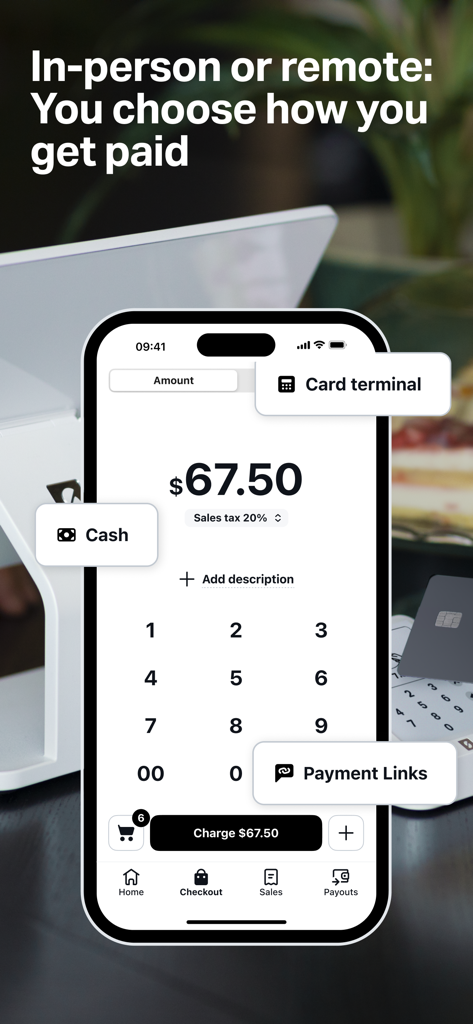
SumUp mobile app interface showing options for cash, card terminal, and payment links on a smartphone screen

SumUp mobile app interface showing options for cash, card terminal, and payment links on a smartphone screen

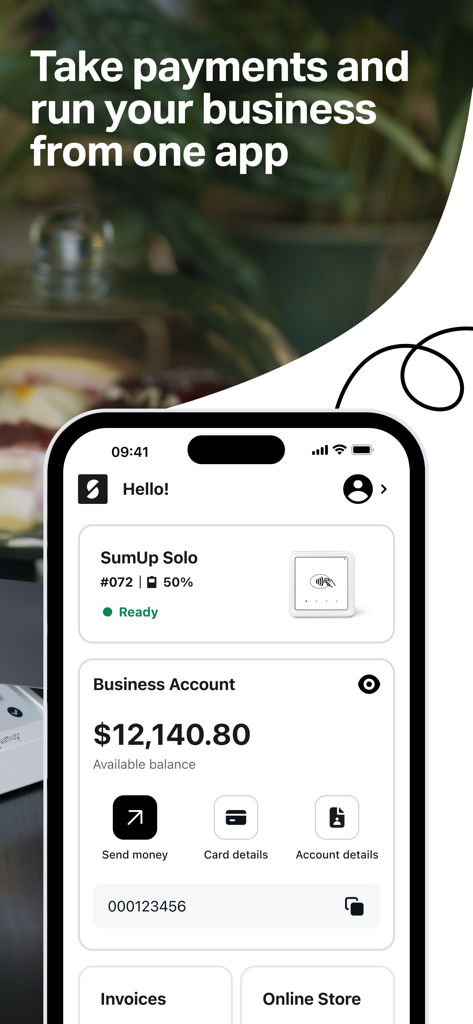
SumUp mobile app interface showing business account balance and payment management tools

SumUp mobile app interface showing business account balance and payment management tools

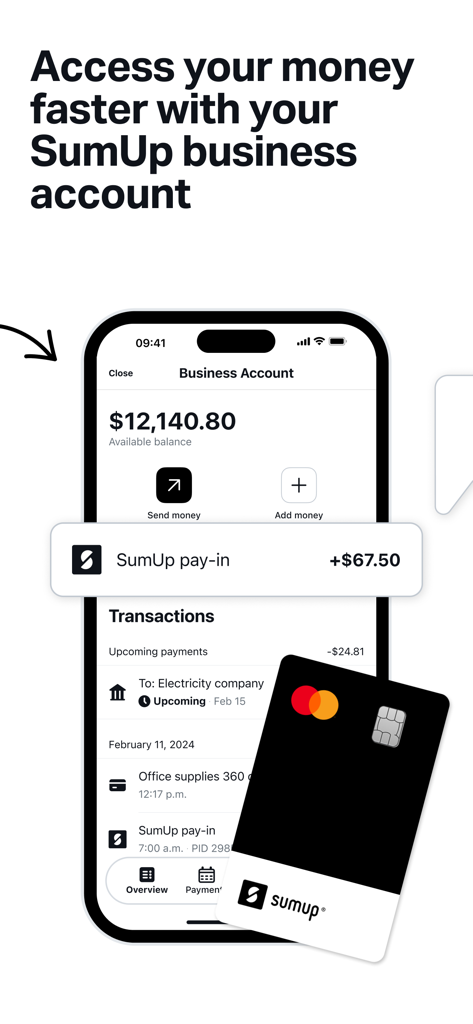
SumUp business account interface on a smartphone with a physical Mastercard.

SumUp business account interface on a smartphone with a physical Mastercard.

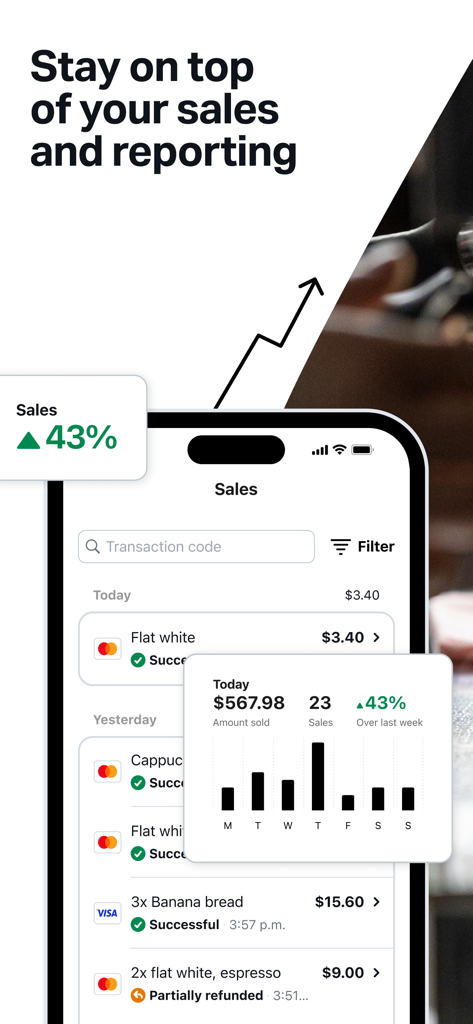
SumUp app interface showing sales reports and transaction history on a smartphone

SumUp app interface showing sales reports and transaction history on a smartphone

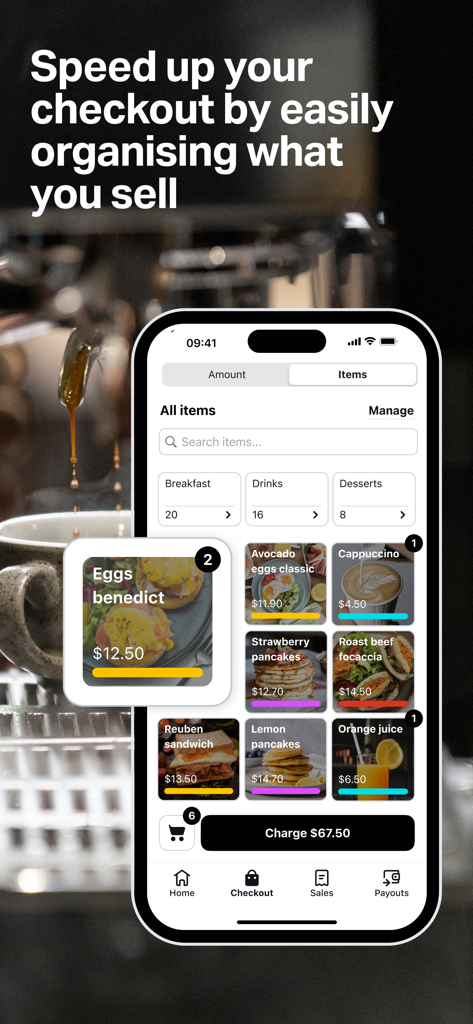
SumUp mobile app point of sale interface showing a breakfast menu item catalog

SumUp mobile app point of sale interface showing a breakfast menu item catalog

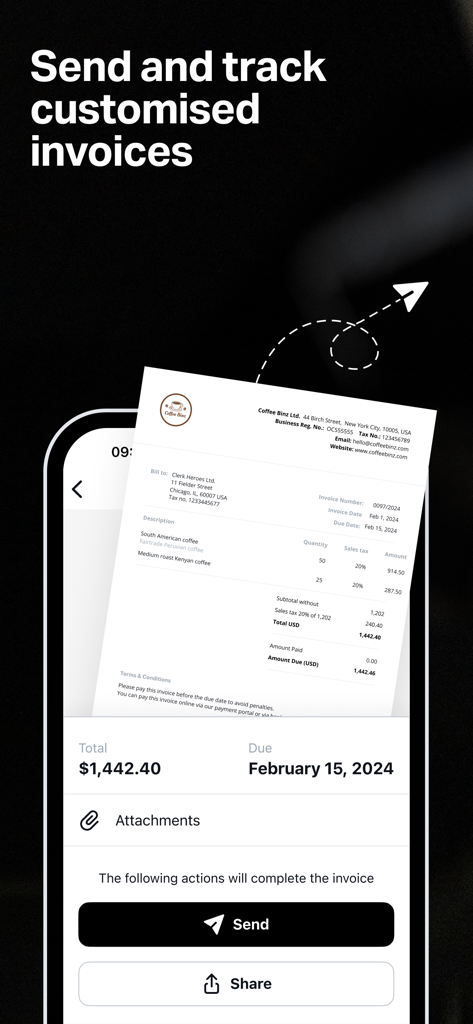
Mobile app screen showing a professional invoice preview with send and share buttons for small businesses.

Mobile app screen showing a professional invoice preview with send and share buttons for small businesses.

Your Entire Business, Right in Your Pocket

The tools that make this app stand out, trusted by 9M+ users.

💳

Get Paid Your Way

Accept card payments, QR codes, or mobile taps. Never miss a sale, whether you are at a pop-up shop or on a job site.

📄

Look Pro, Get Paid Faster

Send professional invoices or SMS payment links in seconds. Perfect for remote sales and securing client deposits instantly.

🏦

Banking Without the Fees

Access your funds immediately with a free Business Account and Mastercard. Manage every dollar with zero monthly costs.

About the app

Everything you need to know about SumUp: Payments and POS.

Description

The all-in-one app for your business needs With the free SumUp mobile app you can take payments, manage your item catalog, track your sales, and more. Our app connects with SumUp’s hardware to bring you closer to your customers and get paid wherever your business takes you. Open the app to manage your top business needs on the spot. Looking to send payment links, issue invoices, or boost your customer base? You can explore all your options with this free, portable app. All of our tools are intuitive and many can be mixed-and-matched to meet your personal needs. Organize items and get helpful reports Add, edit, and delete items in your own personalized catalogue straight from your app. You can then easily select any of these items to speed up your transactions using one of the payment methods highlighted below. The app also includes sales reports so you can track your performance and spot trends in the data to improve and manage your business. Take payments Invoices Activate and issue professional, legally-complaint, on-brand invoices from your app in minutes. You can also track the status of any invoices you’ve issued so you’ll always stay on track with pending payments. Our invoicing app feature is very simple. When your customer receives an invoice, they’ll have the option to pay securely online. Payment Links The free SumUp app makes it easy to get paid remotely with Payment Links. All you have to do is select “Payment Links” from the app home screen, enter the amount you want to charge, create your link, and share it with your customers via social media, SMS, or email. The link will take the customer to a secure website where they can complete the transaction. It’s a great way to take cashless payments from afar or without a device. QR codes Use QR codes to offer your customers an alternative way to pay. Generate QR codes instantly via the free app. If you’re looking to speed up in-person payments, you can order stickers or displays to place around your business—allowing your customers to pay quickly and securely, with just their smartphones. Boost your business Gift cards You’ll find your business’s gift card page on the app home screen. Your customers can buy digital gift cards for any amount, and personalize them by picking from a range of designs. You can manage the balance of every gift card you sell within your app. Manage your finances SumUp Business Account With a free SumUp Business Account, you can stay on top of your finances in one secure, easy-to-manage space. Sign-up is simple with zero paperwork, and you won’t be charged any monthly fees or hidden costs. You’ll also receive a free contactless Mastercard for your business expenses and track your spending in the app. You can pay with your card anywhere that takes Mastercard, or use it to withdraw cash from an ATM.

Latest Version

3.80.0

Size

464.7 MB

First Released

Oct 20, 2015

Ready to run your business with zero monthly fees?

Join millions of entrepreneurs who use SumUp to take payments, send invoices, and manage their finances—all from one free app.

Download on App Store
FAQ

Frequently Asked Questions

Everything you need to know about SumUp: Payments and POS

What features does the SumUp app offer for businesses?

The SumUp app provides an all-in-one solution for businesses. It allows users to take payments, manage item catalogs, track sales, send payment links, and issue invoices.

How does SumUp facilitate in-person and remote payments?

SumUp facilitates payments both in-person and remotely. For in-person, it supports card terminals and cash. For remote, it uses Payment Links and QR codes, allowing customers to pay securely online.

Can I manage my item catalog using the SumUp app?

Yes, users manage their personalized item catalog directly within the SumUp app. Features include adding, editing, and deleting items to streamline transactions and improve efficiency.

Does the SumUp app include sales reporting features?

Yes, the SumUp app includes comprehensive sales reports. These reports help users track performance, identify sales trends, and effectively manage their business operations directly from the app.

Are there any monthly fees for a SumUp Business Account?

No, the SumUp Business Account does not charge any monthly fees or hidden costs. It is a free service with a simple, paperless sign-up process.

What is a SumUp Payment Link and how does it work?

A SumUp Payment Link enables remote payments. Users create a link with a charge amount in the app, then share it via social media, SMS, or email for secure customer online transactions.

Can I issue invoices through the SumUp app?

Yes, you can issue professional, legally compliant, and on-brand invoices directly from the SumUp app. The app also tracks invoice statuses, and customers can pay securely online.

Does SumUp offer a business card for its account holders?

Yes, SumUp provides a free contactless Mastercard with its Business Account. This card allows users to manage business expenses, track spending in-app, and withdraw cash from ATMs.

How does SumUp support customer loyalty and growth?

SumUp supports customer loyalty and growth through digital gift cards. Businesses can offer personalized gift cards, and manage their balances directly within the app.

Can SumUp generate QR codes for payments?

Yes, SumUp can instantly generate QR codes for payments via the free app. This offers customers an alternative, quick, and secure payment method using their smartphones for in-person transactions.

App information, icons, screenshots, and descriptions displayed on this page are sourced from the Apple App Store and are the property of their respective developers. Download estimates and rankings are based on MWM's proprietary models and may not reflect actual figures. This page is provided for informational and analytical purposes only.

Believe this page infringes your intellectual property? File a dispute