
This page is not an official page of the app or its developer, but an independent editorial publication created for informational and commentary purposes. Unless expressly stated otherwise, neither the app nor its developer is affiliated with, endorsed by, sponsored by, authorized by, or otherwise officially connected with MWM, Apple, Google Play, the app publisher, or the app's developer, and nothing on this page implies that the app was developed using MWM's services. Any trademarks, logos, screenshots, and other content remain the property of their respective owners.


Surfshark VPN: Fast VPN App
This app eliminates digital friction, empowering users with absolute privacy and unrestricted global access.
Downloads
12.5M+User Rating
Total Ratings
310.0KPublisher
Category
ProductivityLocales
13Latest Version
3.34.0Size
390.4 MBFirst Released
Aug 2, 2018Surfshark VPN: Core Feature Analysis
An in-depth evaluation of key functionalities driving online privacy, security, and digital freedom for diverse user needs.
Strict No-Logs Policy
The app adheres to a strict no-logs policy, independently audited, ensuring user activity is not tracked, collected, or stored, providing robust privacy.
Advanced Encryption & Protocols
It secures online activity and IP addresses by encrypting the internet connection using modern VPN protocols like WireGuard, OpenVPN, and IKEv2.
Unlimited Device Connections
This tool supports an unlimited number of device connections under one account, allowing users to protect their entire household and all personal devices without limits.
High-Speed Global Server Network
The app provides access to a global network of over 4,500+ high-capacity 10Gbps servers across 100 countries, ensuring stable and fast connections for all activities.
Integrated Ad Blocker
It features an ad blocker that prevents ads, pop-ups, and trackers, while also blocking access to known malicious domains to reduce exposure to harmful websites.
Alternative ID (Email Generator)
This tool includes an Alternative ID feature, an email generator that creates a private alternative email address to protect the primary email from unwanted exposure and data leaks.
Private DNS Servers
The app operates its own DNS servers to securely handle DNS requests, reduce DNS-based attacks, and bypass DNS-level blocking in certain regions, keeping queries private.
Secure Public Wi-Fi Access
It encrypts user connections on public Wi-Fi networks in locations like hotels, airports, and cafes, ensuring data protection while traveling.
Frequently Asked Questions
Everything you need to know about Surfshark VPN: Fast VPN App
How does Surfshark keep you safe online?
Surfshark VPN combines VPN security, identity protection, and browsing safety in one app. It supports unlimited device connections, provides a secure connection when traveling, and helps protect personal information online.
How does Surfshark keep your data private?
Surfshark VPN secures your IP address and online activity by encrypting your internet connection. It uses WireGuard, OpenVPN, and IKEv2 protocols to protect traffic from third parties.
Does Surfshark track user activity?
No, Surfshark operates under a strict no-logs policy, independently audited by Deloitte in 2025. It does not track, collect, or store user activity, providing protection wherever the VPN is connected.
Why use Surfshark's Alternative ID email generator?
Surfshark’s Alternative ID creates an alternative email address for online use. It keeps your primary email private when signing up for services, reducing unwanted exposure and data leak risks.
How does Surfshark VPN's ad blocker work?
Surfshark’s ad blocker blocks ads, pop-ups, and trackers. It also blocks access to known malicious domains, helping reduce exposure to harmful websites.
How fast are Surfshark VPN's servers?
Surfshark operates a global network of over 4,500+ servers across 100 countries. Its high-capacity, fast 10Gbps servers support stable connections for browsing and gaming.
Can I secure unlimited devices with Surfshark VPN?
Yes, Surfshark supports unlimited device connections under one account. Users can protect their entire household by using the VPN on phones, laptops, tablets, and smart TVs without limits.
What proxy features does Surfshark VPN include?
Surfshark includes proxy server features for quick, lightweight location changes directly through the browser extension. This masks your IP address without requiring a full VPN connection.
Does Surfshark VPN have its own DNS servers?
Yes, Surfshark operates its own DNS servers to securely handle requests and route users to legitimate websites. This reduces DNS-based attacks and bypasses DNS-level blocking while keeping queries private.
Why is Surfshark VPN good for travelers?
Surfshark encrypts connections on public Wi-Fi networks in hotels, airports, and cafés. It also changes your virtual location, allowing access to home country services like online banking or streaming platforms safely.
Is Surfshark VPN a paid service?
Yes, Surfshark is a paid VPN service requiring a subscription for use. You will be billed through your Apple ID Account upon purchase confirmation.
How is the Surfshark VPN subscription billed?
The Surfshark VPN subscription is billed through your Apple ID Account when you confirm the purchase. It renews automatically unless auto-renew is turned off at least 24 hours before the current billing period ends.
How to manage Surfshark VPN auto-renewal?
You can manage your Surfshark VPN subscriptions and turn off auto-renewal by going to your App Store Account Settings. Auto-renew must be off at least 24 hours before the current billing period ends.
Does Surfshark VPN offer a free trial?
Yes, Surfshark VPN offers a free trial. However, any remaining portion of the free trial will expire when you purchase a subscription for the service.
What VPN protocols does Surfshark VPN use?
Surfshark VPN uses modern VPN protocols, including WireGuard, OpenVPN, and IKEv2. These protocols encrypt your internet connection to protect traffic from third parties and ensure data privacy.
The following screenshots and description are sourced directly from the app's official store listing and are the property of the app developer.
App Store
Screenshots
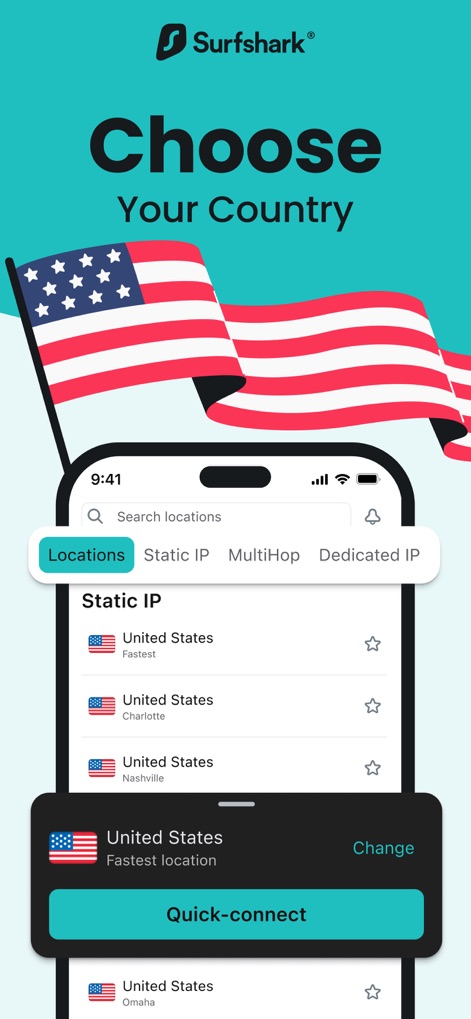
Global Access Points
The app presents a clear "Search locations" bar and "Quick-connect" button, alongside specialized options for "Static IP" and "MultiHop" connections for advanced users.
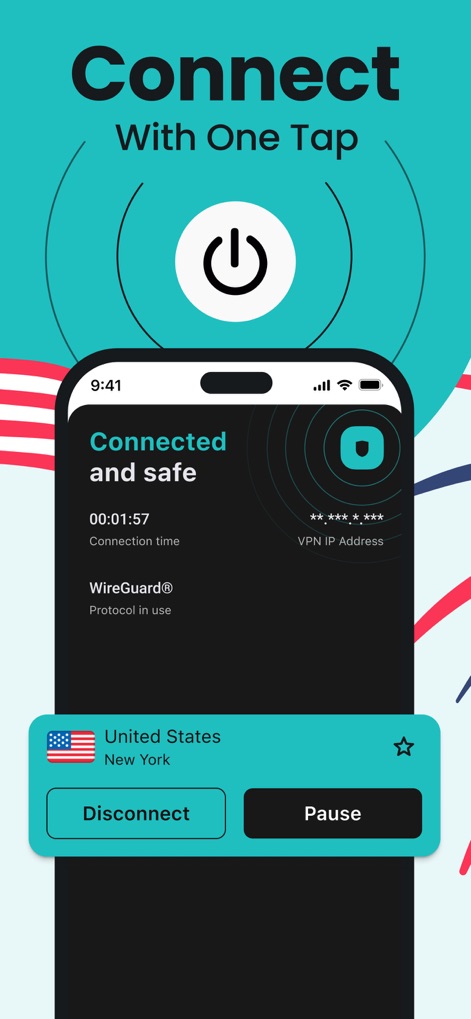
Instant Protection
Users can effortlessly activate the VPN with a prominent power button and observe the "Connected and safe" status, which also indicates the "WireGuard® Protocol" in use.
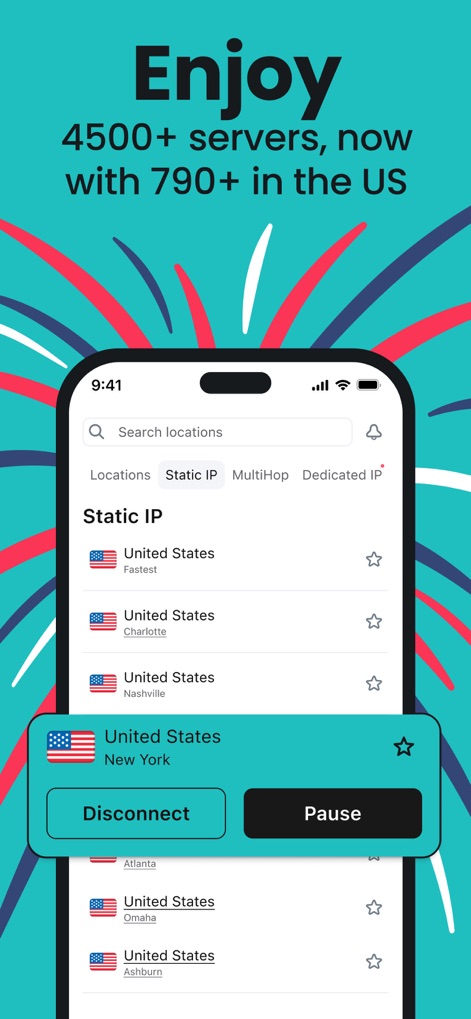
Extensive Server Network
This interface visually confirms the availability of "4500+ servers" globally and highlights the "Static IP" selection, offering users a wide range of location choices.

Unrestricted Browsing
This visual illustrates the app's commitment to performance with a clear "NO SPEED LIMIT" emblem and the benefit of "Unlimited Browsing" facilitated by high-speed servers.
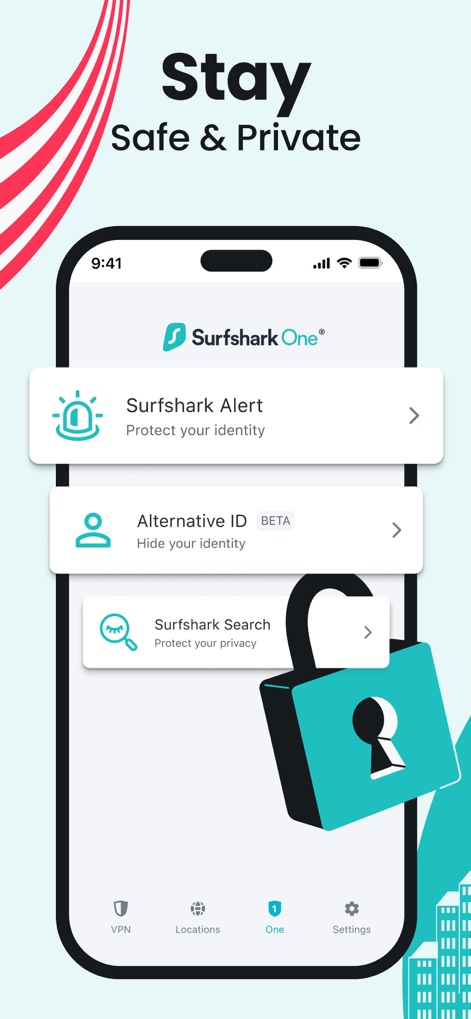
Comprehensive Privacy Tools
The app integrates advanced privacy tools like "Surfshark Alert" to protect identity and "Alternative ID (BETA)" as an email generator, reinforcing digital safeguards.
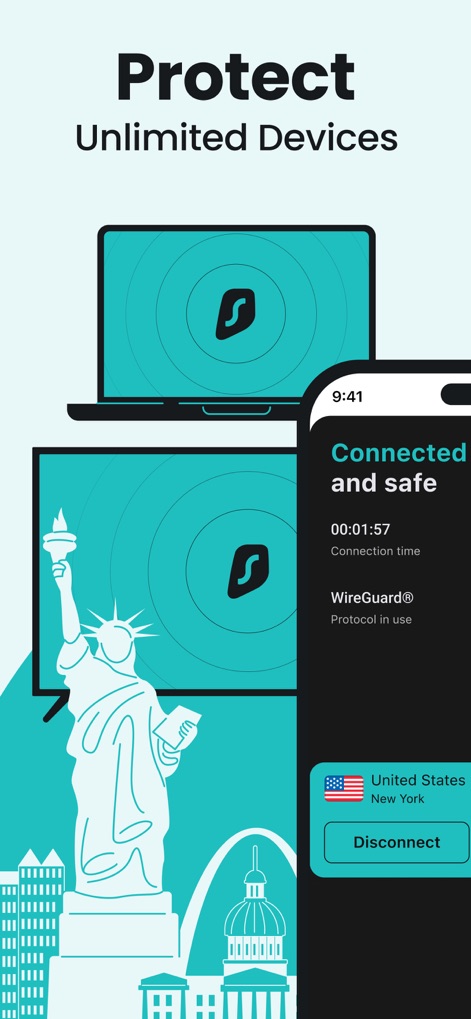
Multi-Device Security
The platform emphasizes its ability to "Protect Unlimited Devices" through a single account, visually represented by the laptop and smart TV icons alongside the mobile interface.
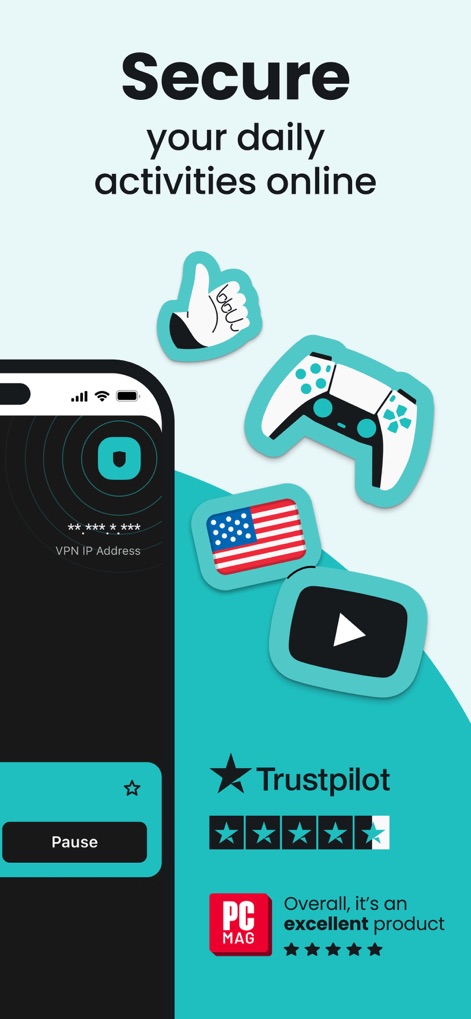
Validated Online Security
This view confirms the app's dedication to "Secure your daily activities online" by displaying the masked "VPN IP Address" and showcasing high ratings from "Trustpilot" and "PC Mag".
Description
Download
More Like This
Apps with similar features and user experience

VPN Hotspot Browser & More
Baris Gungor

VPN Pro - Unlimited Best VPN
Fireworks Technology Inc.

快连VPN
LetsGo Network Incorporated

Cool VPN Pro-Secure Proxy VPN
CTECH GLOBAL PTE LTD
VPN - Top Fast VPN
Free Fast Connect LLC

PlatoVPN Fast:Super VPN Proxy
MogoTech Inc.

VPN - FREE VPN Fast Ⓡ
AITIMING TECH PTE. LTD.

VPN - Nviper小火箭加速器vpn
Sichuan Yunfumeng Technology Co., Ltd

Hola VPN
Hola VPN Ltd
This page is not an official page of the app or its developer, but an independent editorial publication created for informational and commentary purposes. Unless expressly stated otherwise, neither the app nor its developer is affiliated with, endorsed by, sponsored by, authorized by, or otherwise officially connected with MWM, Apple, Google Play, the app publisher, or the app's developer, and nothing on this page implies that the app was developed using MWM's services. Any trademarks, logos, screenshots, and other content remain the property of their respective owners.