
This page is not an official page of the app or its developer, but an independent editorial publication created for informational and commentary purposes. Unless expressly stated otherwise, neither the app nor its developer is affiliated with, endorsed by, sponsored by, authorized by, or otherwise officially connected with MWM, Apple, Google Play, the app publisher, or the app's developer, and nothing on this page implies that the app was developed using MWM's services. Any trademarks, logos, screenshots, and other content remain the property of their respective owners.

SWAM Violin Section
Experience the power of physical modeling without the storage bloat. Perform and produce hyper-realistic violin sections with unmatched expressivity in Logic Pro, Cubasis, and AUM.
Downloads
1K+User Rating
Total Ratings
0Publisher
Category
MusicLocales
-Latest Version
1.5.0Size
160.5 MBFirst Released
Feb 13, 2025Studio-Grade Strings, Modeled to Perfection
Ditch massive sample libraries for real-time expression and professional versatility. SWAM Violin Section brings lifelike orchestral power to your iPad and iPhone.
Infinite Articulation Control
Forget static samples. Shape vibrato, bow pressure, and dynamics in real time for a truly organic, human performance.
Pro Mobile Studio Workflow
Integrate seamlessly with Logic Pro or Cubasis via AUv3. Position your section in a shared acoustic space with the 'Ambiente' room simulator.
Frequently Asked Questions
Everything you need to know about SWAM Violin Section
What is SWAM Violin Section for iOS?
SWAM Violin Section for iOS is a mobile app that uses Physical Modeling technology to create realistic, expressive, and customizable violin section performances in real-time, unlike traditional sample libraries.
How does SWAM Violin Section differ from traditional sample libraries?
SWAM Violin Section generates sound in real-time using Physical Modeling, reacting dynamically to playing style, instead of relying on pre-recorded articulations like traditional sample libraries.
Can SWAM Violin Section be used as an AUv3 plugin?
Yes, SWAM Violin Section can function as a standalone app for live performances or integrate seamlessly as an AUv3 plugin within your favorite DAW on iOS.
What real-time expressive controls are available in SWAM Violin Section?
SWAM Violin Section offers real-time control over expression, vibrato, bow pressure, and bow position. It also includes tremolo, eliminating the need to switch between different articulations.
Does SWAM Violin Section include a room simulator?
Yes, SWAM Violin Section includes a built-in Smart Room Simulator called “Ambiente.” It allows centralized UI control to position all violin sections in a shared acoustic space.
Is the SWAM Violin Section app compatible with MIDI controllers?
Yes, SWAM Violin Section is fully compatible with MIDI controllers, MPE devices, and wind controllers, allowing for expressive playability. It also supports direct touchscreen input.
What DAWs can SWAM Violin Section integrate with on iOS?
SWAM Violin Section seamlessly integrates with popular iOS DAWs including Logic Pro for iPad, Cubasis, AUM, GarageBand, and Camelot Pro for mobile music production.
Is SWAM Violin Section monophonic or polyphonic?
SWAM Violin Section is monophonic, accurately replicating real bowed string instruments. It allows double stops where realistic fingerings permit, similar to solo SWAM Strings.
What type of device is recommended for optimal performance with SWAM Violin Section?
For optimal responsiveness and real-time performance, using an iOS device with an Apple Silicon chip (M1, M2, M3, or later) is recommended for SWAM Violin Section.
How can users adjust the sound of individual violin sections in the app?
Users can adjust the expressivity of each violin section independently by fine-tuning vibrato, bowing techniques, and dynamics through the app's individual section controls.
The following screenshots and description are sourced directly from the app's official store listing and are the property of the app developer.
App Store
Screenshots
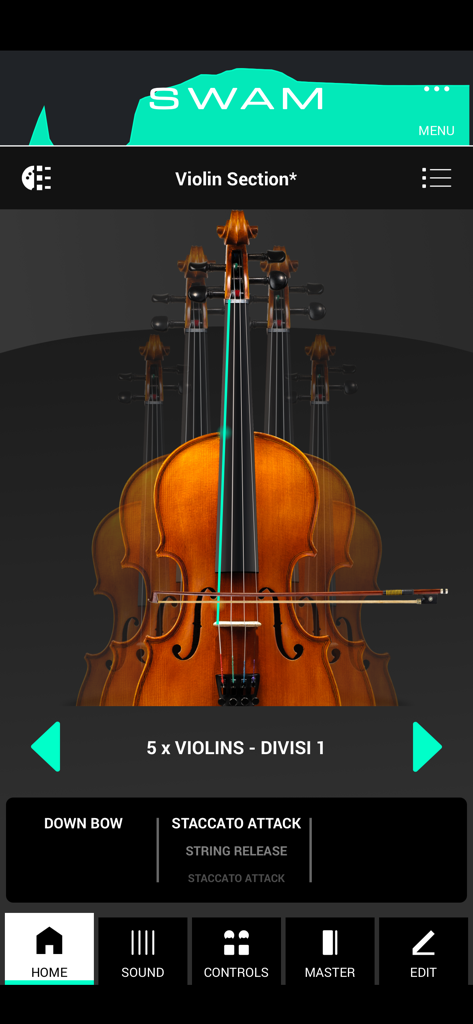
Home screen of the SWAM Violin Section app on iOS showing a violin group and performance controls
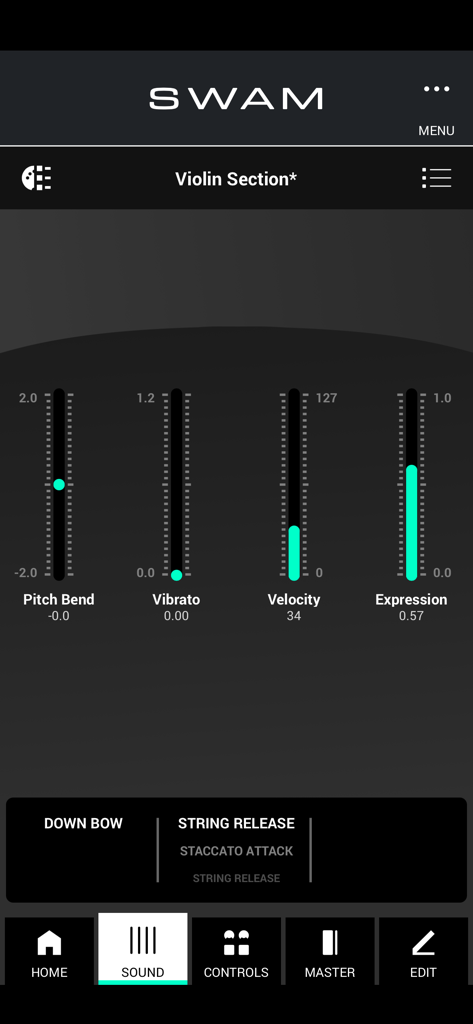
Interface of SWAM Violin Section app showing real time sound controls for pitch bend vibrato velocity and expression
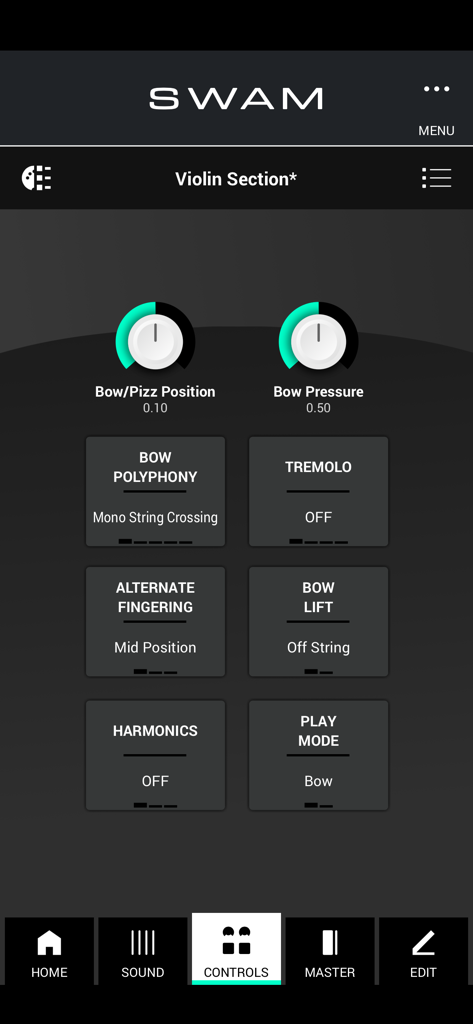
SWAM Violin Section interface showing musical controls for bow pressure tremolo and harmonics
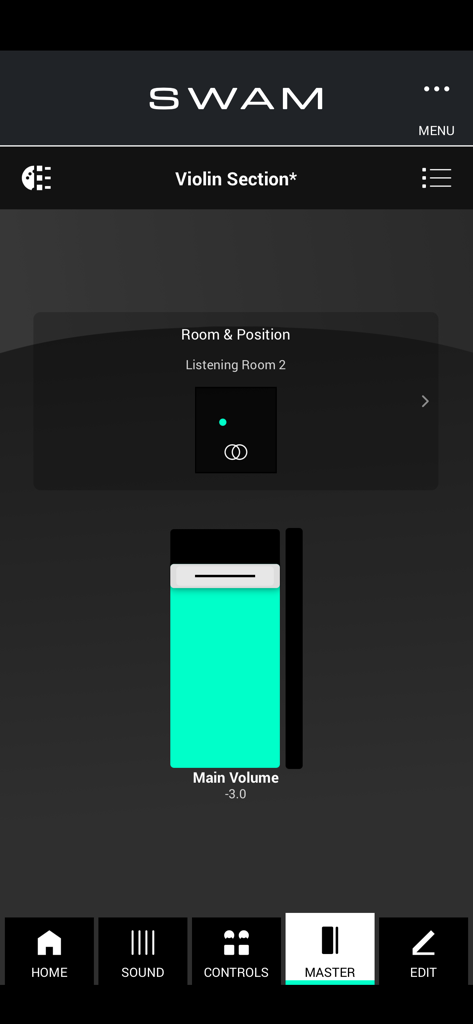
SWAM Violin Section app master tab showing room positioning and main volume control
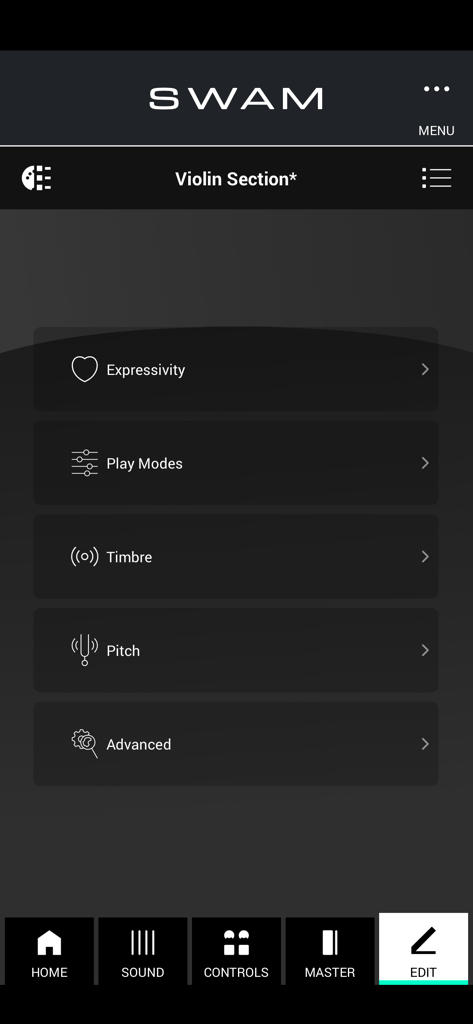
Interface of the SWAM Violin Section app showing edit settings for Expressivity Play Modes Timbre Pitch and Advanced options
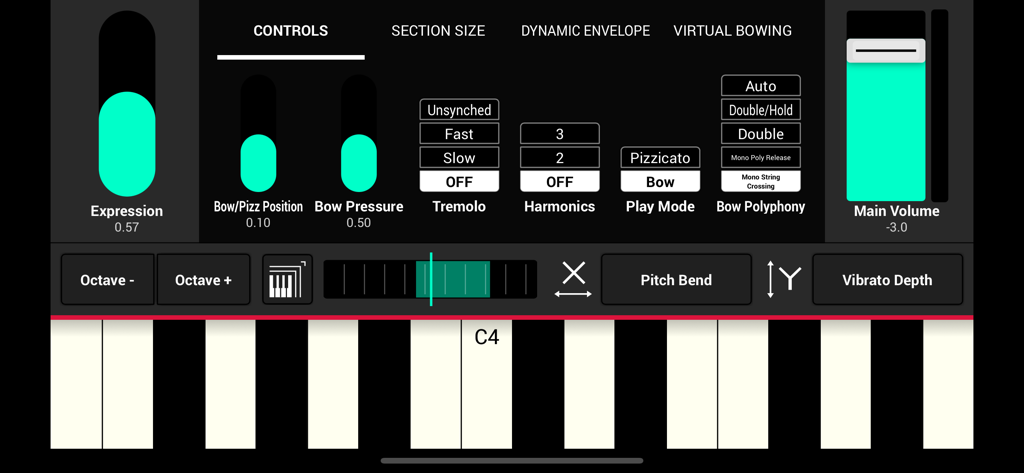
Interface of SWAM Violin Section for iOS featuring expression and bowing controls with a virtual keyboard
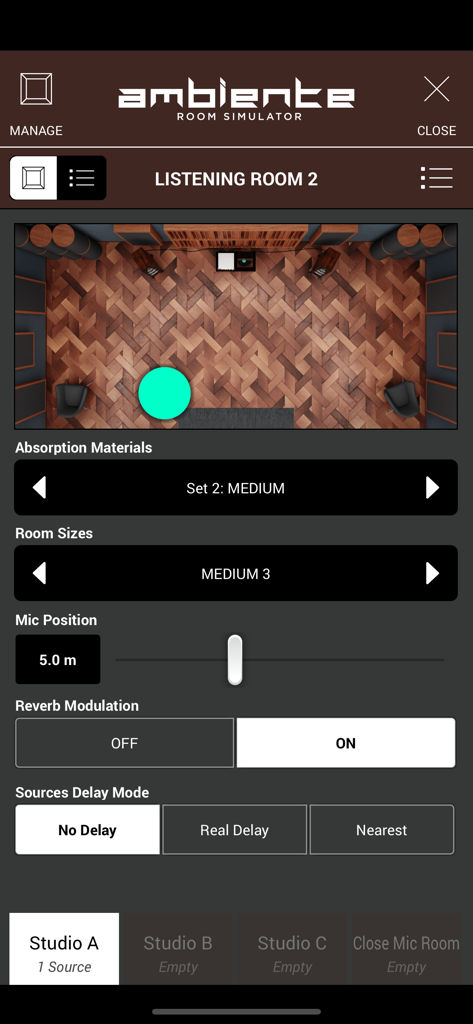
SWAM Violin Section app showing the Ambiente room simulator interface with room size and mic position controls.
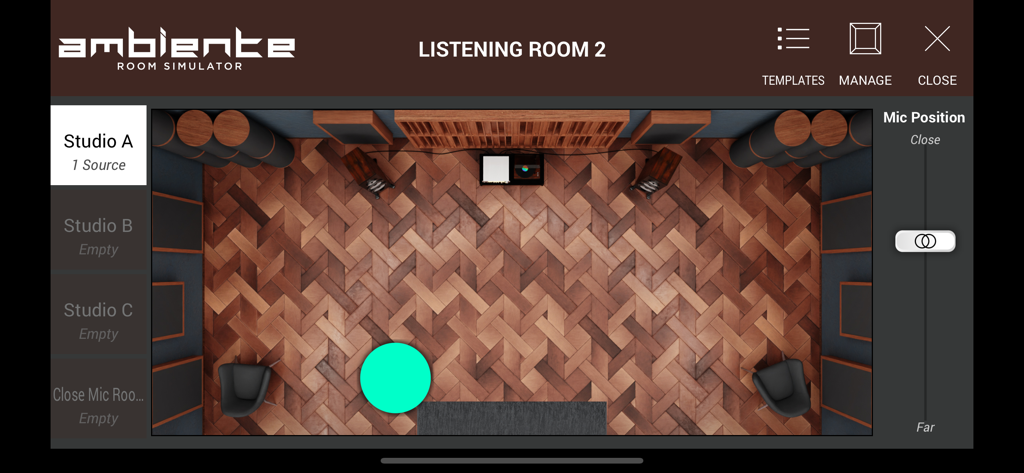
Ambiente room simulator interface in the SWAM Violin Section app showing a top-down view of a virtual studio layout for acoustic placement.
Description
Download
More Like This
Top-ranked apps in the same category

Spotify: Music and Podcasts
Spotify

YouTube Music
Google LLC

Shazam: Find Music & Concerts
Apple Inc.

SoundCloud: The Music You Love
SoundCloud Global Limited & Co KG

Suno - AI Songs & Music
Suno Inc.

QQ音乐 - 听我想听
Tencent Technology (Shenzhen) Company Limited

Audiomack - Play Music Offline
Audiomack, Inc.

GuitarTuna: Tune & Play Guitar
Yousician Ltd

BandLab – Music Maker & Beats
BandLab Singapore Pte Ltd
This page is not an official page of the app or its developer, but an independent editorial publication created for informational and commentary purposes. Unless expressly stated otherwise, neither the app nor its developer is affiliated with, endorsed by, sponsored by, authorized by, or otherwise officially connected with MWM, Apple, Google Play, the app publisher, or the app's developer, and nothing on this page implies that the app was developed using MWM's services. Any trademarks, logos, screenshots, and other content remain the property of their respective owners.