Swipe Photo Cleaner - Wipe AI

Swipe Photo Cleaner - Wipe AI


Download on App Store
Logo of Swipe Photo Cleaner - Wipe AI

Swipe Photo Cleaner - Wipe AI: Your Digital Reset Starts with a Swipe

Stop stressing over 'Storage Full' notifications. Use smart, private AI to quickly swipe away duplicates and blurry shots while keeping the memories that truly matter.

Publisher

FlashSoft OU

Category

Utilities

Downloads

89K+

User Rating

4.4/5

Total Ratings

100

Locales

12

A Smarter Camera Roll

Discover the interface used by 89K+ users.
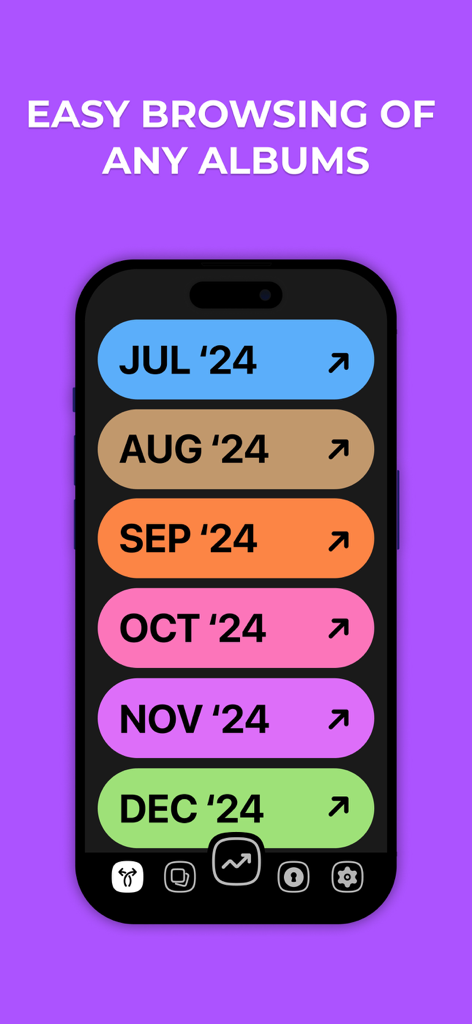
A smartphone screen displaying photo albums organized by month with colorful labels

A smartphone screen displaying photo albums organized by month with colorful labels

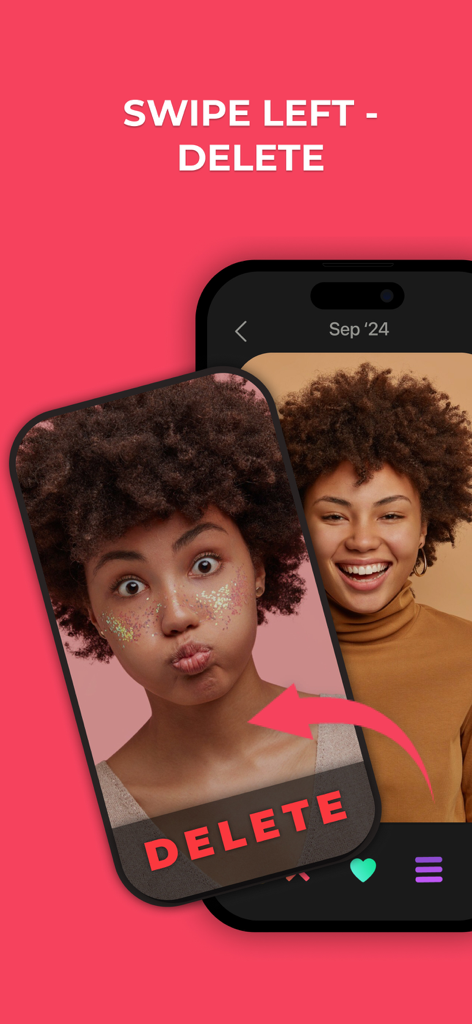
iPhone app screen showing a user swiping left to delete a photo from their camera roll

iPhone app screen showing a user swiping left to delete a photo from their camera roll

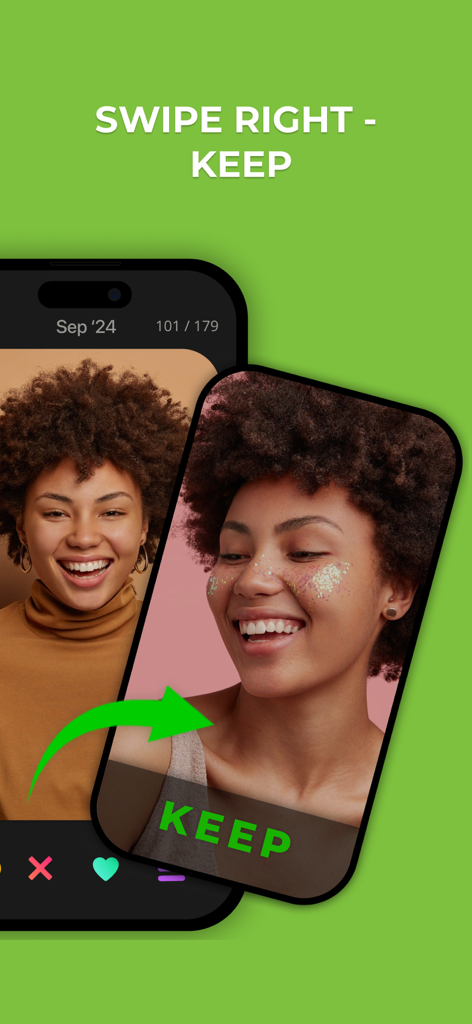
Interface showing the swipe right gesture to keep a photo in the app

Interface showing the swipe right gesture to keep a photo in the app

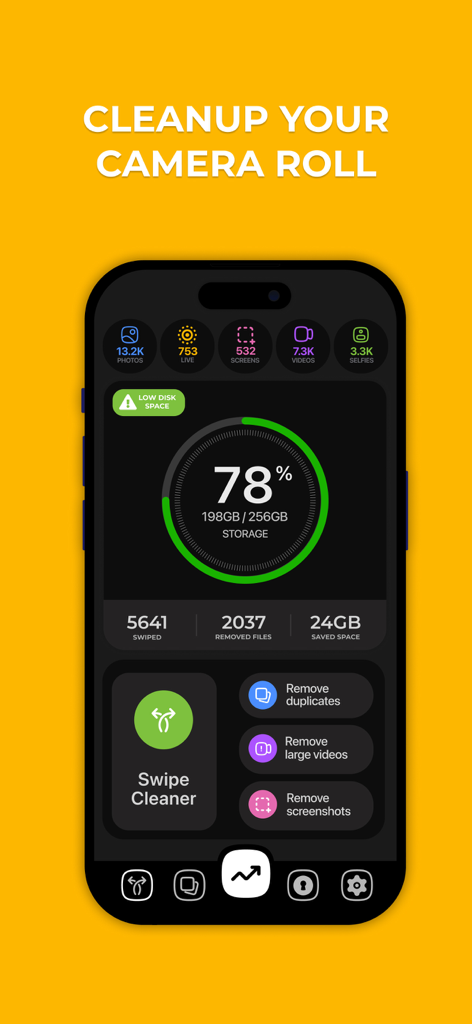
Interface of Swipe Photo Cleaner app displaying camera roll storage statistics and cleanup tools on an iPhone screen

Interface of Swipe Photo Cleaner app displaying camera roll storage statistics and cleanup tools on an iPhone screen

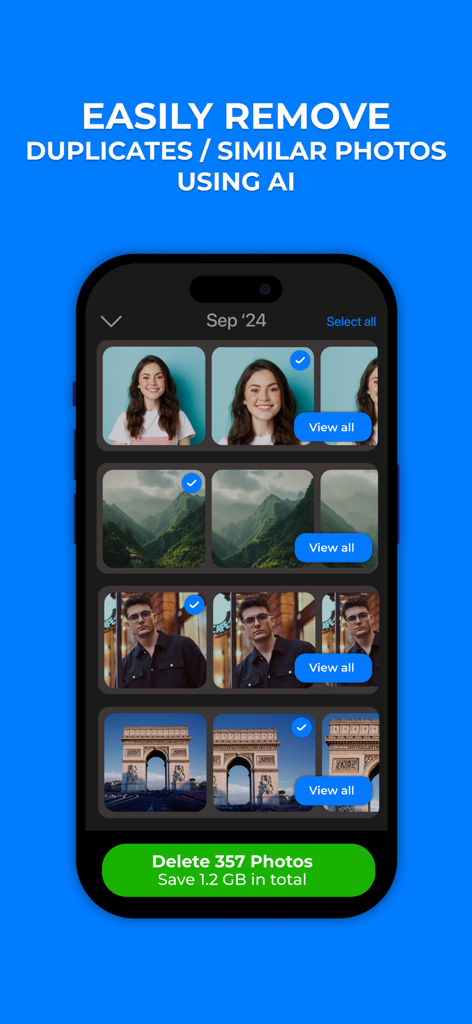
Swipe Photo Cleaner app interface showing AI detection and removal of duplicate photos to save storage space.

Swipe Photo Cleaner app interface showing AI detection and removal of duplicate photos to save storage space.

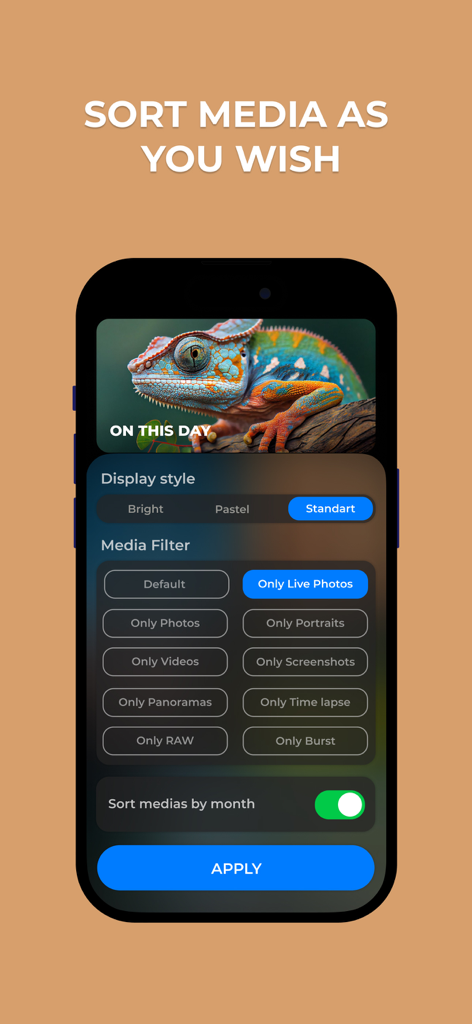
A smartphone screen showing the Swipe Photo Cleaner app with media filter settings like Live Photos Portraits and Screenshots and a sort by month toggle.

A smartphone screen showing the Swipe Photo Cleaner app with media filter settings like Live Photos Portraits and Screenshots and a sort by month toggle.

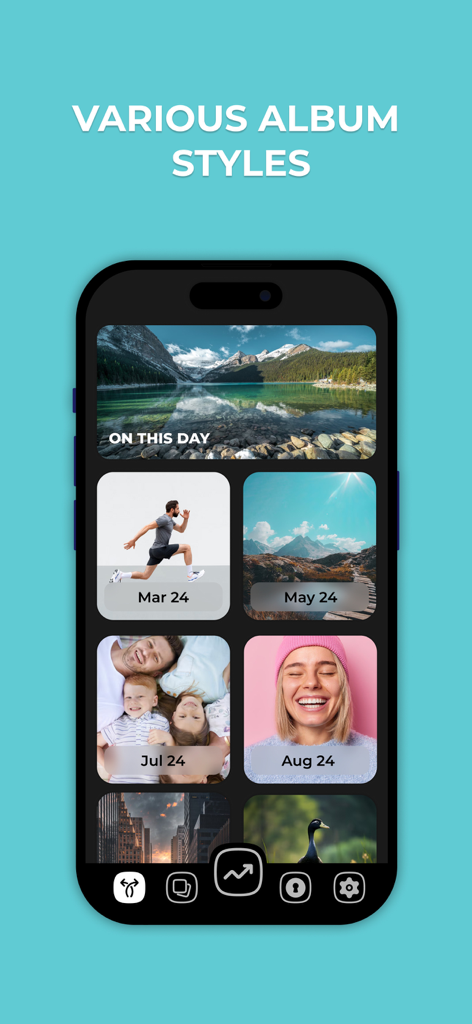
iPhone screen displaying various photo album organization styles by month and date within the Swipe Photo Cleaner app.

iPhone screen displaying various photo album organization styles by month and date within the Swipe Photo Cleaner app.

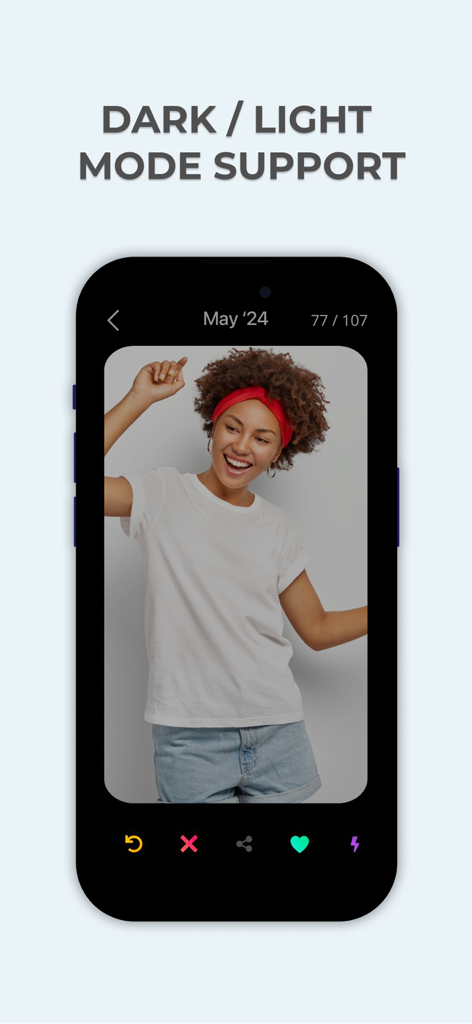
Swipe Photo Cleaner app interface showing dark mode support on iPhone

Swipe Photo Cleaner app interface showing dark mode support on iPhone

Take Control of Your Photo Library

The tools that make this app stand out, trusted by 89K+ users.

Gamified Swipe Cleaning

Turn a tedious chore into a satisfying routine. Swipe right to keep and left to delete—the fastest way to clear space during your commute or dead time.

🛡️

Privacy-First AI

Your memories stay yours. All AI sorting happens locally on your iPhone, ensuring your private photos are never uploaded to the cloud or external servers.

🚀

End Storage Anxiety

Instantly identify blurry shots and duplicate selfies. Reclaim gigabytes of space so you never have to see a 'Storage Almost Full' notification again.

About the app

Everything you need to know about Swipe Photo Cleaner - Wipe AI.

Description

Swipe Photo Cleaner – Smart Photo Organizer Your camera roll fills up faster than you expect. Duplicate photos, blurry shots, screenshots, and unwanted images quickly turn your photo library into clutter, making it hard to find the moments that truly matter. Swipe Photo Cleaner helps you organize your photos quickly and effortlessly. Using a simple swipe-based experience, the app turns photo cleanup into a fast, intuitive, and even enjoyable process. Decide what to keep and what to remove in seconds, and take full control of your camera roll. Designed for speed, simplicity, and privacy, Swipe Photo Cleaner helps you free up storage space and rediscover your favorite memories without distractions. A SIMPLE WAY TO CLEAN YOUR CAMERA ROLL Swipe to Organize Sort your photos with intuitive gestures. Swipe right to keep a photo and swipe left to remove it. No complex menus or tedious selection processes. Fast Cleanup Go through your photo library quickly and efficiently. Clear unwanted images in minutes instead of spending hours manually deleting photos. Smart Photo Curation Keep only the photos that matter to you. Build a clean and meaningful photo collection you’ll actually enjoy revisiting. Custom Categories Organize your photos your way. Create custom categories to separate personal images, work content, trips, events, or any other collection you need. Privacy First Your photos stay on your device. Swipe Photo Cleaner does not upload or store your images externally, ensuring complete privacy and peace of mind. Intelligent Learning The app adapts to your preferences over time. By learning from your swiping behavior, Swipe Photo Cleaner becomes more aligned with your personal choices and style. Optimized Performance Enjoy a smooth and responsive experience. The app is optimized for speed, ensuring fluid interactions even with large photo libraries. WHY SWIPE PHOTO CLEANER A clutter-free camera roll helps you stay organized, save storage space, and focus on the memories that truly matter. Swipe Photo Cleaner transforms photo cleanup from a frustrating chore into a simple and satisfying routine. DESIGNED FOR EVERYDAY USE Swipe Photo Cleaner features a clean and intuitive interface that makes photo organization easy for everyone. Whether you’re doing a quick cleanup or organizing thousands of photos, the app scales effortlessly to your needs. Download Swipe Photo Cleaner today and take control of your photo library. Clean up faster, free up space, and enjoy your memories without clutter. Your photos deserve a cleaner home.

Latest Version

6.3.3

Size

82.5 MB

First Released

Aug 29, 2023

Ready for a Clutter-Free Camera Roll?

Join 89,000+ users who turned photo cleanup from a chore into a game. Reclaim your iPhone storage with simple swipes and total on-device privacy.

Download on App Store

App information, icons, screenshots, and descriptions displayed on this page are sourced from the Apple App Store and are the property of their respective developers. Download estimates and rankings are based on MWM's proprietary models and may not reflect actual figures. This page is provided for informational and analytical purposes only.

Believe this page infringes your intellectual property? File a dispute