
This page is not an official page of the app or its developer, but an independent editorial publication created for informational and commentary purposes. Unless expressly stated otherwise, neither the app nor its developer is affiliated with, endorsed by, sponsored by, authorized by, or otherwise officially connected with MWM, Apple, Google Play, the app publisher, or the app's developer, and nothing on this page implies that the app was developed using MWM's services. Any trademarks, logos, screenshots, and other content remain the property of their respective owners.


TAXImet - Taximeter
Take control of your transport business with custom tariffs, offline GPS fare tracking, and professional digital receipts—no internet or expensive hardware required.
Downloads
172K+User Rating
Total Ratings
100Publisher
Category
TravelLocales
13Latest Version
2.8Size
13.2 MBFirst Released
Feb 16, 2022Professional Tools for Independent Drivers
Everything you need to calculate fares, build passenger trust, and manage your earnings without relying on expensive hardware or constant internet.
100% Offline Reliability
Calculate accurate fares using GPS data alone. Perfect for rural routes or dead zones where cellular data is unreliable.
Customizable Rate Control
Set your own distance and waiting charges to match your specific business model and keep 100% of what you earn.
Frequently Asked Questions
Everything you need to know about TAXImet - Taximeter
Does TAXImet - Taximeter app require an internet connection to function?
No, the TAXImet - Taximeter app does not require an internet connection. It utilizes GPS data from your phone for all calculations, ensuring offline functionality.
How does the TAXImet - Taximeter app calculate fares?
The TAXImet - Taximeter app calculates fares based on configurable distance and waiting charges. Users can set initial, distance, and time-based charges within the tariff settings.
Can users customize tariffs in the TAXImet - Taximeter app?
Yes, users can customize tariffs within the TAXImet - Taximeter app. The settings allow configuration of multiple tariffs (e.g., Tariff A, B, C) with specific initial, distance, and time-based charges.
How do I start a journey with the TAXImet - Taximeter app?
To start a journey with the TAXImet - Taximeter app, ensure your phone's location is on and the app has permission. The 'Start' button turns green when a good GPS signal is received. Press 'Start' to begin.
Can the TAXImet - Taximeter app generate and print bills?
Yes, the TAXImet - Taximeter app can generate and print bills. It offers features for printing bills, sending e-bills, and connecting to a printer directly.
Does the TAXImet - Taximeter app save a history of previous journeys?
Yes, the TAXImet - Taximeter app saves a list of previous journeys. Users can view their hires history, including total fare, period, distance, start, and end times for each trip.
Where can I find support for the TAXImet - Taximeter app?
Support for the TAXImet - Taximeter app is available within the app's settings. It includes a support contact and videos to assist users with app functionalities and settings.
Does the TAXImet app provide configurable general settings?
Yes, the TAXImet - Taximeter app provides configurable general settings. Users can adjust currency, distance measurement units (e.g., km), fare rounding, and tax calculation direction.
Can I create a cloud account with the TAXImet - Taximeter app?
Yes, users can optionally create a cloud account with the TAXImet - Taximeter app. This feature allows for potential cloud-based data storage or synchronization capabilities.
Is TAXImet - Taximeter compliant with local taxi regulations?
TAXImet - Taximeter operates similarly to a taximeter. Users must check whether the app satisfies their country's specific taxi regulations, as compliance varies by region.
The following screenshots and description are sourced directly from the app's official store listing and are the property of the app developer.
App Store
Screenshots
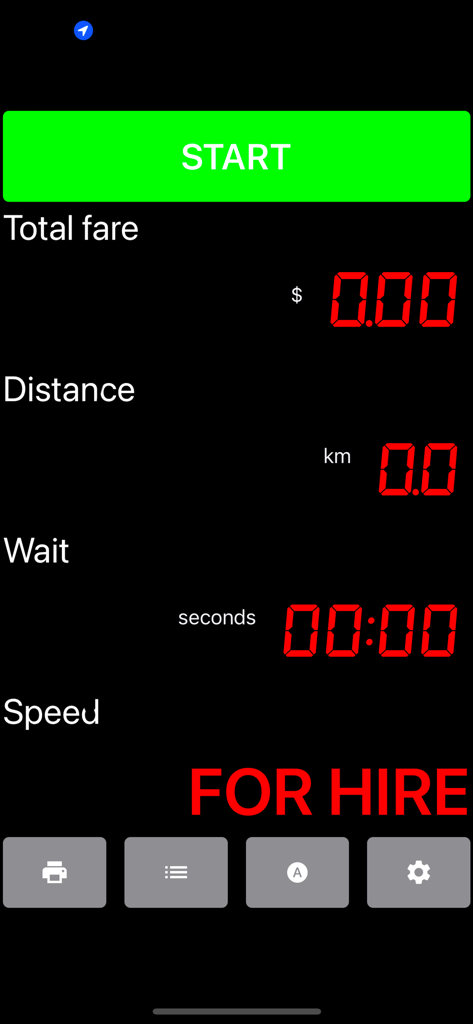
Main screen of the TAXImet app showing total fare, distance, and for hire status with a green start button.
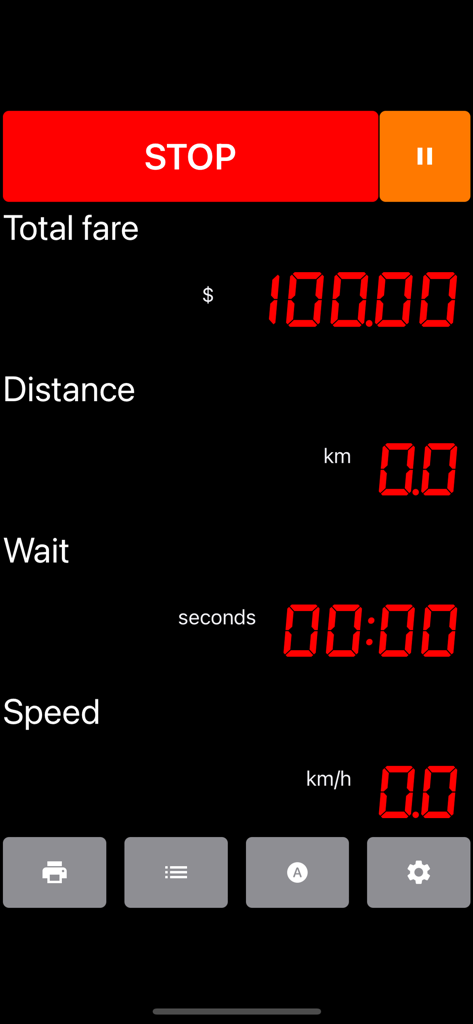
Digital taximeter interface showing total fare distance and waiting time
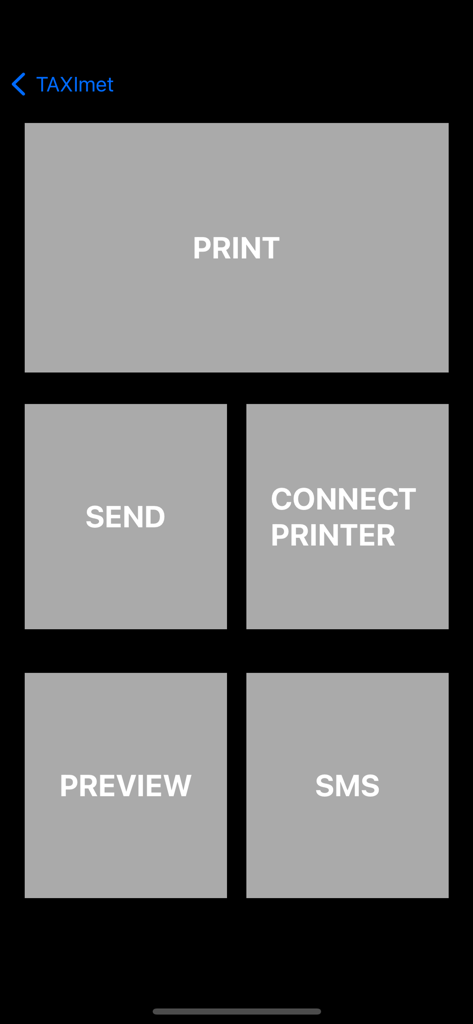
TAXImet app interface showing buttons for printing sending and previewing trip bills
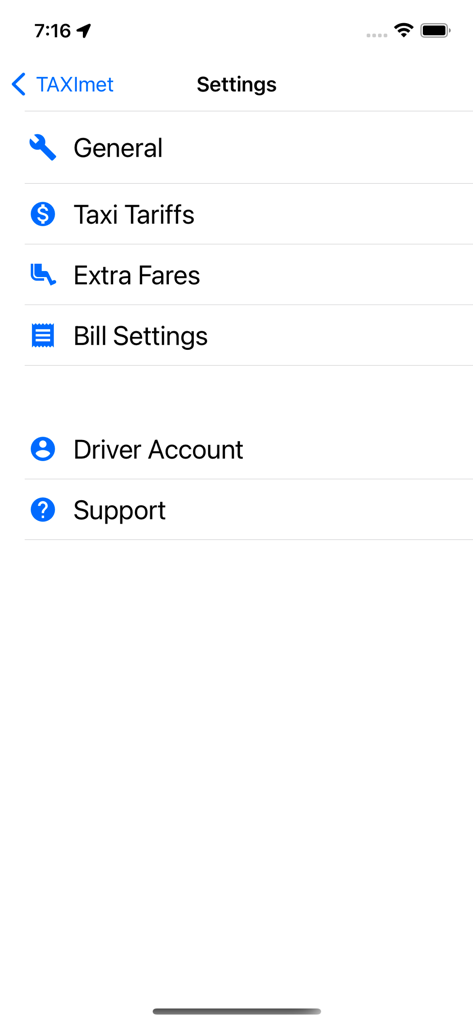
Settings menu of the TAXImet app showing configuration options for taxi tariffs, extra fares, and bill settings
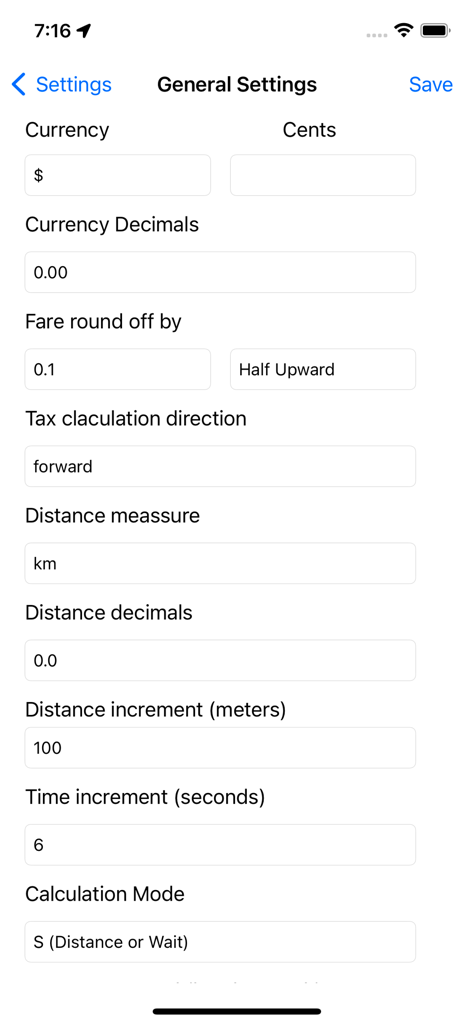
General settings screen of the TAXImet app for configuring fare and distance calculations
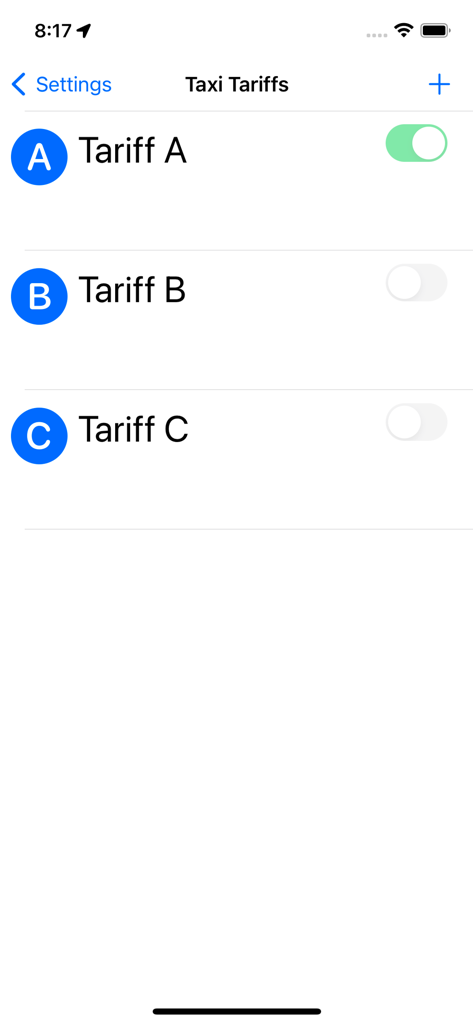
A menu screen for configuring different taxi fare tariffs
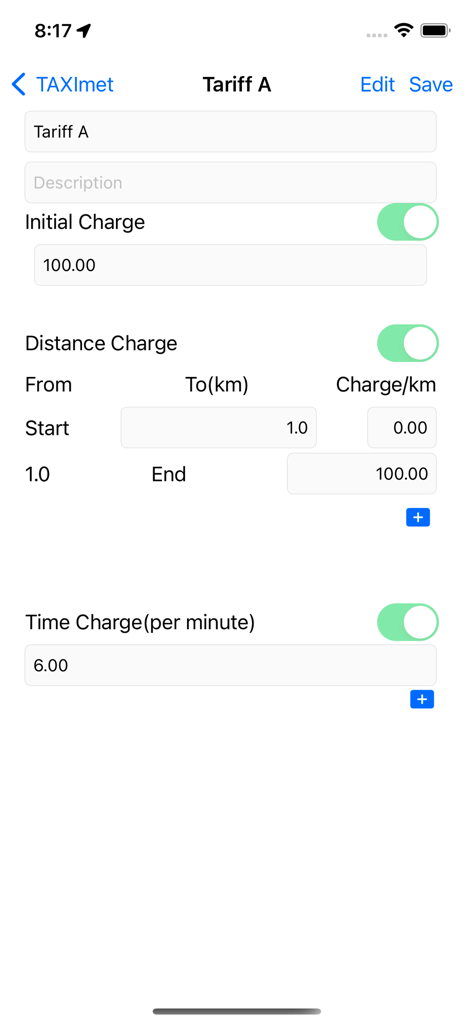
A screen in the TAXImet app showing configuration options for initial distance and time charges for a specific taxi tariff.
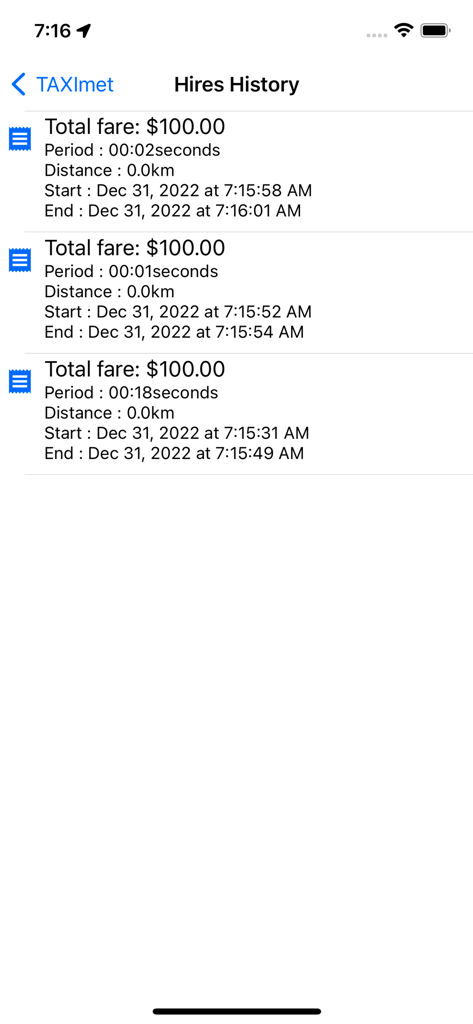
The Hires History screen of the TAXImet app displaying a log of past trips with fare amounts and journey durations.
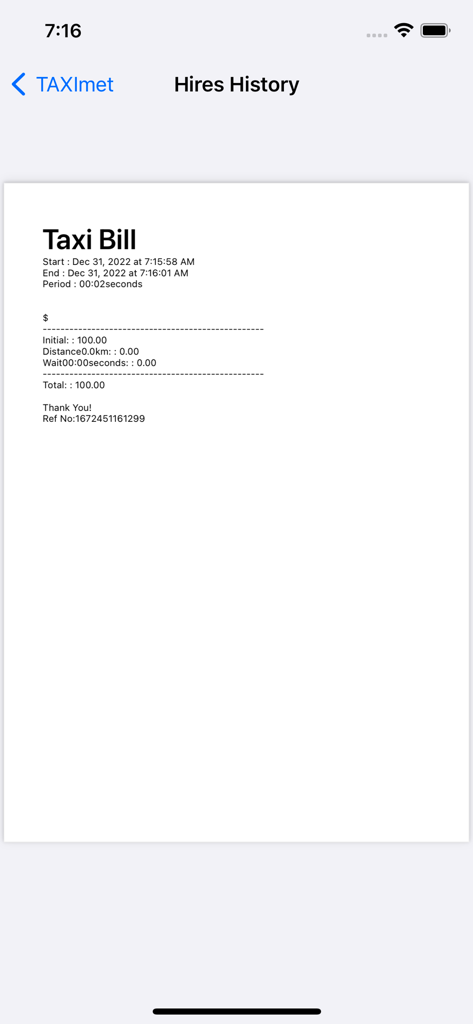
A digital taxi receipt generated by the TAXImet app showing trip details and fare breakdown.
Description
Download
More Like This
Apps with similar features and user experience

Taximeter - Meter App
Meter App Inc.

Taximeter. GPS taxi cab meter.
Kalimex-Consulting s.r.o.

Cabbie's Mate
Knowledge Master UK Ltd

Msar Captain | كابتن مسار
Safe Route Company For Taxi Vehicle Navigation

Beans - Maps for Apartments
One Hundred Feet, Inc.

风韵出行司机
wuhan fengyunchuxing information technology Co.,Ltd

Rapido Rider
Alajmi KHALED

Eco Ride Driver
Mariia Murzamuratova

Rapid Ride Partner
Shilpa Goyal
This page is not an official page of the app or its developer, but an independent editorial publication created for informational and commentary purposes. Unless expressly stated otherwise, neither the app nor its developer is affiliated with, endorsed by, sponsored by, authorized by, or otherwise officially connected with MWM, Apple, Google Play, the app publisher, or the app's developer, and nothing on this page implies that the app was developed using MWM's services. Any trademarks, logos, screenshots, and other content remain the property of their respective owners.