Teacher Aide Pro

Teacher Aide Pro

Download on App Store
Logo of Teacher Aide Pro

Teacher Aide Pro: The All-in-One Classroom Assistant Built by Teachers, for Teachers

Reclaim your time with effortless gradebook management, seating charts, and automated parent communication. Sync seamlessly with Google Classroom to keep your focus where it belongs: on your students.

Download on App Store

Publisher

Glen Botha

Category

Education

Downloads

7K+

User Rating

4.5/5

Total Ratings

200

Locales

3

Your Classroom at a Glance

Discover the interface used by 7K+ users.
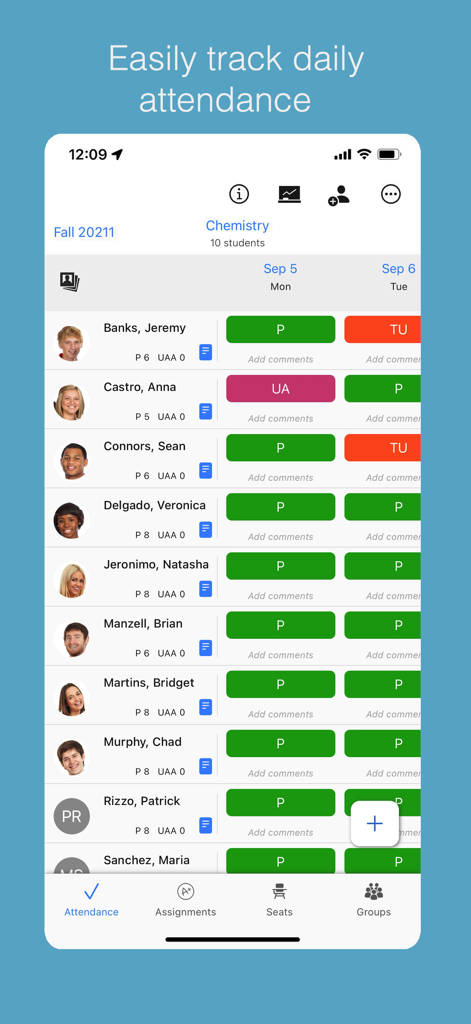
Teacher Aide Pro mobile app screen for tracking daily student attendance with color-coded status indicators.

Teacher Aide Pro mobile app screen for tracking daily student attendance with color-coded status indicators.

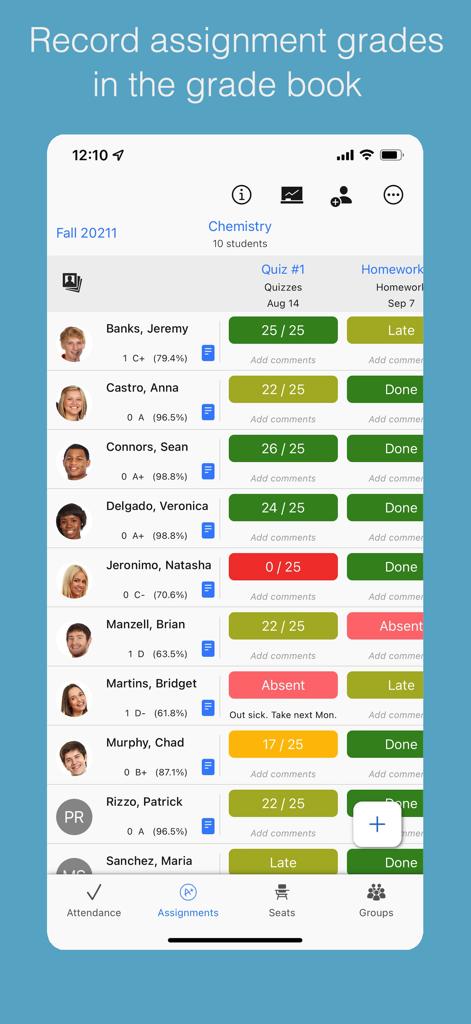
Teacher Aide Pro digital gradebook showing student assignment scores and status

Teacher Aide Pro digital gradebook showing student assignment scores and status

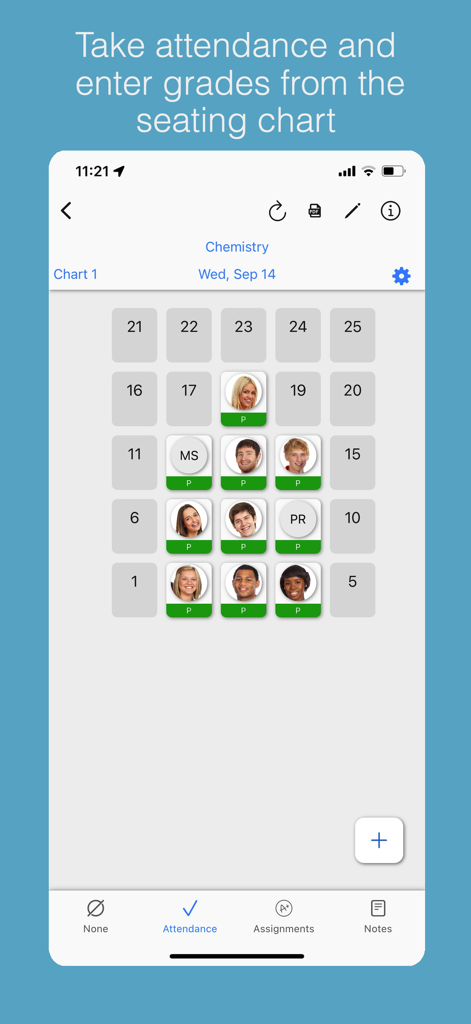
Teacher Aide Pro mobile app interface showing an interactive student seating chart for taking attendance and managing grades.

Teacher Aide Pro mobile app interface showing an interactive student seating chart for taking attendance and managing grades.

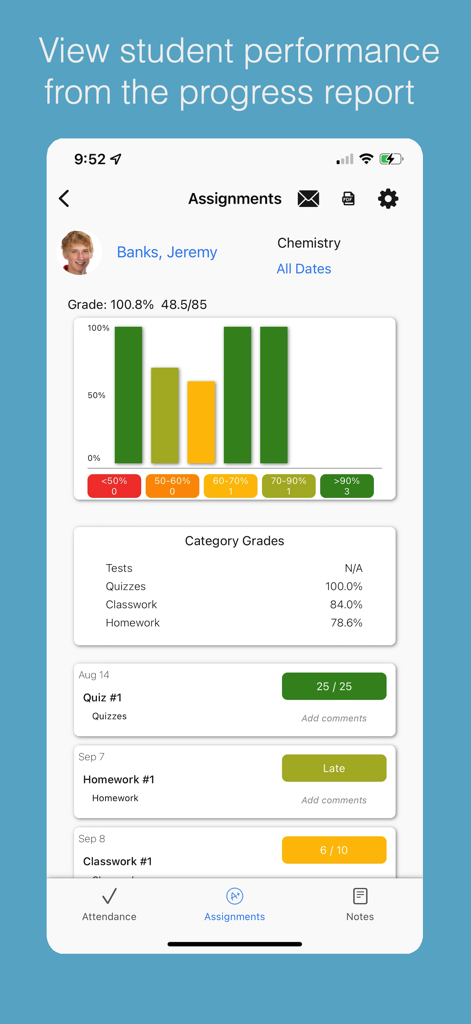
A student progress report screen in the Teacher Aide Pro app showing assignment grades and a performance bar chart

A student progress report screen in the Teacher Aide Pro app showing assignment grades and a performance bar chart

Take Control of Your Classroom Admin

The tools that make this app stand out, trusted by 7K+ users.

🔄

Instant Workflow Sync

Effortlessly sync Google Classroom rosters and export grades to Schoolloop, eliminating hours of manual data entry.

📈

Proactive Student Support

Identify at-risk students instantly and notify parents with one-tap bulk emails to ensure every child gets the help they need.

📱

Mobile-First Management

Manage attendance and dynamic seating charts on the move from your iPad, keeping you engaged with your students.

About the app

Everything you need to know about Teacher Aide Pro.

Description

Designed by a teacher, for teachers! • Attendance, Gradebook & Seating Chart • Variety of PDF reports • Identify students at-risk due to attendance or grades • Easily notify students, parents and advisors with bulk email. • Easily sync student roster from Google Classroom • Export grades to Schoolloop and other grading systems Teacher Aide Pro allows use of the attendance and gradebook for 1 class for free. An auto-renewable monthly subscription supports up to 20 classes for a maximum of 6 terms. Access to additional features such as the seating chart, PDF reports and the At-Risk student screen for all classes. More updates will continue to arrive monthly. Autorenewable Subscription Details To access additional features the user needs to subscribe to an auto renewable monthly subscription. This means the subscription automatically renews 24 hours before the end of the subscription date. Auto renewable subscriptions can be managed from the user iTunes account, and a link is provided in the subscription screen while in the app. All future updates are included with the auto renewable monthly subscription. The subscription may be cancelled for any future months, and the user will still have access to the data, only the additional features will be disabled. Please email the developer at support@inpocketsolutions.com with any questions or suggestions. Privacy Policy: https://inpocketsolutions.com/privacy-policy Terms of Use: https://inpocketsolutions.com/terms Facebook page www.facebook.com/TeacherAidePro

Latest Version

1.43.1

Size

25.4 MB

First Released

Jan 11, 2016

Ready to Reclaim Your Time?

Join thousands of K-12 educators who use Teacher Aide Pro to streamline grading, attendance, and parent communication. Start managing your first class for free today.

Download on App Store

App information, icons, screenshots, and descriptions displayed on this page are sourced from the Apple App Store and are the property of their respective developers. Download estimates and rankings are based on MWM's proprietary models and may not reflect actual figures. This page is provided for informational and analytical purposes only.

Believe this page infringes your intellectual property? File a dispute