Team HR
Team HR
Download on App Store

This page is not an official page of the app or its developer, but an independent editorial publication created for informational and commentary purposes. Unless expressly stated otherwise, neither the app nor its developer is affiliated with, endorsed by, sponsored by, authorized by, or otherwise officially connected with MWM, Apple, Google Play, the app publisher, or the app's developer, and nothing on this page implies that the app was developed using MWM's services. Any trademarks, logos, screenshots, and other content remain the property of their respective owners.


Logo of Team HR
Download on App Store

Team HR

Empower your training with pro-level heart rate and step tracking for up to 50 players. Mirror live data to the big screen to optimize intensity and make data-driven decisions that win games.

Key Figures

Downloads

200

User Rating

1.0/5

Total Ratings

0

Publisher

TRACKTEAM PTY LTD

Category

Health & Fitness

Locales

1

Latest Version

2.48

Size

30.4 MB

First Released

Jan 9, 2025
Features

Pro-Level Performance Insights for Every Team

Stop guessing and start coaching with data. Team HR transforms your iPhone into a professional-grade command center for tracking intensity, recovery, and team load in real time.

Unrivaled Field Coverage

Track up to 50 players simultaneously across full-sized athletic fields using our proprietary iPhone networking technology. No expensive hubs required.

Live Visual Motivation

Mirror live heart rate and effort zones to any TV via AirPlay or HDMI to create a high-stakes, competitive environment that pushes athletes further.

The following screenshots and description are sourced directly from the app's official store listing and are the property of the app developer.

App Store

Screenshots
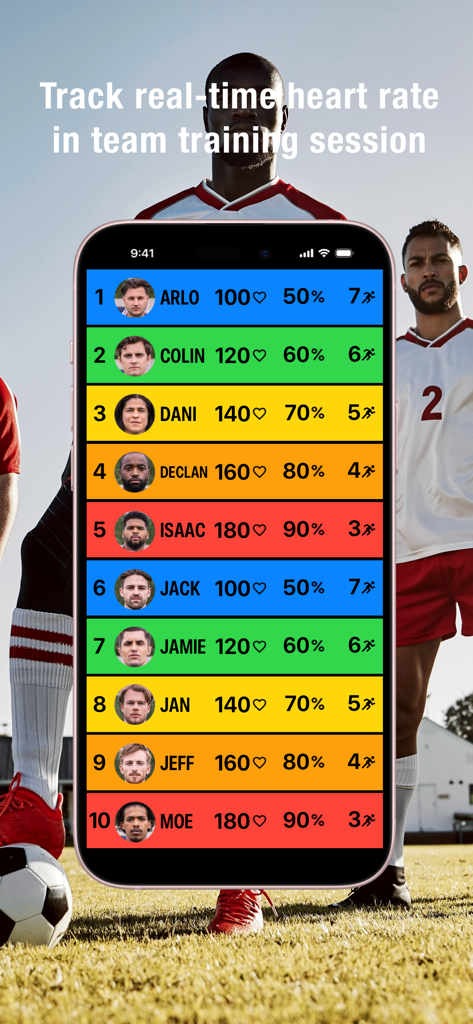
Team HR - Team HR mobile app displaying real-time heart rate data for a sports team
Team HR mobile app displaying real-time heart rate data for a sports team

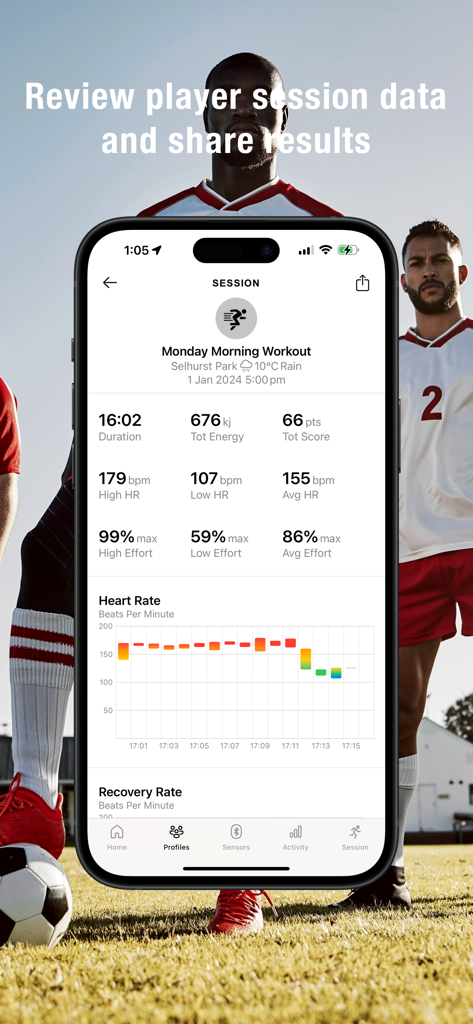
Team HR - Team HR app interface showing a detailed workout summary with heart rate data and performance metrics for a soccer session
Team HR app interface showing a detailed workout summary with heart rate data and performance metrics for a soccer session

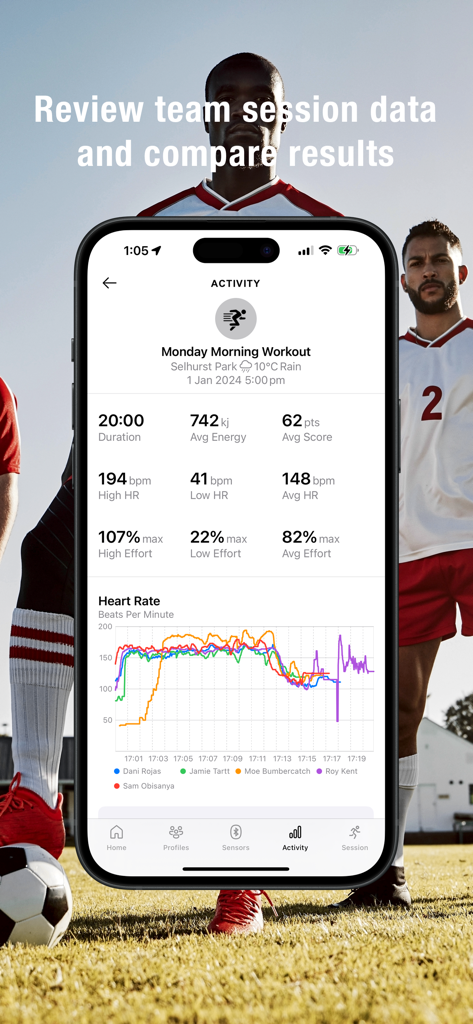
Team HR - Team HR app workout summary screen showing a heart rate graph for multiple athletes and session performance metrics
Team HR app workout summary screen showing a heart rate graph for multiple athletes and session performance metrics

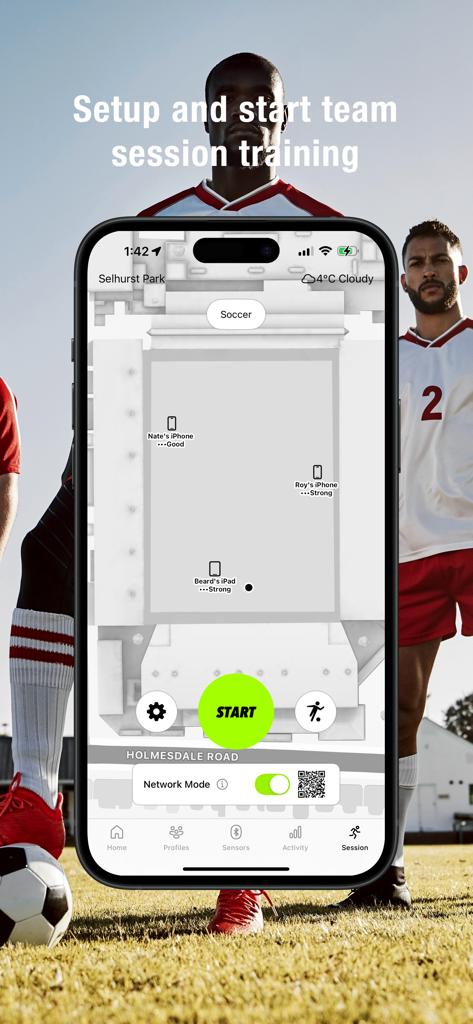
Team HR - Team HR app dashboard for starting a soccer training session with networked devices on a field map

Team HR app dashboard for starting a soccer training session with networked devices on a field map

Description

Overview TeamHR is a coaching tool for tracking heart rate and steps in team sports. Connect up to 14 Bluetooth heart rate sensors in real time on a single iPhone, up to 28 sensors in near–real time on a single iPhone, or up to 50 sensors in real time using multiple iPhones. Track heart rate, exercise intensity, and running distance on a large TV, helping coaches optimize performance and make data-driven decisions. Compatible with all Bluetooth heart rate sensors for iPhone (step tracking with Polar H10 only). Step Tracking Step tracking is used to estimate running pace, cadence, and distance in real time with Polar H10 heart rate sensors. Compatible with TeamHub for tracking more players over longer outdoor distances. Cloud Dashboards Sync session data to Trackteam Cloud to view and share Live Sessions, Player Results, and 30-Day Team Analytics dashboards from any web browser. Ideal for assistant coaches, team managers, and talent scouts. iPhone Networking Expand tracking range with TeamHub, a free iPhone app that anonymously relays heart rate data from multiple iPhones. Monitor up to 50 players in real time, ideal for football fields, athletic tracks, and swimming pools. Download TeamHub here: https://apps.apple.com/app/id6739801953 Apple Watches TeamHR works with the free SquadWatch3 app for Apple Watch (paired with iPhone), allowing players to track heart rate without purchasing a separate sensor. Download SquadWatch3 here: https://apps.apple.com/app/id6499514280 Key Features - Real-time heart rate tracking (Bluetooth sensor required) - Real-time step tracking (Polar H10 only) - Estimates exercise intensity, energy expenditure, and training load - Estimates running pace, cadence, and distance (Polar H10 only) - Recovery heart rate & HRV calculations (HRV-enabled sensors only) - Time-based activity data for team performance analysis - CSV export for spreadsheet data analysis - Automatic session tracking & workout summaries - Personalized branding on TV & workout summaries - Multilingual workout summaries: English, French, Italian, Portuguese, Spanish - Apple Watch support via SquadWatch3 - Screen mirroring to TVs via HDMI, Apple TV, or AirPlay - View & share live sessions, player results, 30-day team analytics from any web browser - Easy sensor pairing & management - Bluetooth signal extension with iPhone network (up to 50 players) Plans & Pricing - Player Practice (Free): Track 1 heart rate sensor, record sessions, and network iPhones. - Team Practice (In-App Purchase): Track up to 14 sensors on one iPhone or 50 sensors using an iPhone network. Subscriptions - Team Practice: US$29.99/month or US$299/year (7-day FREE trial). Auto-renews unless canceled 24 hours before renewal. Manage via iPhone settings. Device Compatibility - iPhones/iPads with Bluetooth 5 (e.g., iPhone X, iPad 10th Gen and above) support up to 14 sensors. - Older devices with Bluetooth 4 (e.g., iPad 9th Gen) support up to 7 sensors. - Time-sharing technology expands tracking to 28 players on Bluetooth 5 devices and 14 players on Bluetooth 4, but with slower updates. - iPhone network expansion up to 50 players: Each iPhone hub connects up to 13 sensors and relays data to the main iPhone. - Step tracking requires Polar H10 heart rate sensors. Support & Contact - Website: trackteam.net - Contact Us: trackteam.net/contact - Privacy Policy: trackteam.net/privacy - Terms of Service: trackteam.net/terms

Download

Download on App Store

This page is not an official page of the app or its developer, but an independent editorial publication created for informational and commentary purposes. Unless expressly stated otherwise, neither the app nor its developer is affiliated with, endorsed by, sponsored by, authorized by, or otherwise officially connected with MWM, Apple, Google Play, the app publisher, or the app's developer, and nothing on this page implies that the app was developed using MWM's services. Any trademarks, logos, screenshots, and other content remain the property of their respective owners.








