Time Tracker by eBillity
Download on App Store

This page is not an official page of the app or its developer, but an independent editorial publication created for informational and commentary purposes. Unless expressly stated otherwise, neither the app nor its developer is affiliated with, endorsed by, sponsored by, authorized by, or otherwise officially connected with MWM, Apple, Google Play, the app publisher, or the app's developer, and nothing on this page implies that the app was developed using MWM's services. Any trademarks, logos, screenshots, and other content remain the property of their respective owners.


Logo of Time Tracker by eBillity
Download on App Store

Time Tracker by eBillity

The most trusted time-tracking app for professionals and mobile teams. Sync seamlessly with QuickBooks, ADP, and Xero to automate your invoicing, ensure labor compliance, and boost your business profitability from any device.

Key Figures

Downloads

0

User Rating

4.4/5

Total Ratings

0

Publisher

Boston Billing Solutions, LLC

Category

Business

Locales

2

Latest Version

3.7.3

Size

93.1 MB

First Released

Oct 6, 2011
Features

Maximize Your Productivity and Profits

From field services to professional firms, eBillity provides the essential tools to track time, manage expenses, and automate your US payroll and billing.

Seamless Payroll & Accounting Sync

Connect instantly with QuickBooks, ADP, and Gusto to eliminate manual data entry and ensure your team gets paid accurately and on time.

Smart Mobile Time Tracking

Start timers or clock in from any job site. Our cloud-based system works offline and syncs automatically when your device is back online.

The following screenshots and description are sourced directly from the app's official store listing and are the property of the app developer.

App Store

Screenshots
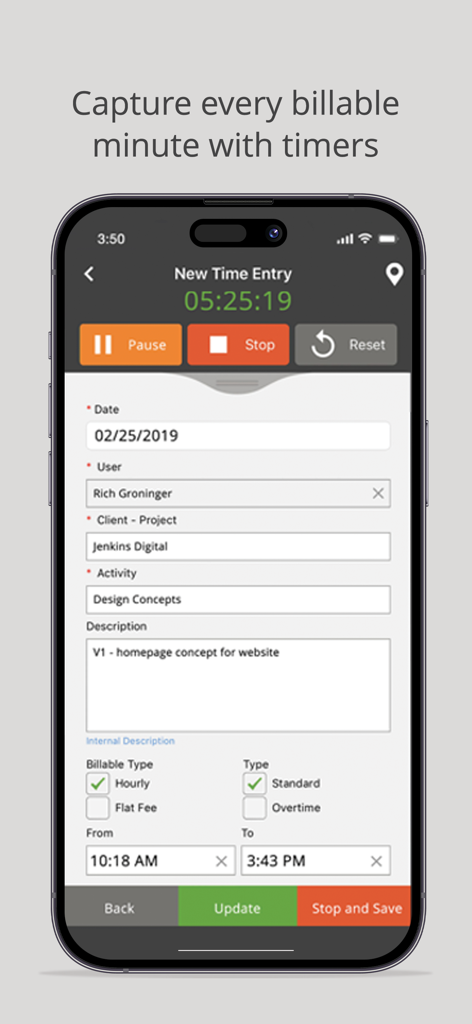
Time Tracker by eBillity - New time entry screen in the Time Tracker by eBillity app showing a running timer and project billing details
New time entry screen in the Time Tracker by eBillity app showing a running timer and project billing details

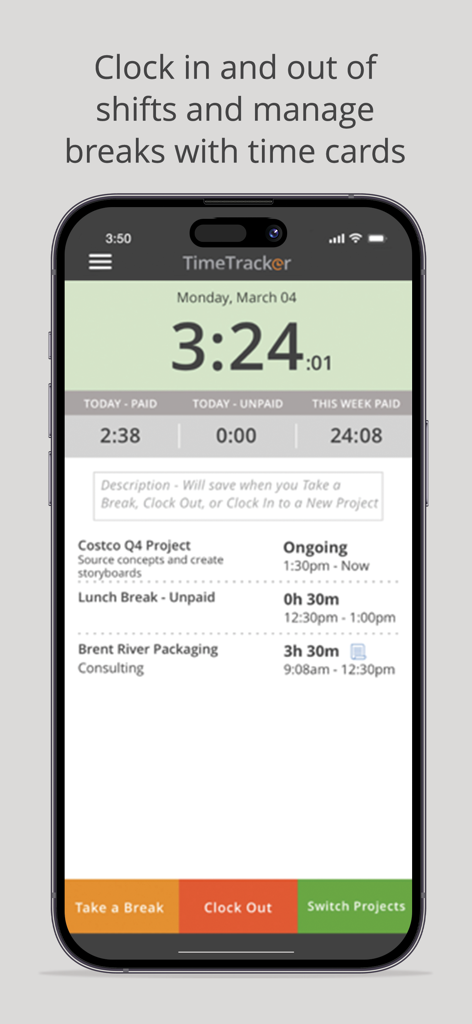
Time Tracker by eBillity - Interface of the Time Tracker by eBillity app showing a live shift timer and project tracking options
Interface of the Time Tracker by eBillity app showing a live shift timer and project tracking options

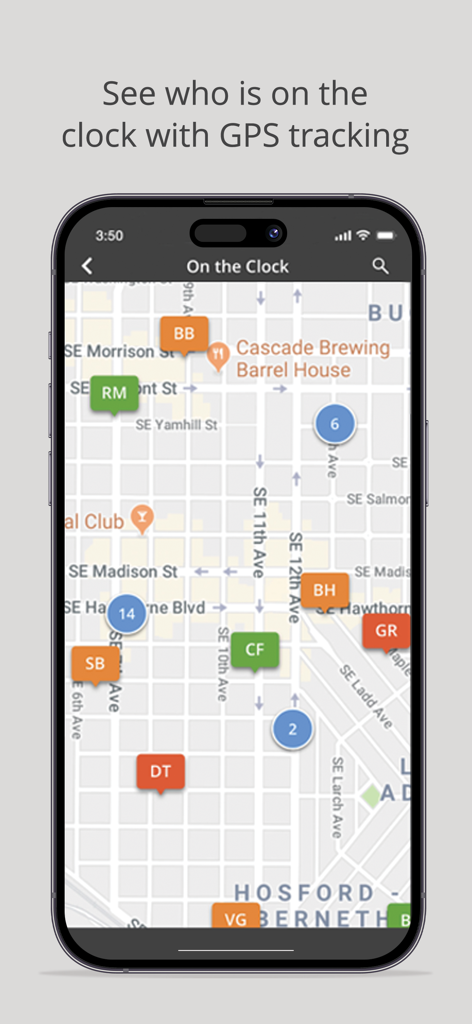
Time Tracker by eBillity - GPS tracking map showing real-time employee locations in the Time Tracker app
GPS tracking map showing real-time employee locations in the Time Tracker app

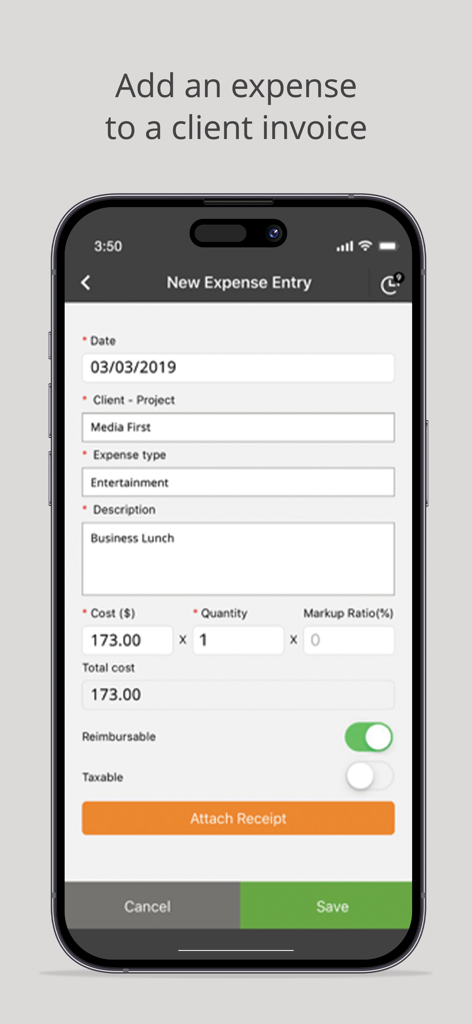
Time Tracker by eBillity - Mobile screen showing a new expense entry form for tracking business costs and attaching receipts within the Time Tracker app
Mobile screen showing a new expense entry form for tracking business costs and attaching receipts within the Time Tracker app

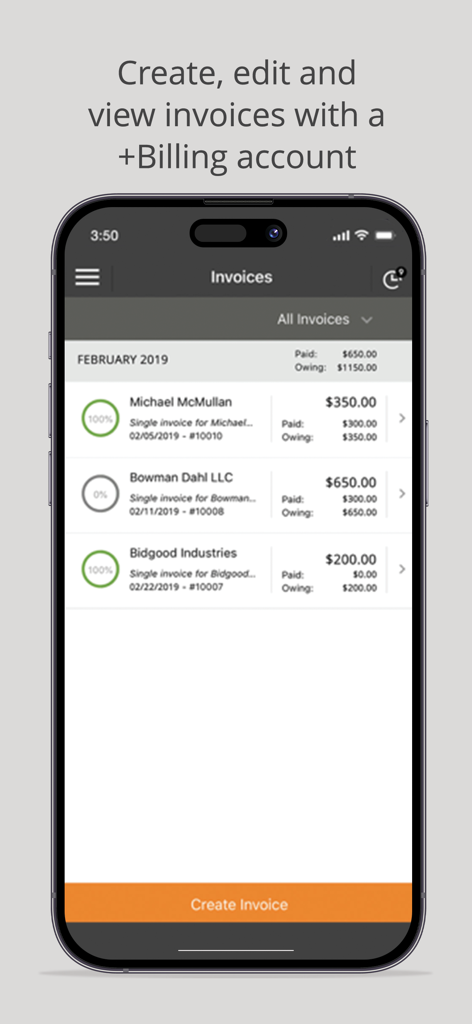
Time Tracker by eBillity - Mobile app interface displaying a list of client invoices with payment status and totals for professional billing
Mobile app interface displaying a list of client invoices with payment status and totals for professional billing

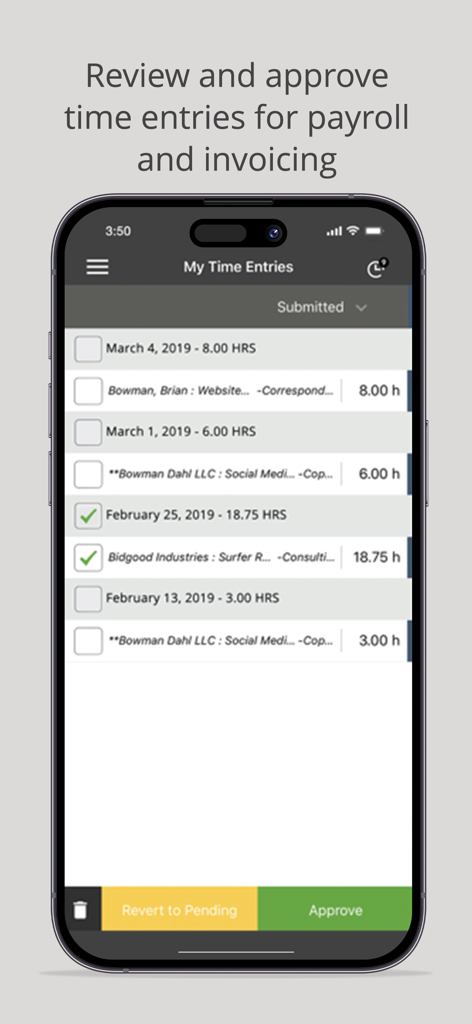
Time Tracker by eBillity - A mobile interface for reviewing and approving employee time entries for payroll and invoicing in the Time Tracker app.

A mobile interface for reviewing and approving employee time entries for payroll and invoicing in the Time Tracker app.

Description

Time Tracker by eBillity Save Time | Increase Profitability Keep track of time from any device, anywhere with Time Tracker by eBillity. Our time tracking software is securely connected to the cloud and runs automatic backups, so if you lose your internet connection you can manually sync your time entry to your account once your device is back online. Unique Time Tracking Just like you, your business is unique so when we designed Time Tracker we decided to be unique too which is why we created options based on why you need to track time – is it for payroll or billing? Time Tracker for Payroll Time cards are the default setting for Time Tracker and the ideal way to capture your team's time for payroll. Time cards allow employees to clock in and out of shifts, take breaks, switch between projects and receive overtime alerts. With time cards the admin or manager can easily: and be notified when their break is coming to an end. Monitor employee hours to estimate costs within each pay cycle Set thresholds to automatically calculate overtime and double time Set time rounding (up or down); for example, if an employee clocks in at 08:55 am the time entry can round up and be recorded as 09:00 am. Receive automatic notifications of a rate increase to overtime/double time Time Tracker for Billing Timers are ideal for invoicing clients and they’re the default setting for our Time Tracker +Billing account. With timers you can easily capture every second worked in just one click – run multiple timers, switch between clients, projects and activities. Mark time entries as billable or non-billable Enter your hourly billing rate or add a flat fee Flag the time entry as standard or overtime Option to add the time entry to an invoice Included in every account: Geolocation tracking View a detailed map of where your employees were when they logged time to avoid billing disputes and verify locations (displays location after the entry is saved/not real-time tracking). Time entry approvals Submitted time entries can be edited, rejected or approved by an admin. Approved time entries automatically sync with your accounting and payroll software (if enabled). For larger teams, you can assign your managers or supervisors (for example) as an admin so they can review and approve their own team’s time entries. Time Tracker +Billing also offers expense tracking and client billing! Manage expenses Track expenses with your mobile device; take a photo of your receipt and upload it to Time Tracker. Expenses can be reviewed, marked as billable and easily added to client invoices (optional). Client Billing Turn time and expenses into branded client invoices, allow your clients to pay invoices instantly when you connect your account with Stripe payment gateway. Invoice Management View your list of invoices to see what percentage is paid and email client invoices from any device. Additional Desktop Access For additional features login to your account via your desktop: To invite additional people to your account so you can track time as a team Seamless integration with payroll, expense and accounting software such as Xero, Sage, Intuit’s QuickBooks, ADP, Gusto, Reckon, Concur and MYOB To access powerful, real-time reports in multiple formats (PDF, CSV, online, HTML) Detailed time logs to protect you against labor disputes and audits Configurations for DCAA/DOL compliance Access to our developer open API Support is always free At eBillity we’re here to help you every step of the what which is why we offer free unlimited phone, email, and live chat support to all of our customers. Have a question? We’re always happy to help! Toll Free: (800) 851-0992 International: +1 (732) 253-4200 Australia: (02) 8317 1139 Mon-Thurs: 9:00 am - 6:00 pm, EST / Friday: 9:00 am - 4:30 pm, EST

Download

Download on App Store

This page is not an official page of the app or its developer, but an independent editorial publication created for informational and commentary purposes. Unless expressly stated otherwise, neither the app nor its developer is affiliated with, endorsed by, sponsored by, authorized by, or otherwise officially connected with MWM, Apple, Google Play, the app publisher, or the app's developer, and nothing on this page implies that the app was developed using MWM's services. Any trademarks, logos, screenshots, and other content remain the property of their respective owners.