TimelinePad - Create Timelines
Download on App Store

This page is not an official page of the app or its developer, but an independent editorial publication created for informational and commentary purposes. Unless expressly stated otherwise, neither the app nor its developer is affiliated with, endorsed by, sponsored by, authorized by, or otherwise officially connected with MWM, Apple, Google Play, the app publisher, or the app's developer, and nothing on this page implies that the app was developed using MWM's services. Any trademarks, logos, screenshots, and other content remain the property of their respective owners.


Logo of TimelinePad - Create Timelines
Download on App Store

TimelinePad - Create Timelines

Transform complex case facts and Excel spreadsheets into persuasive visual chronologies. Secure, offline, and built for the modern litigator to present with confidence on iPad and Mac.

Key Figures

Downloads

0

User Rating

4.0/5

Total Ratings

0

Publisher

LIT SOFTWARE, LLC

Category

Business

Locales

1

Latest Version

26.1.1

Size

40.3 MB

First Released

Feb 7, 2025
Features

Built for the Modern Litigator

Transform complex case data into a compelling visual narrative with tools designed specifically for high-stakes legal presentations.

Instant Chronology Creation

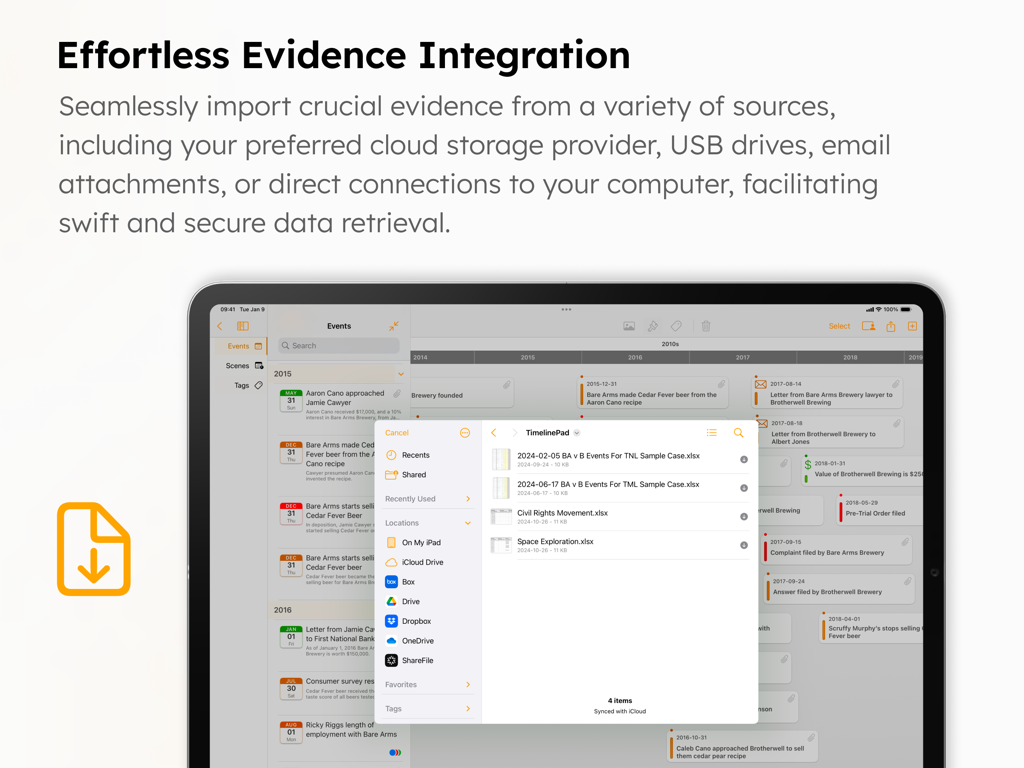
Turn spreadsheets into stories. Import hundreds of events directly from Excel to build a professional interactive timeline in seconds.

Seamless Courtroom Presentation

Present with confidence via HDMI or Apple TV. No cloud connection is required, ensuring total privacy and reliability during trial.

The following screenshots and description are sourced directly from the app's official store listing and are the property of the app developer.

App Store

Screenshots
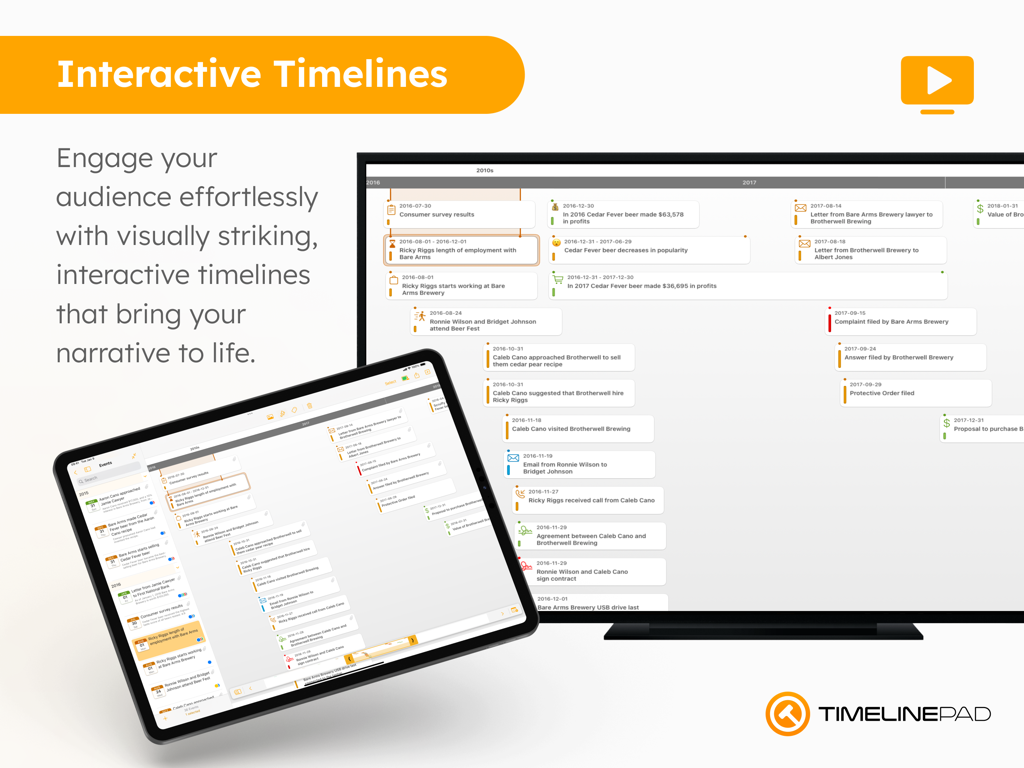
TimelinePad - Create Timelines - TimelinePad app showing an interactive legal timeline on an iPad and a large monitor for courtroom presentations
TimelinePad app showing an interactive legal timeline on an iPad and a large monitor for courtroom presentations

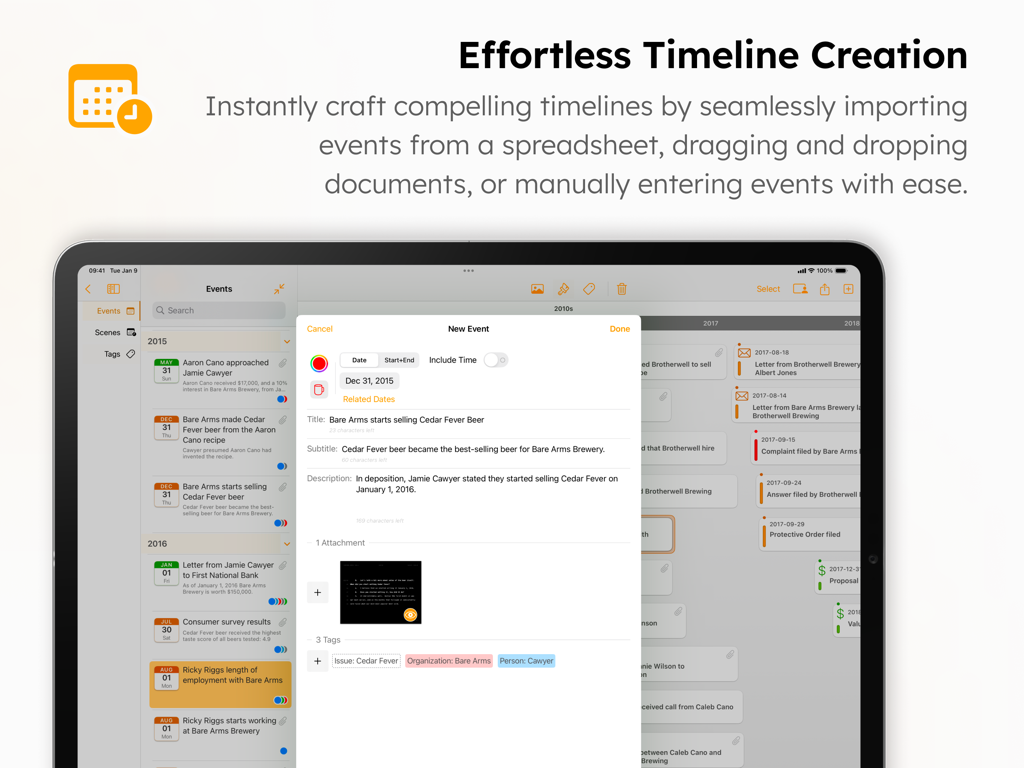
TimelinePad - Create Timelines - TimelinePad app screenshot showing the interface for creating and managing legal timeline events on an iPad
TimelinePad app screenshot showing the interface for creating and managing legal timeline events on an iPad

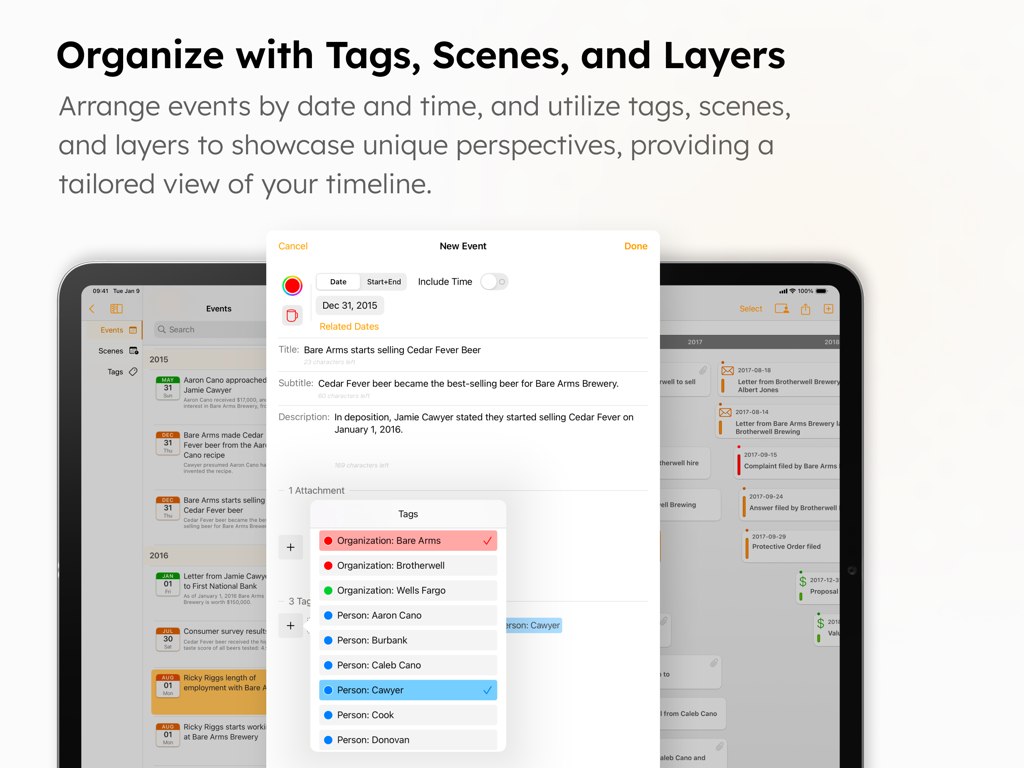
TimelinePad - Create Timelines - TimelinePad app on iPad showing the new event interface with tagging and organization features for legal chronologies.
TimelinePad app on iPad showing the new event interface with tagging and organization features for legal chronologies.

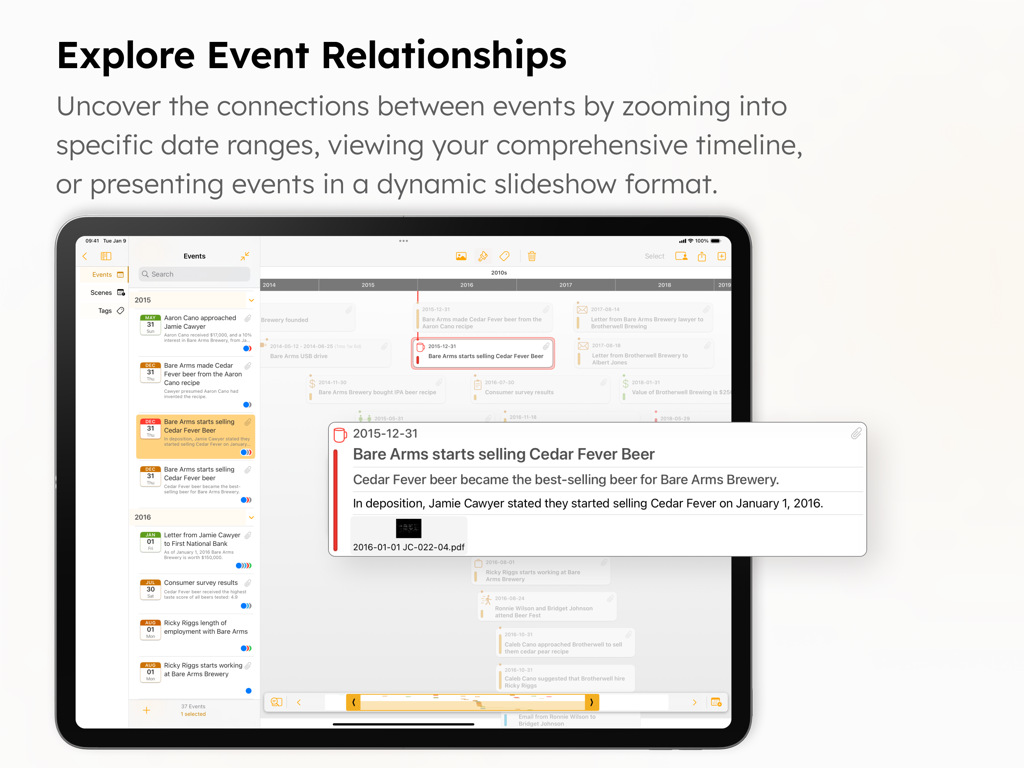
TimelinePad - Create Timelines - TimelinePad app interface on an iPad showing a legal case timeline with detailed event descriptions and chronological relationships.
TimelinePad app interface on an iPad showing a legal case timeline with detailed event descriptions and chronological relationships.

TimelinePad - Create Timelines - TimelinePad app on iPad showing evidence integration and file import from cloud storage providers

TimelinePad app on iPad showing evidence integration and file import from cloud storage providers
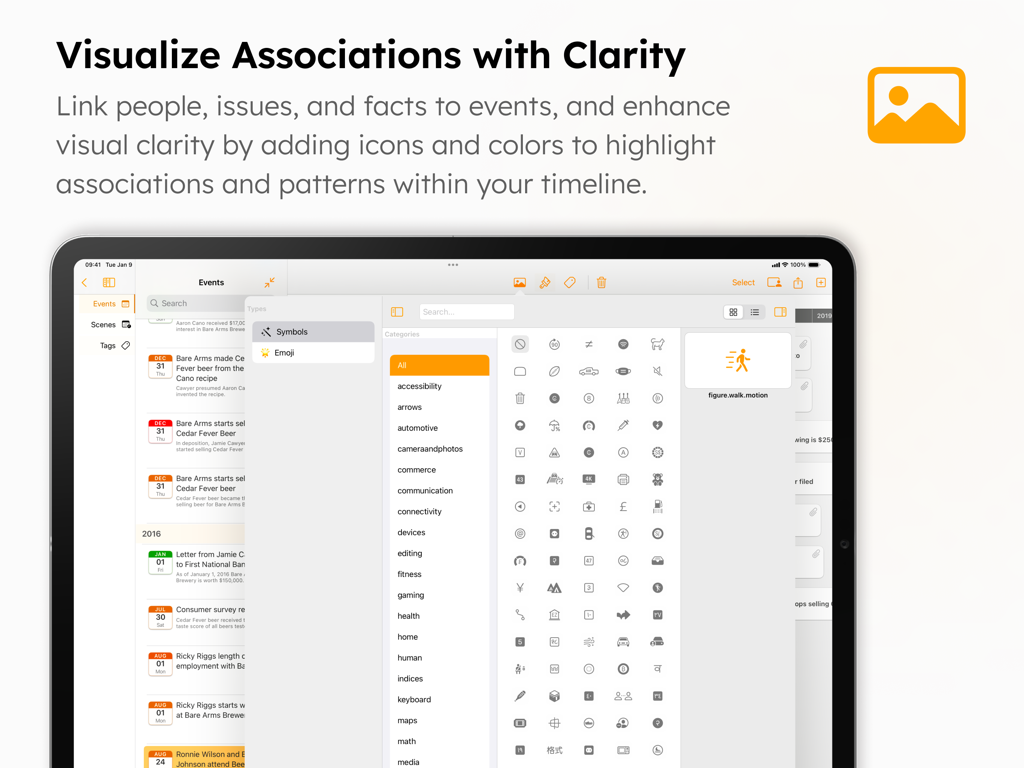
TimelinePad - Create Timelines - TimelinePad app screen showing the icon and symbol library for visualizing legal event associations.
TimelinePad app screen showing the icon and symbol library for visualizing legal event associations.

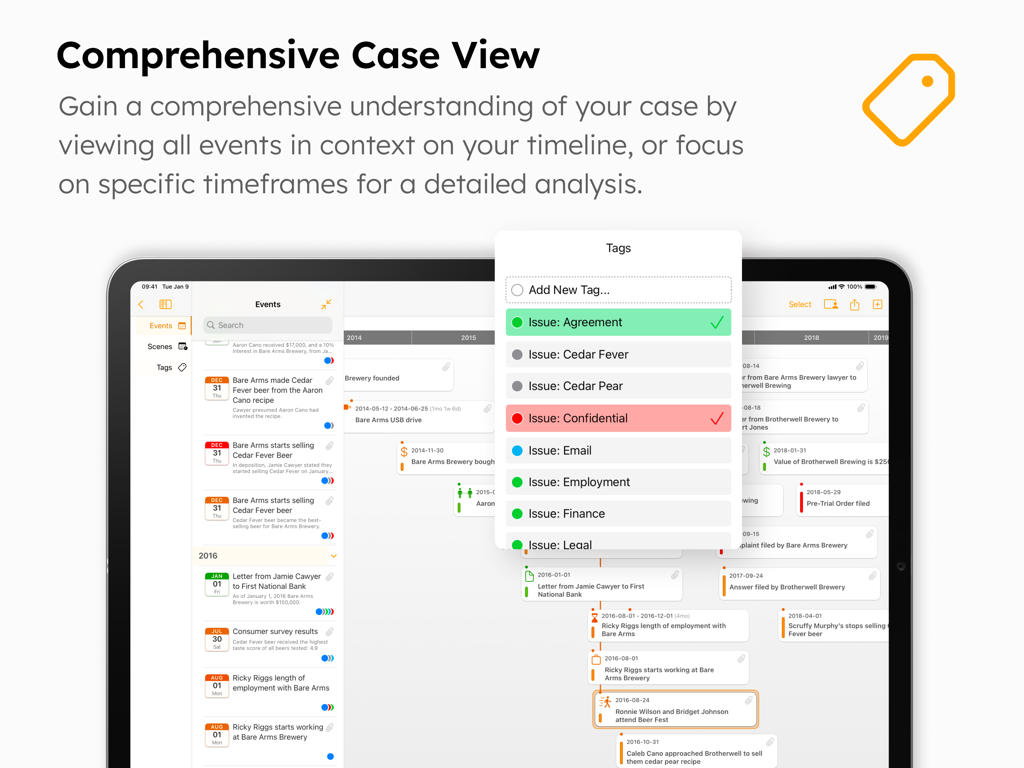
TimelinePad - Create Timelines - TimelinePad app interface on iPad showing a comprehensive case view with an interactive timeline and event tags menu for legal professionals.
TimelinePad app interface on iPad showing a comprehensive case view with an interactive timeline and event tags menu for legal professionals.

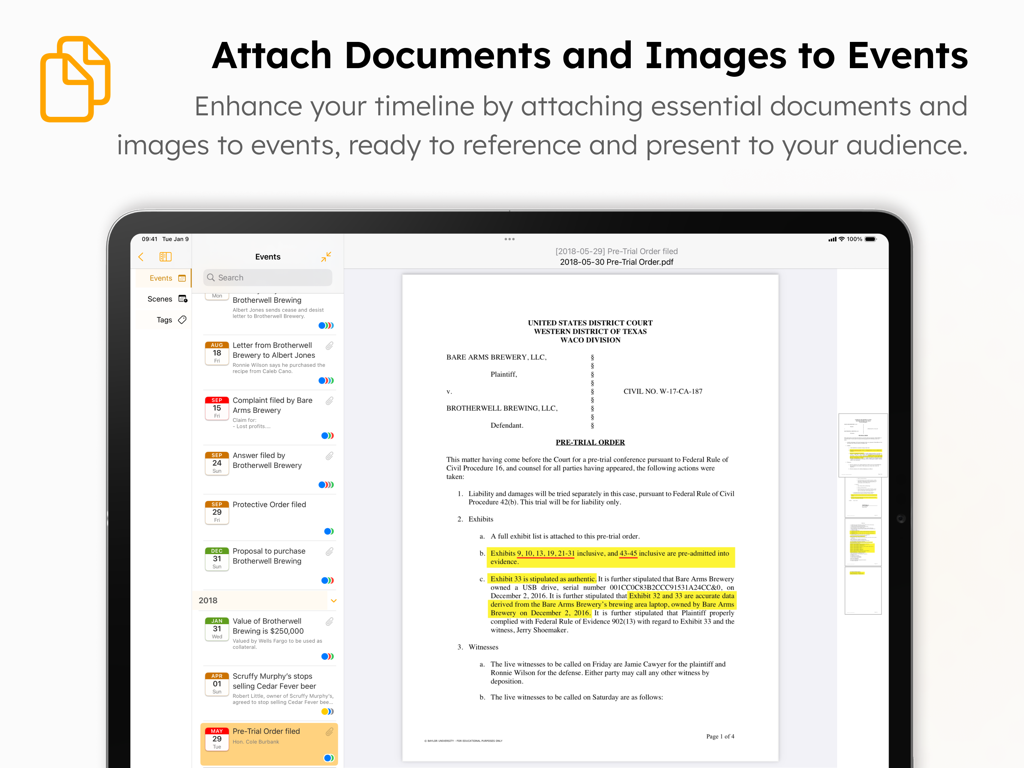
TimelinePad - Create Timelines - iPad interface of TimelinePad app showing a legal document attached and highlighted for a specific timeline event
iPad interface of TimelinePad app showing a legal document attached and highlighted for a specific timeline event

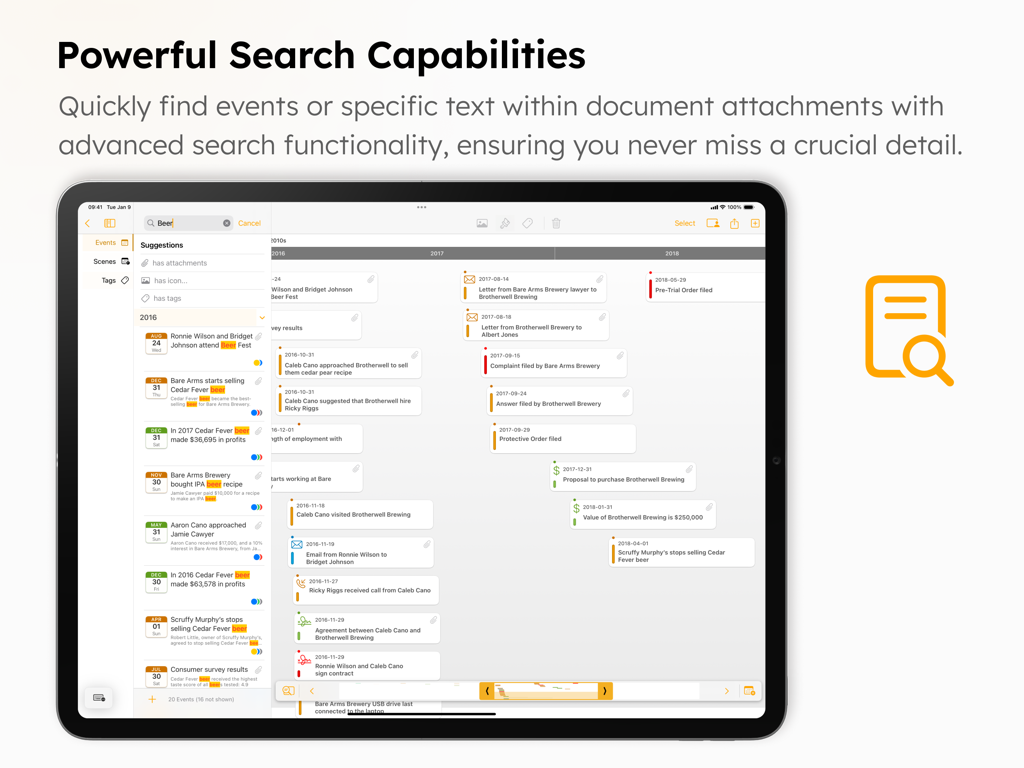
TimelinePad - Create Timelines - TimelinePad app search interface on iPad showing filtered legal case events and document search results.
TimelinePad app search interface on iPad showing filtered legal case events and document search results.

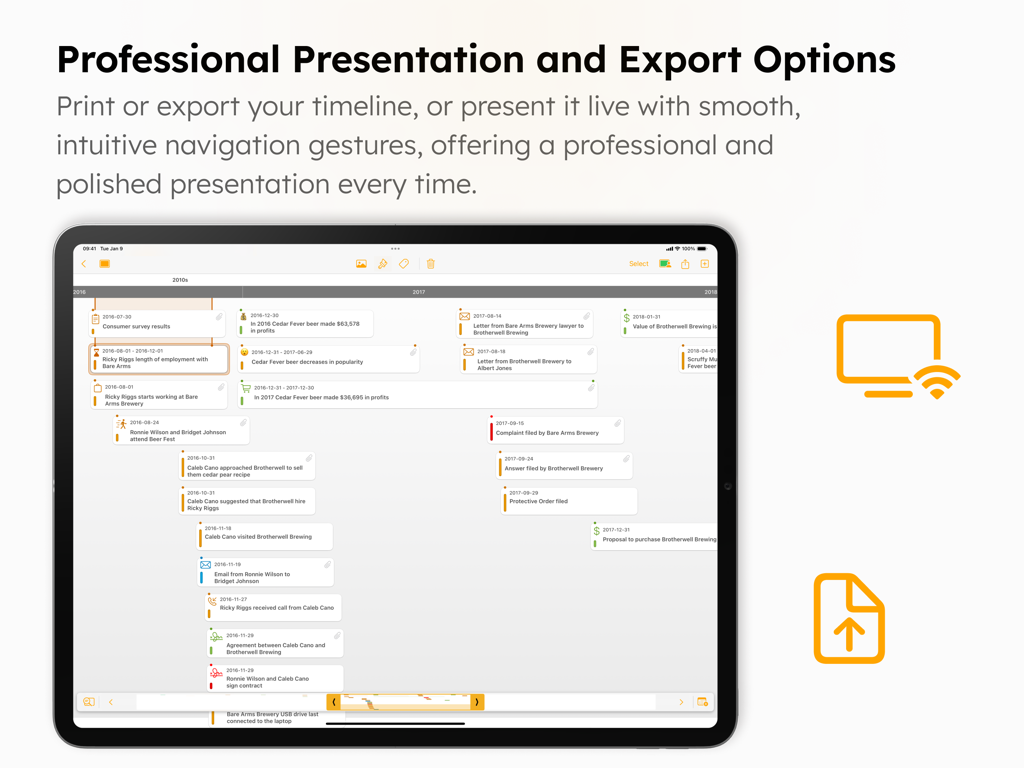
TimelinePad - Create Timelines - TimelinePad app interface on iPad showing professional presentation and export options for legal timelines.

TimelinePad app interface on iPad showing professional presentation and export options for legal timelines.

Description

TimelinePad creates beautiful interactive timelines of events that allow lawyers and support staff to wirelessly present chronologies in a courtroom or remote setting. Create events individually or import events in bulk from an Excel spreadsheet to instantly create a timeline. Link people, issues, and facts to events, add icons and colors for visual clarity, assign tags to organize and group events, create scenes to recall moments in time, and much more. TimelinePad can integrate with your Windows workflow, is powerful, easy to use, and a fraction of the cost of traditional or cloud-based programs, all while being secure, private, mobile, and efficient. LIT SOFTWARE has set the bar for developing the best in litigation apps, garnering awards for innovation and ease of use. Our apps have been featured by Apple, and are loved by lawyers. —— LIT SUITE REVIEWS —— “The short review. Wow.” “This app can do things I’ve previously had to do on a desktop, but much easier and faster.” “Super way to review documents quickly.” “Generates professional reports with all the bates numbers listed, and exports to TrialPad into folders named for the issue code. Extremely useful.” “Helps me keep documents organized, bates stamps them, and create issue codes, which can then be generated into an easy-to-read report.” “Initial document analysis on iPad is fresh and fast, and frankly is a big winner.” “These are incredibly sophisticated and useful apps that are in many ways more powerful than PC software costing hundreds of dollars more.” —— QUICK FEATURE SUMMARY —— • Full electronic timeline presentation capability, no cloud connection needed • Present via HDMI to a TV or projector, or present wirelessly using an Apple TV • Step through individual events with simple taps to present your story like a slideshow • Easily import an Excel file with all your events to instantly create a beautiful interactive timeline • Drag and drop a document onto the timeline to automatically create an event with an attachment • Customize timeline events with colors, symbols, and emoji • Organize and group events by assigning custom tags • Save scenes to group events in a particular timeframe • Create layers to show and hide groups of events (e.g. all emails) • Multi-select events to easily assign colors, symbols, or tags in bulk • Use intuitive touch gestures to edit your timeline and events • Attach supporting files to events to display them in context • Search for events by name, description, tags, or attachments
• Filter events to show only those with attachments, are hidden, have selected icons, or have tags • Export editable Excel file of your events to share with opposing counsel or judge • Export a PDF file of your timeline to print or share via email • Import files directly from a USB drive, or cloud storage providers like Box, Citrix Files, Dropbox, Google Drive, Microsoft OneDrive, and many more • Share entire case files with other users using cloud storage or a USB drive • File formats supported: PDF, JPG, PNG, TIF, video and audio • Available for iPad and Mac —— EASILY CREATE AND PRESENT TIMELINES —— Instantly import hundreds of events with their date, time, and description from an Excel file, or add events individually. Then plug-and-play via HDMI to present to a projector or TV, or present wirelessly using an Apple TV. Create beautiful timelines by importing events from a spreadsheet, customizing the look and feel with colors and icons, organizing by tags and layers. Share your entire timeline as a PDF or Excel file, or present your story as an interactive slideshow. LIT SUITE SUBSCRIPTION One subscription gives you access to all LIT SUITE apps on iPhone, iPad, and Mac. After your 7-day free trial, your App Store account will be charged and your subscription will renew automatically unless canceled in advance. Manage your subscription in your App Store account settings.

Download

Download on App Store

This page is not an official page of the app or its developer, but an independent editorial publication created for informational and commentary purposes. Unless expressly stated otherwise, neither the app nor its developer is affiliated with, endorsed by, sponsored by, authorized by, or otherwise officially connected with MWM, Apple, Google Play, the app publisher, or the app's developer, and nothing on this page implies that the app was developed using MWM's services. Any trademarks, logos, screenshots, and other content remain the property of their respective owners.








