Tiny Hours Tracker, Time Clock
Download on App Store

This page is not an official page of the app or its developer, but an independent editorial publication created for informational and commentary purposes. Unless expressly stated otherwise, neither the app nor its developer is affiliated with, endorsed by, sponsored by, authorized by, or otherwise officially connected with MWM, Apple, Google Play, the app publisher, or the app's developer, and nothing on this page implies that the app was developed using MWM's services. Any trademarks, logos, screenshots, and other content remain the property of their respective owners.

Logo of Tiny Hours Tracker, Time Clock
Download on App Store

Tiny Hours Tracker, Time Clock

Say goodbye to messy paper logs. Effortlessly track punch-ins, calculate complex overtime, and export professional payroll reports directly from your pocket.

Key Figures

Downloads

1K+

User Rating

4.5/5

Total Ratings

100

Publisher

TinyWork Apps

Category

Business

Locales

1

Latest Version

3.2.3

Size

103.9 MB

First Released

Dec 31, 2020
Features

Master Your Time and Your Earnings

Ditch the paper logs and manual math. Tiny Hours automates your work tracking so you can focus on the job, not the paperwork.

Smart Clock-In Reminders

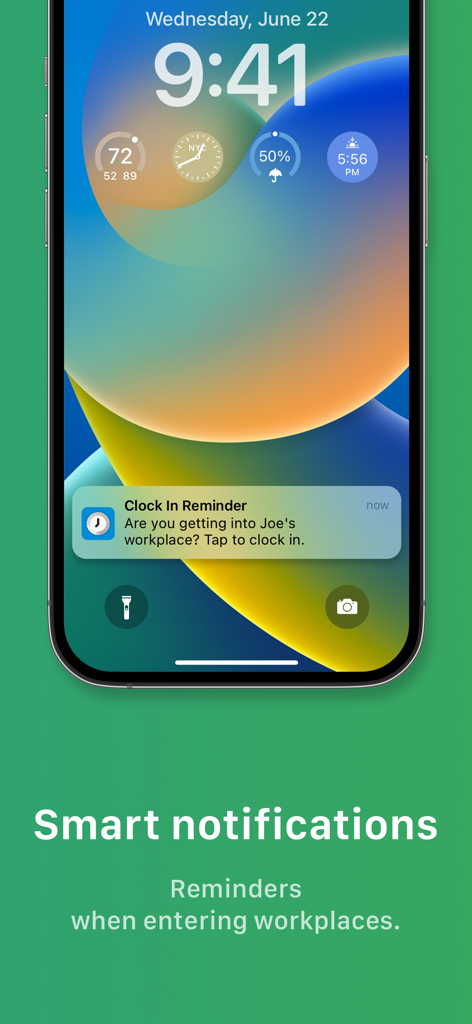
Never lose another billable hour. Get location-based alerts to clock in the moment you arrive on-site or at a client's location.

Real-Time Earnings Tracker

Know exactly how much you've earned including overtime. Your paycheck is calculated automatically with support for double pay and custom rates.

The following screenshots and description are sourced directly from the app's official store listing and are the property of the app developer.

App Store

Screenshots
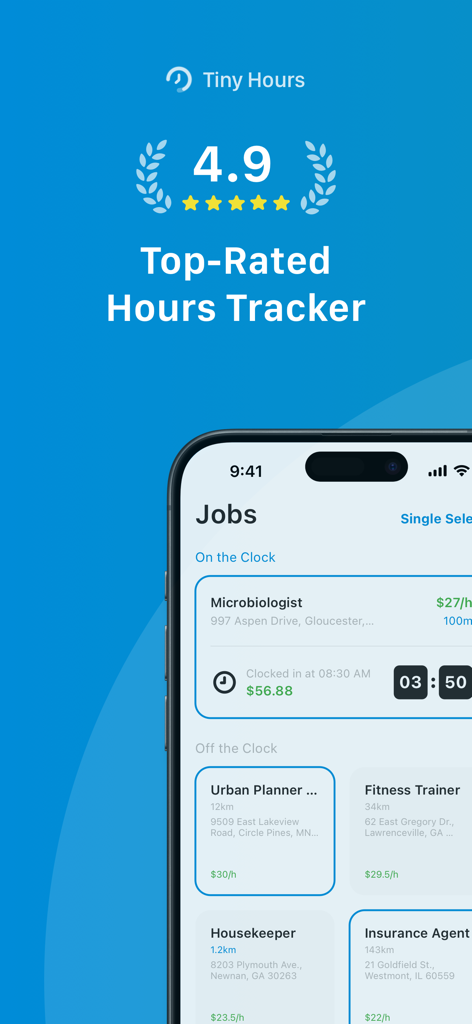
Tiny Hours Tracker, Time Clock - Tiny Hours app interface showing a 4.9 rating and a job list with active time tracking and earnings for multiple professional roles.
Tiny Hours app interface showing a 4.9 rating and a job list with active time tracking and earnings for multiple professional roles.

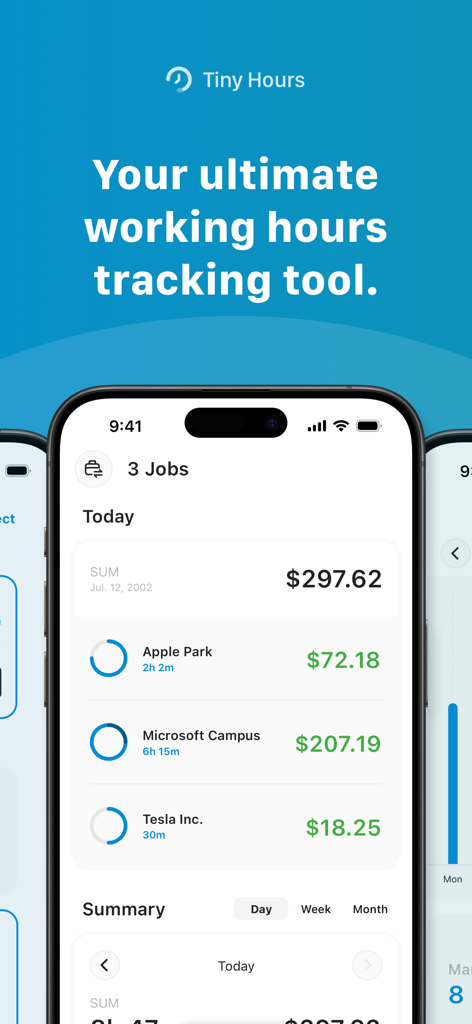
Tiny Hours Tracker, Time Clock - Tiny Hours Tracker app interface displaying a summary of daily earnings from multiple jobs.
Tiny Hours Tracker app interface displaying a summary of daily earnings from multiple jobs.

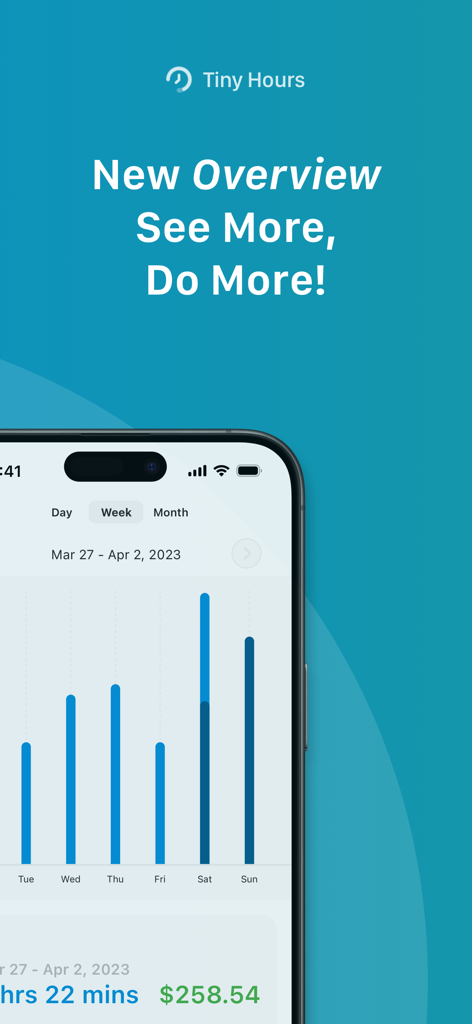
Tiny Hours Tracker, Time Clock - Weekly work hours bar chart and total earnings summary in the Tiny Hours Tracker app
Weekly work hours bar chart and total earnings summary in the Tiny Hours Tracker app

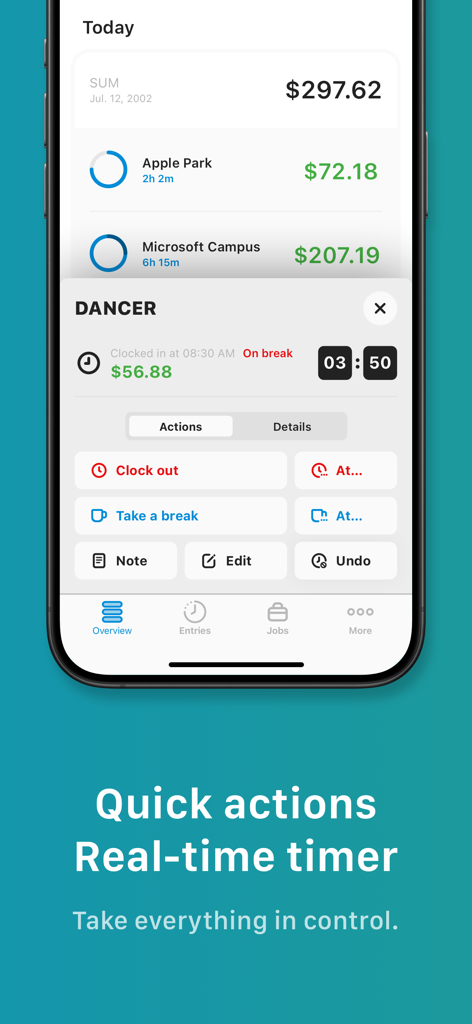
Tiny Hours Tracker, Time Clock - Interface of the Tiny Hours Tracker app showing a real-time job timer and quick action buttons for clocking in and taking breaks.
Interface of the Tiny Hours Tracker app showing a real-time job timer and quick action buttons for clocking in and taking breaks.

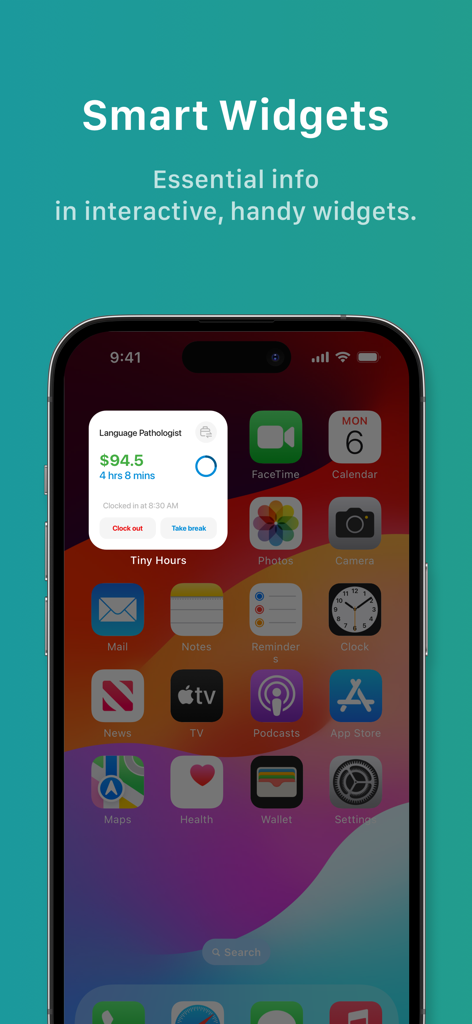
Tiny Hours Tracker, Time Clock - Smart widget for Tiny Hours Tracker showing work time and earnings on an iPhone home screen
Smart widget for Tiny Hours Tracker showing work time and earnings on an iPhone home screen

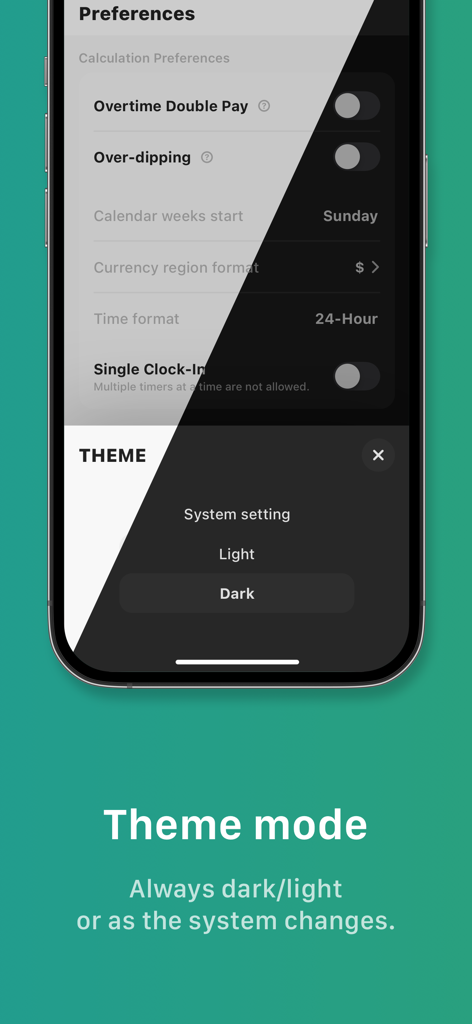
Tiny Hours Tracker, Time Clock - Tiny Hours Tracker app preferences screen for selecting light or dark theme mode
Tiny Hours Tracker app preferences screen for selecting light or dark theme mode

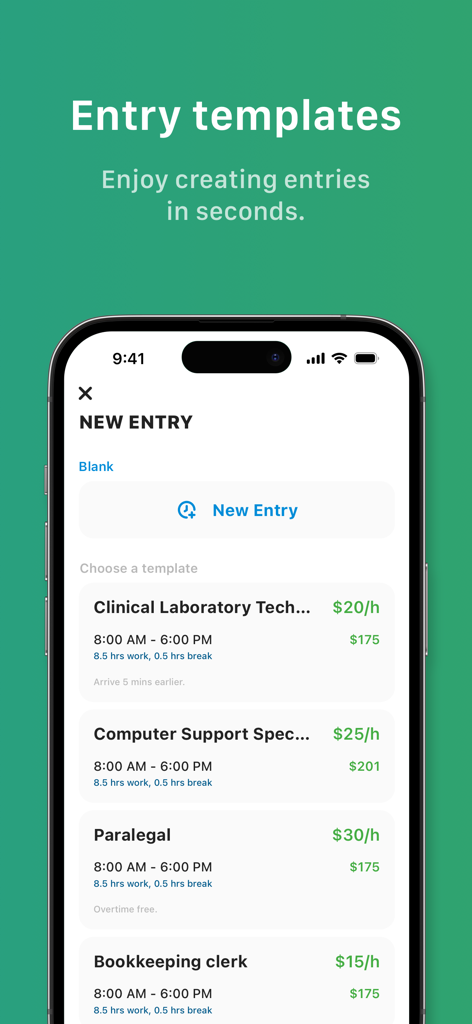
Tiny Hours Tracker, Time Clock - A mobile app screen showing job entry templates for different occupations with hourly pay rates and shift times.
A mobile app screen showing job entry templates for different occupations with hourly pay rates and shift times.

Tiny Hours Tracker, Time Clock - iPhone lock screen showing a smart clock in reminder notification when entering a workplace
iPhone lock screen showing a smart clock in reminder notification when entering a workplace

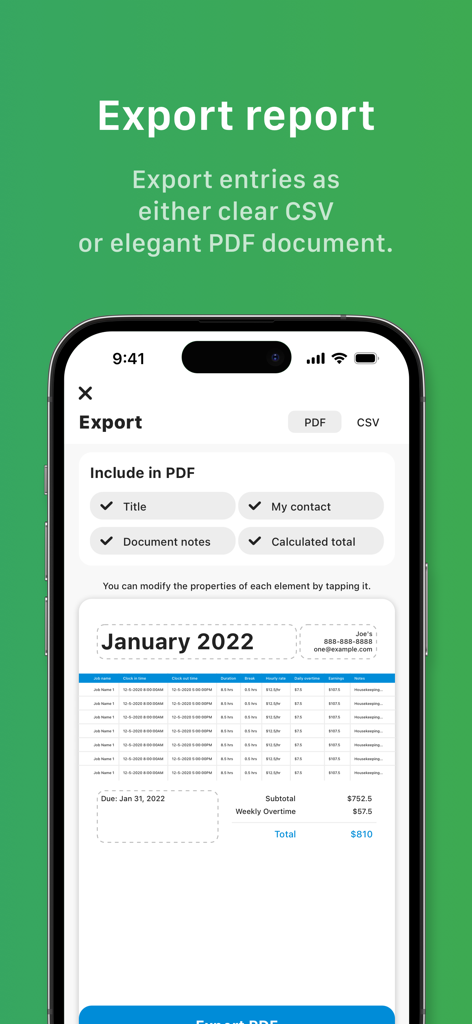
Tiny Hours Tracker, Time Clock - Tiny Hours app screen showing options to export work logs as professional PDF or CSV reports.
Tiny Hours app screen showing options to export work logs as professional PDF or CSV reports.

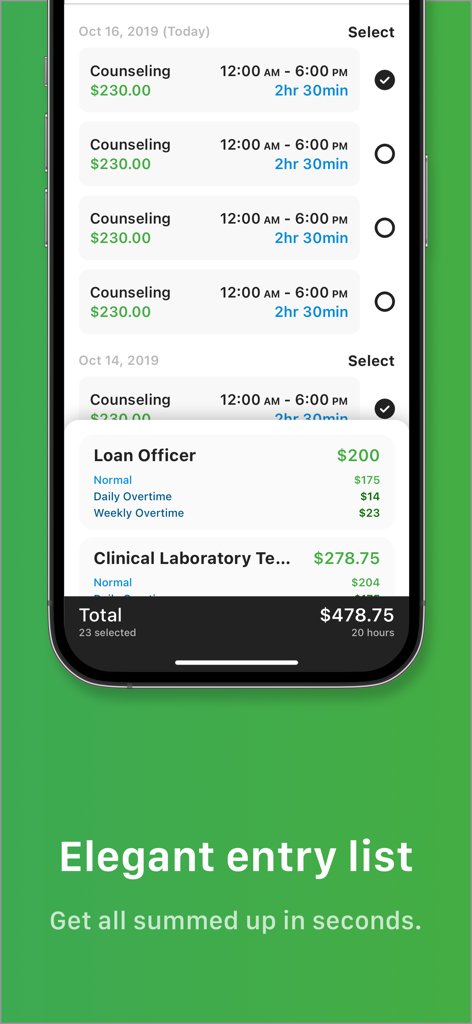
Tiny Hours Tracker, Time Clock - Tiny Hours Tracker app interface showing a list of work entries and a calculated total pay summary

Tiny Hours Tracker app interface showing a list of work entries and a calculated total pay summary

Description

Still drawing tables on a sheet over and over again before keeping records of punch-ins and punch-outs? Feel helpless when throwing useless paper records but hearing about environmental protections? Tired of calculating how many hours of work and overtime and how much should be paid? What if there is a way to make all the paperwork digital and all the calculations auto-generated? Tiny Hours is such a time tracker for you. As the replacement of your paperwork, you will find Tiny Hours even more painless and powerful. Anytime you open Tiny Hours, it knows what you need, Clock In? or Take a Break? or Stop Break? or Clock Out? The button is right there for you to tap. Imagine that when you entering your workplace, Tiny Hours sends you a reminder before it comes into your mind that you need to clock in before you get your work started, in which way you will never forget to take records of every single working hour. Later, when you're free to check your work durations and payrolls. Everything is calculated as reports for you to check. Simple, smooth, and smart. --- KEY FEATURES - Punch in, punch out, clock in, clock out, take a break, end the break ... everything about work time tracking is right on your phone, no paper or pen needed; - All logs and records are editable in case any time or detail is missed or added by mistake; - Kindly and helpful reminders and spontaneous job switch ensure your clocking in at the exactly correct time and place; - Spontaneous switch between jobs; - The record list could be shown in any order or with filters so that it is comfortable and clear for you to check; - Total working hours, earnings, and overtime are painlessly and automatically calculated to be shown; - OT Free entries can be marked out and excluded from overtime hours calculation; - With the combination of Double Pay and Over-dipping, overtime hours could be paid in different ways to meet various scenarios; - All records are exportable. Select, check the summary, export. CSV document is ready for you; - Hours and earnings are always in counting. No worries if the app quits or your phone restarts by mistake or accident; - Dark/Light theme smoothly switch. With the experience of 7-year business tools design, we created Tiny hours, an innovative, handy, smooth, and easy way to get you in and off work, which is completely different from the paperwork and any other apps. Tiny Hours is constantly updated with new features. Please write to us before leaving negative reviews, as we can often help with your problem or help you better use the app. If you have any problem or suggestion, please send mail to contact@fungo.one, you will get the response and solution in a short time.

Download

Download on App Store

This page is not an official page of the app or its developer, but an independent editorial publication created for informational and commentary purposes. Unless expressly stated otherwise, neither the app nor its developer is affiliated with, endorsed by, sponsored by, authorized by, or otherwise officially connected with MWM, Apple, Google Play, the app publisher, or the app's developer, and nothing on this page implies that the app was developed using MWM's services. Any trademarks, logos, screenshots, and other content remain the property of their respective owners.








