
This page is not an official page of the app or its developer, but an independent editorial publication created for informational and commentary purposes. Unless expressly stated otherwise, neither the app nor its developer is affiliated with, endorsed by, sponsored by, authorized by, or otherwise officially connected with MWM, Apple, Google Play, the app publisher, or the app's developer, and nothing on this page implies that the app was developed using MWM's services. Any trademarks, logos, screenshots, and other content remain the property of their respective owners.

To Do List & Calendar TodoTick
Stop managing lists and start crushing goals. TodoTick transforms your chaotic schedule into a clear action plan, auto-prioritizing your tasks in one beautiful, minimal workspace.
Downloads
193K+User Rating
Total Ratings
500Publisher
Category
UtilitiesLocales
21Latest Version
1.3.9Size
135.6 MBFirst Released
Sep 30, 2024Productivity Redefined by AI
From chaotic thoughts to a clear action plan. TodoTick combines intelligent scheduling with a sleek interface to help you focus on what truly matters.
AI-Powered Decision Making
Let our AI assistant turn your messy notes into a prioritized schedule, eliminating decision fatigue instantly.
Smart Location Alerts
Get reminded of your tasks exactly where you need them. Perfect for errands, commuting, and staying on track on the go.
Frequently Asked Questions
Everything you need to know about To Do List & Calendar TodoTick
What is TodoTick?
TodoTick is an AI-powered to-do and daily planner app. It combines task management with intelligent AI to organize, plan, and schedule your day effectively in one intuitive interface.
Does TodoTick use AI to manage tasks?
Yes, TodoTick uses a built-in AI Task Assistant. It analyzes your tasks, sets priorities, and automatically schedules your day based on urgency and your availability.
Can TodoTick set reminders for tasks?
Yes, TodoTick provides smart reminders. Users customize alerts including time, location, and recurring reminders to ensure no deadlines are missed and routines stay on track.
How does TodoTick help organize tasks?
TodoTick allows easy task organization. Users create categories like Work, Personal, and Health, then drag and drop tasks to prioritize and focus on important items.
Does TodoTick offer a calendar view for planning?
Yes, TodoTick includes an integrated calendar. It displays scheduled tasks and events, providing an all-in-one planner for tasks, reminders, and scheduling.
Is my data private and secure with TodoTick?
Yes, TodoTick ensures your data is private and secure. Your information is encrypted, guaranteeing its safety within the application.
How does TodoTick motivate users?
TodoTick motivates users with visual progress tracking. It displays completed tasks, daily streaks, and trends using simple visuals to build momentum.
Does the TodoTick app support widgets?
Yes, the TodoTick app supports various widgets. These include countdowns, to-do lists, and calendar views, providing quick access and overview directly from your device's home screen.
How are subscriptions managed for TodoTick?
Subscriptions for TodoTick are managed through your App Store account settings. Fees are charged at purchase confirmation and auto-renew unless turned off 24 hours prior to expiration.
Can I prioritize tasks using a matrix in TodoTick?
Yes, TodoTick features a Priority Matrix. This tool helps users categorize tasks into levels like "Important and Urgent" or "Not important and Not urgent" for effective management.
The following screenshots and description are sourced directly from the app's official store listing and are the property of the app developer.
App Store
Screenshots
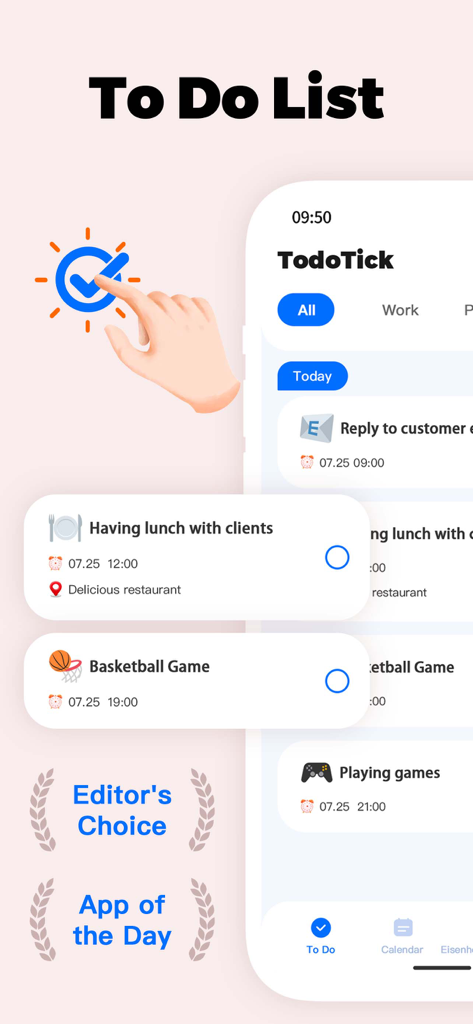
Interface of the TodoTick app showing a daily task list with reminders and award badges for Editor's Choice and App of the Day.
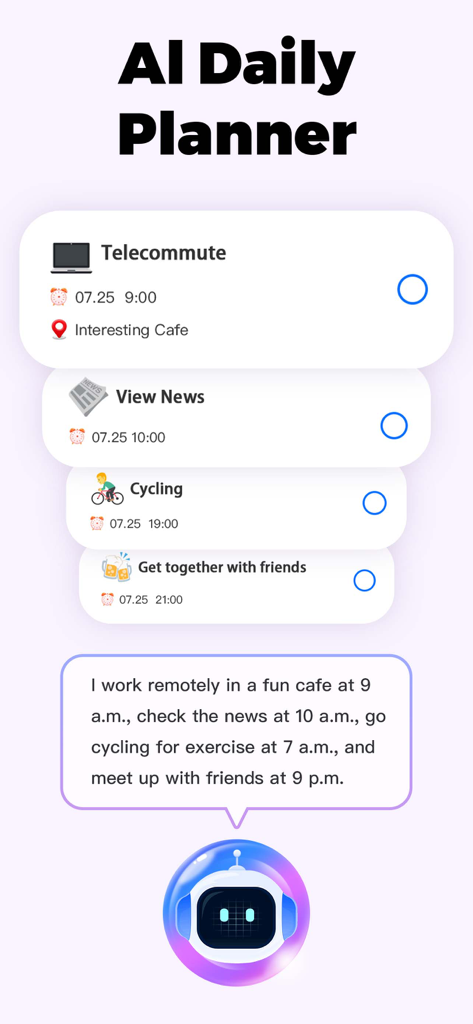
TodoTick AI daily planner interface showing automated task scheduling and robot assistant
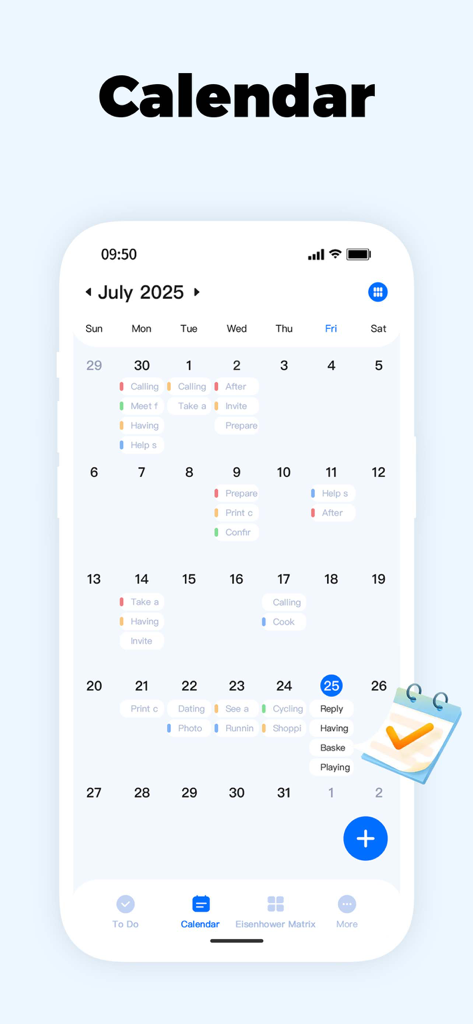
TodoTick calendar interface showing a monthly schedule with tasks and reminders
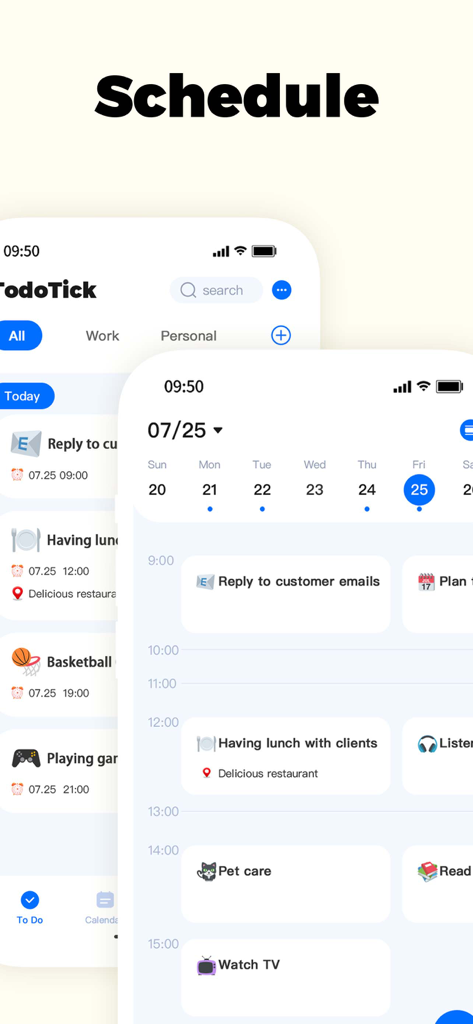
Screenshot of the TodoTick app showing a detailed daily schedule and calendar view with tasks and time blocks
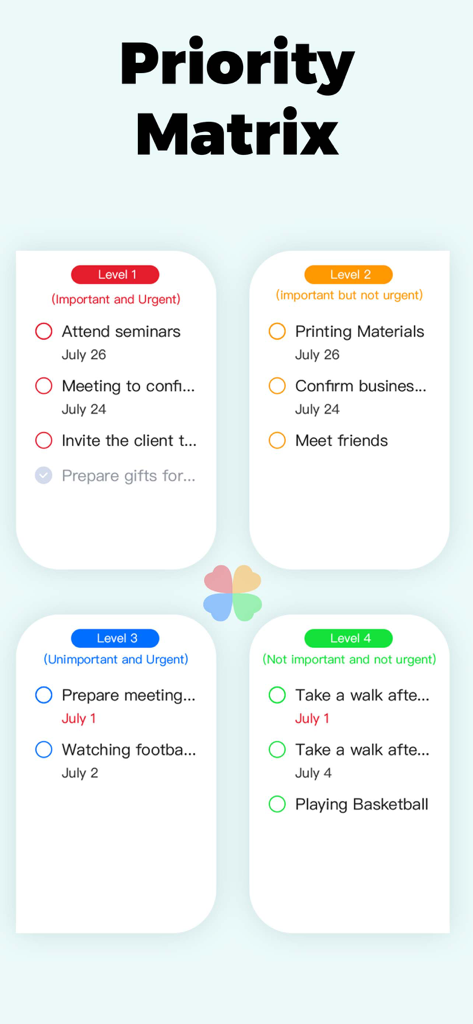
TodoTick Priority Matrix interface showing tasks organized by importance and urgency
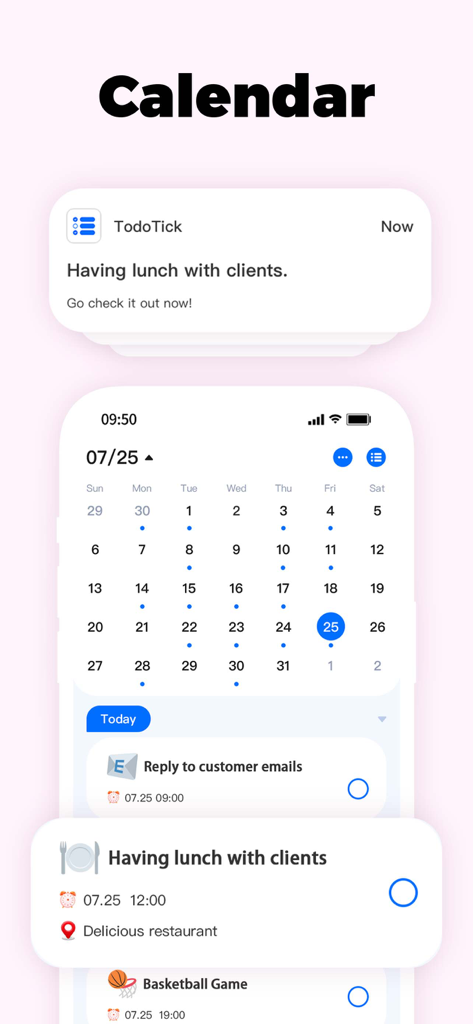
TodoTick mobile app showing a monthly calendar and daily task list with scheduled reminders
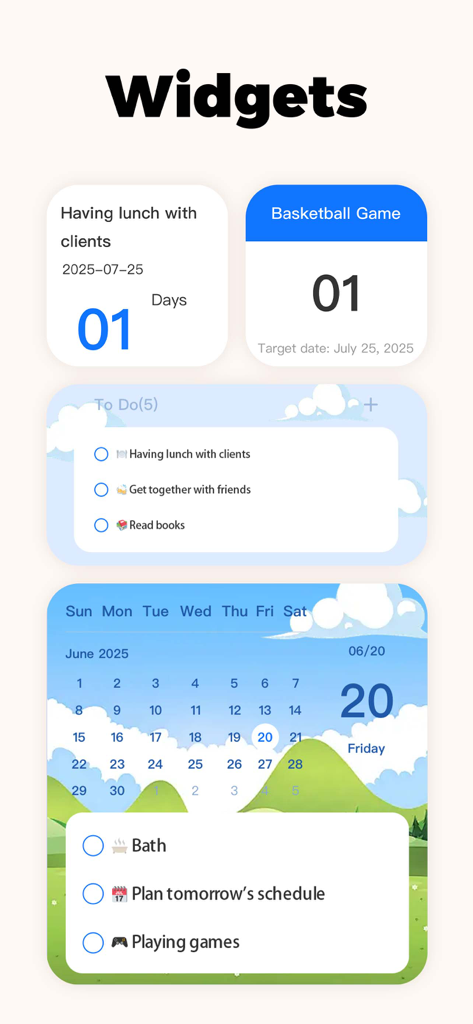
TodoTick mobile app widgets showing calendar tasks and countdown timers
Description
Download
More Like This
Apps with similar features and user experience
Interview Pilot: AI Copilot
Liberace AI

拉卡拉
Beijing Lakala Network Technology Co.,Ltd

Slorp - Fast Talk & Chat
怀清 刘
Lumo by Proton
Proton AG

Perspective AI: Your Assistant
APPVIZYON TEKNOLOJI LIMITED SIRKETI

ChatCom 6: AI chat assistant
Aplexity Limited
Sourcify
Edomiyas Temesgen
Orai: your AI for people stuff
Amon Studio

Fromi
Kvida Arvaladze
This page is not an official page of the app or its developer, but an independent editorial publication created for informational and commentary purposes. Unless expressly stated otherwise, neither the app nor its developer is affiliated with, endorsed by, sponsored by, authorized by, or otherwise officially connected with MWM, Apple, Google Play, the app publisher, or the app's developer, and nothing on this page implies that the app was developed using MWM's services. Any trademarks, logos, screenshots, and other content remain the property of their respective owners.