
This page is not an official page of the app or its developer, but an independent editorial publication created for informational and commentary purposes. Unless expressly stated otherwise, neither the app nor its developer is affiliated with, endorsed by, sponsored by, authorized by, or otherwise officially connected with MWM, Apple, Google Play, the app publisher, or the app's developer, and nothing on this page implies that the app was developed using MWM's services. Any trademarks, logos, screenshots, and other content remain the property of their respective owners.


Tools for Procreate
Unleash artistic dominance. The app equips Procreate users with an arsenal of digital assets, turning mere concepts into stunning realities.
Downloads
2.5M+User Rating
Total Ratings
35.9KPublisher
Category
Graphics & DesignLocales
34Latest Version
2.14Size
101.0 MBFirst Released
Mar 28, 2021An Analytical Overview for Digital Artists
Key Features of Tools for Procreate
Extensive Procreate Brush Library
The app provides over 120 handmade brushes, meticulously categorized into sets, allowing users to create outstanding illustrations with ease and artistic versatility. It features one-tap installation for seamless integration into Procreate.
Curated Color Palettes
It offers hand-picked color palettes, designed by illustrators to eliminate the exhaustive process of color matching, thus enabling artists to establish a unique atmosphere in their artwork efficiently.
Unique Procreate-Compatible Fonts
This tool features unique and carefully crafted fonts, with every line drawn for perfect shape, empowering users to integrate distinctive typography into their gorgeous artworks.
Diverse Texture Collection
The app provides a wide variety of textures, serving as perfect backgrounds to add depth and unique stylistic elements to illustrations and digital paintings.
Specialized Anime Brush Sets
It allows users to create authentic and breathtaking anime artwork through specialized brush sets designed to mimic the strokes and textures of traditional anime art.
AI-Powered Art References
The app features AI-powered references, enabling users to quickly find perfect inspiration and high-quality images for their next masterpiece, fostering creativity and efficiency in their artistic process.
Social Media Stickers
This tool offers drag-and-drop PNG stickers, created by a dedicated team, perfect for adding charm to social media stories and posts.
AI Sound for Focus and Relaxation
The app provides carefully curated AI Sound music, combining soothing and energizing melodies, to help users find balance, focus, and productivity during their creative work.
Frequently Asked Questions
Everything you need to know about Tools for Procreate
What features does the Tools for Procreate app provide?
The Tools for Procreate app offers brushes, fonts, digital fashion, stickers, textures, 3D models, an Academy, color palettes, AI References, AI Sound, and Anime brush sets to enhance Procreate artwork.
Is Tools for Procreate compatible with both iPad and iPhone versions?
Yes, Tools for Procreate is compatible with both Procreate for iPad and Procreate Pocket for iPhone. It requires the Procreate application by Savage LTD to function.
How do I install brushes from the Tools for Procreate app into Procreate?
Brushes from Tools for Procreate install with one tap directly into your Procreate app. You simply tap on the desired brush within the Tools for Procreate app, and it integrates into your Procreate Brush Library.
How many tools are available in the Tools for Procreate app?
The Tools for Procreate app provides over 6000 tools. This extensive collection includes various brushes, fonts, stickers, textures, and other creative assets for Procreate.
What is the purpose of AI References within Tools for Procreate?
AI References in Tools for Procreate help users find inspiration for their digital paintings, graphics, and illustrations. Advanced algorithms ensure access to high-quality images and resources, aiding creativity.
Does Tools for Procreate provide drawing lessons or an academy?
Yes, Tools for Procreate includes an Academy section. It offers drawing tutorials and courses, such as a 'Basic Course,' to guide users in learning drawing techniques step-by-step.
Is Tools for Procreate an official app developed by the Procreate team?
No, the Tools for Procreate app is not officially affiliated with or connected to the Procreate team. It is an independent application that provides tools designed for use with Procreate.
Where can users find the Privacy Policy for Tools for Procreate?
The Privacy Policy for the Tools for Procreate app is accessible online at the following URL: https://www.notion.so/Privacy-Policy-d1a93af3066a4d7c831cee767eabaa89.
The following screenshots and description are sourced directly from the app's official store listing and are the property of the app developer.
App Store
Screenshots
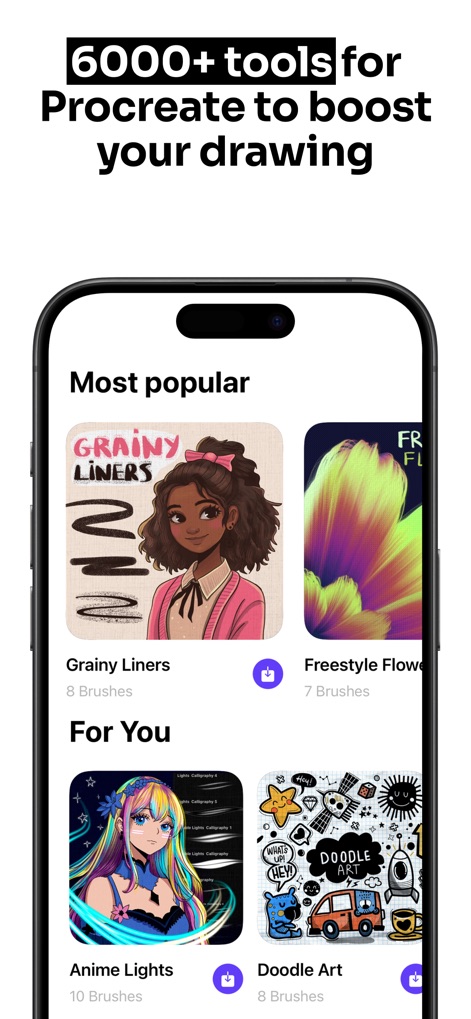
Discover the app's extensive asset library, elegantly organized into 'Most popular' selections and personalized 'For You' recommendations for seamless content discovery.
Diverse Brush Sets
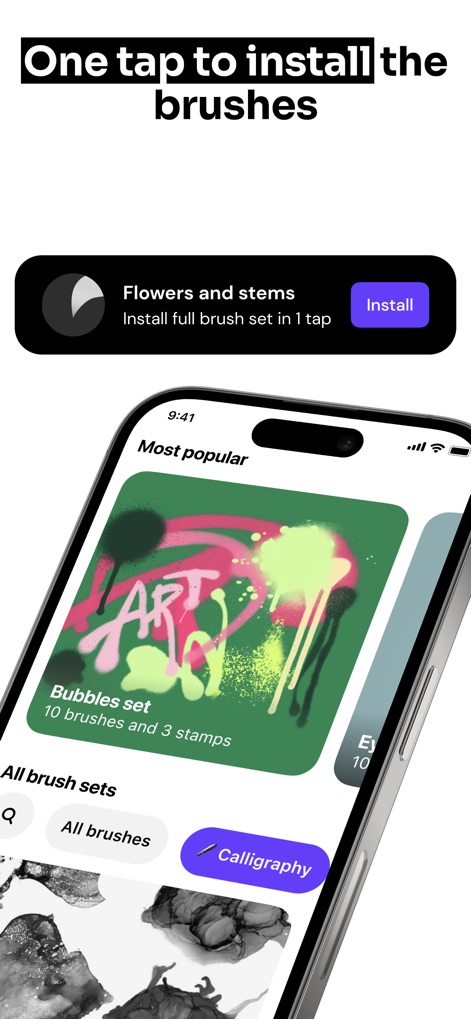
Witness the convenience of 'one-tap install' functionality, allowing users to effortlessly add desired assets like the featured 'Bubbles set' directly into Procreate.
Effortless Installation
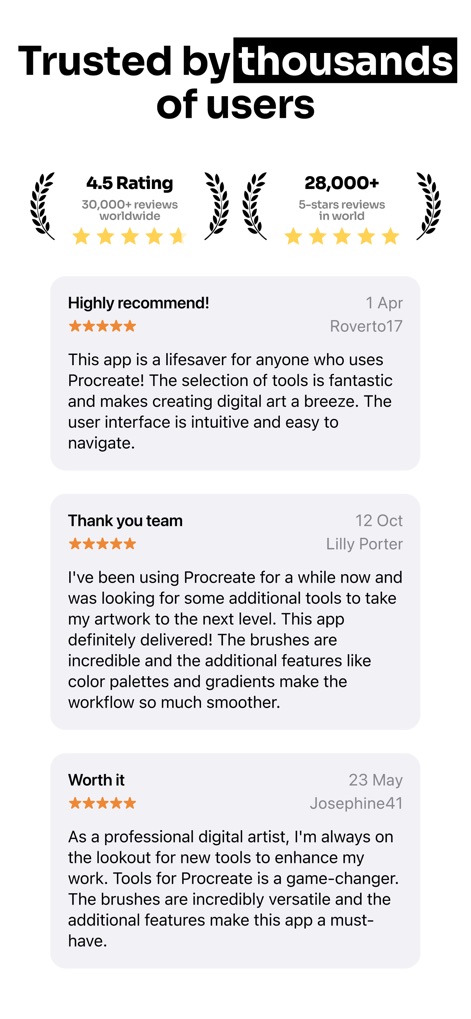
Explore genuine user testimonials highlighting the app's value, reflected in its impressive '4.5 Rating' and numerous positive reviews from a global creative community.
Community Trust
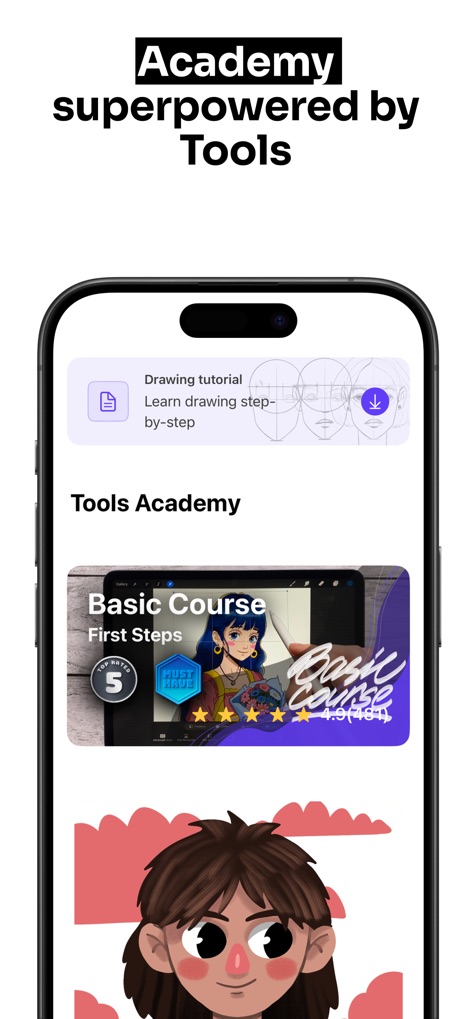
Delve into the 'Tools Academy,' a dedicated learning hub offering structured 'Basic Course' modules and timely 'Drawing tutorial' notifications to foster artistic development.
Creative Learning Hub
Description
Download
More Like This
Apps with similar features and user experience

Sketchbook®
Sketchbook, Inc.

Mental Canvas Draw
Mental Canvas, Inc.

ibis Paint
ibis inc.

ibis Paint X
ibis inc.

Paper: Sketch, Draw & Create
Evernote Corporation

Adobe Fresco: Draw & Paint App
Adobe Inc.

Art Set 4
Lofopi Ltd

MediBang Paint – Drawing & Art
MediBang inc.

Tayasui Sketches
SKETCHES SRL
This page is not an official page of the app or its developer, but an independent editorial publication created for informational and commentary purposes. Unless expressly stated otherwise, neither the app nor its developer is affiliated with, endorsed by, sponsored by, authorized by, or otherwise officially connected with MWM, Apple, Google Play, the app publisher, or the app's developer, and nothing on this page implies that the app was developed using MWM's services. Any trademarks, logos, screenshots, and other content remain the property of their respective owners.