
This page is not an official page of the app or its developer, but an independent editorial publication created for informational and commentary purposes. Unless expressly stated otherwise, neither the app nor its developer is affiliated with, endorsed by, sponsored by, authorized by, or otherwise officially connected with MWM, Apple, Google Play, the app publisher, or the app's developer, and nothing on this page implies that the app was developed using MWM's services. Any trademarks, logos, screenshots, and other content remain the property of their respective owners.


TouchRetouch
Unwanted elements vanish. This app empowers users to dictate their image narrative, erasing distractions with surgical precision.
Downloads
7.5M+User Rating
Total Ratings
176.3KPublisher
Category
Photo & VideoLocales
17Latest Version
5.6.5Size
941.7 MBFirst Released
Jun 8, 2010An analysis of core functionalities and their impact on mobile-first photo editing workflows.
Key Features of TouchRetouch
AI-Powered Object Removal
The app provides advanced AI algorithms to effortlessly remove unwanted objects, distractions, or blemishes from photos, ranging from complex background elements to minor skin imperfections.
Advanced Background Editing
It allows users to seamlessly remove, replace with custom or stock images, or blur photo backgrounds, enabling creative compositions and focused subject presentation.
Effortless One-Tap Retouching
This tool features a single-touch retouch capability that quickly eliminates minor imperfections and small details, enhancing photos with minimal effort and time.
Smart Line & Mesh Erasing
The app automatically detects and removes complex linear objects like power lines or fence meshes with minimal user input, significantly cleaning up busy scenes.
User-Friendly Design & Guidance
The app offers a clear, intuitive interface coupled with helpful in-app tutorials, ensuring a smooth learning curve and quick mastery for all users.
Quality & Data Preservation
It ensures that photo edits are performed without compromising the original image quality or losing valuable EXIF metadata, preserving professional standards for digital assets.
Frequently Asked Questions
Everything you need to know about TouchRetouch
What is TouchRetouch?
TouchRetouch is a pocket app for removing unwanted objects and elements from photos, including people, lines, meshes, and blemishes, to give images a clean look while saving time.
Can TouchRetouch remove people from photos?
Yes, TouchRetouch can remove people from photos. Its object removal feature allows users to apply automatic content removal with the Brush tool or use manual retouching for precision.
Does TouchRetouch allow background replacement?
Yes, TouchRetouch allows users to erase backgrounds and replace them with their own or stock photos. It also offers a background editor to achieve transparent backgrounds or blur them.
How does TouchRetouch remove lines from pictures?
TouchRetouch removes lines by allowing users to mark a section or tap the line, and the app automatically identifies and removes it. The manual mode offers control points for curved segments.
Can TouchRetouch remove meshes or fences from photos?
Yes, TouchRetouch removes meshes or fences from photos. The app provides a dedicated tool that automatically detects and removes mesh netting in a simple two-step process.
Does TouchRetouch retain photo quality after editing?
Yes, TouchRetouch ensures no quality or EXIF data loss during the photo editing process. It provides professional AI photo edits while preserving the original image integrity.
Does TouchRetouch offer tutorials for new users?
Yes, TouchRetouch offers helpful in-app tutorials to guide users in mastering the app quickly. Its interface and layout are clear and intuitive for a comfortable user experience.
How can I contact support for TouchRetouch?
To contact support for TouchRetouch, users can email ADVA Soft Support at touchretouch@adva-soft.com. They welcome all inquiries, comments, and suggestions about the app.
What kind of blemishes can TouchRetouch remove from faces?
TouchRetouch can naturally erase various facial blemishes including pimples, acne, glare, tattoos, skin blemishes, and wrinkles using its AI-powered object removal capabilities.
Can TouchRetouch edit 360-degree photos?
Yes, TouchRetouch supports 360-degree photo editing. Users can edit panoramic images to remove unwanted elements or make precise adjustments.
The following screenshots and description are sourced directly from the app's official store listing and are the property of the app developer.
App Store
Screenshots

Users can achieve a pristine look by effortlessly removing common imperfections like pimples and correcting yellow teeth for a radiant smile.
Flawless Face Finish
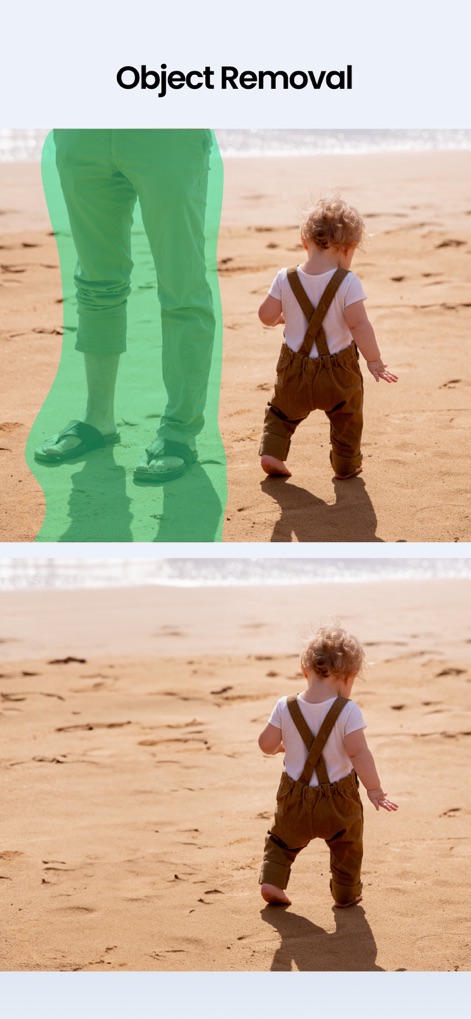
This tool enables the precise removal of distracting elements, such as background figures, for a cleaner photographic composition.
Seamless Object Erase

The app offers a range of trending AI effects, allowing users to transform their images into diverse aesthetics like a "Professional Photo" or a "1940's Look".
Transformative AI Styles
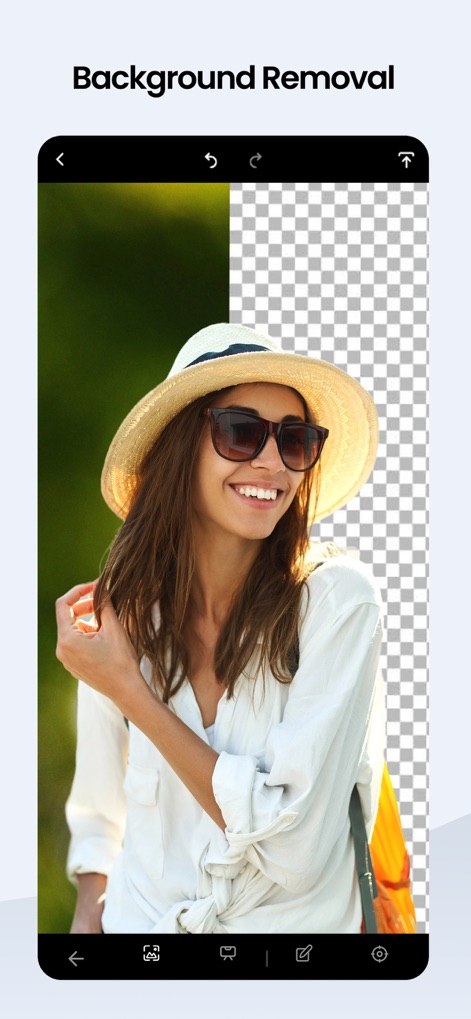
Users can easily isolate subjects from their surroundings, achieving a transparent background for versatile image manipulation and precise cutouts.
Instant Background Eraser
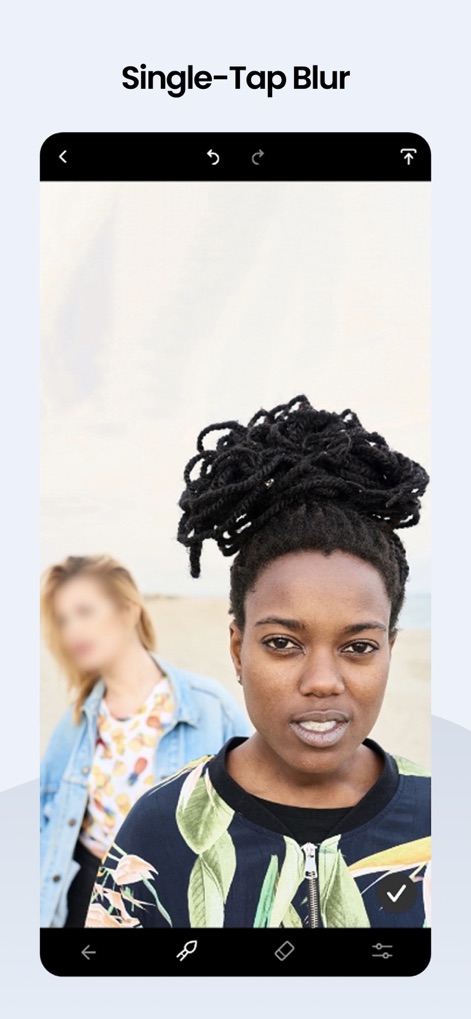
Create professional-looking portraits by applying a single-tap blur to backgrounds, emphasizing the main subject with selective focus.
Depth Effect Achieved
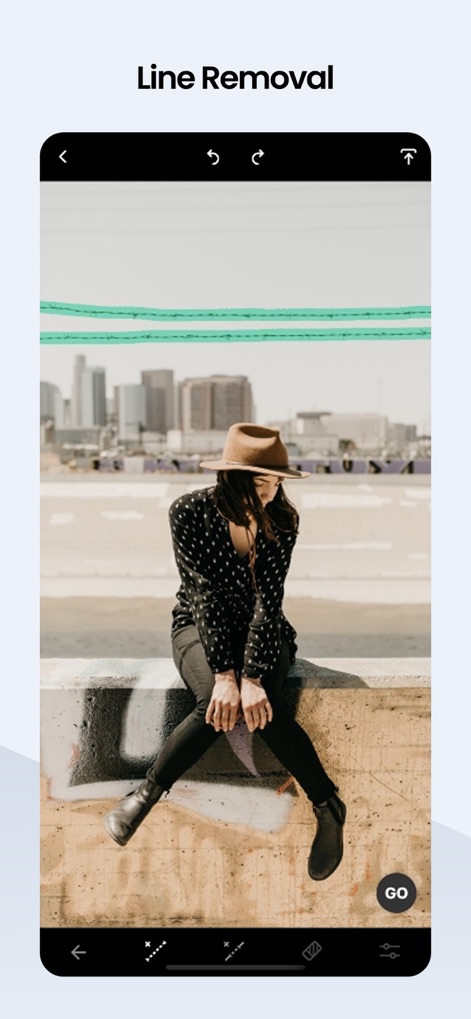
This feature allows for the effortless removal of distracting linear objects like wires and power lines, often initiated with a simple "GO" button tap.
Clean Line Removal
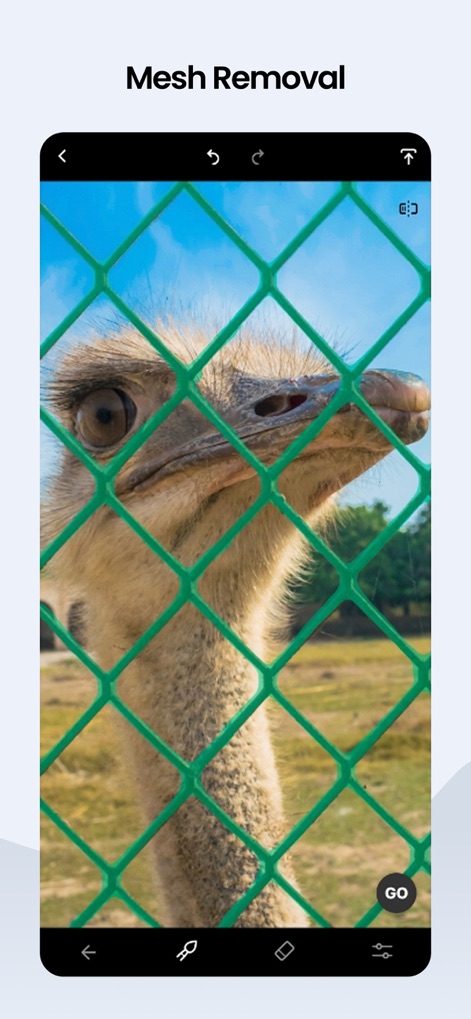
The app expertly detects and removes challenging mesh obstructions, revealing clear subjects like animals behind fences with a single "GO" button interaction.
Automatic Mesh Clearance
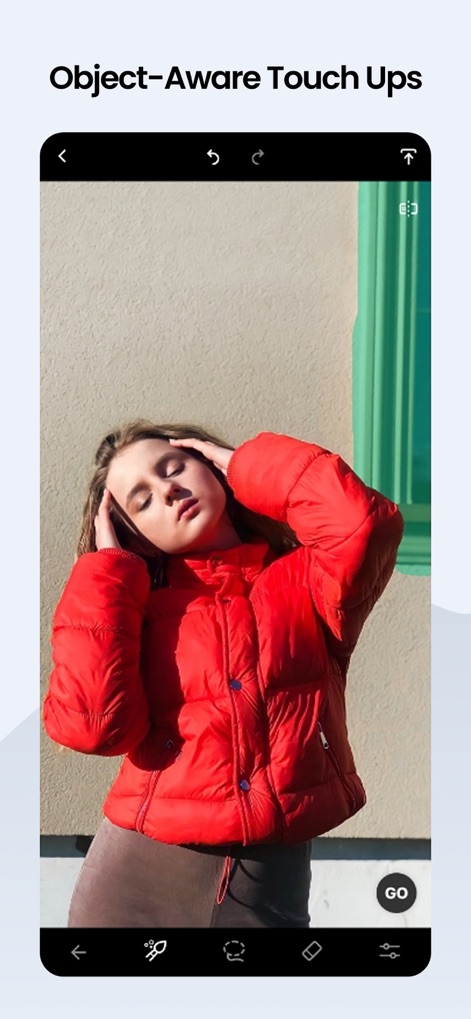
Leveraging AI edge-aware technology, the app enables precise object removal and intelligent touch-ups, ensuring seamless blending after unwanted elements are gone.
Intelligent Object Repair
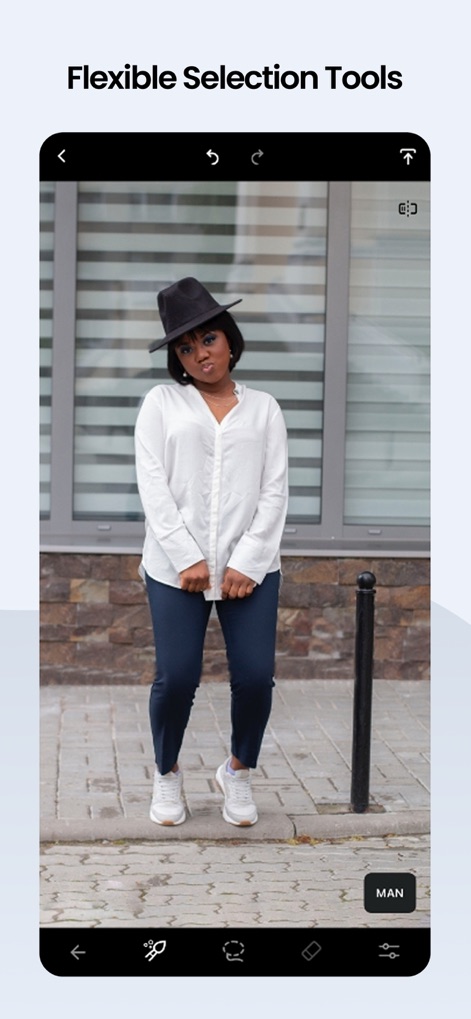
Users gain granular control over photo edits through flexible selection tools like the brush, facilitating detailed manual retouching for optimal results.
Precise Selection Control
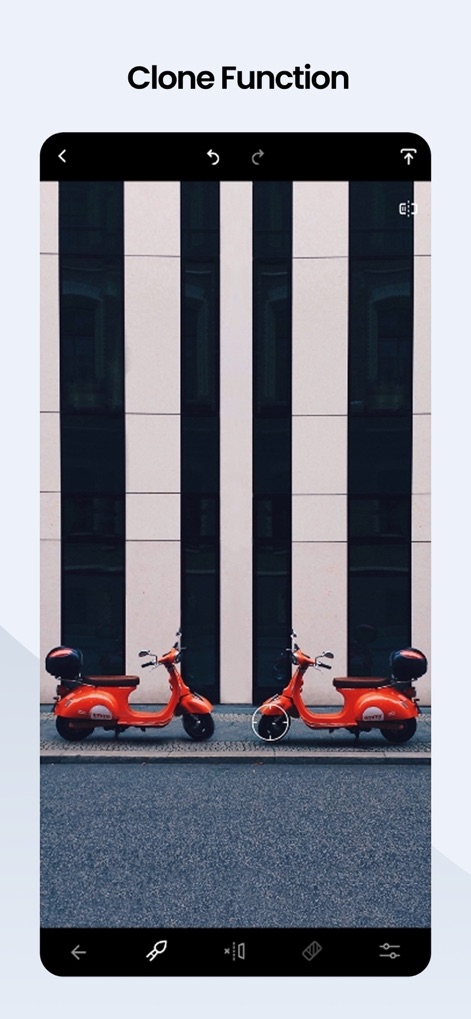
The Clone Stamp tool provides advanced flexibility, allowing users to duplicate selected elements or seamlessly repair areas by painting with sampled pixels.
Duplicate with Precision
Description
Download
More Like This
Apps with similar features and user experience

ElevenLabs: AI Voice Generator
Eleven Labs Inc.

Viggle AI: Meme Maker
WarpEngine Canada Inc.

可灵AI - AI图片&视频创作工具
Beijing Kwai Technology Co., Ltd.

Leonardo.Ai - Image Generator
Leonardo Interactive Pty Ltd

Reface: Face Swap AI Photo App
NEOCORTEXT, INC.

Shedevrum
DIRECT CURSUS COMPUTER SYSTEMS TRADING LLC

Remove Objects
TAPUNIVERSE LLC

Zaps Collages
Turnip Media Private Limited

Carat - Create Anything
Paradot Corp.
This page is not an official page of the app or its developer, but an independent editorial publication created for informational and commentary purposes. Unless expressly stated otherwise, neither the app nor its developer is affiliated with, endorsed by, sponsored by, authorized by, or otherwise officially connected with MWM, Apple, Google Play, the app publisher, or the app's developer, and nothing on this page implies that the app was developed using MWM's services. Any trademarks, logos, screenshots, and other content remain the property of their respective owners.