Tractor GPS Field Guidance PRO
Download on App Store

This page is not an official page of the app or its developer, but an independent editorial publication created for informational and commentary purposes. Unless expressly stated otherwise, neither the app nor its developer is affiliated with, endorsed by, sponsored by, authorized by, or otherwise officially connected with MWM, Apple, Google Play, the app publisher, or the app's developer, and nothing on this page implies that the app was developed using MWM's services. Any trademarks, logos, screenshots, and other content remain the property of their respective owners.

Logo of Tractor GPS Field Guidance PRO
Download on App Store

Tractor GPS Field Guidance PRO

Maximize your yields and reduce input costs with professional-grade navigation. Eliminate overlaps, track rows with precision, and transform your iPhone or iPad into a smart agricultural dashboard—no expensive hardware required.

Key Figures

Downloads

3K+

User Rating

4.5/5

Total Ratings

100

Publisher

启伟 廖

Category

Navigation

Locales

12

Latest Version

1.1.7

Size

85.8 MB

First Released

Jun 4, 2025
Features

Maximize Every Acre with Precision Field Guidance

Turn your iPad or iPhone into a professional-grade tractor GPS system to eliminate overlaps, reduce waste, and increase your farm's ROI.

Eliminate Row Overlaps

Maintain perfectly straight lines and consistent spacing to ensure no spot is missed and no fuel is wasted during planting or spraying.

Drastically Lower Input Costs

Reduce the amount of seeds, fertilizer, and chemicals used by precisely tracking your coverage and avoiding costly double-applications.

The following screenshots and description are sourced directly from the app's official store listing and are the property of the app developer.

App Store

Screenshots
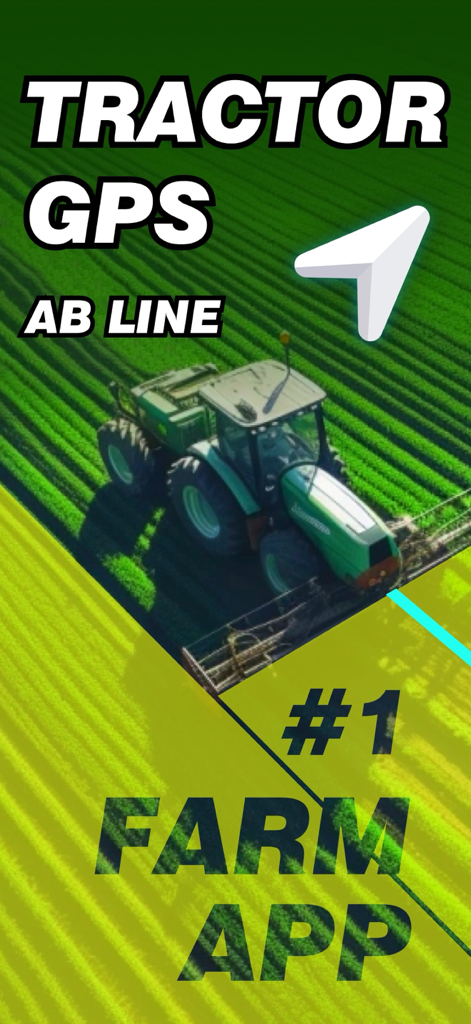
Tractor GPS Field Guidance PRO - Tractor GPS navigation app showing AB line guidance for precision farming
Tractor GPS navigation app showing AB line guidance for precision farming

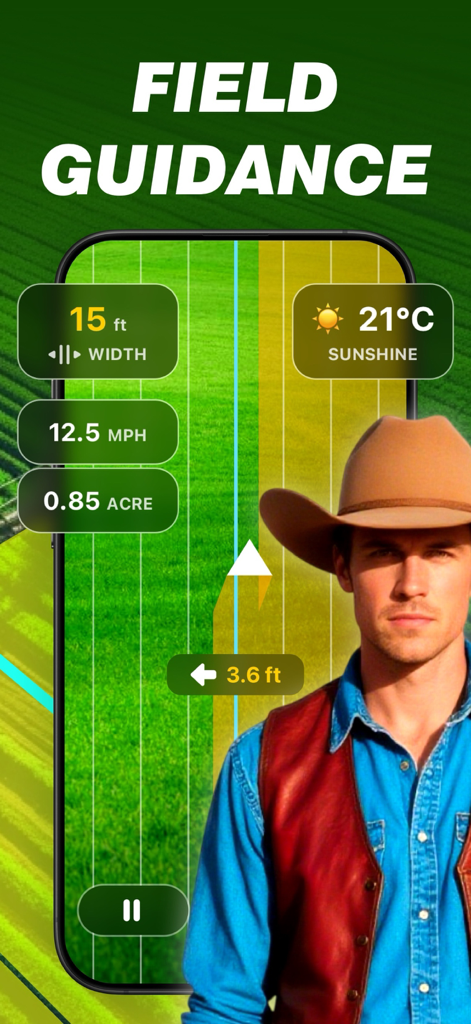
Tractor GPS Field Guidance PRO - Smartphone screen showing tractor field guidance app with GPS mapping data and a farmer in the foreground
Smartphone screen showing tractor field guidance app with GPS mapping data and a farmer in the foreground

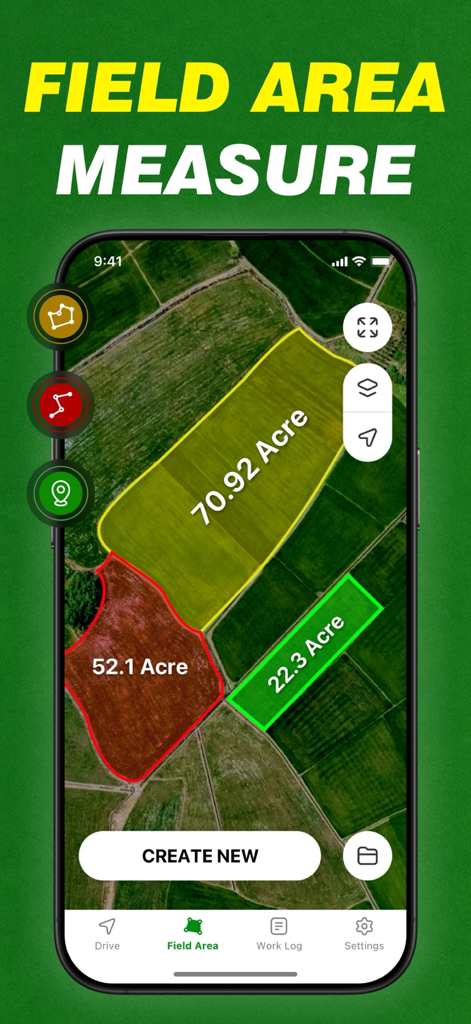
Tractor GPS Field Guidance PRO - Mobile app interface displaying agricultural field area measurements in acres on a satellite map.

Mobile app interface displaying agricultural field area measurements in acres on a satellite map.
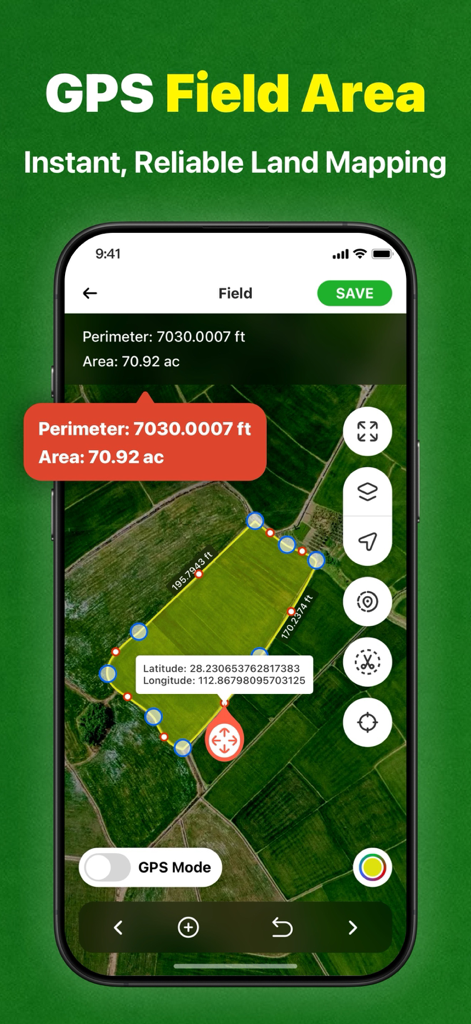
Tractor GPS Field Guidance PRO - GPS field area measurement and land mapping interface on a smartphone
GPS field area measurement and land mapping interface on a smartphone

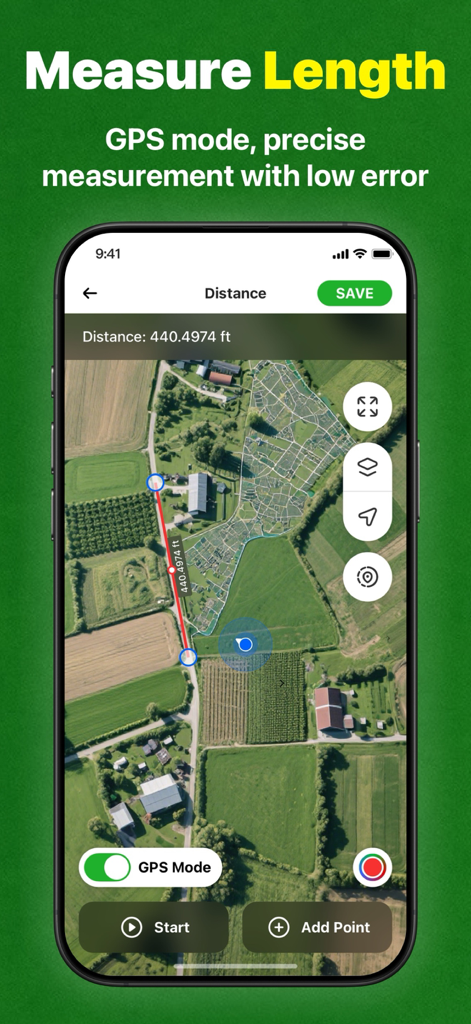
Tractor GPS Field Guidance PRO - A screenshot of the Tractor GPS Field Guidance PRO app showing the measure length feature on a satellite map of agricultural fields.
A screenshot of the Tractor GPS Field Guidance PRO app showing the measure length feature on a satellite map of agricultural fields.

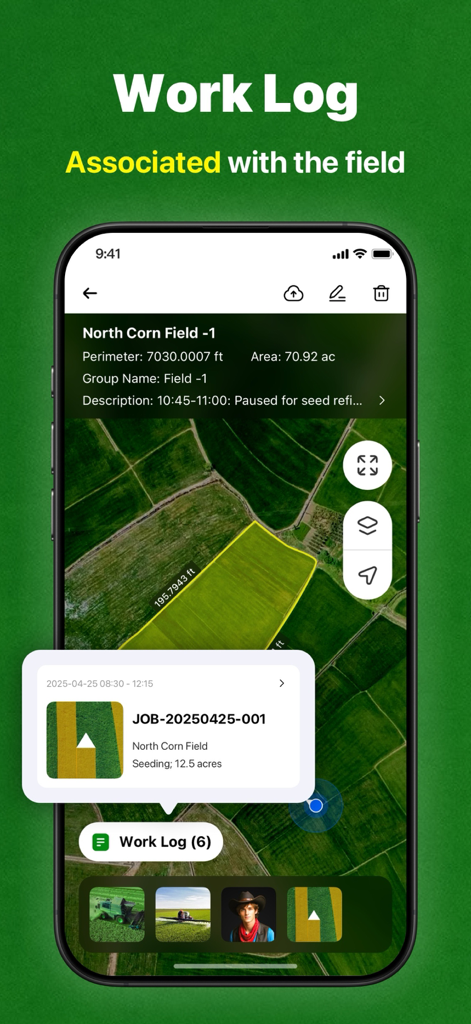
Tractor GPS Field Guidance PRO - Work log screen in the Tractor GPS app showing a map of a corn field with area measurements and seeding activity records.
Work log screen in the Tractor GPS app showing a map of a corn field with area measurements and seeding activity records.

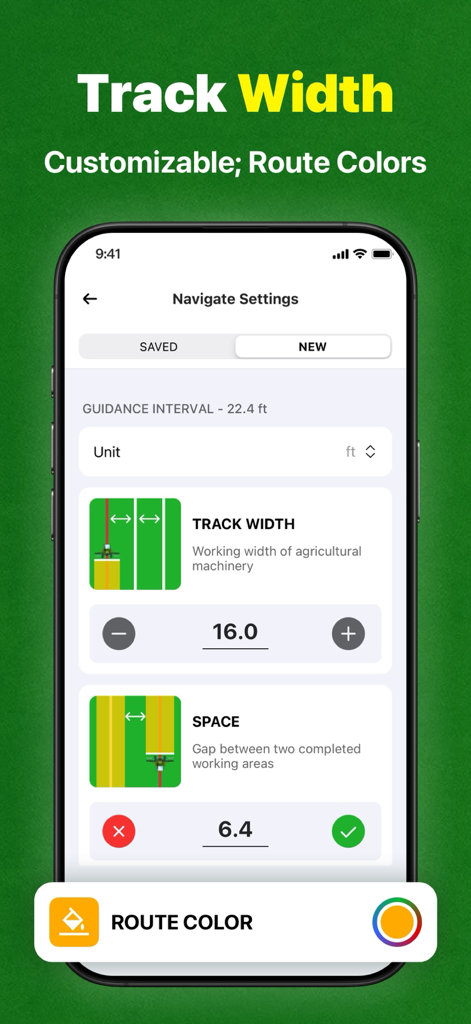
Tractor GPS Field Guidance PRO - Navigation settings screen showing track width and space configuration for tractor guidance.
Navigation settings screen showing track width and space configuration for tractor guidance.

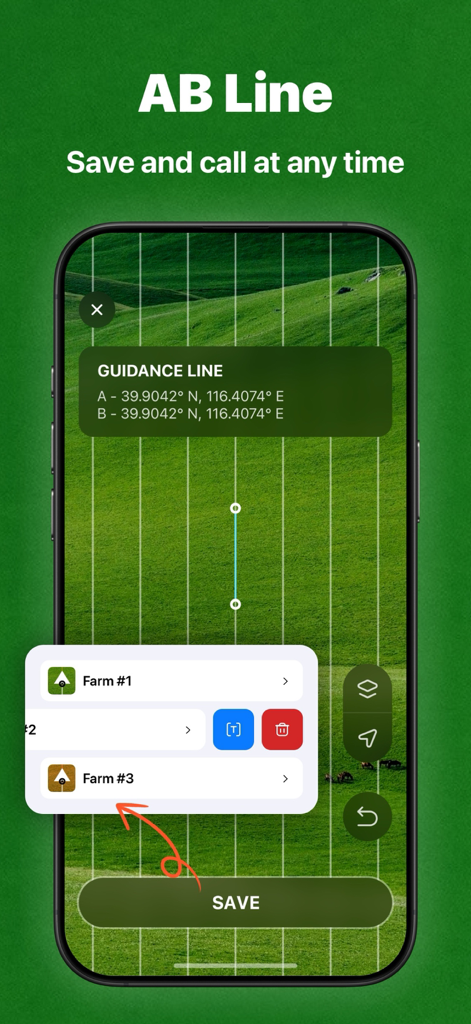
Tractor GPS Field Guidance PRO - Tractor GPS app interface showing AB line guidance for straight row farming with a list of saved farm locations.
Tractor GPS app interface showing AB line guidance for straight row farming with a list of saved farm locations.

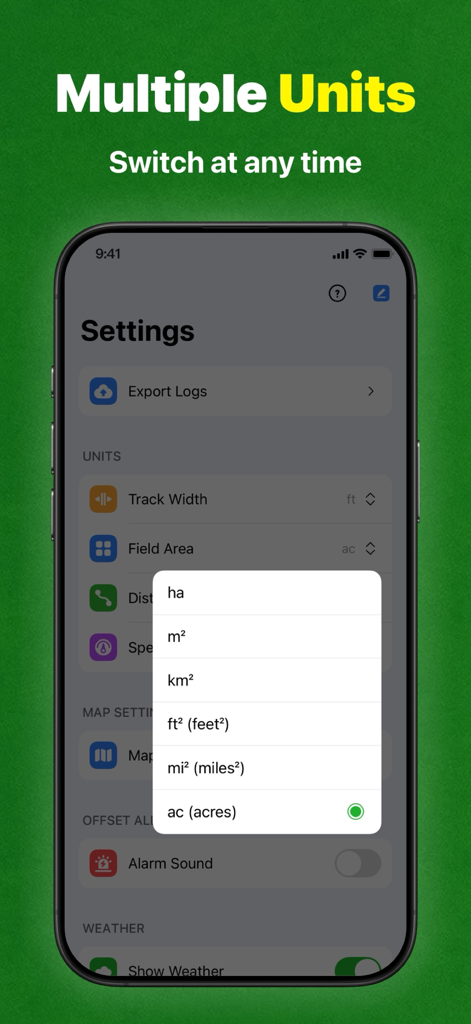
Tractor GPS Field Guidance PRO - Settings screen of the Tractor GPS app showing a list of area units like hectares, square feet, and acres for field measurement.
Settings screen of the Tractor GPS app showing a list of area units like hectares, square feet, and acres for field measurement.

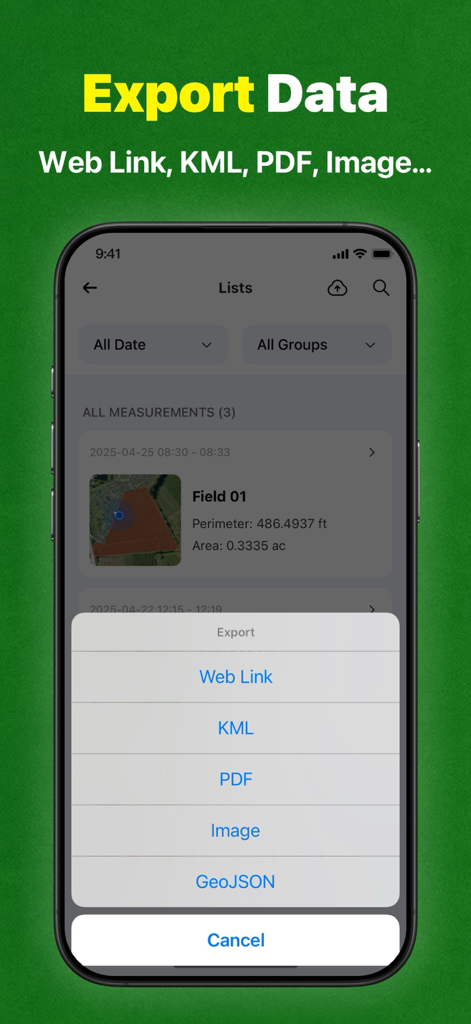
Tractor GPS Field Guidance PRO - Tractor GPS app interface showing export options for field data measurements including KML PDF and GeoJSON formats.

Tractor GPS app interface showing export options for field data measurements including KML PDF and GeoJSON formats.

Description

Tractor GPS Navigation is designed for tractor and agricultural machinery operators, providing precise navigation and intelligent operation management, covering the entire agricultural process such as planting, fertilization, spraying, harvesting, etc., to help you improve operation efficiency and reduce production costs. **Applicable scenarios: • Straight-line seeding navigation of field crops • Automatic profiling operation in orchards • Terraced contour farming • Variable fertilization and pesticide application operation • Agricultural machinery operation area calculation **GPS Field Area Measurement: Use GPS to easily measure the area of ​​any piece of land, including farms, fields, houses, yards, mountains, reservoirs, and construction sites, by selecting points on Google Maps. This highly accurate measurement is available. Why choose this APP? ** Economical and affordable ** Compared with expensive dedicated GPS devices, this smartphone-based navigation APP is cheaper and can be used by just downloading, greatly reducing the technical threshold of precision agriculture. ** Precision operation ** Using high-precision GPS technology, automatically generate and track field operation routes to ensure consistent row spacing, reduce overlaps and omissions, and save time and fuel. **Smart Recording** Seamlessly connect to mainstream agricultural machinery and equipment, automatically record operation data and store it safely, which is convenient for retrospective analysis and optimized management. - Area Calculator: Easily convert measured land areas to acres, hectares, square meters, and other units, allowing you to easily grasp land area. - Distance Measurement: Quickly calculate the distance between multiple points on a map, perfect for measuring roads, bridges, parks, or planning routes with real-time tracking and accuracy. - Mapping: Draw shapes or mark custom boundaries directly on Google Maps to visually outline parcels, areas, or routes. Perfect for planning, mapping, or real estate visualization. - Perimeter Measurement: Accurately calculate the total boundary length of any selected area or parcel of land, helping you estimate land, roads, pipelines, or irrigation needs with just a few taps. **Reduce costs** Precisely control the application amount of seeds, fertilizers, and pesticides to avoid waste, reduce input costs, and reduce environmental impact. **Increase production and efficiency** Based on precise mapping and data analysis, optimize planting layout and resource allocation, improve crop health, and promote yield growth. **Reduce fatigue** Automatic navigation reduces manual steering operations, reduces operation intensity, allows operators to focus more on machine monitoring, and extends efficient operation time. Start efficient farming now! Download "Tractor GPS Navigation" to start a new era of smart agriculture. Precision farming, increase production and income, and make every inch of land more valuable! If you subscribe through Apple, your App Store account will be charged at confirmation of purchase. - Payment will be charged to your iTunes account at confirmation of purchase. - Subscription automatically renews unless auto-renew is turned off at least 24 hours before the end of the current period. - Account will be charged for renewal 24 hours prior to the end of the current period, and identify the cost of the renewal. - Subscriptions may be managed by the user and auto-renewal may be turned off by going to the user's Account Settings after purchase Standard Apple Terms of Use (EULA): https://www.apple.com/legal/internet-services/itunes/dev/stdeula/ Privacy Policy: http://senxunstudio.com/tractorgps/TractorGPS_Privacy.html

Download

Download on App Store

This page is not an official page of the app or its developer, but an independent editorial publication created for informational and commentary purposes. Unless expressly stated otherwise, neither the app nor its developer is affiliated with, endorsed by, sponsored by, authorized by, or otherwise officially connected with MWM, Apple, Google Play, the app publisher, or the app's developer, and nothing on this page implies that the app was developed using MWM's services. Any trademarks, logos, screenshots, and other content remain the property of their respective owners.