Transcribe Live.

Transcribe Live.

Download on App Store
Logo of Transcribe Live.

Transcribe Live. Hear Every Word and Never Miss a Conversation.

Powerful live captioning and speech-to-text designed for the hard of hearing and active professionals. Experience 99% accuracy in 63+ languages with large, easy-to-read text and one-click simplicity.

Publisher

Evgeniy Labunchak

Category

Medical

Downloads

20K+

User Rating

1.0/5

Total Ratings

0

Locales

24

See Every Word

Discover the interface used by 20K+ users.
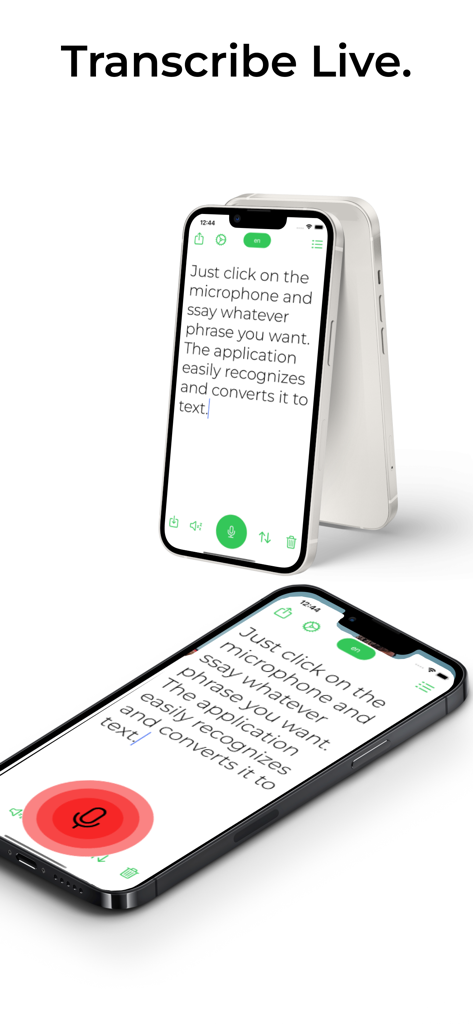
Transcribe Live mobile app displaying real time speech to text dictation on an iPhone

Transcribe Live mobile app displaying real time speech to text dictation on an iPhone

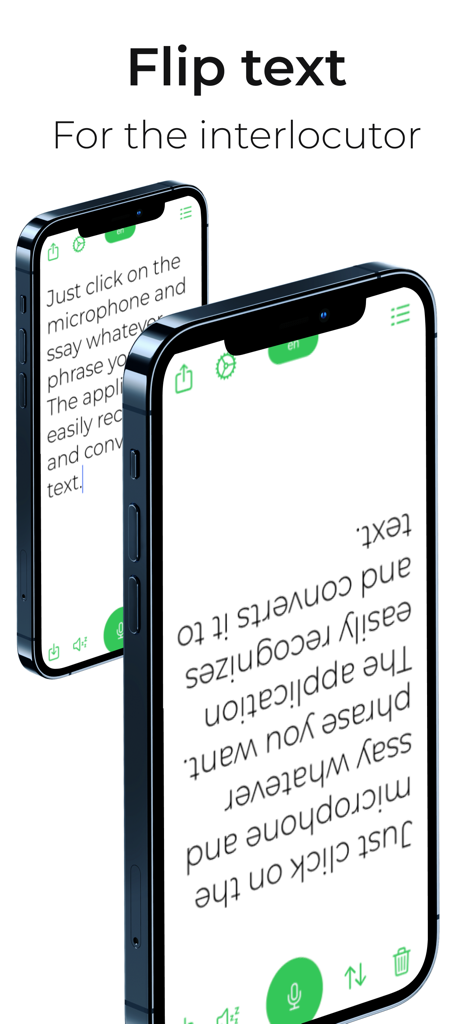
Two iPhones showing the Transcribe Live app with text flipped upside down for a person sitting across from the user

Two iPhones showing the Transcribe Live app with text flipped upside down for a person sitting across from the user

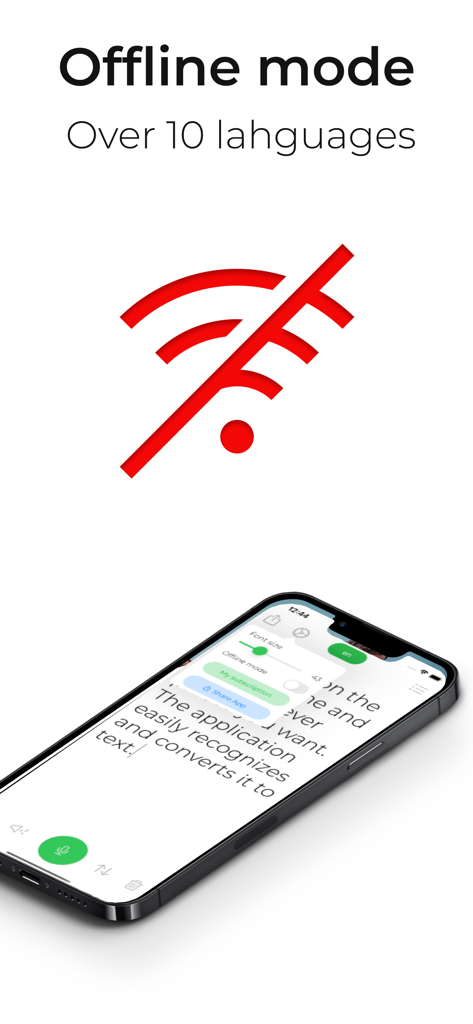
A smartphone displaying the Transcribe Live app interface with a red crossed out wifi symbol indicating offline mode functionality

A smartphone displaying the Transcribe Live app interface with a red crossed out wifi symbol indicating offline mode functionality

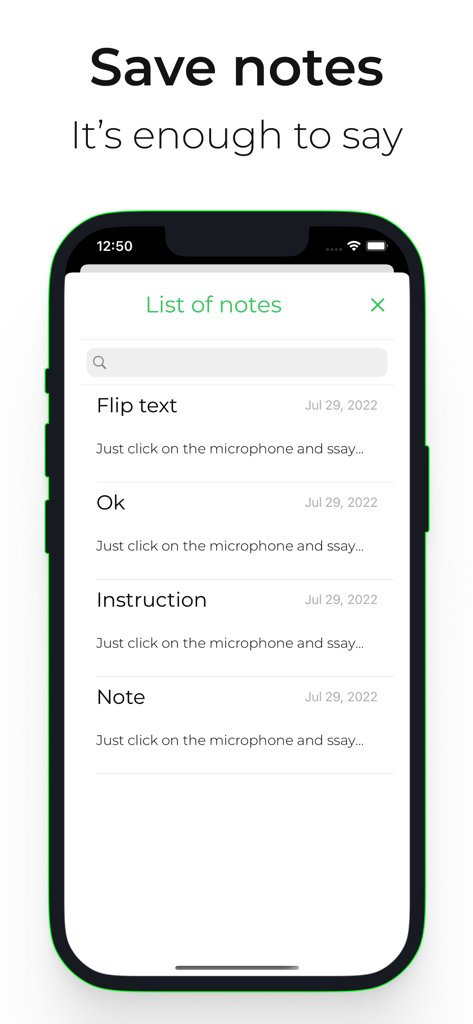
iPhone screen displaying a list of saved notes in the Transcribe Live app

iPhone screen displaying a list of saved notes in the Transcribe Live app

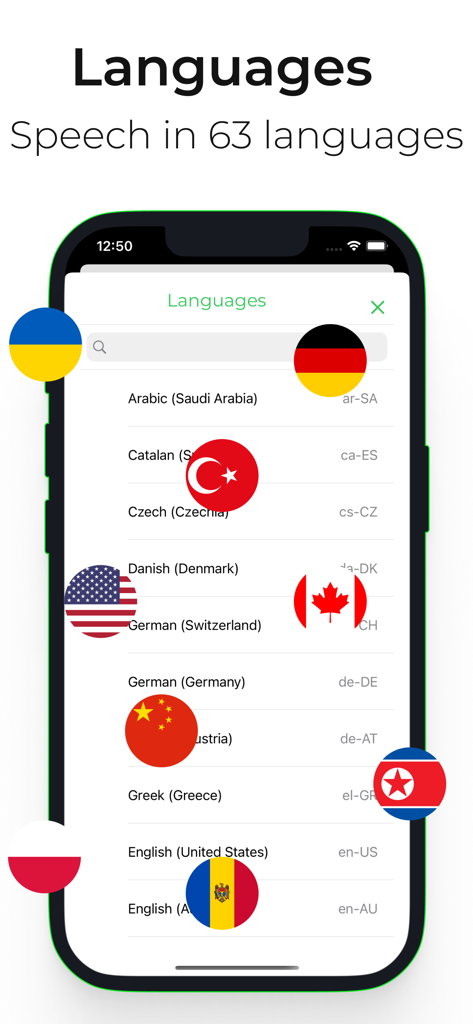
A screenshot of the Transcribe Live app displaying a list of supported languages for real-time transcription with global flags

A screenshot of the Transcribe Live app displaying a list of supported languages for real-time transcription with global flags

Transcribe Live app showing real time speech to text transcription on an iPhone screen

Transcribe Live app showing real time speech to text transcription on an iPhone screen

Never Miss a Word Again

The tools that make this app stand out, trusted by 20K+ users.

👁️

Crystal Clear Readability

Adjust text size and toggle Dark Mode to make reading effortless. Whether in a bright room or a dimly lit theater, you can customize the display to suit your vision needs.

🎧

Precision in Noisy Places

Pair your Bluetooth hearing aids or headset to achieve 99% accuracy. Capture every word clearly, even in busy restaurants, medical offices, or crowded family gatherings.

Instant One-Tap Support

Skip the complex menus. Start transcribing with a single click and stay focused on the conversation while the app handles the rest, automatically organizing your notes.

About the app

Everything you need to know about Transcribe Live..

Description

Live speech/voice/text dictation Live captioning for the deaf and hard of hearing in over 63 languages. Designed for simplicity and ease of use. [We are not affiliated with Google.] •Easy to use Click once and keep transcribing for as long as you want • Start transcribing during playback so you don't miss a word • Write and save notes, if necessary, you can play them back • Share messages through any messaging app on your phone. Write down every word • Choose from over 50 language options. • Offline support for more than 10 languages • The speaker can use a Bluetooth headset to improve accuracy even in noisy environments. Easy to read • Make text grow as much as you want • Focus on what is being said with full text capture • Add newlines automatically or manually to separate text • Dark mode makes text even easier to read Advantages • The application is suitable for people with a hearing impairment due to the large amount of dictated text. • High quality speech recognition 99% Ability to adjust text size for readability • Speech recognition in over 60 languages • Quick save Remember what was said • Send transcripts through any messaging app on your phone. • Save text in any note-taking application on your phone. • The app has in-app purchases. To start speech recognition, you need to subscribe. • There are two subscription options: For a month, if you need the help of my application, not for a long time. Annual, it is for those who lead an active lifestyle. • Once you subscribe you will have access to voice commands. https://sites.google.com/view/coderua/privacy-policy https://sites.google.com/view/coderua/terms For all questions related to the operation of the application, write to the support service coderua7@gmail.com

Latest Version

1.7

Size

17.0 MB

First Released

May 25, 2022

Never Miss a Moment of the Conversation

Join thousands who rely on Transcribe Live for clear, easy-to-read captions. Download now and start your journey toward more independent and connected communication.

Download on App Store
FAQ

Frequently Asked Questions

Everything you need to know about Transcribe Live.

What is Transcribe Live used for?

Transcribe Live provides live speech, voice, and text dictation. It offers live captioning for the deaf and hard of hearing in over 63 languages, designed for ease of use.

How many languages does Transcribe Live support for transcription?

Transcribe Live supports speech recognition in over 63 languages. It also offers offline support for more than 10 languages, enabling transcription without internet access.

Can I use Transcribe Live without an internet connection?

Yes, Transcribe Live provides offline support for more than 10 languages. This feature allows users to continue transcribing speech even without an internet connection.

Does Transcribe Live require a subscription?

Yes, a subscription is necessary to activate speech recognition in Transcribe Live. The application offers both monthly and annual subscription options for users.

What is the accuracy of speech recognition in Transcribe Live?

Transcribe Live features high-quality speech recognition with 99% accuracy. Using a Bluetooth headset enhances accuracy, especially in noisy environments.

Can Transcribe Live save and share notes?

Yes, Transcribe Live enables users to write and save notes. Transcripts can be shared via any messaging app or saved to other note-taking applications on the phone.

Does Transcribe Live have a Text to Speech feature?

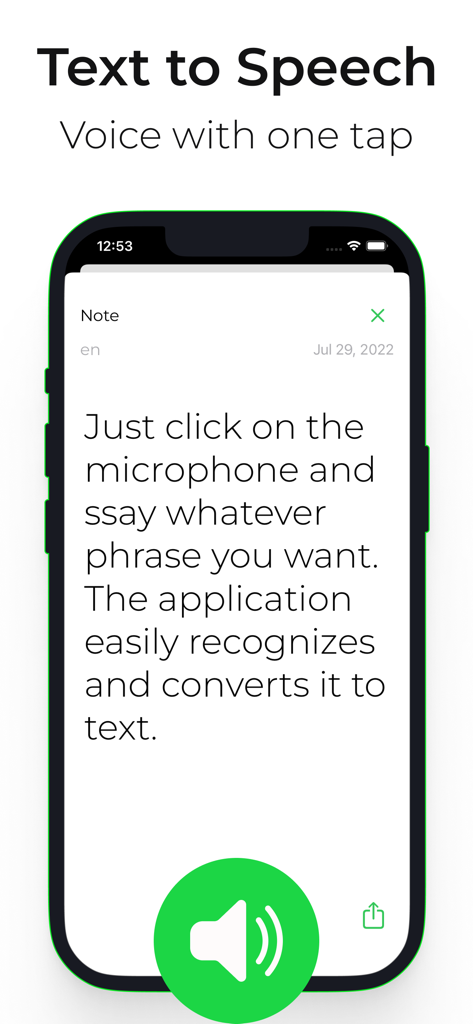
Yes, Transcribe Live includes a Text to Speech feature. It allows users to convert written text into spoken voice with a single tap.

What is the "Flip text" function in Transcribe Live for?

The "Flip text" function in Transcribe Live inverts the displayed text. This feature is designed to make text easier for an interlocutor to read in face-to-face communication.

How does Transcribe Live assist users with hearing impairment?

Transcribe Live provides live captioning in over 63 languages for deaf and hard-of-hearing users. It also offers adjustable text size for improved readability.

How do I start transcribing with Transcribe Live?

To start transcribing with Transcribe Live, simply click the microphone button. The application then begins transcribing speech automatically.

App information, icons, screenshots, and descriptions displayed on this page are sourced from the Apple App Store and are the property of their respective developers. Download estimates and rankings are based on MWM's proprietary models and may not reflect actual figures. This page is provided for informational and analytical purposes only.

Believe this page infringes your intellectual property? File a dispute