Transcribe - Speech to Text

Transcribe - Speech to Text

Download on App Store
Logo of Transcribe - Speech to Text

Transcribe - Speech to Text: The AI-Powered Assistant for Your Meetings and Notes

Turn any audio, video, or live speech into accurate text and actionable AI summaries instantly. Join over 1 million professionals who eliminate manual note-taking and boost their productivity with world-class AI.

Publisher

DENIVIP Group OOO

Category

Utilities

Downloads

1M+

User Rating

4.5/5

Total Ratings

28K+

Locales

12

Efficiency at a Glance

Discover the interface used by 1M+ users.
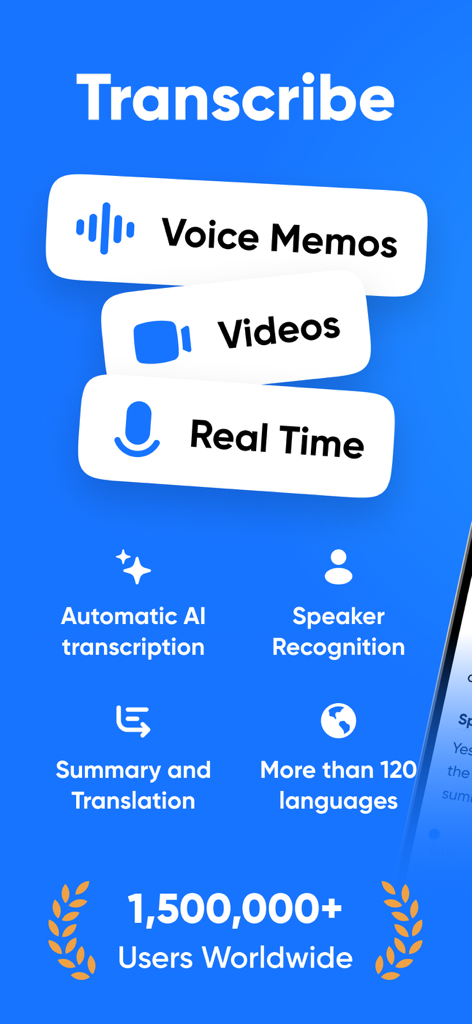
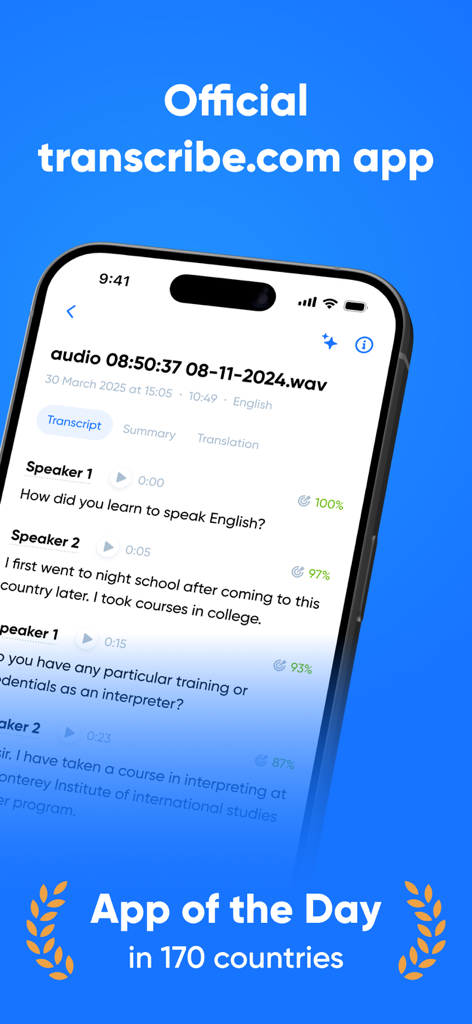
Overview of Transcribe app features including AI transcription, speaker recognition, summaries, and translation for voice memos and videos.

Overview of Transcribe app features including AI transcription, speaker recognition, summaries, and translation for voice memos and videos.

Smartphone displaying the Transcribe app interface with speech to text transcription and speaker separation

Smartphone displaying the Transcribe app interface with speech to text transcription and speaker separation

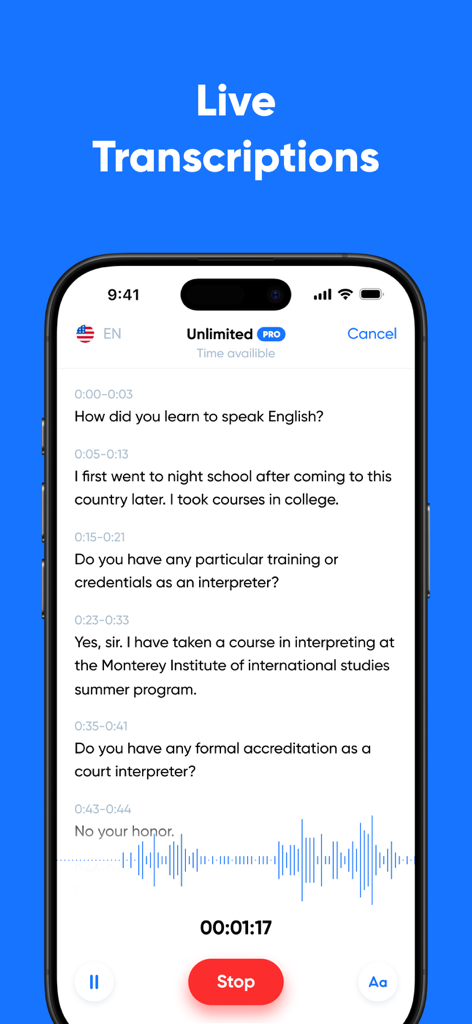
IPhone interface showing live speech to text transcription of a conversation with audio waveforms

IPhone interface showing live speech to text transcription of a conversation with audio waveforms

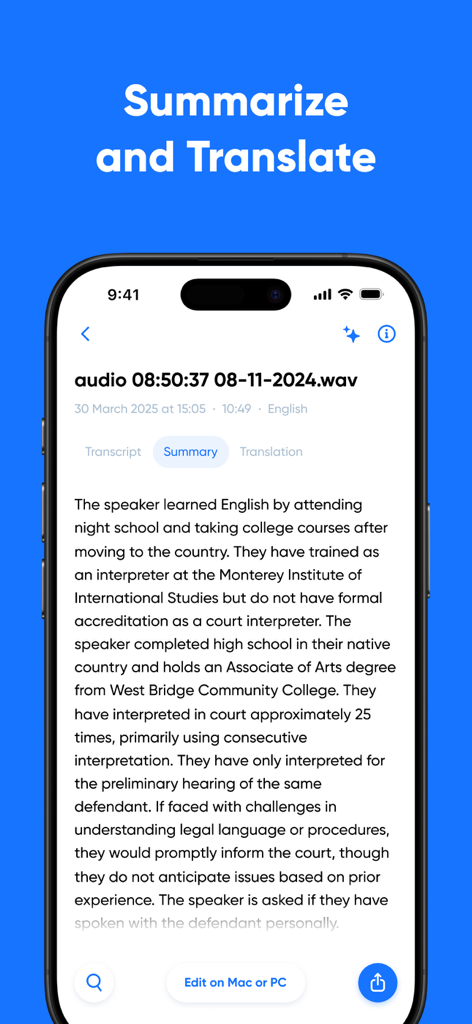
A smartphone displaying an AI generated summary of a transcribed audio recording

A smartphone displaying an AI generated summary of a transcribed audio recording

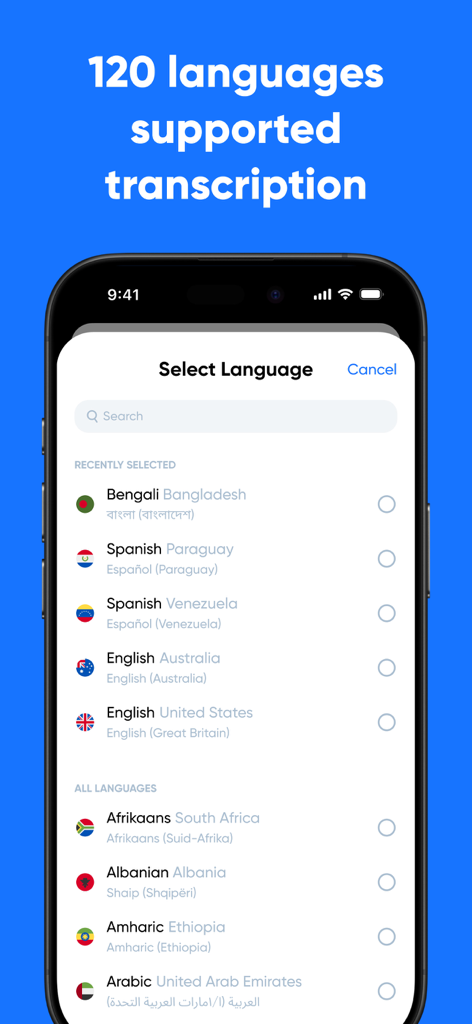
Smartphone screen showing the Transcribe app language selection menu with over 120 supported languages for speech to text transcription.

Smartphone screen showing the Transcribe app language selection menu with over 120 supported languages for speech to text transcription.

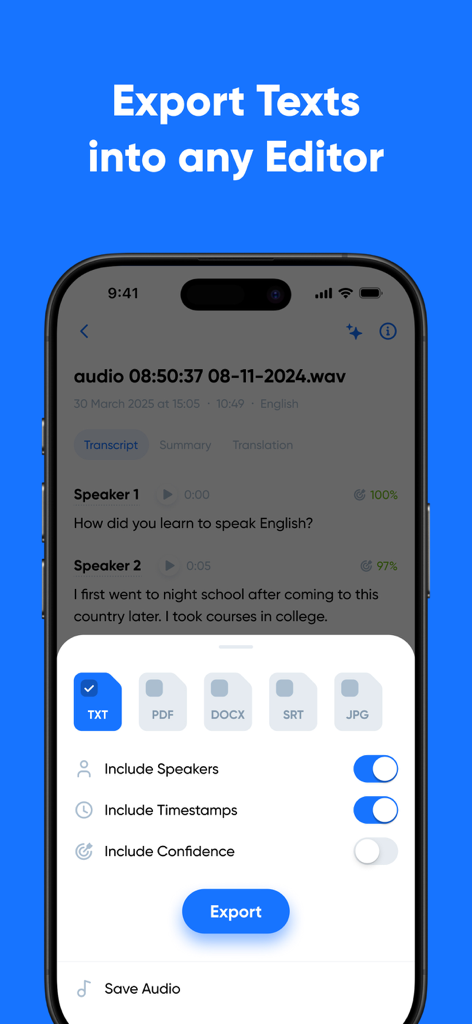
Transcribe app export screen showing options for TXT PDF DOCX and SRT file formats with speaker and timestamp toggles

Transcribe app export screen showing options for TXT PDF DOCX and SRT file formats with speaker and timestamp toggles

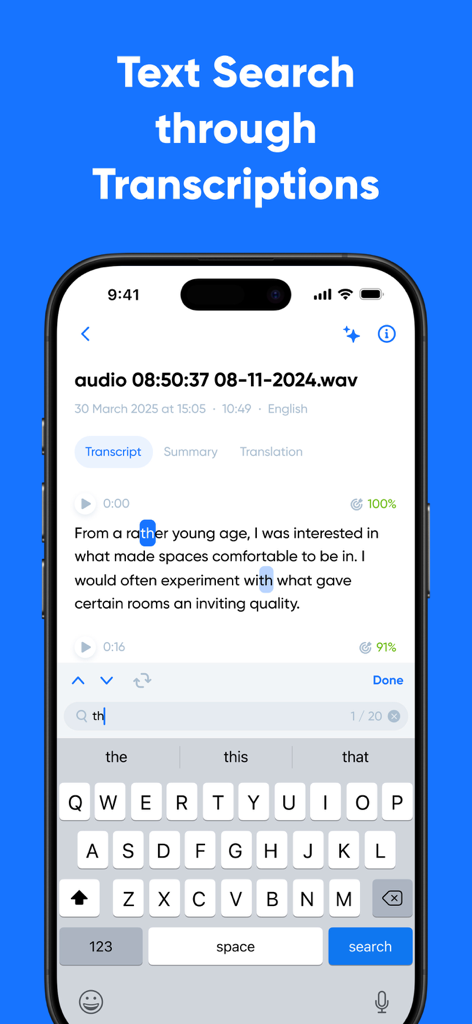
Screenshot of the Transcribe app showing the text search feature highlighting words within a transcription on a mobile screen

Screenshot of the Transcribe app showing the text search feature highlighting words within a transcription on a mobile screen

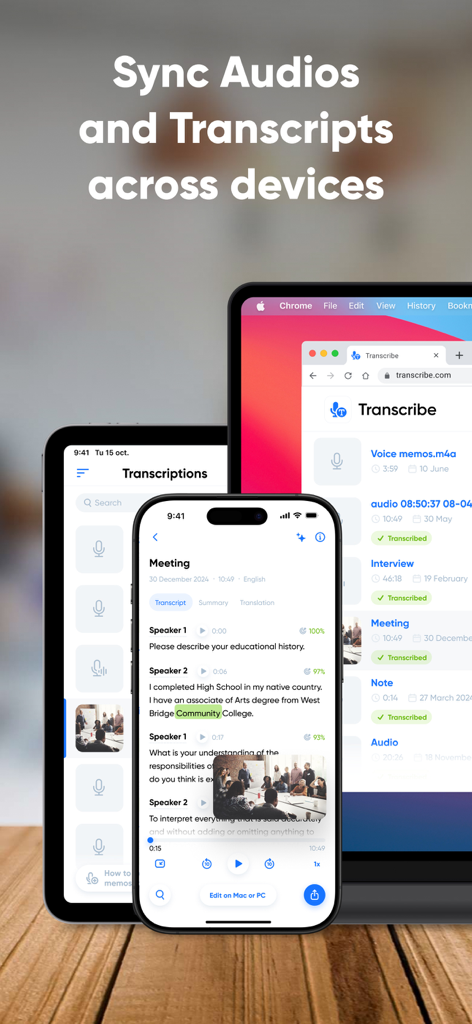
Transcribe app interface showing audio and text synchronization across multiple devices

Transcribe app interface showing audio and text synchronization across multiple devices

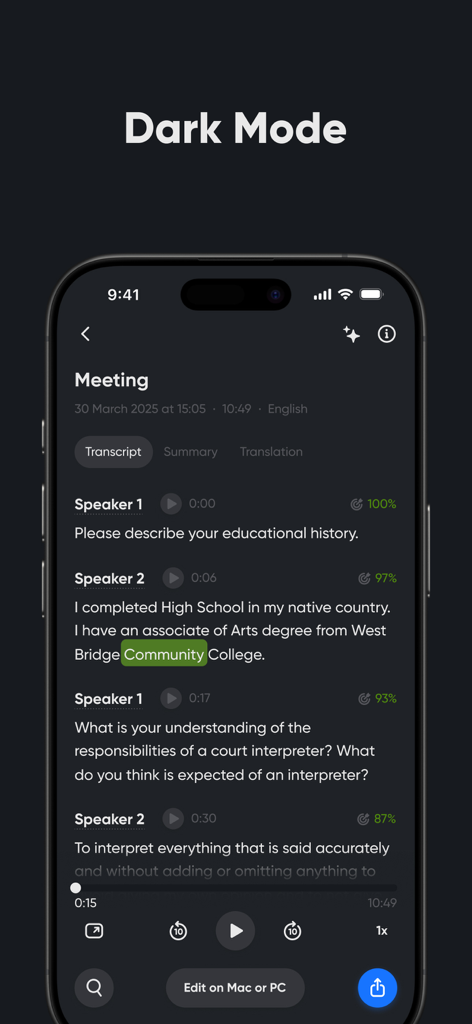
iPhone screen showing the Transcribe app in dark mode with a meeting transcript and speaker separation

iPhone screen showing the Transcribe app in dark mode with a meeting transcript and speaker separation

Turn Every Conversation Into Action

The tools that make this app stand out, trusted by 1M+ users.

💡

AI-Powered Summaries

Save hours of review time with instant TL;DRs. Our AI extracts key points and action items, so you can focus on the big picture.

✍️

Professional Accuracy

Get precise transcripts with automatic speaker separation and timestamps—perfect for board meetings, research interviews, or legal notes.

🔄

Universal Workflow Sync

Seamlessly integrate with Zoom, Zapier, and your favorite cloud storage to automate your documentation from mobile to desktop.

About the app

Everything you need to know about Transcribe - Speech to Text.

Description

Transcribe audio and video to text with Transcribe – your AI-powered transcription assistant. Get instant, high-quality transcripts, right from your phone. Whether you need to transcribe voice notes, meetings, interviews, lectures, or videos, our advanced AI provides you with fast, accurate, multilingual transcriptions – anytime, anywhere. We’ll even transcribe phone calls and WhatsApp voice messages. Transcribe live using our built-in voice recorder – simply hit record, start talking, and your words will appear on screen as you speak. Or upload an audio or video file to convert it to text in a matter of minutes – if not seconds. No more struggling to type as you listen. Transcribe does the hard work for you, so you can stay focused on the discussion. KEY FEATURES • Advanced AI transcription for files and live speech • Transcribe in 100+ languages and dialects • Generate AI-powered summaries and key points from your transcripts • Translate transcripts into 40+ languages • Free 30 minutes included for you to try it out Here’s a breakdown of Transcribe's key features: ADVANCED AI TRANSCRIPTION • Get instant, accurate transcripts with timestamps and speaker separation • Upload audio or video files, or transcribe live, as you speak MULTILINGUAL TRANSCRIPTION • Transcribe voice to text in 100+ languages and dialects • Translate transcripts into 40+ languages using our AI translator AI TRANSCRIPT EDITING TOOLS • Edit and refine your transcript within the app • Adjust speaker labels and format the transcript with paragraphs and rich-text formatting • Generate automated summaries – perfect for quick overviews and sharing key points FILE HANDLING AND SYNC • Import files from any device or cloud storage system • Supports all popular audio and video file formats • Seamlessly syncs your files across all your devices • Export transcripts to TXT, or upgrade to PRO to export to DOCX, PDF, SRT, and more INTEGRATIONS • Integrate with Zoom for seamless meeting transcripts • Automate your full transcription workflow with Zapier • Integrate with AI tools and assistants like Claude Desktop, Cursor, and Windsurf • Have transcripts delivered to your inbox with Email integration FAIR AND FLEXIBLE USAGE • Use time credits whenever you need them – they never expire • No limits on the number of files or transcriptions USE CASES • Transcribe meetings and business calls • Turn voice memos into readable notes • Transcribe interviews for articles or research • Create study materials from lectures and seminars • Convert WhatsApp messages or voicemails into text • Generate subtitles for videos to support accessibility • Summarize meetings or team calls • Translate spoken content into different languages TRANSCRIBE PRO Upgrade to unlock unlimited live transcription and get five additional hours of file transcription each month. With PRO, you can also export to DOCX, PDF, SRT, and other formats. Your transcripts and any unused time credits stay with you – even after your subscription ends. FREE TRIAL Download the Transcribe app today and get a free 30-minute trial to test the quality and see just how much time you could save. QUESTIONS? Email us at: support@transcribe.com Terms & Privacy: https://transcribe.com/terms

Latest Version

4.21.9

Size

163.3 MB

First Released

Jun 7, 2017

Stop Taking Notes, Start Taking Action

Join over 1 million professionals and students saving hours every week. Download today and get your first 30 minutes of AI-powered transcription for free.

Download on App Store
FAQ

Frequently Asked Questions

Everything you need to know about Transcribe - Speech to Text

What is Transcribe - Speech to Text?

Transcribe is an AI-powered transcription assistant that converts audio and video to text. It provides instant, high-quality, and multilingual transcripts directly from a mobile device or uploaded files.

Can Transcribe transcribe live speech?

Yes, Transcribe can transcribe live speech. Users can utilize its built-in voice recorder to record and see their words appear on screen as they speak.

What file formats does Transcribe support for upload?

Transcribe supports all popular audio and video file formats for upload. It allows importing files from any device or cloud storage system.

How many languages does Transcribe support for transcription?

Transcribe supports transcription in over 120 languages and dialects. It also offers translation of transcripts into more than 40 languages.

Does Transcribe offer a free trial?

Yes, Transcribe offers a free trial. Users receive 30 minutes of free transcription credits upon downloading the app.

What are the export options for transcripts in Transcribe?

Users can export transcripts to TXT format. With a Transcribe PRO subscription, additional export formats include DOCX, PDF, and SRT.

Can I summarize transcripts using the Transcribe app?

Yes, Transcribe generates AI-powered summaries and key points from transcripts. This feature provides quick overviews of the content.

Does Transcribe offer speaker separation in its transcripts?

Yes, Transcribe provides instant, accurate transcripts with speaker separation. It also includes timestamps for clarity.

What integrations does Transcribe support?

Transcribe integrates with Zoom for meetings, Zapier for workflows, AI tools like Claude Desktop, Cursor, and Windsurf, and offers email delivery of transcripts.

Are time credits in Transcribe perpetual?

Yes, time credits in Transcribe never expire. Users can utilize them whenever needed, with no limits on the number of files or transcriptions.

Can Transcribe sync transcripts across multiple devices?

Yes, Transcribe seamlessly syncs user files and transcripts across all their devices, including mobile and desktop.

App information, icons, screenshots, and descriptions displayed on this page are sourced from the Apple App Store and are the property of their respective developers. Download estimates and rankings are based on MWM's proprietary models and may not reflect actual figures. This page is provided for informational and analytical purposes only.

Believe this page infringes your intellectual property? File a dispute