
This page is not an official page of the app or its developer, but an independent editorial publication created for informational and commentary purposes. Unless expressly stated otherwise, neither the app nor its developer is affiliated with, endorsed by, sponsored by, authorized by, or otherwise officially connected with MWM, Apple, Google Play, the app publisher, or the app's developer, and nothing on this page implies that the app was developed using MWM's services. Any trademarks, logos, screenshots, and other content remain the property of their respective owners.


TravelBoast: My Journey Routes
Finally, a way to make your travel stories pop without the editing grind. This app turns your journeys into shareable spectacles.
Downloads
10M+User Rating
Total Ratings
13.6KPublisher
Category
Photo & VideoLocales
19Latest Version
2.34Size
467.1 MBFirst Released
Sep 3, 2019An evaluation of key functionalities driving user engagement and social sharing for avid travelers.
TravelBoast: My Journey Routes - Core Feature Analysis
Animated Route Visualization
The app allows users to generate engaging animated videos of their travel routes, perfect for sharing on social media platforms like Instagram.
Direct Video Export & Sharing
It enables users to save their animated travel videos directly for offline access or effortless sharing across various social media platforms and messaging apps.
Intuitive Creation Workflow
This tool features a straightforward process, enabling users to easily select transport, input a route, and generate an animated trip video with minimal effort.
Personalized Route Design
It allows users to define and customize their unique travel paths, offering flexibility in showcasing their specific journeys.
Frequently Asked Questions
Everything you need to know about TravelBoast: My Journey Routes
How do users create animated journey videos with TravelBoast: My Journey Routes?
Users select a transport, input their desired route, and then press the start button in TravelBoast: My Journey Routes to generate an animated video of their trip.
Can I share TravelBoast videos on social media platforms?
Yes, TravelBoast: My Journey Routes allows users to share their created video maps with friends and post them directly on social media platforms.
How many types of transport are available in TravelBoast?
TravelBoast: My Journey Routes offers 150 unique means of transport, including both real and imaginary options. The number of vehicles regularly increases with each update.
Does TravelBoast allow saving animated travel videos?
Yes, TravelBoast: My Journey Routes enables users to save their animated travel results as video files directly to their device's camera roll.
What is the main function of the TravelBoast app?
The main function of TravelBoast: My Journey Routes is to help users create animated video maps of their travels for sharing as engaging posts and stories on Instagram.
How do I select a vehicle for my route animation in TravelBoast?
Users select a desired vehicle from the available transport options within TravelBoast: My Journey Routes. Categories like "Aircraft" and "Public Transport" are provided.
The following screenshots and description are sourced directly from the app's official store listing and are the property of the app developer.
App Store
Screenshots
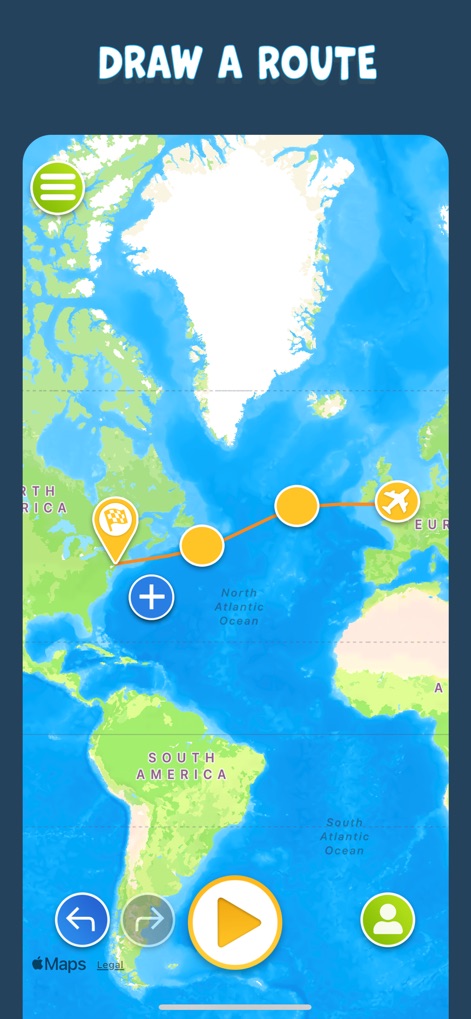
The app simplifies journey planning with an interactive map interface and intuitive route customization, allowing users to effortlessly add multiple points of interest.
Route Creation Simplified
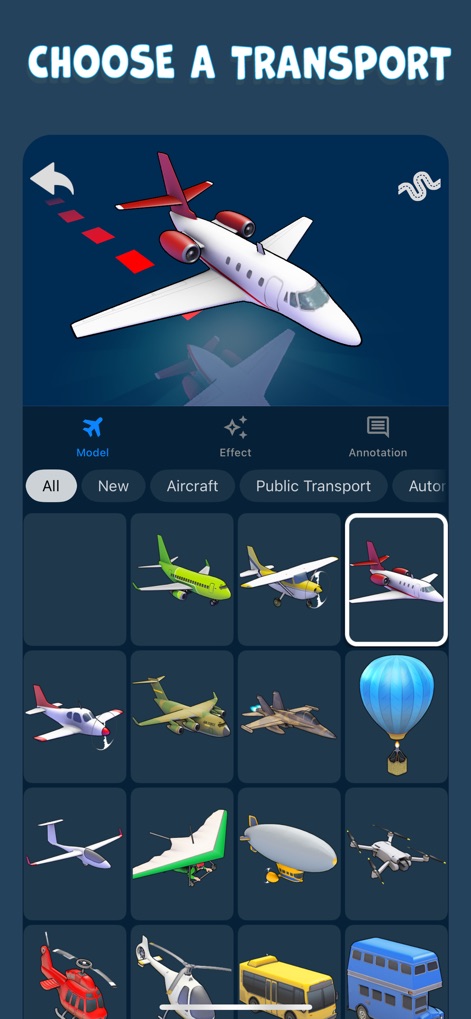
Explore an expansive vehicle library, offering a wide array of transport options conveniently categorized for easy selection and personalized journey animation.
Vehicle Variety
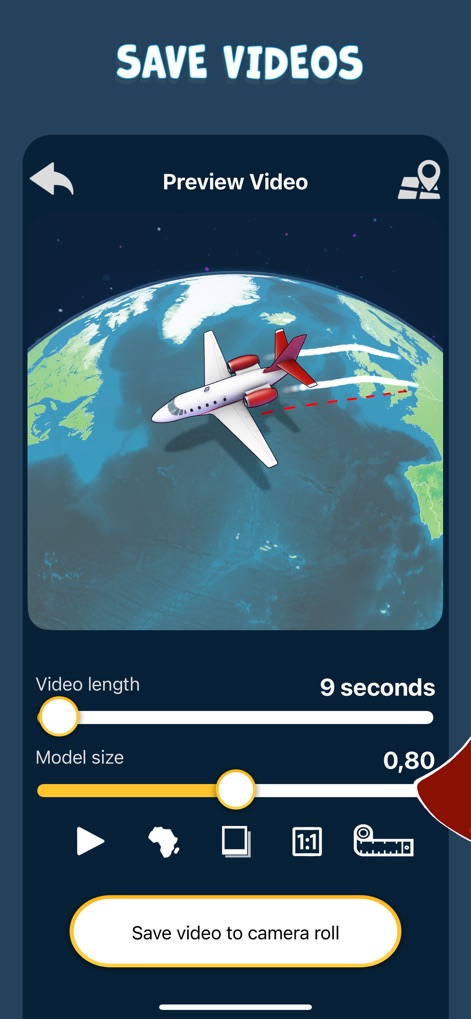
Users can refine their animated journey via the video preview screen, adjusting details like video length and model size before saving the final clip.
Refine & Export

This tool enables effortless sharing of captivating animated journey videos, perfect for showcasing travel experiences across popular social media platforms.
Social Sharing Ready
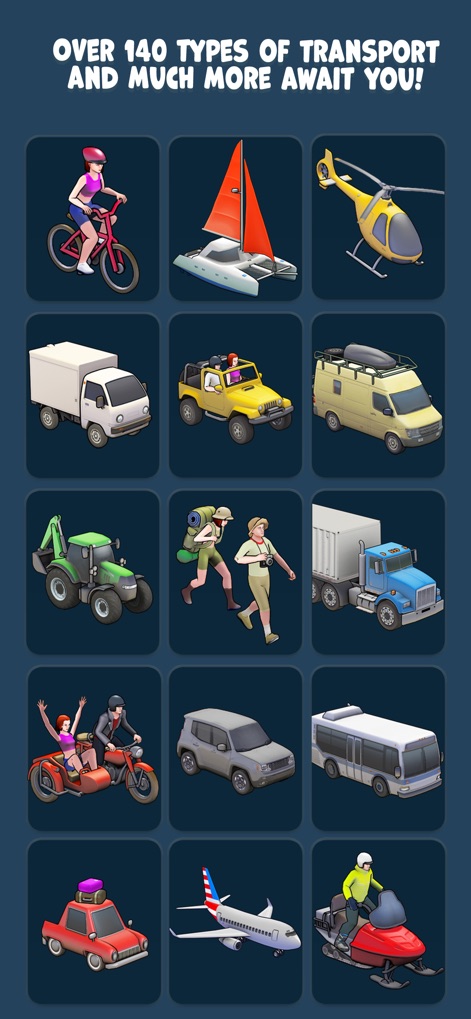
Discover an extensive catalog of over 140 unique transport types, ranging from common vehicles to imaginative modes, for unparalleled animation diversity.
Extensive Transport Catalog
Description
Download
More Like This
Apps with similar features and user experience

Relive: Hike & Ride Memories
Relive B.V.

TravelAnimator: Journey Route
Lascade LLC

Fitshot
Elliot Seror

Strava data on video - STREIV
Lucas den Otter

Travel Route: 3D Map & Plan
SMART WIDGET LABS COMPANY LIMITED

Travel, Journey Boast・Mult.Dev
Oleksandr Semenov

Mult.dev Map Animations
Sergey Nikitin
Travel Route Animation Video
Ruby Lakhani

Travel Planner: 3D Route Map
JOHAN BEUGELING
This page is not an official page of the app or its developer, but an independent editorial publication created for informational and commentary purposes. Unless expressly stated otherwise, neither the app nor its developer is affiliated with, endorsed by, sponsored by, authorized by, or otherwise officially connected with MWM, Apple, Google Play, the app publisher, or the app's developer, and nothing on this page implies that the app was developed using MWM's services. Any trademarks, logos, screenshots, and other content remain the property of their respective owners.