
This page is not an official page of the app or its developer, but an independent editorial publication created for informational and commentary purposes. Unless expressly stated otherwise, neither the app nor its developer is affiliated with, endorsed by, sponsored by, authorized by, or otherwise officially connected with MWM, Apple, Google Play, the app publisher, or the app's developer, and nothing on this page implies that the app was developed using MWM's services. Any trademarks, logos, screenshots, and other content remain the property of their respective owners.


TrayMinder
Built by an orthodontist to help you maximize your investment. Track wear time, set smart reminders, and watch your smile transform with ease.
Downloads
837K+User Rating
Total Ratings
13K+Publisher
Category
MedicalLocales
13Latest Version
13.10.8Size
99.3 MBFirst Released
Dec 13, 2017Stay on Track for Your Perfect Smile
Designed by an orthodontist to help you maximize your aligner investment and achieve faster, predictable results with effortless tracking.
Precision Wear Tracking
Eliminate 'Invisalign anxiety' by hitting your 22-hour daily goal with smart timers and automatic reminders to put your trays back in.
Visual Progress with Teethie™
See your investment pay off with side-by-side comparisons and time-lapse videos that document your smile's transformation.
Frequently Asked Questions
Everything you need to know about TrayMinder
What is TrayMinder and what does it do?
TrayMinder is an app built by an orthodontist to help users track their clear aligner wear, such as Invisalign, ensuring consistent use for optimal and faster results.
How does TrayMinder help track aligner wear time?
Yes, TrayMinder includes a timer to track daily aligner wear. It automatically adjusts for time zones, allows data sharing with doctors, and sets reminders to put trays back in.
Can TrayMinder track clear aligner progress visually?
Yes, TrayMinder features "Teethie®" which allows users to snap photos with each tray change, import existing photos, compare side-by-side, and create time-lapse videos to visualize progress.
What advanced features does TrayMinder+ offer?
TrayMinder+ unlocks home screen widgets, Siri voice commands, unlimited Teethie™ photo storage, Live Activities (Lock Screen + Dynamic Island), and full Apple Watch compatibility for enhanced tracking and control.
Is TrayMinder a free app or does it require a subscription?
TrayMinder offers core features, but "TrayMinder+" unlocks advanced features like Siri commands and Apple Watch compatibility for a subscription cost described as "less than a coffee a month".
Does TrayMinder support Apple Watch?
Yes, TrayMinder+ provides full Apple Watch compatibility. This allows users to control aligner tracking directly from their watch, as shown in the app's interface.
Can TrayMinder remind me to put my aligners back in?
Yes, TrayMinder allows users to set reminders to put their trays back in after meals. It also provides notifications for switching aligners and orthodontic appointments.
Does TrayMinder work with Siri voice commands?
Yes, TrayMinder+ offers Siri voice commands and shortcuts. Users can use Siri to start and pause the aligner timer or switch aligners, providing hands-free control.
Can I share my aligner wear data from TrayMinder with my orthodontist?
Yes, TrayMinder allows users to share their aligner wear data with their doctor via email or text directly from the app.
The following screenshots and description are sourced directly from the app's official store listing and are the property of the app developer.
App Store
Screenshots
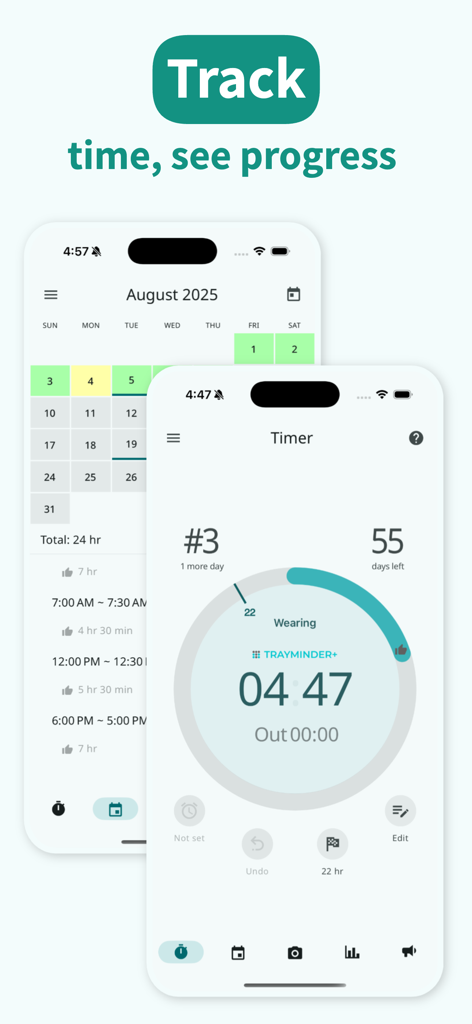
TrayMinder app screens displaying a circular timer for tracking aligner wear time and a color-coded treatment progress calendar
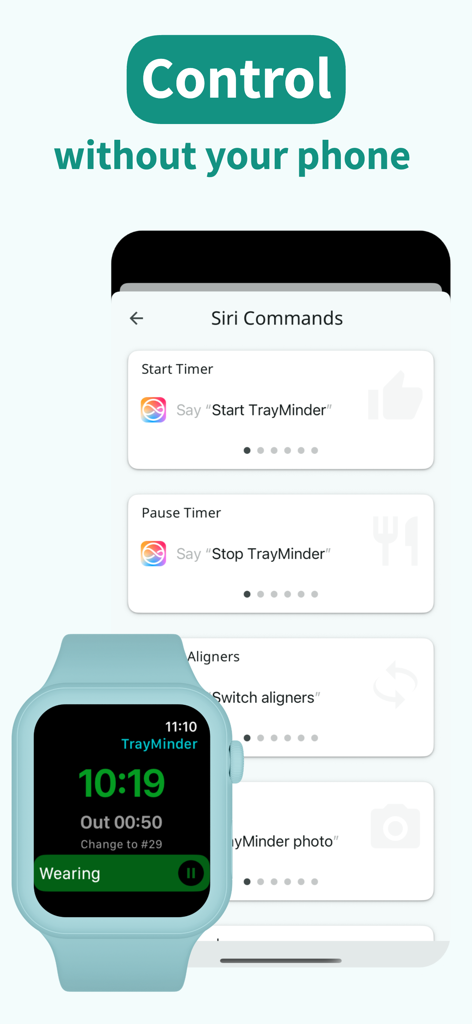
TrayMinder interface showing Siri voice commands and Apple Watch integration for tracking aligner wear time
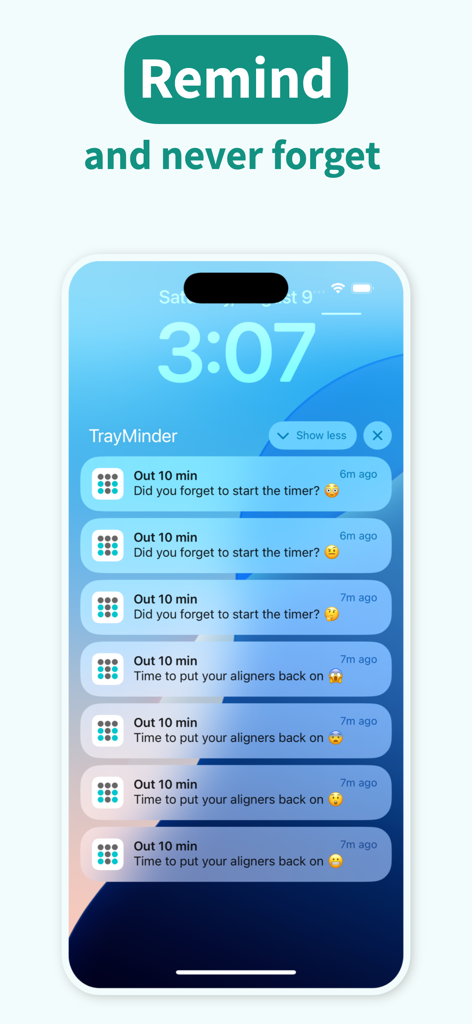
iPhone lock screen with TrayMinder aligner wear time notifications
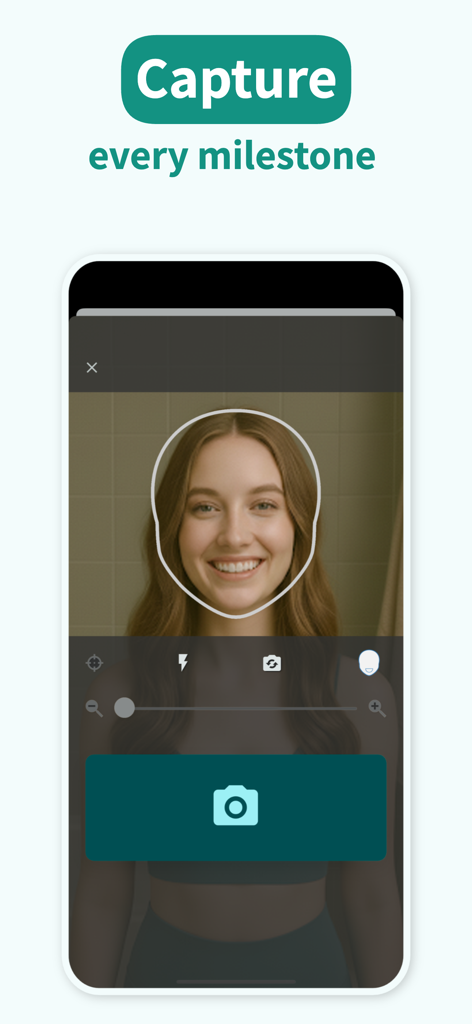
A woman using the TrayMinder app's guided photo feature to capture a selfie of her smile for progress tracking.
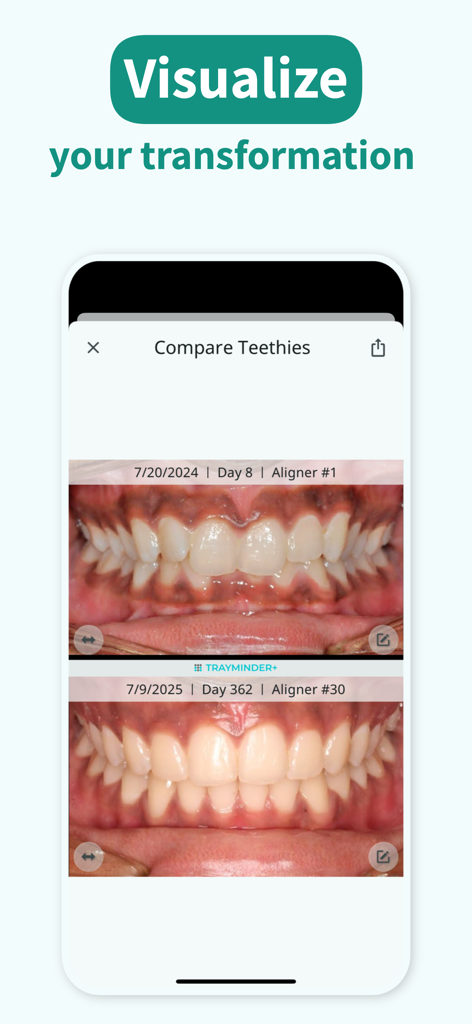
Comparison of teeth alignment progress over one year in the TrayMinder app
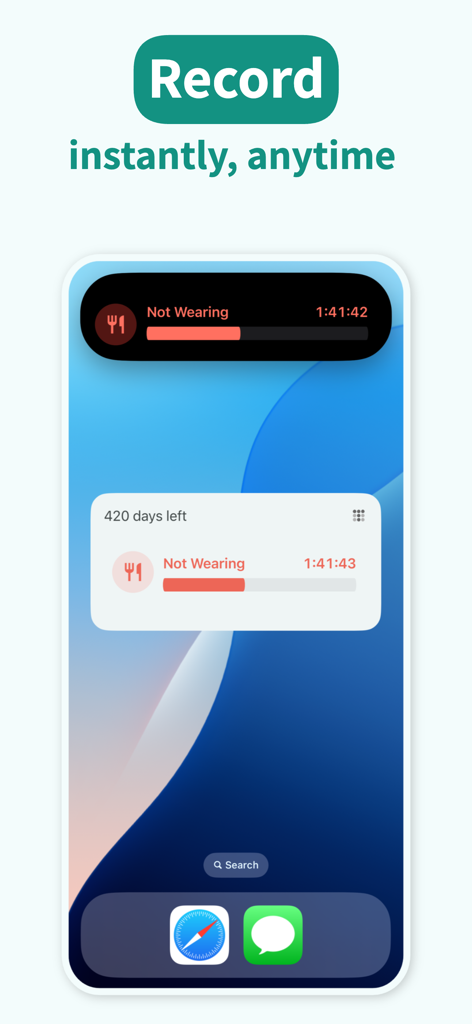
TrayMinder app interface showing clear aligner wear time tracking via iPhone Live Activity and Lock Screen widget
Description
Download
More Like This
Apps with similar features and user experience

Medbridge GO for Patients
MedBridge Education LLC

Meds & Pill Reminder MyTherapy
smartpatient GmbH

Fullscript
HealthWave Inc.

My Invisalign
Align Technology, Inc.

Max - Pill reminder
Artify Inc.

PillBox: Medication Reminder
Wachanga LTD

Babyscripts myJourney
1eq Inc

My PrEP
Basile Bruneau

PhysiApp
Physitrack PLC
This page is not an official page of the app or its developer, but an independent editorial publication created for informational and commentary purposes. Unless expressly stated otherwise, neither the app nor its developer is affiliated with, endorsed by, sponsored by, authorized by, or otherwise officially connected with MWM, Apple, Google Play, the app publisher, or the app's developer, and nothing on this page implies that the app was developed using MWM's services. Any trademarks, logos, screenshots, and other content remain the property of their respective owners.