Tune Face & Body: Photo Editor

Tune Face & Body: Photo Editor

Download on App Store
Logo of Tune Face & Body: Photo Editor

Tune Face & Body: Photo Editor – Professional Reshaping with Perfect Precision

Achieve flawless, natural-looking results with our professional-grade distortion algorithm. Use the unique dual-view mode to sculpt your face and body without your finger blocking the view, then share your transformation with stunning morphing animations.

Publisher

Uniqo Lab FZC

Category

Photo & Video

Downloads

5M+

User Rating

4.6/5

Total Ratings

71K+

Locales

1

A Flawless Vision

Discover the interface used by 5M+ users.
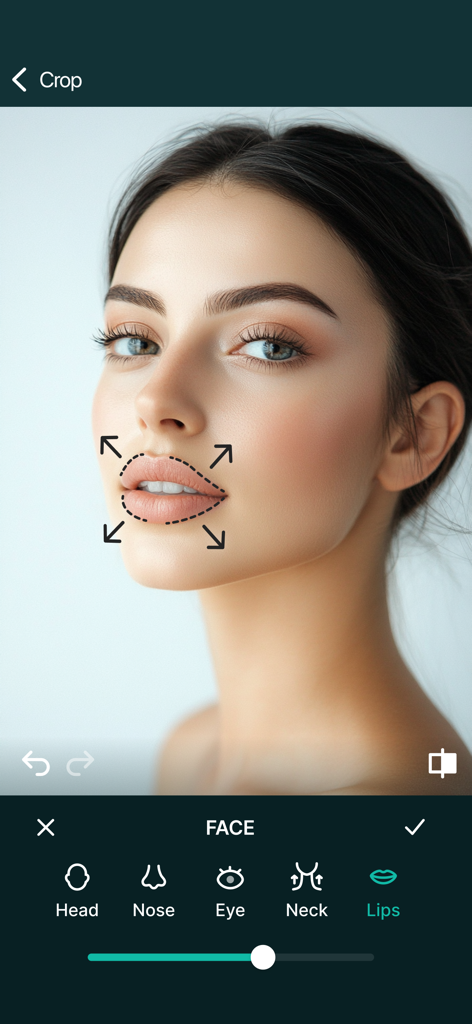
Lip augmentation tool in the Tune Face and Body photo editor app.

Lip augmentation tool in the Tune Face and Body photo editor app.

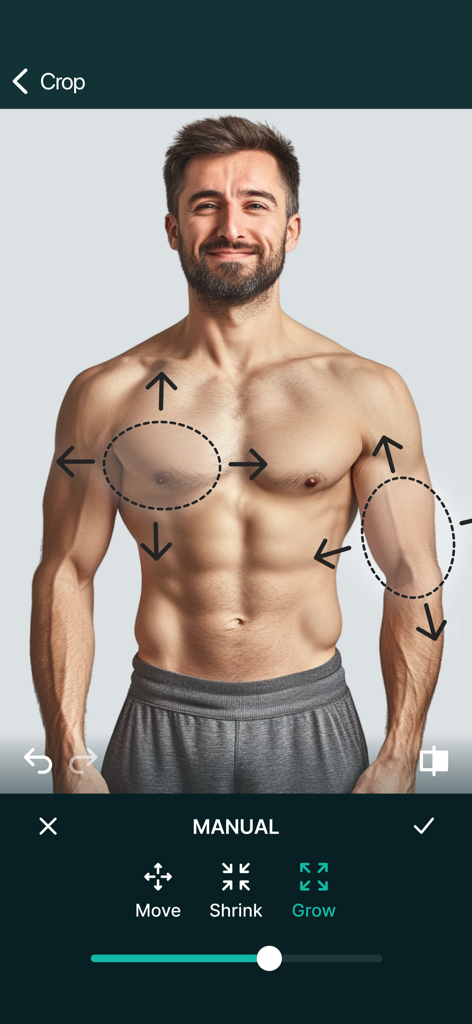
Photo editing app interface showing muscle augmentation on a man's chest and biceps with grow and shrink tools

Photo editing app interface showing muscle augmentation on a man's chest and biceps with grow and shrink tools

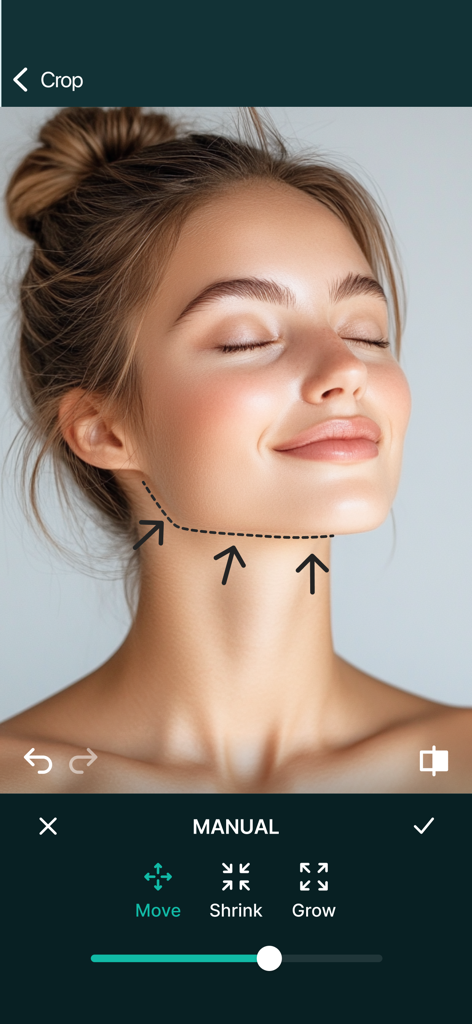
Manual jawline adjustment tool in the Tune Face and Body photo editor app

Manual jawline adjustment tool in the Tune Face and Body photo editor app

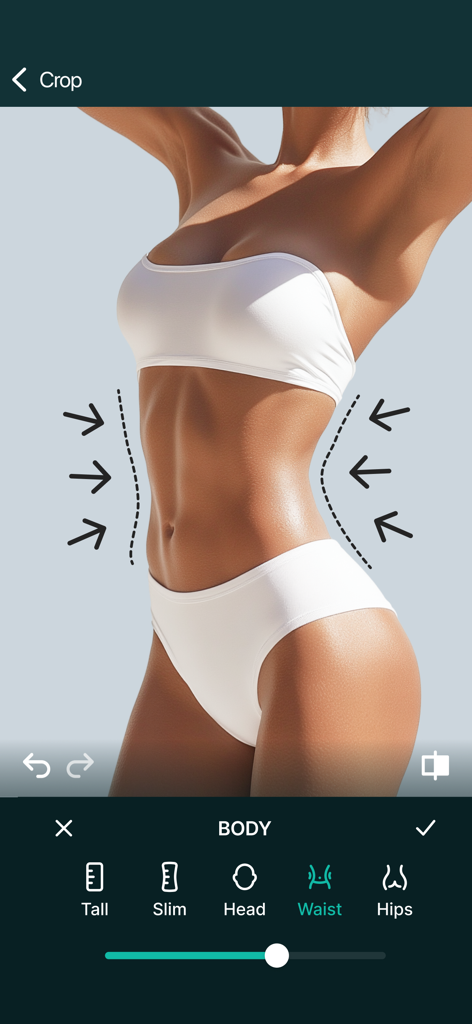
waist slimming feature in tune face and body photo editor app

waist slimming feature in tune face and body photo editor app

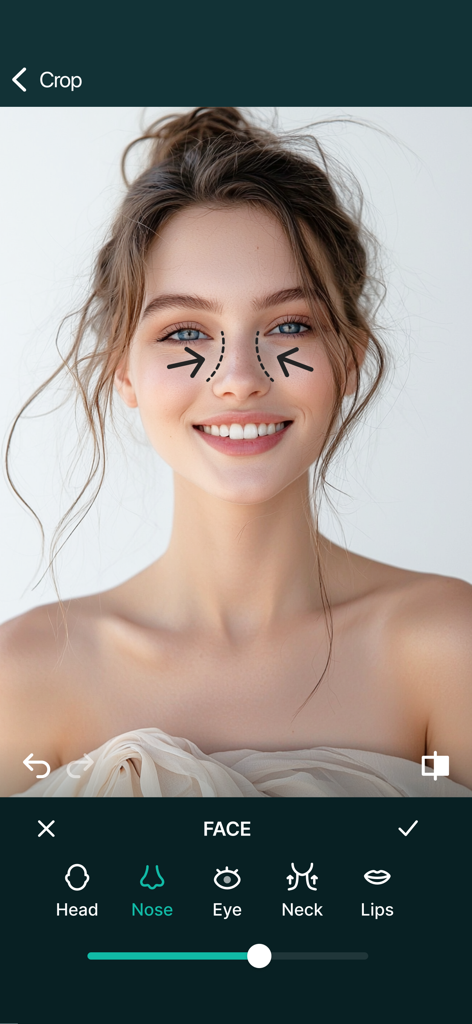
Tune Face and Body app interface showing a nose reshaping tool on a womans portrait

Tune Face and Body app interface showing a nose reshaping tool on a womans portrait

Elevate Your Digital Presence

The tools that make this app stand out, trusted by 5M+ users.

Natural Pro-Distortion

Our advanced algorithm provides professional liquify effects that blend seamlessly, avoiding the common 'warped' look of basic editors.

📱

Unobstructed Dual-View

Edit with a real-time mirror display so your finger never blocks your view. Achieve surgical precision on even the smallest screens.

🎬

Social-Ready Morphing

Export high-engagement morphing videos of your transformation. Perfect for showcasing your 'Before & After' on TikTok and Instagram Reels.

Review Analysis

Insights from user reviews.

Sentiment Score

3%
Negative

Summary

This app receives overwhelmingly negative feedback from users. A significant number of complaints revolve around misleading subscription practices, with users frequently reporting being charged for supposed free trials or immediately billed for annual plans without their consent. Many users are frustrated by excessive advertisements, which often persist even after purchasing a premium subscription. Furthermore, recent updates have been heavily criticized for degrading functionality, removing previously liked features like a 'morph' animation, and introducing editing difficulties such as image distortion and an inconvenient user interface.

Common Themes

Excessive Advertisements(14)
Subscription & Billing Issues(13)
App Functionality & Quality(12)
Negative Updates & Feature Changes(6)
Misleading Information(4)
Customer Support & Cancellation(2)
Overall User Satisfaction(1)

About the app

Everything you need to know about Tune Face & Body: Photo Editor.

Description

This is a simple but powerful photo distortion App. You can use it to simulate body transformations, improve your appearance on social networks, or have fun warping people. All you need to do is drag, grow or shrink the body parts you want to distort. Find out how you would look like with a different nose, chin, buttock, less weight... Our app, downloaded 10 million times on all platforms worldwide stands out because of 2 particular features: 1) The distortion algorithm we are using produce very smooth image distortions, such as the ones you find in 100x more expensive professional liquify apps. 
2) Our dual display mode, which clones your image into the other half of the screen when you rotate your device, allows you to modify your image without the encumbrance of your finger hiding the area you are working on. This is ideal for small touch devices such as your phone !! - New Feature: You can now save morphing animations as videos! ************************ WHAT CAN THE APP DO? ************************ With this photo distortion app you can transform any face and body part: • Nose reshaping • Lips augmentation • Chin and face contouring • Weight loss • Muscle augmentation • anything you can reshape or shrink! For fun or simply because you are curious about how you would look with a differently shaped body part, this app will help you. ************************ HOW TO USE THE APP? ************************ Using the app is very easy, even on small screens: • Import a head-shot or full body picture from your camera or device image library. Preferably the subject should be photographed on a unified color background and well lit, so the contours are clearly visible. • Use your finger to drag or shrink the body parts that you want distorted. For example you can crush this bump on your nose, or even make you slimmer. • By rotating your device, switch from single to dual view, to easily compare the before / after images on the same screen. • Zoom in, and use the dual view to see your changes on a real time workspace mirror without your finger in the way. This is a great solution to perform precise distortions on small screens!! • Launch a morphing animation between the original photo and the modified one to see the old you transforming into the new you! Download our app now. Then see how those changes you’ve been wanting to see might look. Full access: Upgrade to the Premium version and get unlimited access to an amazing app features without ads! — Subscription payments will be charged to your iTunes account at confirmation of your purchase and upon commencement of each renewal term. Subscription with a free trial period will automatically renew to a paid subscription. You can cancel your subscription or free trial in the iTunes settings at least 24-hours before the end of the free trial period. The cancellation will take effect the day after the last day of the current subscription period and you will be downgraded to the free service. — Please note: any unused portion of a free trial period (if offered) will be forfeited when you purchase a premium subscription during the free trial period. — Terms of Use (EULA) https://99apps.me/terms — Privacy Policy: https://99apps.me/privacy Have fun!

Latest Version

4.0.4

Size

70.5 MB

First Released

Jan 7, 2012

Ready to Reveal Your Best Self?

Join over 10 million users refining their look with pro-level precision. Download Tune Face & Body today and start your transformation.

Download on App Store
FAQ

Frequently Asked Questions

Everything you need to know about Tune Face & Body: Photo Editor

What is Tune Face & Body: Photo Editor?

Tune Face & Body: Photo Editor is a powerful photo distortion app. It allows users to simulate body transformations, enhance their appearance, and warp images by dragging, growing, or shrinking body parts.

Can Tune Face & Body: Photo Editor perform face reshaping?

Yes, Tune Face & Body: Photo Editor can perform face reshaping. It offers features like nose reshaping, lips augmentation, and chin and face contouring, as demonstrated in the app's editing options.

How does Tune Face & Body: Photo Editor achieve smooth image distortions?

Tune Face & Body: Photo Editor utilizes a specialized distortion algorithm. This algorithm produces very smooth image distortions, comparable to those found in professional liquify applications.

Does Tune Face & Body: Photo Editor offer a dual display mode?

Yes, Tune Face & Body: Photo Editor features a dual display mode. Rotating the device clones the image, allowing users to modify it without their finger obstructing the view.

Can users save morphing animations in Tune Face & Body: Photo Editor?

Yes, users can save morphing animations as videos in Tune Face & Body: Photo Editor. This is a new feature allowing transformation visualization.

What body parts can users transform with Tune Face & Body: Photo Editor?

Tune Face & Body: Photo Editor allows transformation of various body parts. This includes nose reshaping, lips augmentation, chin and face contouring, weight loss, and muscle augmentation.

How do users import photos into Tune Face & Body: Photo Editor?

Users import photos into Tune Face & Body: Photo Editor from their camera or device image library. The app recommends head-shots or full body pictures with clear contours.

What editing options are available for body shaping in Tune Face & Body: Photo Editor?

Tune Face & Body: Photo Editor provides options like "Move," "Shrink," and "Grow" for manual body shaping. Specific body adjustments include "Tall," "Slim," "Head," "Waist," and "Hips."

Does Tune Face & Body: Photo Editor offer a Premium version?

Yes, Tune Face & Body: Photo Editor offers a Premium version. Upgrading provides unlimited access to app features without advertisements.

How do I cancel a subscription for Tune Face & Body: Photo Editor?

Users cancel their Tune Face & Body: Photo Editor subscription or free trial in iTunes settings. Cancellation must occur at least 24-hours before the renewal term ends to avoid charges.

Will Tune Face & Body: Photo Editor show ads in the free version?

Yes, the free version of Tune Face & Body: Photo Editor includes advertisements. Upgrading to the Premium version removes all ads, offering an uninterrupted experience.

Does Tune Face & Body: Photo Editor have a free trial?

Yes, Tune Face & Body: Photo Editor offers a free trial period. Any unused portion of this free trial is forfeited upon purchasing a premium subscription.

App information, icons, screenshots, and descriptions displayed on this page are sourced from the Apple App Store and are the property of their respective developers. Download estimates and rankings are based on MWM's proprietary models and may not reflect actual figures. This page is provided for informational and analytical purposes only.

Believe this page infringes your intellectual property? File a dispute