TV Remote - Universal Remote
Download on App Store

This page is not an official page of the app or its developer, but an independent editorial publication created for informational and commentary purposes. Unless expressly stated otherwise, neither the app nor its developer is affiliated with, endorsed by, sponsored by, authorized by, or otherwise officially connected with MWM, Apple, Google Play, the app publisher, or the app's developer, and nothing on this page implies that the app was developed using MWM's services. Any trademarks, logos, screenshots, and other content remain the property of their respective owners.

Logo of TV Remote - Universal Remote
Download on App Store

TV Remote - Universal Remote

Ditch the physical remotes and reclaim your living room. Experience seamless control with Siri, Live Activities, and a full keyboard across all your Apple devices.

Key Figures

Downloads

151K+

User Rating

4.3/5

Total Ratings

800

Publisher

Adam Foot

Category

Entertainment

Locales

14

Latest Version

4.0.3

Size

116.9 MB

First Released

Nov 22, 2020
Features

The Smartest Way to Control Your TV

Eliminate coffee table clutter with a powerful, customizable universal remote built exclusively for the Apple ecosystem.

Search Faster with a Full Keyboard

Stop clicking arrow keys one letter at a time. Use your iPhone to type movie titles and passwords instantly.

Control Without Unlocking

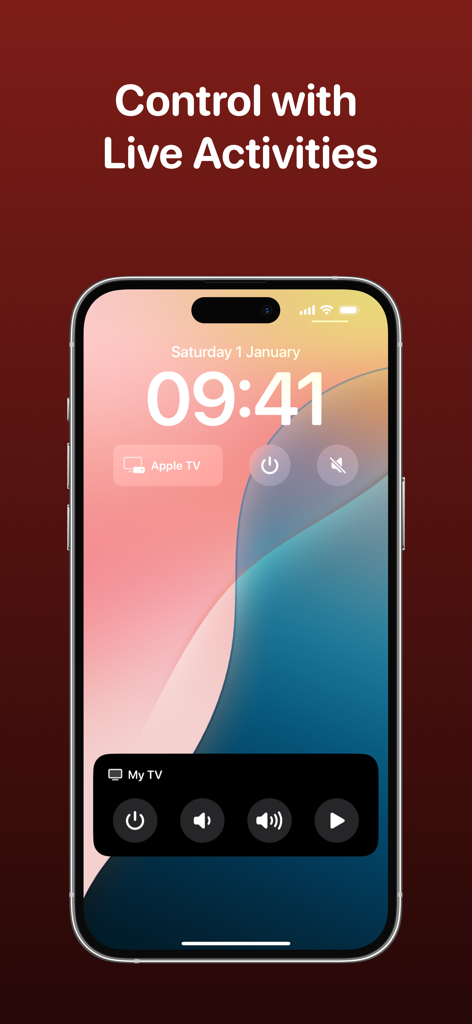
Access volume and channel controls directly from your Lock Screen, Dynamic Island, or Apple Watch using Live Activities.

The following screenshots and description are sourced directly from the app's official store listing and are the property of the app developer.

App Store

Screenshots
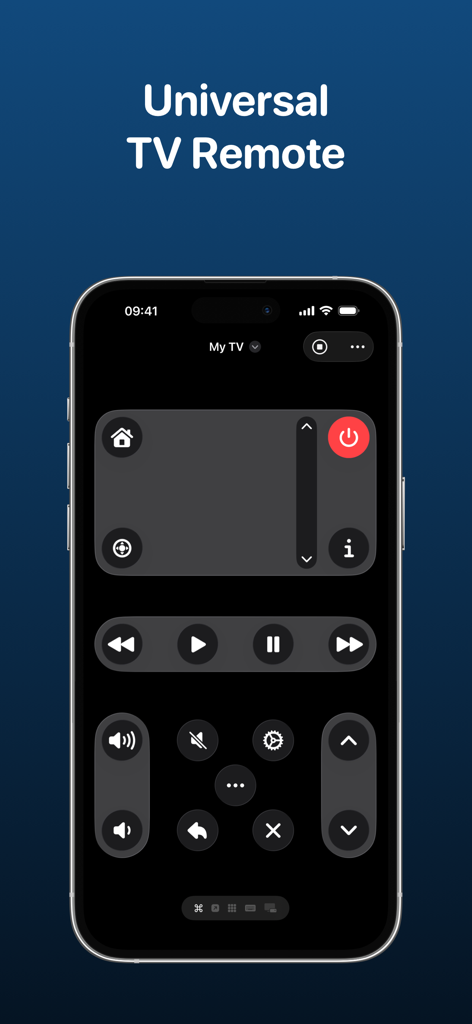
TV Remote - Universal Remote - A universal TV remote app interface on an iPhone displaying dark mode controls and custom button layouts.
A universal TV remote app interface on an iPhone displaying dark mode controls and custom button layouts.

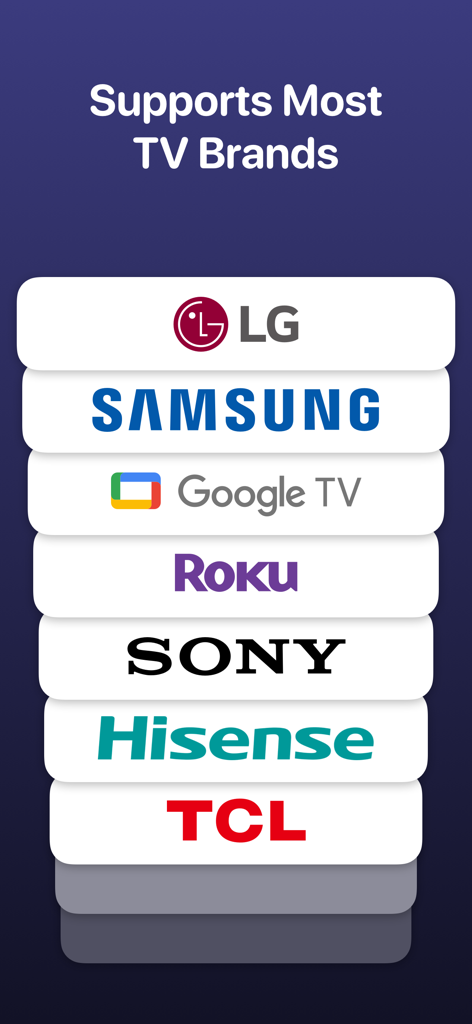
TV Remote - Universal Remote - A list of supported TV brands including LG, Samsung, Google TV, Roku, Sony, Hisense, and TCL.
A list of supported TV brands including LG, Samsung, Google TV, Roku, Sony, Hisense, and TCL.

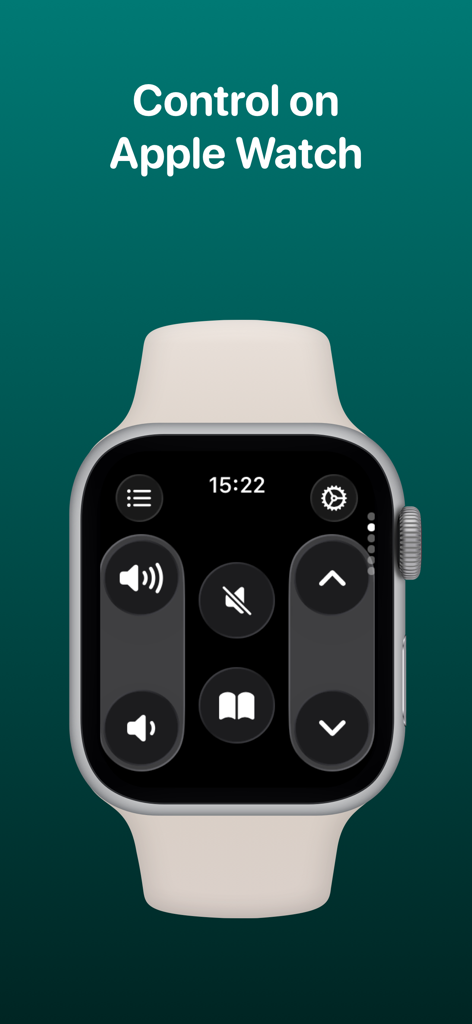
TV Remote - Universal Remote - TV Remote app interface displayed on an Apple Watch showing volume and navigation controls
TV Remote app interface displayed on an Apple Watch showing volume and navigation controls

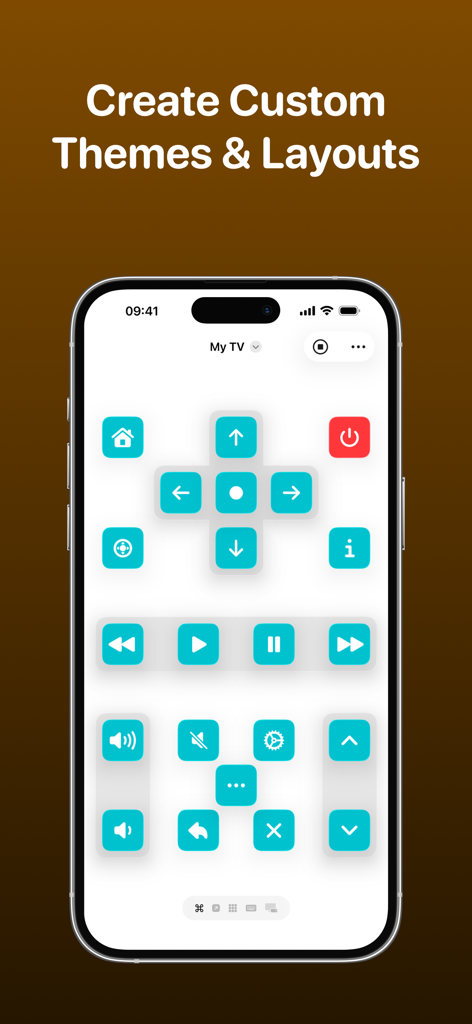
TV Remote - Universal Remote - A smartphone screen displaying a custom TV remote interface with turquoise buttons and a personalized layout.
A smartphone screen displaying a custom TV remote interface with turquoise buttons and a personalized layout.

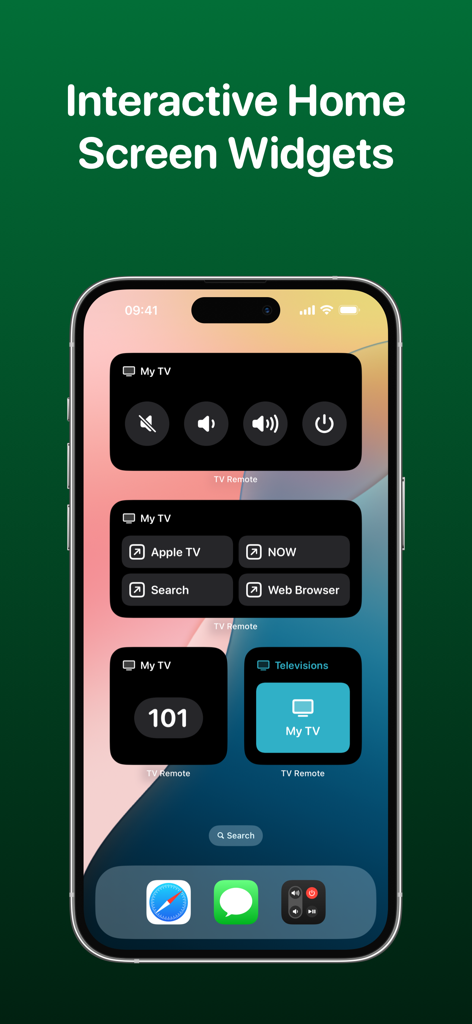
TV Remote - Universal Remote - iPhone home screen showing interactive TV remote widgets for volume power and app control
iPhone home screen showing interactive TV remote widgets for volume power and app control

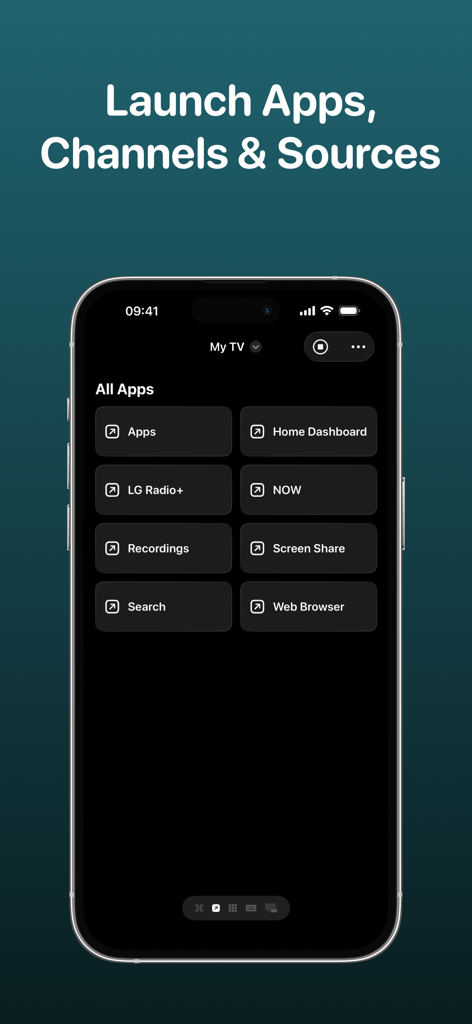
TV Remote - Universal Remote - TV Remote app interface showing a menu to launch apps channels and sources on a smart TV
TV Remote app interface showing a menu to launch apps channels and sources on a smart TV

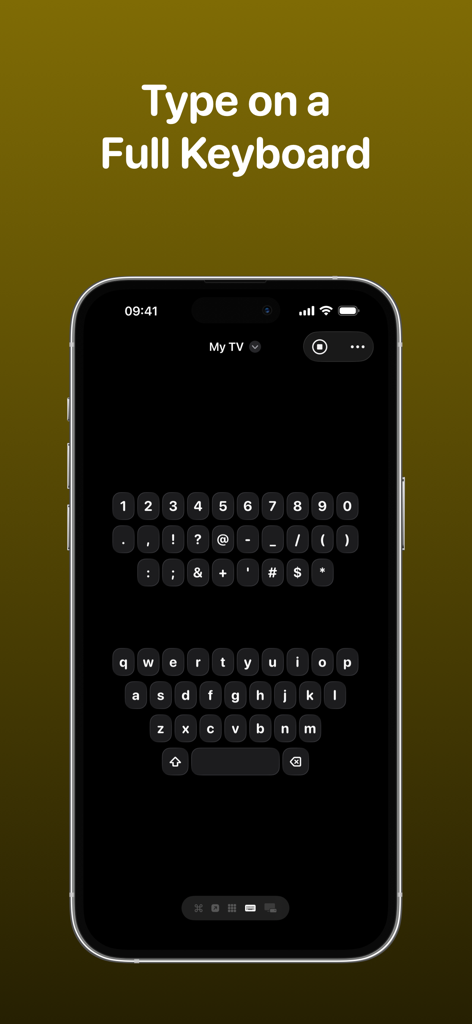
TV Remote - Universal Remote - An iPhone screen displaying the full QWERTY keyboard interface for the TV Remote app to type on a smart television.
An iPhone screen displaying the full QWERTY keyboard interface for the TV Remote app to type on a smart television.

TV Remote - Universal Remote - iPhone lock screen showing the TV Remote app's Live Activities and widgets for quick access to television controls.
iPhone lock screen showing the TV Remote app's Live Activities and widgets for quick access to television controls.

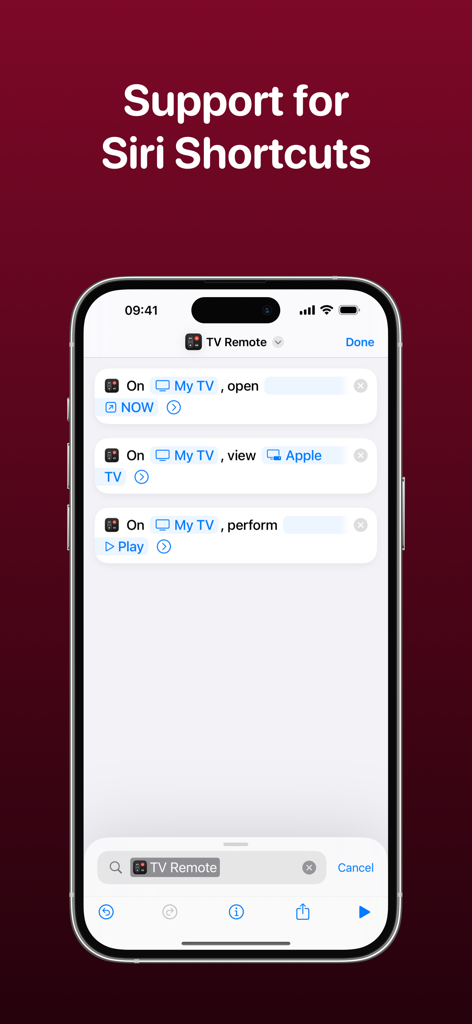
TV Remote - Universal Remote - Interface of the TV Remote app showing Siri Shortcuts integration on an iPhone

Interface of the TV Remote app showing Siri Shortcuts integration on an iPhone

Description

Control your television using your iPhone, iPad, Apple Watch, Apple Vision Pro or HomePod with the TV Remote app. * As featured on 9to5Mac, MacRumors, MacStories, TechCrunch & more* TV Remote combines a beautiful and simple interface with advanced features that enable you to control your television without the need for a physical remote. Add all of your televisions to TV Remote and you’ll be able to customize the layout, apply themes and interact through Widgets and Siri Shortcuts. TV Remote contains these great features: UNIVERSAL REMOTE TV Remote supports many brands of TVs (see below) and makes it easy for you to setup each one in a single app. You’ll find the buttons you’re used to seeing and there’s even the ability to launch apps and switch sources too. INTERACTIVE WIDGETS Remote commands can be added to your Home Screen or Lock Screen for quick access to your remote when you need it. There’s supports for launching apps, sources and changing channels all from a Widget too and with Interactive Widgets, you won't even need to open the app! SIRI SHORTCUTS Without even opening the app, you’ll be able to perform commands, change channels, launch apps and more with the Siri Shortcuts integration! For example, you’ll be able to configure a string of commands together to change a specific setting on your TV without even lifting a finger. LIVE ACTIVITIES Get access to a set of configured commands on your Lock Screen or Dynamic Island that allows you to quickly change channels, adjust volume and much more - all without opening the app! CUSTOM LAYOUTS TV Remote gives you the ability to fully customize how you want the remote for each TV to look. Using a set of pre-configured layout components, you’ll be able to choose which buttons go where so you get the exact look you’re after. THEMES Gone are the days of a plain remote! With TV Remote, you can be bold and design the exact look and feel of your television remote - even down to the icon tint on a button, and whether buttons are round or square. Each television has its own theme and there are plenty of presets to choose from too. You can even lock the app to light/dark mode. KEYBOARD No need to use arrow keys to navigate round an on-screen keyboard. With TV Remote, you’ll have access to a full keyboard you can use to search for programmes and more! CHANNELS, APPS & SOURCES TV Remote will load the available channels, apps and sources available on your television and allow you to launch them with just a tap. WAKE FROM SLEEP TV Remote supports Wake-on-LAN to allow you to power on your television when it is asleep. TOUCHPAD Control your television using swipe gestures on a touchpad instead of the standard directional keypad for a more fluid experience. SYNCING TV Remote syncs with your iCloud account to allow you to access your TVs across all your devices. TV Remote supports televisions from these manufacturers and operating systems (+ many more!): - LG/webOS - Samsung/Tizen - Sony - Roku - Google Chromecast - NVIDIA SHIELD - Sky Q - TCL - Hitachi - Sharp - Hisense - Philips - Toshiba - JVC - Panasonic UNIVERSAL PURCHASE Get this app across multiple Apple platforms with a single purchase. Your TV Remote Premium subscription works across devices too. If you like this app, I’d really appreciate it if you could take the time to leave a positive review! Having issues? Please get in touch: Email: support@adamfoot.dev Website: https://adamfoot.dev Please note that a supported television is required to use the app and the manufacturers listed above are a guide only. A more comprehensive list can be found within the app settings where release dates and versions are listed too. Some features may require a TV Remote Premium subscription which can be purchased in the app. You can cancel at anytime. All brand names, copyrights and trademarks belong to the companies and not the TV Remote app. Terms: https://adamfoot.dev/terms-of-use

Download

Download on App Store

This page is not an official page of the app or its developer, but an independent editorial publication created for informational and commentary purposes. Unless expressly stated otherwise, neither the app nor its developer is affiliated with, endorsed by, sponsored by, authorized by, or otherwise officially connected with MWM, Apple, Google Play, the app publisher, or the app's developer, and nothing on this page implies that the app was developed using MWM's services. Any trademarks, logos, screenshots, and other content remain the property of their respective owners.








