
This page is not an official page of the app or its developer, but an independent editorial publication created for informational and commentary purposes. Unless expressly stated otherwise, neither the app nor its developer is affiliated with, endorsed by, sponsored by, authorized by, or otherwise officially connected with MWM, Apple, Google Play, the app publisher, or the app's developer, and nothing on this page implies that the app was developed using MWM's services. Any trademarks, logos, screenshots, and other content remain the property of their respective owners.


U.S. Bank Mobile Banking
Financial chaos ends now. Users gain the power to command their money, not just observe it.
Downloads
10M+User Rating
Total Ratings
2.0MPublisher
Category
FinanceLocales
2Latest Version
3.0.8040Size
287.2 MBFirst Released
Sep 30, 2011A comprehensive evaluation of core functionalities and user impact.
Key Features Analysis: U.S. Bank Mobile Banking
Seamless Fund Transfers & Payments
It allows users to efficiently manage their money by sending funds via Zelle, making quick check deposits with increased limits, paying bills from one central location, and transferring money between U.S. Bank accounts.
Comprehensive Account & Card Control
The app provides a consolidated view of all U.S. Bank accounts and empowers users with full control over their cards, including setting travel notifications, instantly locking/unlocking them, and integrating them with mobile wallets.
Secure Account Management & Alerts
This tool features robust security measures, enabling secure login and digital enrollment, alongside proactive alerts for potential issues like duplicate charges, suspicious activity, and low balances, enhancing financial safety. It also allows secure access to credit scores.
Personalized Financial Insights
It allows users to gain a deeper understanding of their finances through detailed cash flow trends, categorized spending analysis, and personalized recommendations from the U.S. Bank Smart Assistant to help save and grow their money.
Integrated Investment Management
The app enables users to seamlessly manage their U.S. Bancorp Advisors investment accounts, offering features such as viewing balances, monitoring holdings, checking order statuses, and executing trades for stocks, mutual funds, and options.
Accessible Support & Branch Services
This tool provides convenient access to customer support via an extensive Help Center, options to schedule appointments with bankers or get real-time assistance through Cobrowse, and a locator for nearby branches and ATMs.
New Product Application
It allows users to easily apply for a variety of new financial products directly within the app, such as additional accounts, credit cards, or loans, streamlining the acquisition process.
Multilingual Interface
The app provides the option to switch the interface language between English and Spanish, making it more accessible and user-friendly for a diverse customer base.
Frequently Asked Questions
Everything you need to know about U.S. Bank Mobile Banking
What are the main features of the U.S. Bank Mobile App?
The U.S. Bank Mobile App allows users to manage accounts, monitor cash flow, send money with Zelle®, pay bills, deposit checks, and access personalized financial insights.
Is the U.S. Bank Mobile App secure?
Yes, the U.S. Bank Mobile App includes robust security features like login credentials, alerts for suspicious activity, and a Digital Security Guarantee to protect customer funds.
Can I manage my U.S. Bank credit cards in the mobile app?
Yes, you can manage U.S. Bank credit cards within the app. Features include setting travel notifications, locking/unlocking cards, and adding them to your mobile wallet.
Does the U.S. Bank Mobile App offer cash flow tracking?
Yes, the U.S. Bank Mobile App provides comprehensive cash flow tracking tools and visualizations, enabling users to see daily trends in their income and spending.
Can I send money using Zelle® with the U.S. Bank Mobile App?
Yes, the U.S. Bank Mobile App facilitates sending and requesting money with friends and family using Zelle®. Eligibility terms and conditions apply.
How can I check my credit score using the U.S. Bank Mobile App?
Yes, the U.S. Bank Mobile App allows users to securely access their credit scores directly within the application, providing a convenient way to monitor credit health.
Is the U.S. Bank Mobile App available in Spanish?
Yes, the U.S. Bank Mobile App supports language selection. Users can set their preference to either English or Spanish within the app.
Can I manage my bills and subscriptions with the U.S. Bank Mobile App?
Yes, the U.S. Bank Mobile App allows users to pay and manage bills in one centralized location, including viewing upcoming bills and existing subscriptions.
Can I link external bank accounts to the U.S. Bank Mobile App?
Yes, the U.S. Bank Mobile App enables users to link external accounts from other banks, consolidating all financial information into a single view.
How do I manage credit card rewards in the U.S. Bank Mobile App?
The U.S. Bank Mobile App features a dedicated rewards dashboard. Here, users can view their points, redeem rewards, review summaries, and check card benefits.
Does the U.S. Bank Mobile App help with financial goal setting?
Yes, the U.S. Bank Mobile App provides tools for financial goal setting. Users can set, track, and achieve goals such as saving for a car, home, or retirement.
Can I schedule a banker appointment through the U.S. Bank Mobile App?
Yes, you can schedule an appointment with a banker directly through the U.S. Bank Mobile App. The app also offers real-time support via Cobrowse.
The following screenshots and description are sourced directly from the app's official store listing and are the property of the app developer.
App Store
Screenshots
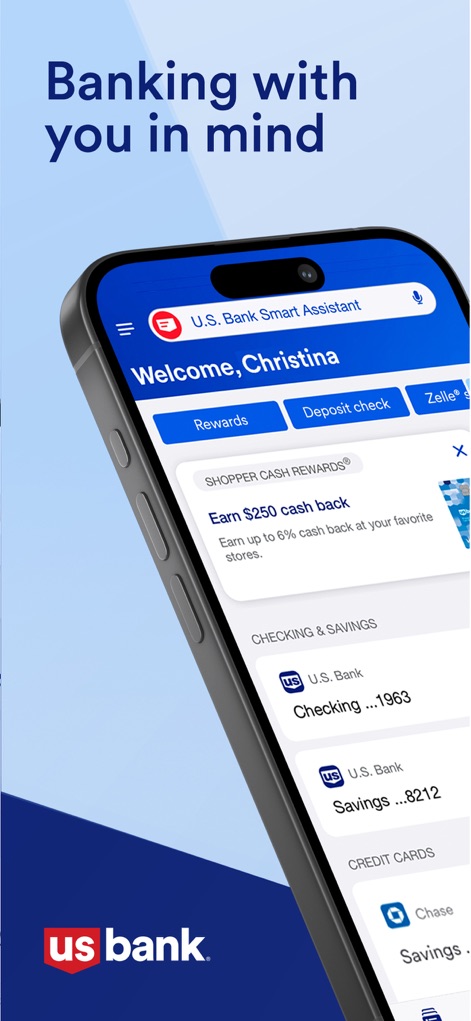
See how the app presents a personalized welcome message and quick action buttons, alongside a consolidated view of checking, savings, and credit card accounts for instant access.
Personalized Dashboard View

This screenshot highlights the app's industry recognition through a prominent five-star rating graphic and a compelling statement about user satisfaction.
Award-Winning Experience

Users can easily track their financial health with an interactive cash flow bar chart, providing a visual breakdown, and a detailed year-to-date cash flow summary for informed decision-making.
Track Spending Trends
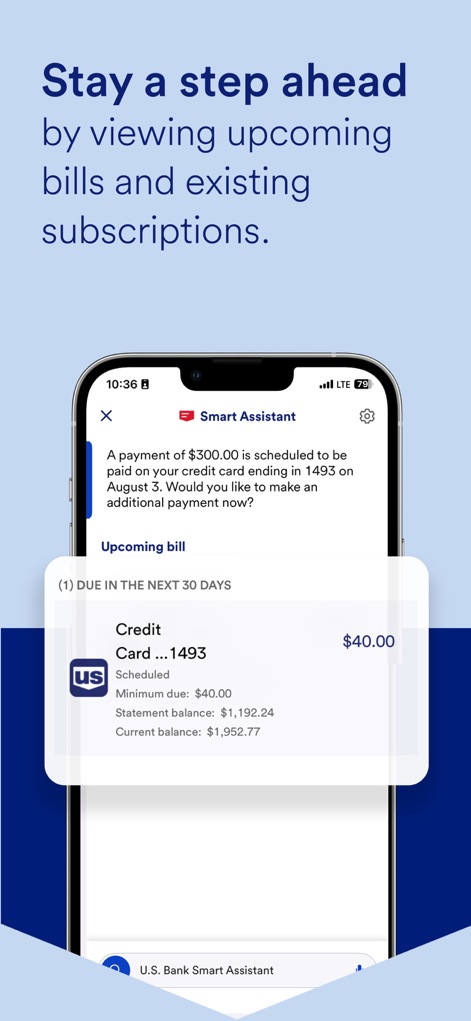
The app's Smart Assistant feature provides proactive notifications for upcoming bills, allowing users to view detailed credit card bill information, including minimum due amounts and statement balances.
Proactive Bill Management
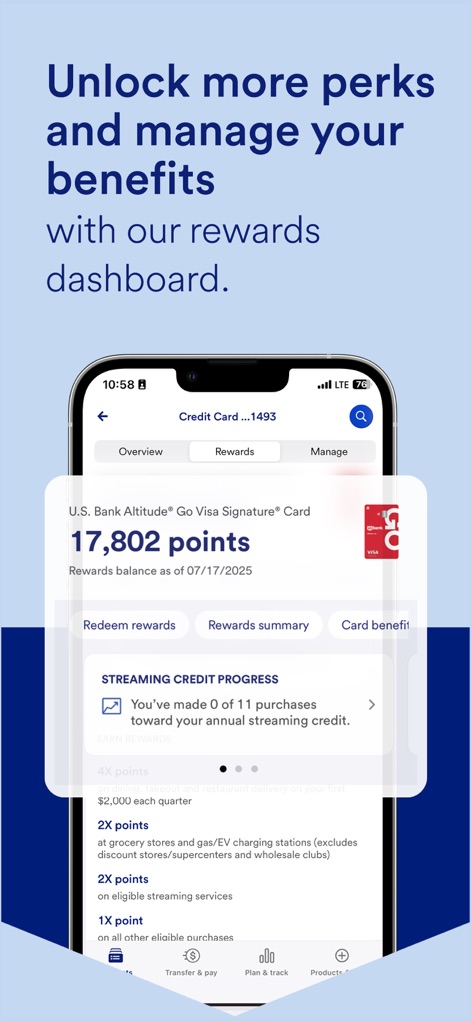
This screen reveals a comprehensive rewards balance display for credit cards, alongside a clear progress tracker for specific benefits such as streaming credit.
Unlock Rewards & Benefits

The app empowers users to achieve financial aspirations by offering customizable financial goal categories and a visual progress tracker for specific savings goals like buying a car.
Achieve Financial Goals
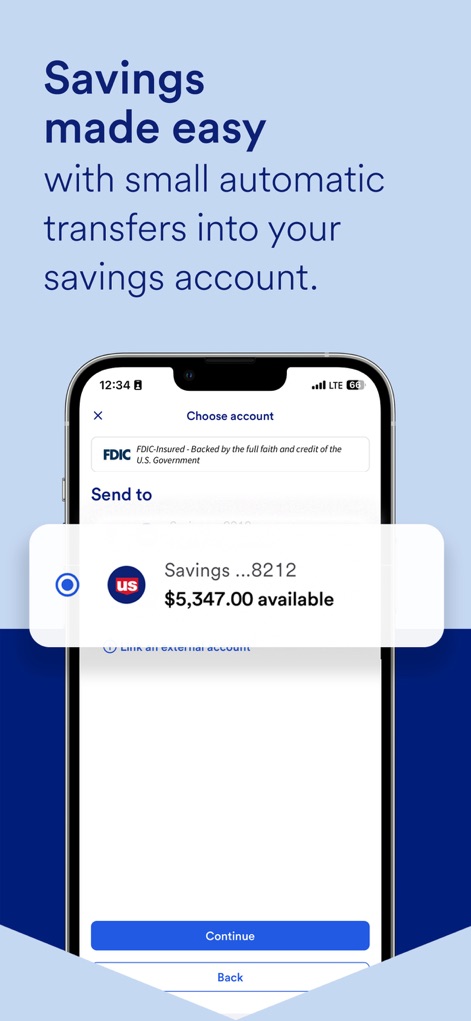
This interface showcases a clear account selection mechanism for initiating transfers and prominently displays the available balance of the target savings account for effortless money management.
Simplified Savings Transfers

The app provides a unified financial overview through a consolidated display of both U.S. Bank and external bank accounts, complete with real-time balance updates for comprehensive money management.
Unified Account View
Description
Download
More Like This
Apps with similar features and user experience

PayPal - Pay, Send, Save
PayPal, Inc.

中国农业银行
AGRICULTURAL BANK OF CHINA LIMITED

Mercado Pago: cuenta digital
MercadoLibre S.A.

中国工商银行
Industrial and Commercial Bank of China

Revolut: Send, spend and save
Revolut Ltd

HDFC Bank App (Early Access)
HDFC Bank Ltd

Zalopay - Quét Mọi QR
ZION JOINT STOCK COMPANY

Cash App
Block, Inc.

招商银行
CHINA MERCHANTS BANK CO.,LTD.
This page is not an official page of the app or its developer, but an independent editorial publication created for informational and commentary purposes. Unless expressly stated otherwise, neither the app nor its developer is affiliated with, endorsed by, sponsored by, authorized by, or otherwise officially connected with MWM, Apple, Google Play, the app publisher, or the app's developer, and nothing on this page implies that the app was developed using MWM's services. Any trademarks, logos, screenshots, and other content remain the property of their respective owners.