Ultimate Stopwatch
Ultimate Stopwatch
Download on App Store

This page is not an official page of the app or its developer, but an independent editorial publication created for informational and commentary purposes. Unless expressly stated otherwise, neither the app nor its developer is affiliated with, endorsed by, sponsored by, authorized by, or otherwise officially connected with MWM, Apple, Google Play, the app publisher, or the app's developer, and nothing on this page implies that the app was developed using MWM's services. Any trademarks, logos, screenshots, and other content remain the property of their respective owners.

Logo of Ultimate Stopwatch
Download on App Store

Ultimate Stopwatch

The fail-safe multi-timer built for iPad and iPhone. Manage hundreds of athletes simultaneously, record unlimited splits, and export professional reports instantly—ditch the clipboard for good.

Key Figures

Downloads

90K+

User Rating

4.7/5

Total Ratings

200

Publisher

Hugh Mackworth

Category

Sports

Locales

1

Latest Version

2.8.4

Size

6.6 MB

First Released

Dec 17, 2013
Features

Precision Performance for Professional Coaches

The ultimate tool for teachers and trainers to manage large groups, capture detailed split times, and eliminate timing errors with ease.

Unlimited Group Tracking

Run up to 180 stopwatches at once. Effortlessly manage entire PE classes or massive track meets from a single screen.

Zero-Stress Reliability

Undo false starts and edit times instantly. Our fail-safe design ensures you never lose data, even if the app closes mid-race.

The following screenshots and description are sourced directly from the app's official store listing and are the property of the app developer.

App Store

Screenshots
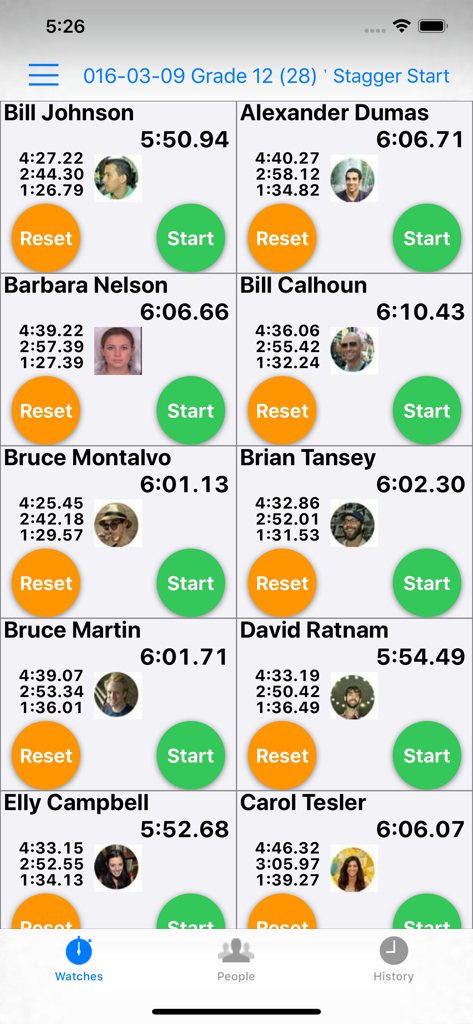
Ultimate Stopwatch - Ultimate Stopwatch app interface showing multiple simultaneous timers for athletes with names and photos
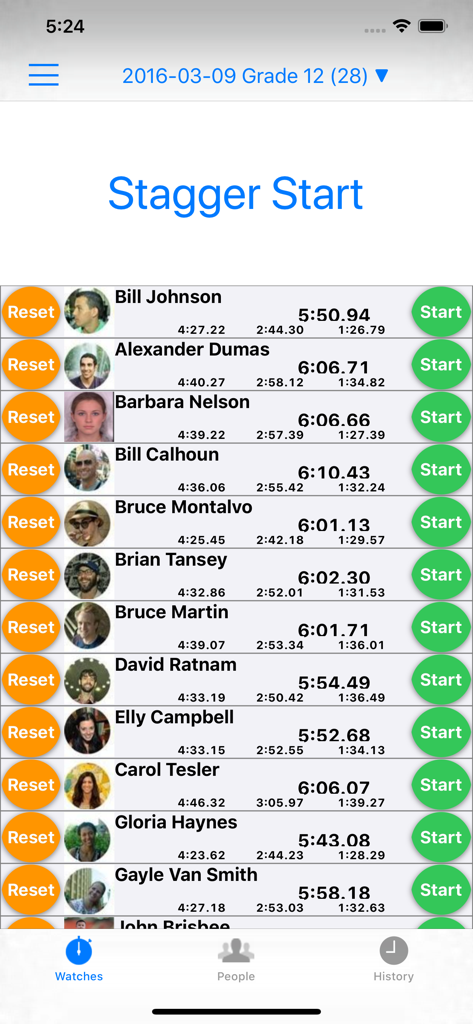
Ultimate Stopwatch app interface showing multiple simultaneous timers for athletes with names and photos

Ultimate Stopwatch - Stagger start screen in Ultimate Stopwatch app showing multiple athlete times
Stagger start screen in Ultimate Stopwatch app showing multiple athlete times

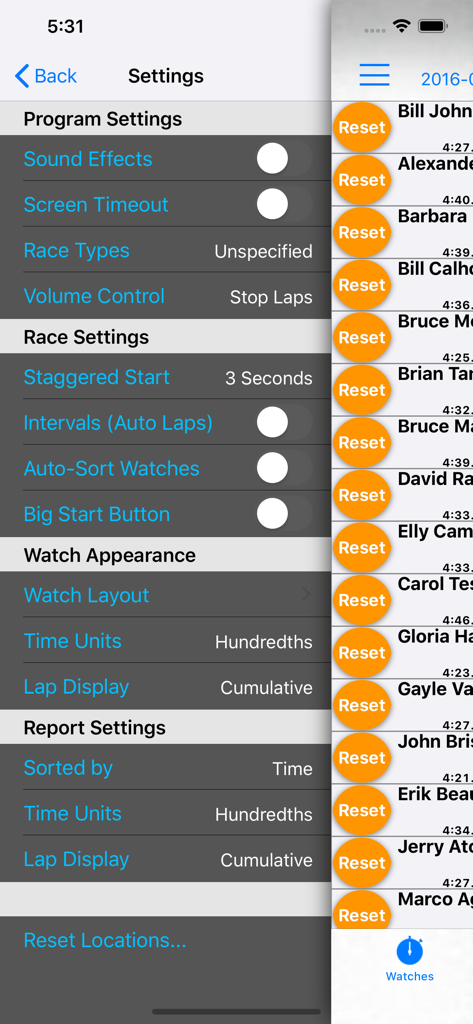
Ultimate Stopwatch - Settings menu for the Ultimate Stopwatch app displaying race configuration options and a list of active timers for multiple athletes
Settings menu for the Ultimate Stopwatch app displaying race configuration options and a list of active timers for multiple athletes

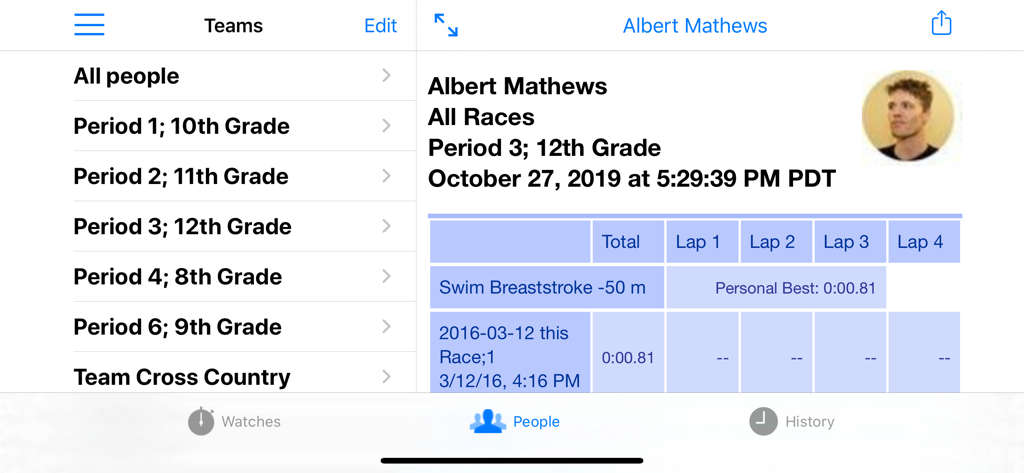
Ultimate Stopwatch - Interface showing student athletes organized by class period with individual performance history and personal bests
Interface showing student athletes organized by class period with individual performance history and personal bests

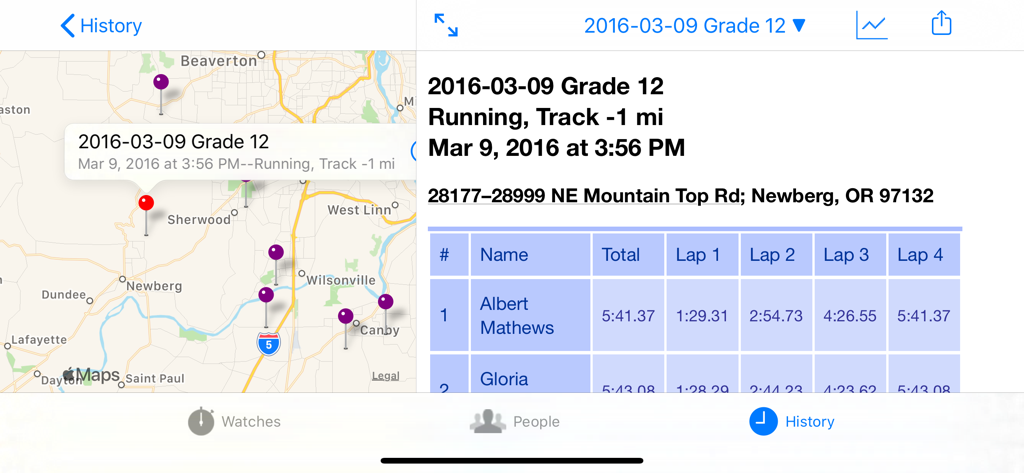
Ultimate Stopwatch - Interface of Ultimate Stopwatch showing a map of race locations and a detailed table of athlete lap times.
Interface of Ultimate Stopwatch showing a map of race locations and a detailed table of athlete lap times.

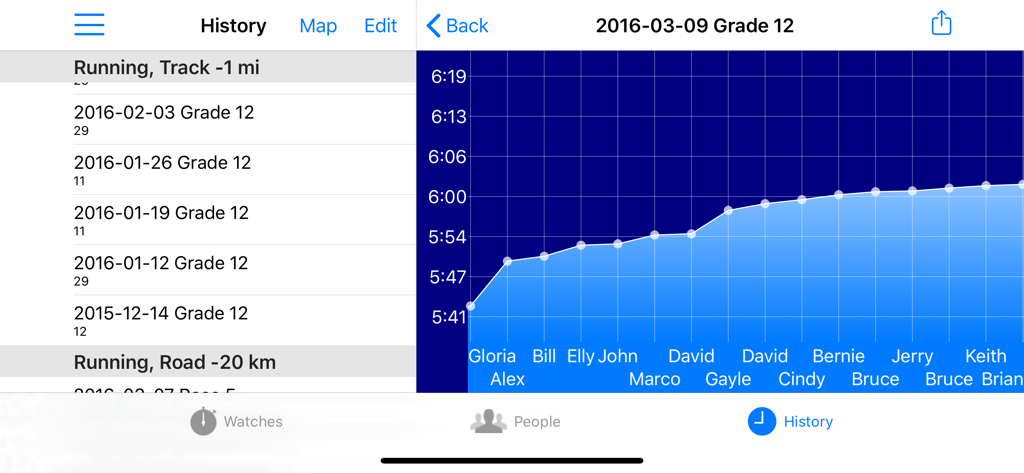
Ultimate Stopwatch - The History screen of the Ultimate Stopwatch app featuring a list of past races and a performance graph for student athletes
The History screen of the Ultimate Stopwatch app featuring a list of past races and a performance graph for student athletes

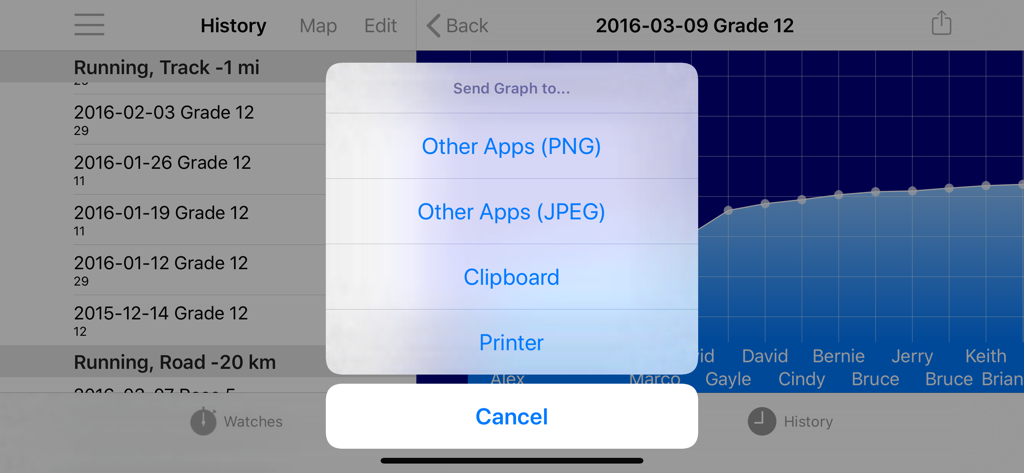
Ultimate Stopwatch - Export menu in Ultimate Stopwatch app showing options to share performance graphs and reports

Export menu in Ultimate Stopwatch app showing options to share performance graphs and reports

Description

The Ultimate Stopwatch is a professional timing tool, essential for coaches, trainers, and PE teachers who need to track multiple athletes across multiple events. Simple to use, but powerful enough to handle all your needs, designed specifically for iPhone and iPad. Unmatched Functionality with No Limits • Unlimited Stopwatches: Track any number of users; up to 180 stopwatches can be displayed simultaneously on an iPad Pro for a single race. • Flexible Race Management: Create unlimited races with customizable locations and notes, switching between them with a single swipe. • Laps Without Limits: Record unlimited laps per stopwatch, with the last 4 to 16 laps displayed. • Background Operation: Watches continue running even when the app isn't running, ensuring you never lose track. • Flexible Timing Adjustments: Save temporary laps or stops to assign later, ensuring accuracy even when multiple runners arrive simultaneously. • Undo mistakes: False Start or tapped wrong person? Undo it! Got the wrong time? Edit it anytime. Add or delete watches, even while race is ongoing. Complete Control at your Fingertips • Customizable Activity List: Tailor the built-in activity list to the sports or events you track. • Individual and Master Controls: Start, stop, or reset each watch independently or all at once. • Diverse Stopwatch Formats: Choose from 25 different layouts to suit your needs, controlling watch/button/text size. • Advanced Timing Options: Switch between split and cumulative displays at any time, and control the precision of time display down to thousandths of a second. Comprehensive People Management • Organize your People: Group individuals into teams or classes for streamlined tracking. • Detailed Reporting: Access race history and performance metrics for each participant, including their personal bests. • Easy Importing: Import contacts directly from your address book, complete with photos and emails. • Photos: so you can tell who's who in a large group. Flexible Launch Choices • Quick Race Launching: Use the volume button to start races without needing to look at your device. • Visual Organization: Automatically sort watches (as each person completes a lap, they drop to the bottom, so next lap they're easy to find) or manually arrange as needed. • Staggered Starts: Spread out your runners over time. • Full-Screen Launch Board: Let each runner knows it's their time to go. • Batch races: launch another group all at once. • Simultaneous Races: Easily navigate between multiple ongoing races. Dynamic Reporting • Add Personal Notes: Enhance reports with notes for each race or participant. • Sorting and Graphing: Sort reports by time or name, or graph your results. • Exporting: Use your data in other apps, like Excel. • Activity Tracking: Monitor which types of activities are timed and locate races by name or map. • Find a race: Search by name, or use the map to find it by location. The Ultimate Stopwatch is not just a tool; it’s a game-changer for anyone serious about timing in sports. With robust features and user-friendly design, it empowers coaches and trainers to focus on performance while effortlessly tracking times.

Download

Download on App Store

This page is not an official page of the app or its developer, but an independent editorial publication created for informational and commentary purposes. Unless expressly stated otherwise, neither the app nor its developer is affiliated with, endorsed by, sponsored by, authorized by, or otherwise officially connected with MWM, Apple, Google Play, the app publisher, or the app's developer, and nothing on this page implies that the app was developed using MWM's services. Any trademarks, logos, screenshots, and other content remain the property of their respective owners.








