UNIVERGE BLUE™ CONNECT
Download on App Store

This page is not an official page of the app or its developer, but an independent editorial publication created for informational and commentary purposes. Unless expressly stated otherwise, neither the app nor its developer is affiliated with, endorsed by, sponsored by, authorized by, or otherwise officially connected with MWM, Apple, Google Play, the app publisher, or the app's developer, and nothing on this page implies that the app was developed using MWM's services. Any trademarks, logos, screenshots, and other content remain the property of their respective owners.

Logo of UNIVERGE BLUE™ CONNECT
Download on App Store

UNIVERGE BLUE™ CONNECT

Seamlessly transition between desk and mobile, host HD video meetings, and boost productivity with your integrated AI assistant—your entire office, now in your pocket.

Key Figures

Downloads

0

User Rating

4.4/5

Total Ratings

0

Publisher

NEC CORPORATION OF AMERICA

Category

Business

Locales

7

Latest Version

2.37.0

Size

144.7 MB

First Released

Apr 21, 2020
Features

Power Your Workflow From Anywhere

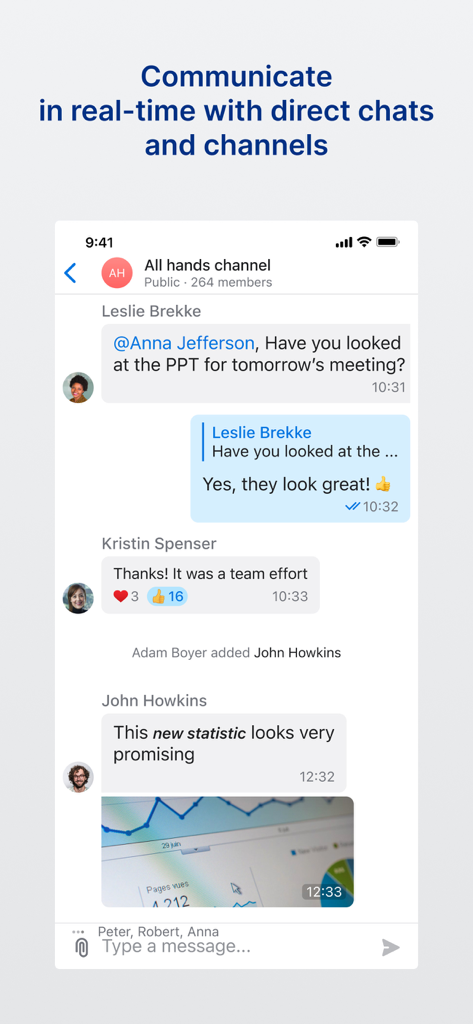
Transform your mobile device into a complete business hub with integrated calling, team chat, and AI tools designed for the modern professional.

Seamless Call Flip

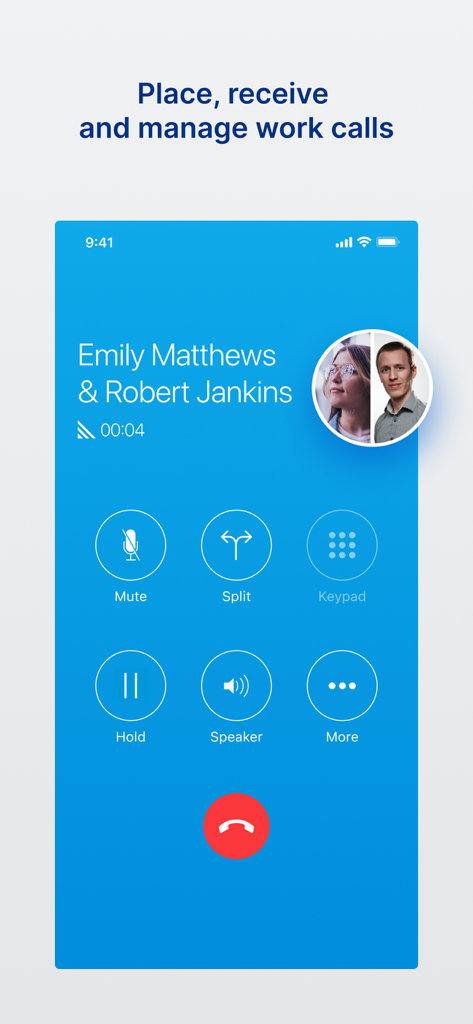
Switch active calls instantly between your desk phone and mobile device without interruption, perfect for the professional on the move.

Smart AI Assistant

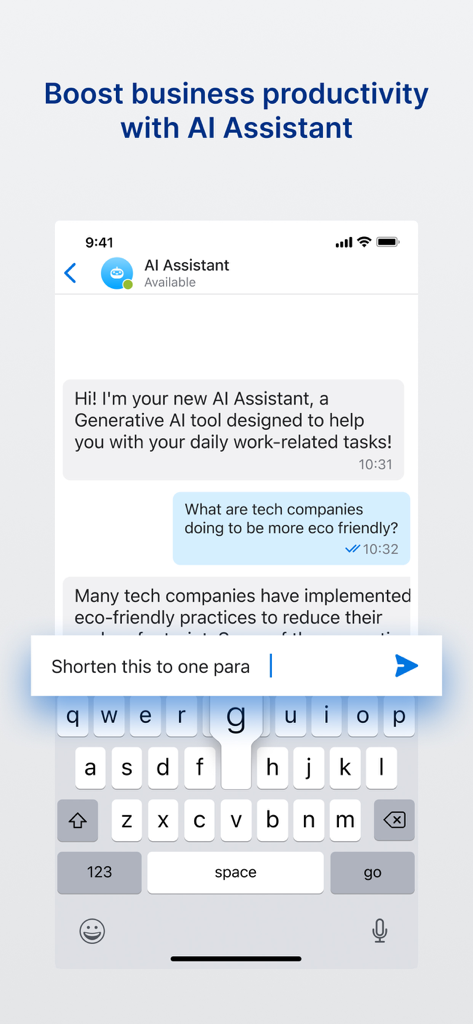
Boost your efficiency with an integrated generative AI that summarizes tasks and provides quick answers right inside your team chat.

The following screenshots and description are sourced directly from the app's official store listing and are the property of the app developer.

App Store

Screenshots

UNIVERGE BLUE™ CONNECT - An illustration of diverse business professionals using mobile devices to collaborate from anywhere
An illustration of diverse business professionals using mobile devices to collaborate from anywhere

UNIVERGE BLUE™ CONNECT - A screenshot of the UNIVERGE BLUE CONNECT mobile app showing an active business call with options for mute, hold, and speaker.
A screenshot of the UNIVERGE BLUE CONNECT mobile app showing an active business call with options for mute, hold, and speaker.

UNIVERGE BLUE™ CONNECT - A mobile interface showing the team chat and channel feature of the UNIVERGE BLUE CONNECT app.
A mobile interface showing the team chat and channel feature of the UNIVERGE BLUE CONNECT app.

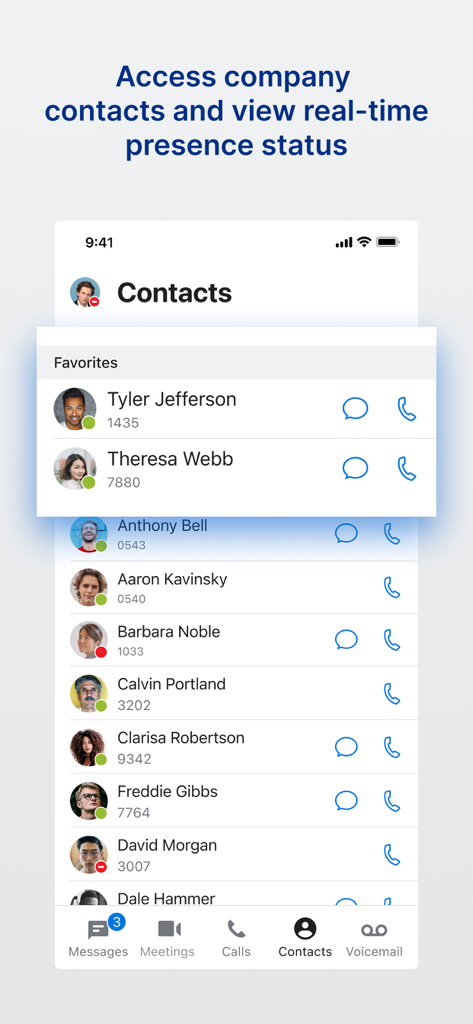
UNIVERGE BLUE™ CONNECT - UNIVERGE BLUE CONNECT app displaying company contacts with real-time presence status
UNIVERGE BLUE CONNECT app displaying company contacts with real-time presence status

UNIVERGE BLUE™ CONNECT - Smartphone screen showing the UNIVERGE BLUE CONNECT AI Assistant chat interface helping a professional user with business productivity tasks
Smartphone screen showing the UNIVERGE BLUE CONNECT AI Assistant chat interface helping a professional user with business productivity tasks

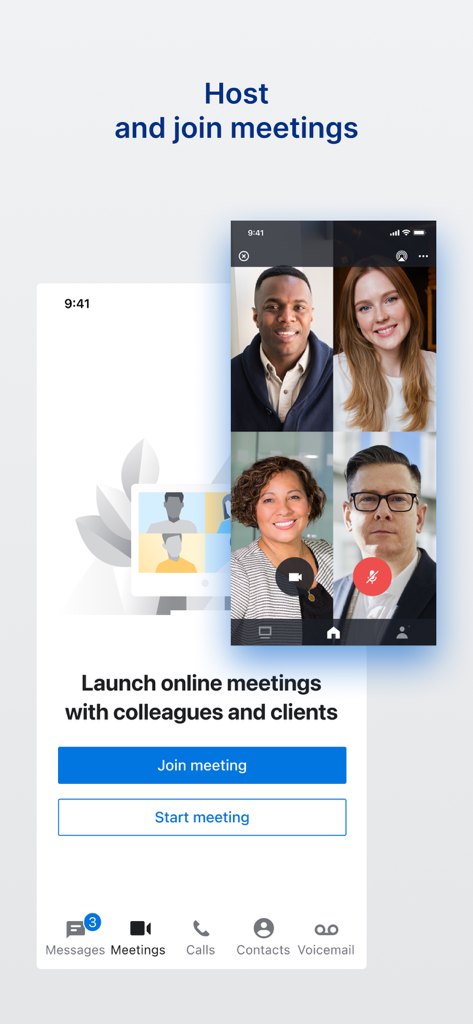
UNIVERGE BLUE™ CONNECT - UNIVERGE BLUE CONNECT app interface for hosting and joining video meetings

UNIVERGE BLUE CONNECT app interface for hosting and joining video meetings

Description

UNIVERGE BLUE® CONNECT Cloud Communications On-the-Go Download the UNIVERGE BLUE CONNECT Mobile App for use with UNIVERGE BLUE CONNECT business phone system so you can call, chat, meet, and more, anywhere work takes you. The UNIVERGE BLUE CONNECT Mobile App transforms your mobile phone into an essential collaboration tool, making teamwork on-the-go easier than ever. Place and receive calls, see who is available, chat with colleagues, start video calls, share screens, and manage voicemails all from one application — anytime, anywhere. Never Miss Important Calls or Meetings Extend your business phone number and extension to your mobile phone, so you can place and receive calls on the go or even transfer calls from your desktop phone to your mobile device — seamlessly, without interruption. Join a scheduled call or launch an ad-hoc video conference meeting from wherever. Easily Collaborate from Anywhere Your desktop chat is synchronized in real-time with your mobile device so you can stay connected and continue conversations from wherever. Now, with UNIVERGE BLUE CONNECT AI Assistant, you can effortlessly access information and simplify your daily tasks using the power of generative AI technology. All Your Important Collaboration Tools Right on Your Mobile Device, Including: • An integrated, searchable corporate contact list • One-tap calling of your contacts • One-tap calling into conference bridges • The ability to manage multiple calls at once • Voicemail transcription • Advanced calling features: • Call transfers – blind and warm • Call Flip – quickly flip between mobile and desk phone during active calls • Call Forwarding – allows greater flexibility to customize call flows based on specific, predetermined schedules, number of rings, and routing instructions to other users or phone numbers • Team chat and messaging • UNIVERGE BLUE® CONNECT AI Assistant, an integrated generative AI tool, that provides quick, helpful responses to a variety of tasks via chat • The ability to host and attend video conference meetings • The ability to securely access and share files (requires UNIVERGE BLUE SHARE Mobile App) IMPORTANT: The UNIVERGE BLUE CONNECT Mobile App requires a UNIVERGE BLUE CONNECT business phone system account. * LEGAL DISCLAIMERS 1. It is important that you understand the 911 policies before using this product. For more information on these policies, please see https://univerge.blue/pdf/Connect-911.pdf. 2. Call quality may be affected when using Wi-Fi or Cellular Data. 3. International and roaming data charges from your mobile carrier may apply. 4. You are responsible for ensuring that all call recordings comply with any applicable federal or state law (including consent requirements.) 5. By downloading UNIVERGE BLUE CONNECT, you agree to the terms of the End User License Agreement and acknowledge that you accept the Privacy Policy, and the AI Use and Terms within the following links (see https://univerge.blue/legal/ and https://univerge.blue/pdf/AIUseTermsAndNotifications.pdf).

Download

Download on App Store

This page is not an official page of the app or its developer, but an independent editorial publication created for informational and commentary purposes. Unless expressly stated otherwise, neither the app nor its developer is affiliated with, endorsed by, sponsored by, authorized by, or otherwise officially connected with MWM, Apple, Google Play, the app publisher, or the app's developer, and nothing on this page implies that the app was developed using MWM's services. Any trademarks, logos, screenshots, and other content remain the property of their respective owners.