URL Manager Pro

URL Manager Pro

Download on App Store
Logo of URL Manager Pro

URL Manager Pro: Master Your Professional Knowledge Library

The definitive bookmark manager for researchers and power users. Organize complex projects with nested folders, rich annotations, and seamless cross-browser integration across your Mac and iOS devices.

Download on App Store

Publisher

Alco Blom

Category

Reference

Downloads

2K+

User Rating

5.0/5

Total Ratings

0

Locales

5

Your Workflow, Visualized

Discover the interface used by 2K+ users.
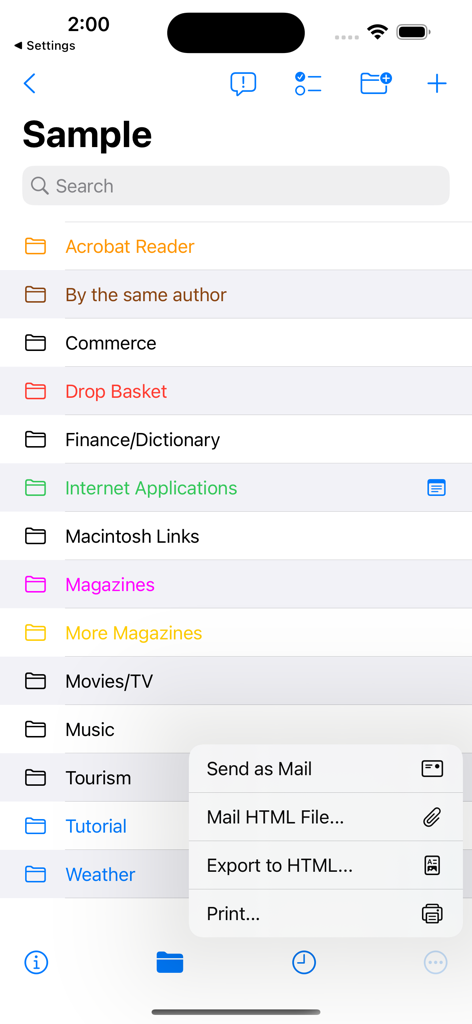
Organized list of color coded bookmark folders in URL Manager Pro with an export and share menu open

Organized list of color coded bookmark folders in URL Manager Pro with an export and share menu open

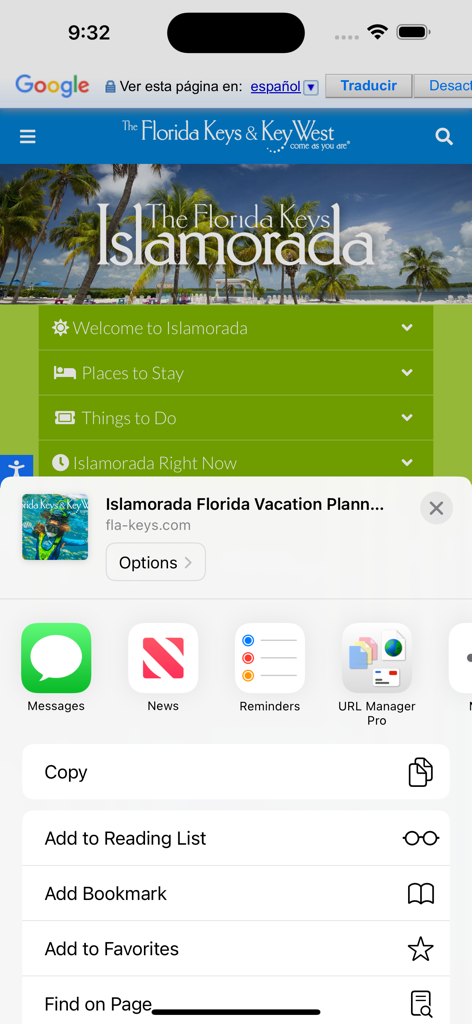
URL Manager Pro icon appearing in the iOS share sheet menu

URL Manager Pro icon appearing in the iOS share sheet menu

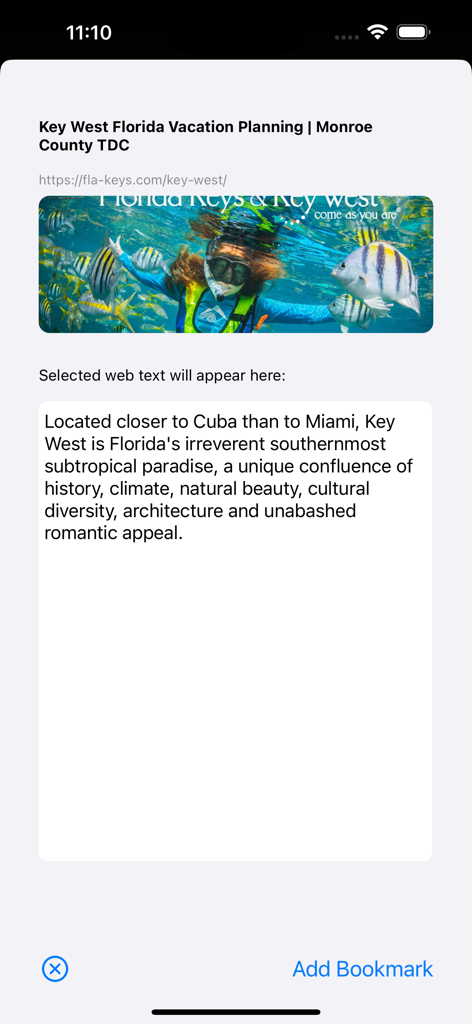
Adding a bookmark in URL Manager Pro with automatically imported website text and image

Adding a bookmark in URL Manager Pro with automatically imported website text and image

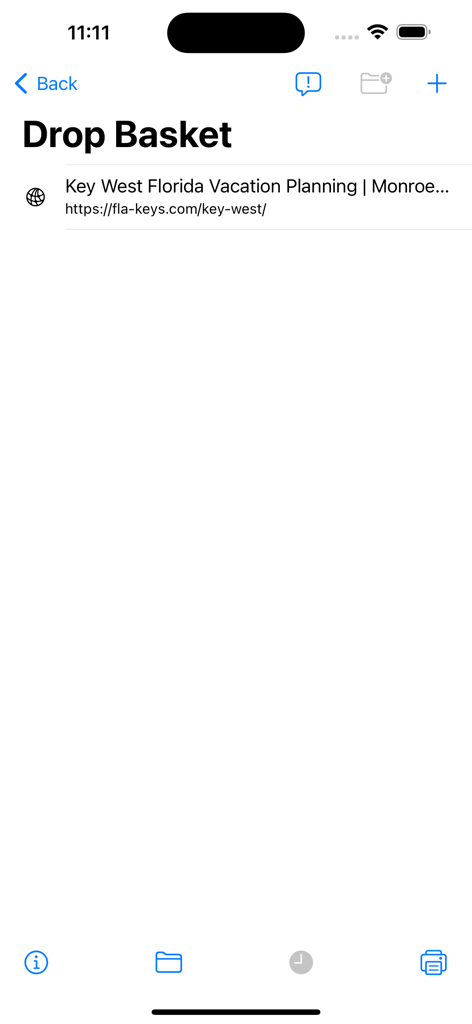
URL Manager Pro interface showing the Drop Basket with a bookmarked link

URL Manager Pro interface showing the Drop Basket with a bookmarked link

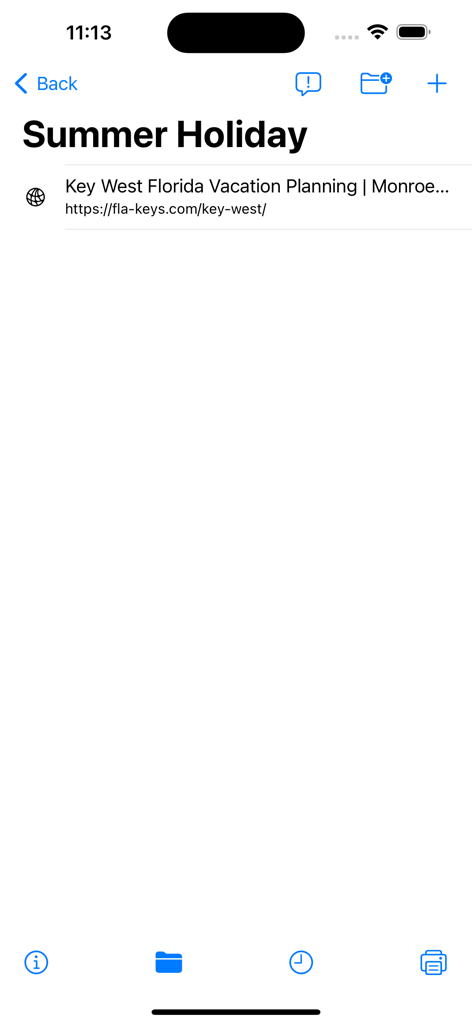
A screen in URL Manager Pro showing a folder named Summer Holiday containing a saved web link for vacation planning.

A screen in URL Manager Pro showing a folder named Summer Holiday containing a saved web link for vacation planning.

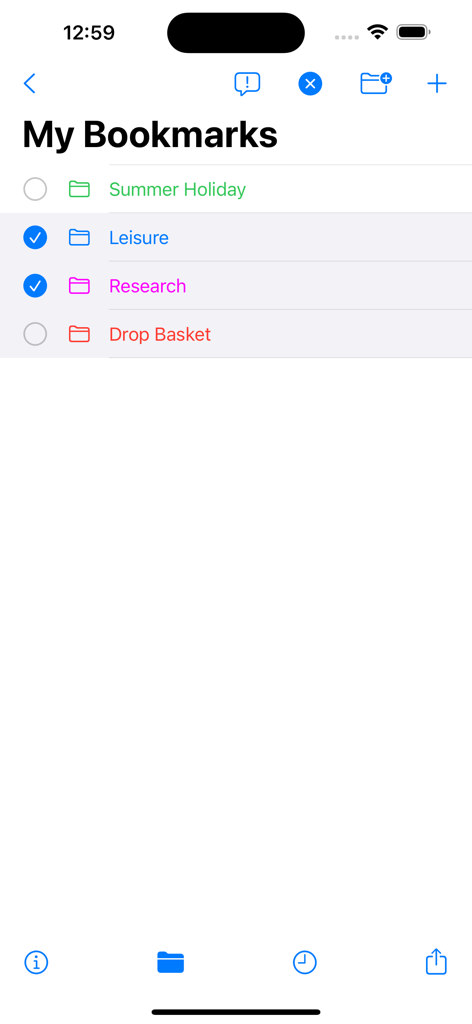
Organized list of color coded bookmark folders in the URL Manager Pro mobile app

Organized list of color coded bookmark folders in the URL Manager Pro mobile app

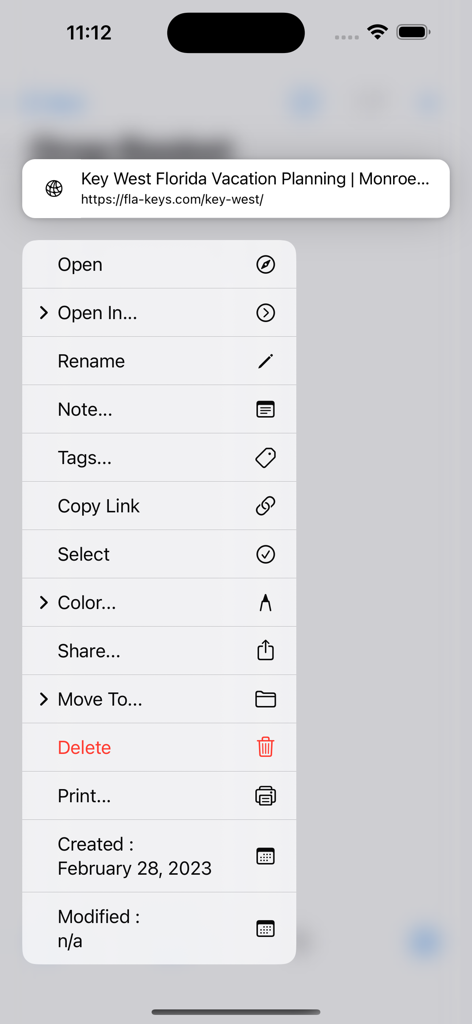
Context menu in URL Manager Pro app showing options to open, tag, and organize a saved bookmark.

Context menu in URL Manager Pro app showing options to open, tag, and organize a saved bookmark.

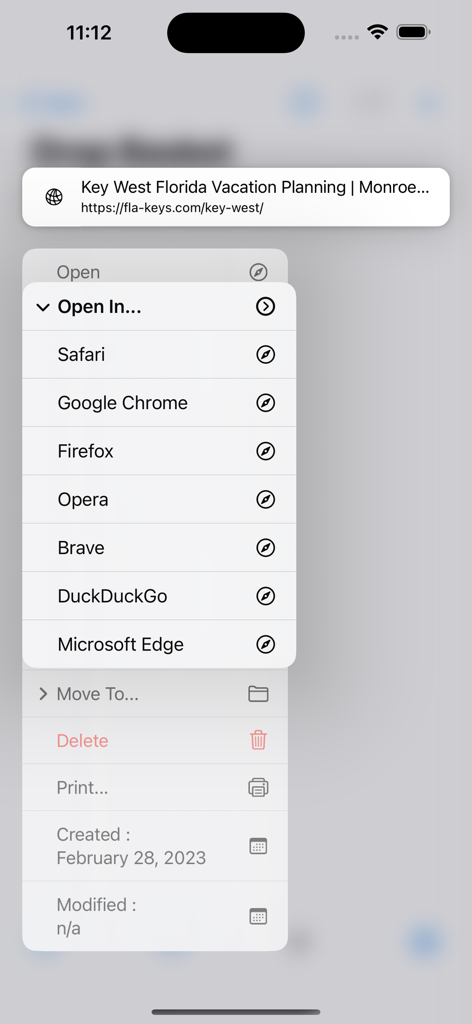
Interface of URL Manager Pro showing a menu to open a saved bookmark in different web browsers like Safari Chrome and Firefox

Interface of URL Manager Pro showing a menu to open a saved bookmark in different web browsers like Safari Chrome and Firefox

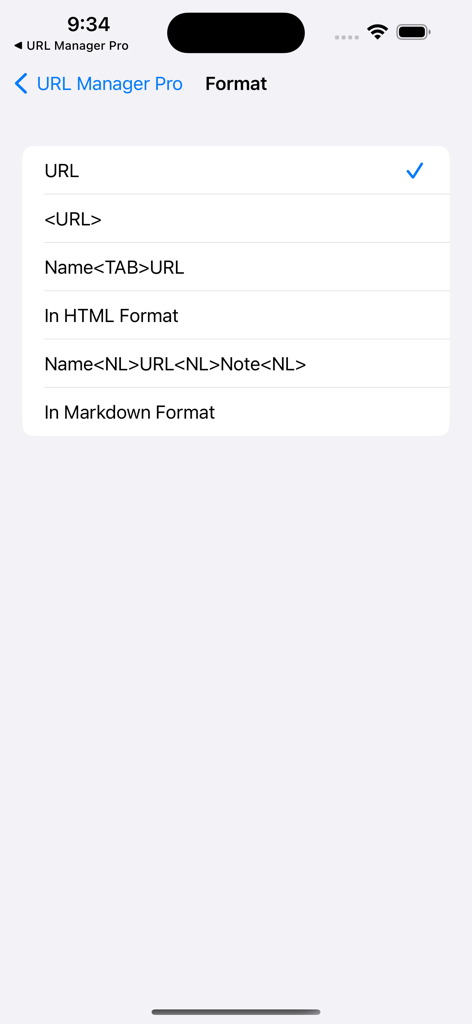
Bookmark format selection screen with options for HTML and Markdown

Bookmark format selection screen with options for HTML and Markdown

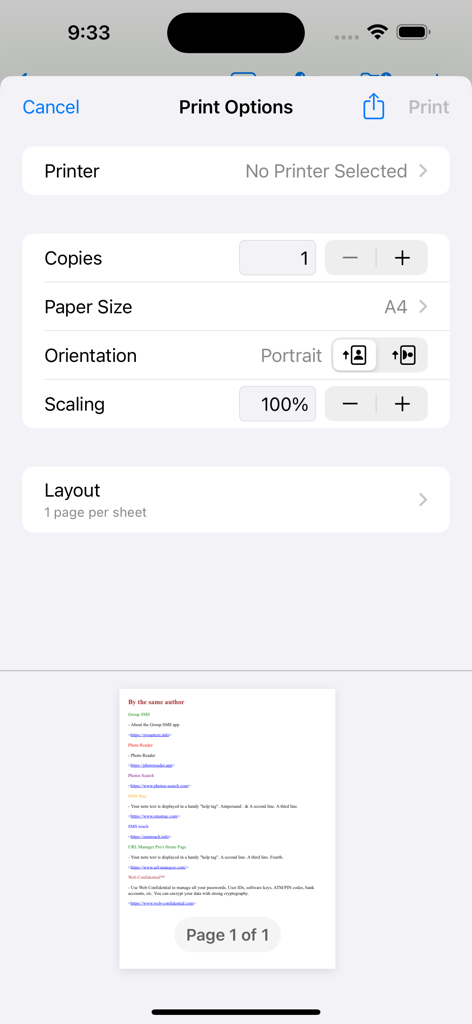
Print options menu and bookmark list preview in the URL Manager Pro app

Print options menu and bookmark list preview in the URL Manager Pro app

Master Your Digital Knowledge

The tools that make this app stand out, trusted by 2K+ users.

🗄️

Project-Based Collections

Organize your web resources into distinct documents and hierarchical folders. Keep your research projects, client data, and personal libraries perfectly separated and searchable.

✍️

Contextual Annotations

Transform links into insights. Automatically capture selected text into the notes field while browsing, turning your bookmark library into a searchable knowledge base.

🔄

Pro Workflow Integration

Sync seamlessly with URL Manager Pro for macOS, automate tasks with Apple Shortcuts, and export collections as professional HTML files or handouts for your team.

About the app

Everything you need to know about URL Manager Pro.

Description

URL Manager Pro is a bookmark manager for the web and includes a share extension. While surfing the web using Safari or another web browser, you can bookmark the web page using the Share button and then add the bookmark to URL Manager Pro. Any selected text on the web page, will be automatically copied to the note field of the bookmark. If you want to add a note, that is also possible. You can also bookmark any web URL that any other app might make available after you use the share button. It supports the following features: - user guide (PDF) - creating bookmarks - adding bookmarks - adding notes to bookmarks - creating folders - moving bookmarks to folders - deleting bookmarks and folders - colorise bookmarks and folders - opening (launching) bookmarks - opening bookmarks in Safari, Chrome, Firefox, Opera, Vivaldi etc. - emailing bookmarks - printing bookmarks - sorting bookmarks - selecting bookmarks - searching bookmarks - copy URL(s) of bookmark(s) (several formats) - mail bookmarks in HTML format - export bookmarks to an HTML file - Tweet (X) bookmarks - showing name, URL and note - showing date added attribute - support for Apple Shortcuts - compatibility with URL Manager Pro for macOS - make several collections (documents) of bookmarks Some examples: 1) build a collection of bookmarks for your research project 2) build another collection to fund your research project 3) use it as a Clipboard or Notepad of often used URLs you need to copy and paste 4) use it to print a handout to give to a class with reference documentation URLs 5) use Apple Shortcuts to automate

Latest Version

2.2.8

Size

7.1 MB

First Released

Jul 30, 2011

Elevate Your Research Workflow Today

Join thousands of power users and knowledge workers who trust URL Manager Pro to organize, annotate, and master their digital libraries across the Apple ecosystem.

Download on App Store

App information, icons, screenshots, and descriptions displayed on this page are sourced from the Apple App Store and are the property of their respective developers. Download estimates and rankings are based on MWM's proprietary models and may not reflect actual figures. This page is provided for informational and analytical purposes only.

Believe this page infringes your intellectual property? File a dispute