
This page is not an official page of the app or its developer, but an independent editorial publication created for informational and commentary purposes. Unless expressly stated otherwise, neither the app nor its developer is affiliated with, endorsed by, sponsored by, authorized by, or otherwise officially connected with MWM, Apple, Google Play, the app publisher, or the app's developer, and nothing on this page implies that the app was developed using MWM's services. Any trademarks, logos, screenshots, and other content remain the property of their respective owners.


VDOT 511 Virginia Traffic
Avoid the guesswork. Access live traffic cameras, official lane closures, and bridge-tunnel updates to navigate Northern Virginia, Richmond, and Hampton Roads with total confidence.
Downloads
296K+User Rating
Total Ratings
400Publisher
Category
TravelLocales
1Latest Version
6.2.5Size
124.4 MBFirst Released
May 17, 2012Master Your Virginia Commute
Eliminate travel uncertainty and take back your time with real-time, official data directly from the Virginia Department of Transportation.
Live Camera Access
Get visual confirmation of traffic flow at key bottlenecks like the I-95 corridor and Hampton Roads Bridge-Tunnel before you leave.
Verified Incident Reports
Receive authoritative updates on scheduled construction and emergency closures that crowdsourced apps often miss.
Frequently Asked Questions
Everything you need to know about VDOT 511 Virginia Traffic
What information does the VDOT 511 Virginia Traffic app provide?
The VDOT 511 Virginia Traffic app provides real-time traffic information, road conditions, incident reports, and live camera feeds for Virginia's roadways.
Does the VDOT 511 Virginia Traffic app show live traffic cameras?
Yes, the VDOT 511 Virginia Traffic app displays live traffic camera feeds for various locations, including specific interstates like I-95, to show real-time road views.
How can I view traffic and road conditions in the VDOT 511 Virginia Traffic app?
The VDOT 511 Virginia Traffic app offers map overlays for Traffic Speeds, Road Conditions, HOV/Express Lane Speeds, and Precipitation to visualize current road statuses.
What specific details does the VDOT 511 Virginia Traffic app provide about road incidents?
The VDOT 511 Virginia Traffic app provides detailed incident information, such as road widening projects, including location, specific dates, times, and often a live camera view.
Can the VDOT 511 Virginia Traffic app show bus routes and train lines?
Yes, the VDOT 511 Virginia Traffic app lists "TRAIN LINES" and "BUS ROUTES" as available features within its map options.
Is the VDOT 511 Virginia Traffic app currently undergoing updates?
Yes, the VDOT 511 Virginia Traffic app is currently being updated for improved user-friendliness. The developers temporarily reverted to a prior version during this process.
The following screenshots and description are sourced directly from the app's official store listing and are the property of the app developer.
App Store
Screenshots
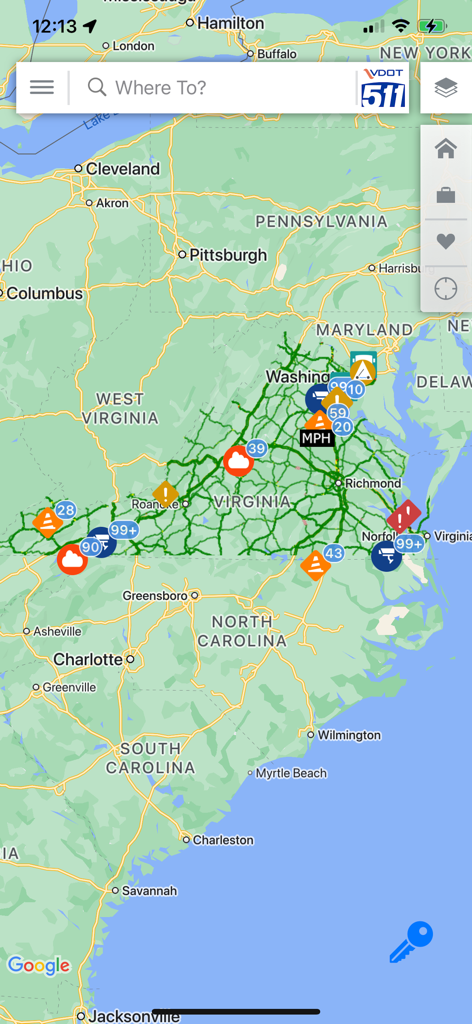
Real-time traffic map of Virginia showing traffic cameras construction zones and road incidents in the VDOT 511 app
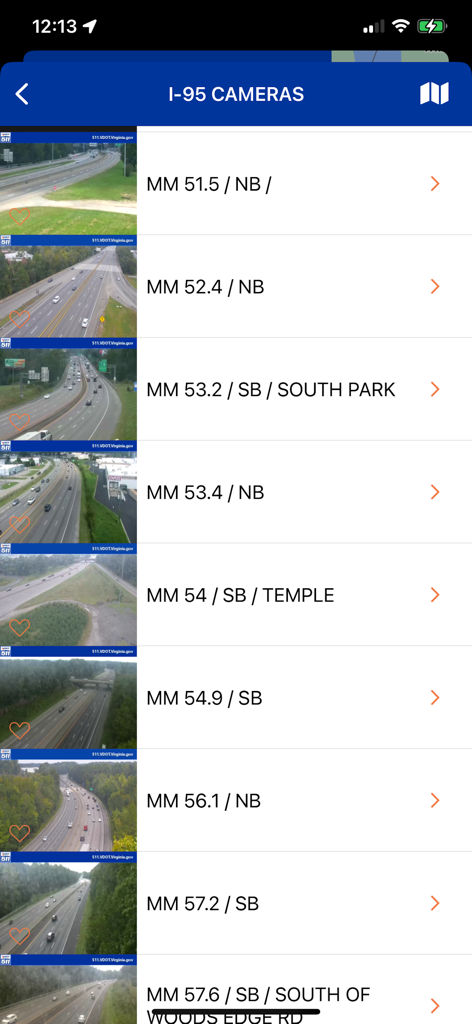
List of live I-95 traffic camera feeds in the VDOT 511 Virginia app
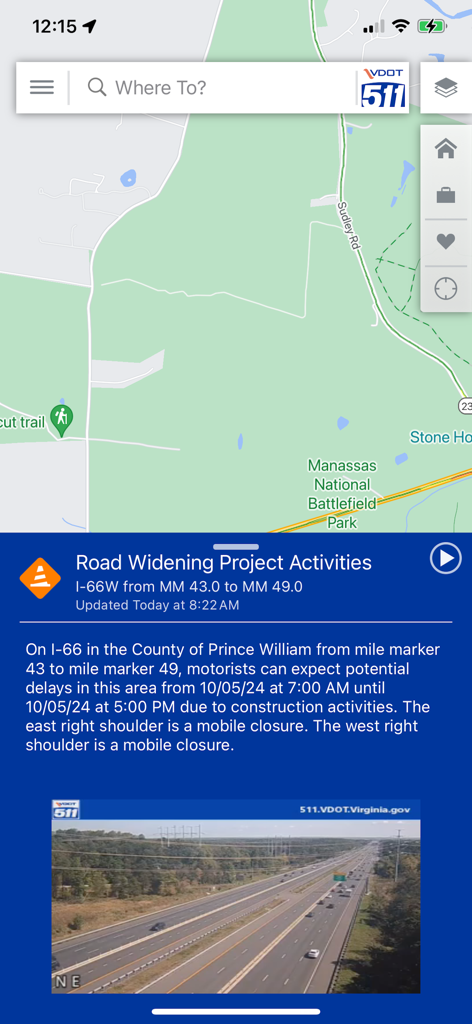
VDOT 511 Virginia Traffic app map screen with a construction alert and live highway camera feed
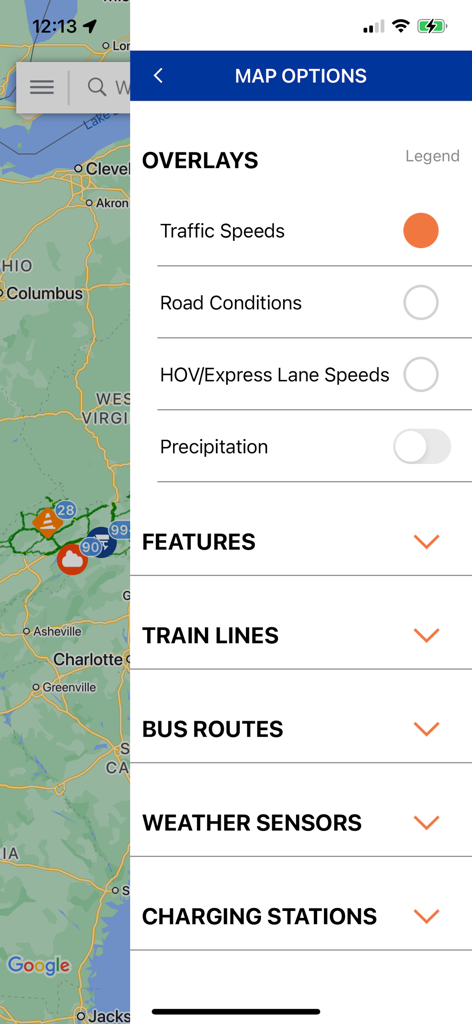
VDOT 511 app map options menu showing traffic speeds and road condition overlays
Description
Download
More Like This
Top-ranked apps in the same category

Uber - Request a ride
Uber Technologies, Inc.

Airbnb
Airbnb, Inc.

铁路12306
ACADEMY OF RAILWAY SCIENCES CO., ltd.

Booking.com: Hotels & Travel
Booking.com B.V.

Grab: Taxi Ride, Food Delivery
GRABTAXI HOLDINGS PTE. LTD.

Trip.com: Book Flights, Hotels
Trip.com Travel Singapore Pte. Ltd.

DiDi China: Ride Hailing
Didi Chuxing (Beijing) Network Platform Technology Co., Ltd

去哪儿旅行-订酒店机票火车票
Beijing Qunar Information Technology Company Limit

Bolt: Request a Ride
BOLT TECHNOLOGY OU
This page is not an official page of the app or its developer, but an independent editorial publication created for informational and commentary purposes. Unless expressly stated otherwise, neither the app nor its developer is affiliated with, endorsed by, sponsored by, authorized by, or otherwise officially connected with MWM, Apple, Google Play, the app publisher, or the app's developer, and nothing on this page implies that the app was developed using MWM's services. Any trademarks, logos, screenshots, and other content remain the property of their respective owners.