VEXcode V5

VEXcode V5

Download on App Store
Logo of VEXcode V5

VEXcode V5: Empowering the Next Generation of Robotics Innovators

Bridge the gap from block-based logic to professional coding. Designed for students and educators, VEXcode V5 provides a seamless, intuitive environment to bring your robots to life from the classroom to the competition floor.

Download on App Store

Publisher

VEX Robotics, Inc.

Category

Education

Downloads

700

User Rating

2.8/5

Total Ratings

0

Locales

1

Drag. Drop. Drive.

Discover the interface used by 700 users.
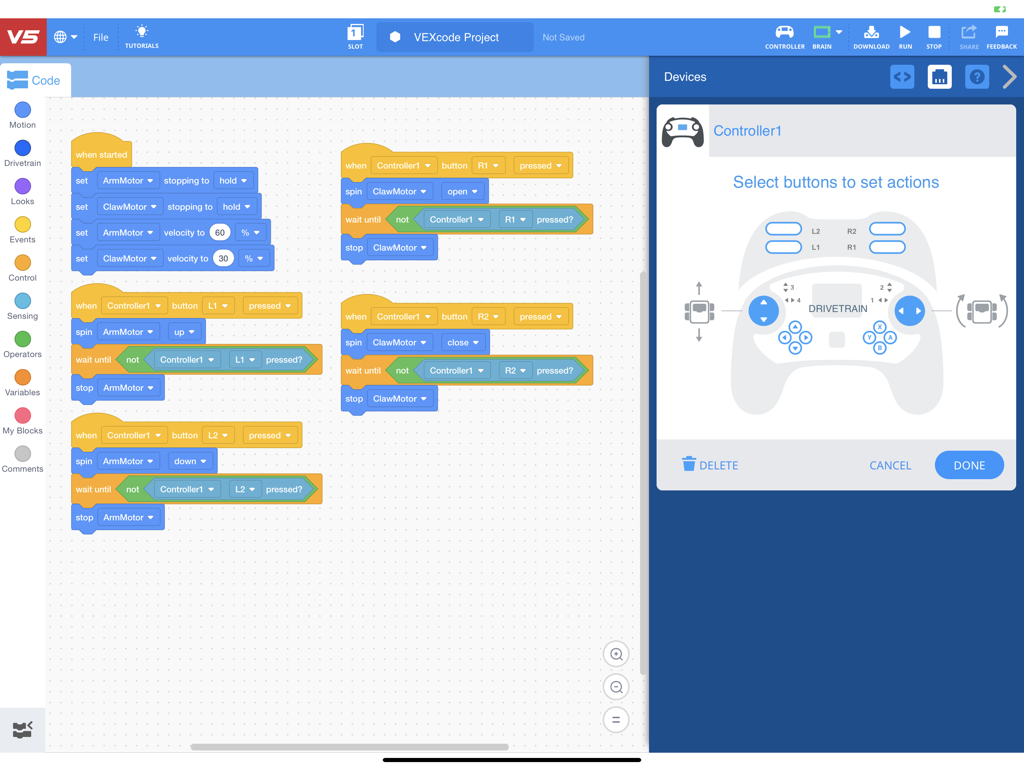
VEXcode V5 app interface showing block based coding and robot motor configuration on an iPad

VEXcode V5 app interface showing block based coding and robot motor configuration on an iPad

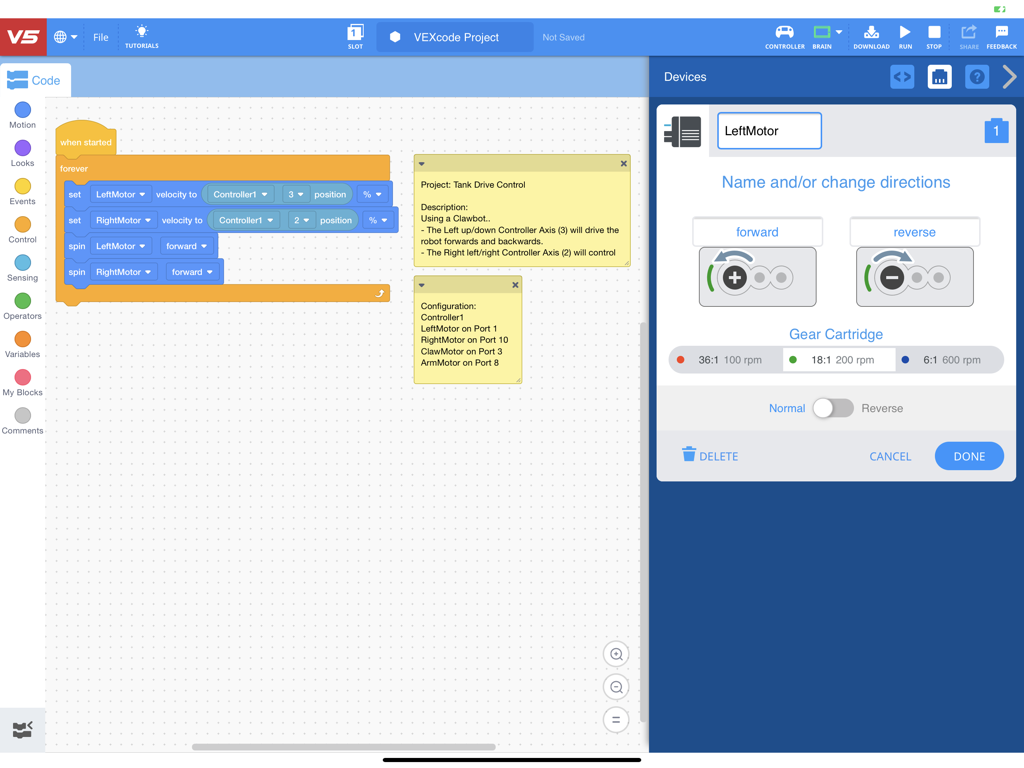
VEXcode V5 block coding interface on iPad with robot controller configuration panel

VEXcode V5 block coding interface on iPad with robot controller configuration panel

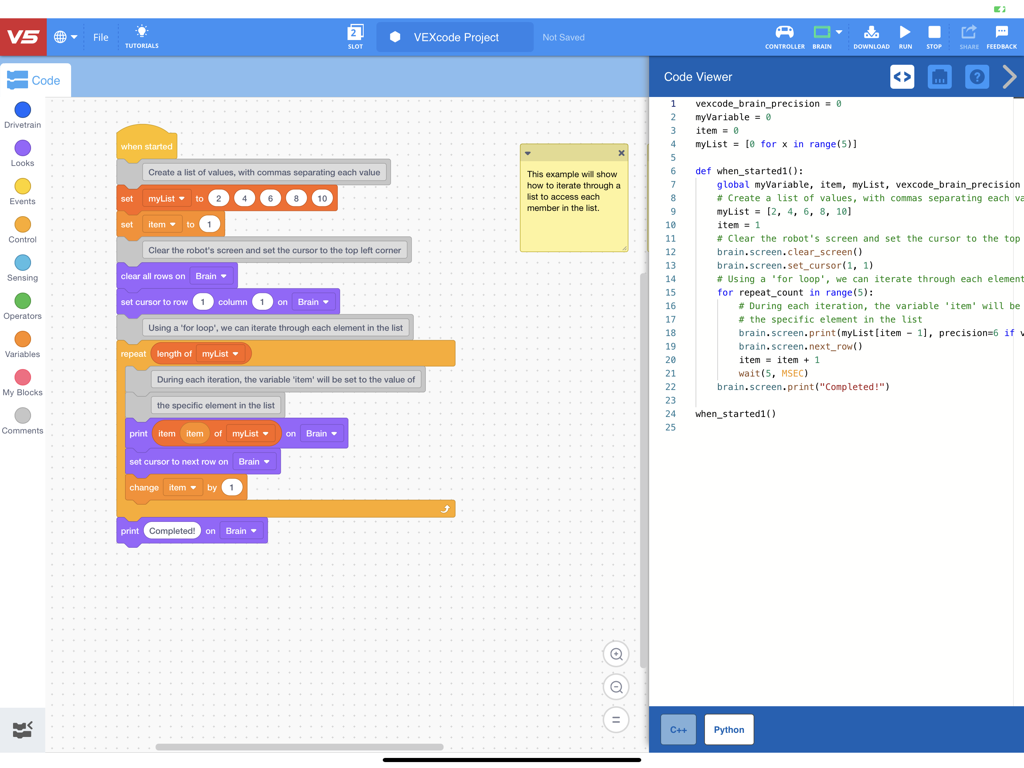
VEXcode V5 interface showing visual block coding and equivalent Python script side by side.

VEXcode V5 interface showing visual block coding and equivalent Python script side by side.

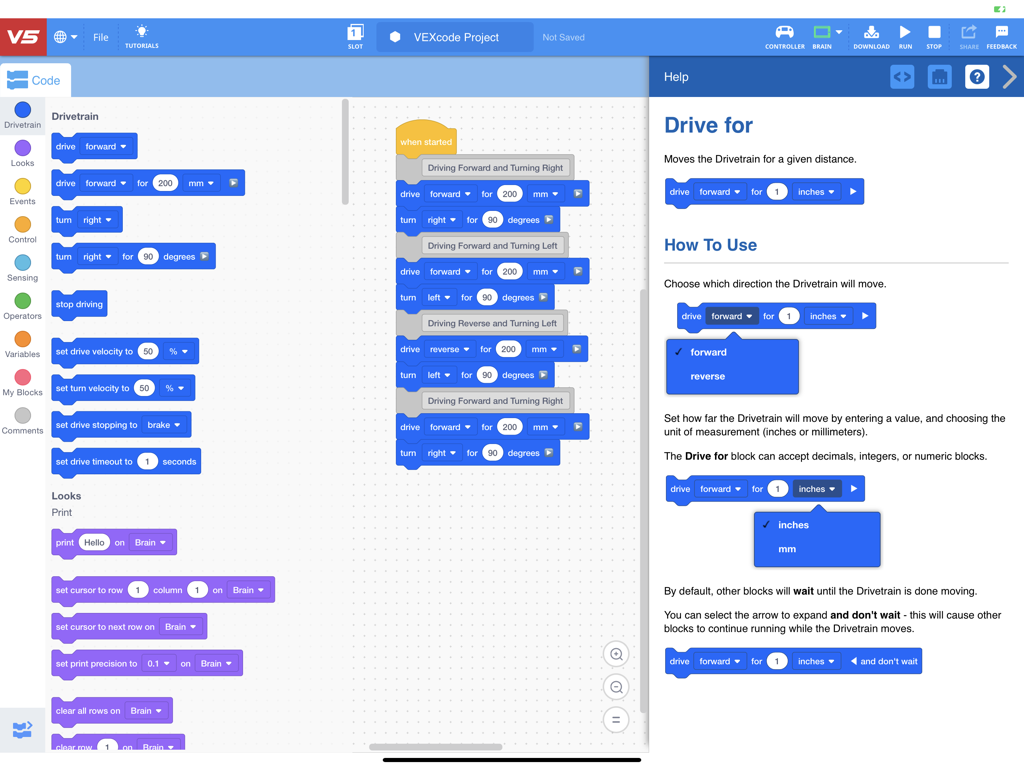
VEXcode V5 block based coding interface and help panel for robot commands.

VEXcode V5 block based coding interface and help panel for robot commands.

Master Robotics with Confidence

The tools that make this app stand out, trusted by 700 users.

🧱

Familiar Scratch-Based Blocks

Leverage your existing skills with a familiar drag-and-drop interface that makes controlling complex V5 hardware intuitive and fast.

🎓

Turnkey Learning Resources

Jumpstart any project with over 40 example templates and built-in video tutorials that help students and teachers master concepts quickly.

🤖

Instant Device Management

Configure your robot’s motors, sensors, and drivetrain in seconds, allowing you to focus on creative problem-solving rather than troubleshooting.

About the app

Everything you need to know about VEXcode V5.

Description

From elementary school through college, VEXcode is a coding environment that meets students at their level. The intuitive layout of VEXcode allows students to get started quickly and easily. VEXcode is consistent across Blocks and Text, across VEX IQ and VEX V5. As students progress from elementary, middle, and high school, they never have to learn a different blocks, code, or toolbar interface. As a result, students can focus on creating with technology, not trying to navigate a new layout. Drive Forward is the new Hello World We all know that robots attract kids to learn. VEX Robotics and VEXcode are providing opportunities for students of all ages to participate in learning the code that makes these robots work. VEX makes computer science come to life through collaborations, hands-on projects, and engaging experiences. From classrooms to competitions, VEXcode helps to create the next generation of innovators. Drag. Drop. Drive. VEXcode Blocks is the perfect platform for those new to coding. Students use the simple drag and drop interface to create functioning programs. Each block's purpose can easily be identified using the visual cues like its shape, color, and label. We've designed VEXcode Blocks to allow those who are new to robotics to get their robot up and running faster. Now, students can focus on being creative and learning computer science concepts, not stuck trying to figure out the interface. More accessible than ever VEXcode even helps across language barriers, allowing student to read blocks and comment programs in their native language. Drag & Drop. Powered by Scratch Blocks. Students and Teachers will feel instantly at home with this familiar environment. Video Tutorials. Grasp concepts faster. Built-in tutorials cover every aspect needed to get up to speed fast. And more tutorials are coming. Help is always there. Getting information on blocks is fast and easy. These resources were written by educators, in a form both teachers and students will grasp quickly. Drivetrain Blocks. A breakthrough in simplicity. From driving forward, making precise turns, setting speed, and stopping precisely, VEXcode makes it easier than ever to control a robot. Setup your VEX robot. Fast. VEXcode's device manager is simple, flexible, and powerful. In no time at all you can setup your robot's drivetrain, controller features, motors, and sensors. 40+ Example projects to choose from. Jumpstart your learning by starting with an existing project, covering every aspect of coding, controlling robots, and learning to use sensors.

Latest Version

4.64.0

Size

794.5 MB

First Released

Jun 29, 2020

Ready to Code the Future of Robotics?

Download VEXcode V5 today and bridge the gap between imagination and engineering. Join thousands of students and educators turning ideas into motion with the ultimate blocks-to-text coding environment.

Download on App Store

App information, icons, screenshots, and descriptions displayed on this page are sourced from the Apple App Store and are the property of their respective developers. Download estimates and rankings are based on MWM's proprietary models and may not reflect actual figures. This page is provided for informational and analytical purposes only.

Believe this page infringes your intellectual property? File a dispute