
This page is not an official page of the app or its developer, but an independent editorial publication created for informational and commentary purposes. Unless expressly stated otherwise, neither the app nor its developer is affiliated with, endorsed by, sponsored by, authorized by, or otherwise officially connected with MWM, Apple, Google Play, the app publisher, or the app's developer, and nothing on this page implies that the app was developed using MWM's services. Any trademarks, logos, screenshots, and other content remain the property of their respective owners.


Vid-Matè : Video & Music
No more app juggling. Vid-Matè hands users the power to sculpt their media, not just consume it.
Downloads
100k+User Rating
Total Ratings
6.7KPublisher
Category
UtilitiesLocales
16Latest Version
2.0Size
48.8 MBFirst Released
Feb 17, 2025An evaluation of core features designed for content creators and social media enthusiasts on iPhone.
Key Capabilities Analysis of Vid-Matè : Video & Music
Comprehensive Video Editing Tools
The app provides powerful editing tools to enhance videos, allowing users to adjust visual properties, apply filters, and effortlessly crop, rotate, or resize their media.
Video to MP3 Conversion
It allows users to extract high-quality audio from videos, converting them into MP3 files perfect for ringtones, podcasts, or saving music.
Video Splitting Functionality
This tool features the ability to divide lengthy videos into smaller, manageable clips, which is ideal for creating highlights, reels, or content for social media.
Precise Video Trimming
The app enables users to easily cut out unwanted sections of their videos, ensuring clips are trimmed to the perfect length for sharing.
Integrated Media Management
It allows users to save and organize edited videos, photos, and audio files within the app, providing easy access and direct sharing capabilities.
Creative Video Reversal
This tool features the ability to create stunning reverse videos with a single tap, offering unique and captivating effects to engage audiences.
Frequently Asked Questions
Everything you need to know about Vid-Matè : Video & Music
What is Vid-Matè : Video & Music?
Vid-Matè : Video & Music is a comprehensive video editing app for iPhone users. It provides tools to edit, enhance, and transform videos, photos, and audio files, serving all multimedia creation needs.
Does Vid-Matè : Video & Music include a video to MP3 converter?
Yes, Vid-Matè : Video & Music includes a Video to MP3 Converter. This feature allows users to extract audio from their favorite videos and save them as high-quality MP3 files.
What video editing features does Vid-Matè : Video & Music offer?
Vid-Matè : Video & Music offers powerful video editing features including adjusting brightness, contrast, saturation, applying filters, cropping, rotating, resizing, trimming, splitting, and reversing videos.
Can users store links within Vid-Matè : Video & Music?
Yes, Vid-Matè : Video & Music features Link Storage. Users can save and organize their edited videos, photos, and audio files, and access or share them directly from within the app.
What are the subscription costs for Vid-Matè : Video & Music?
Subscriptions for Vid-Matè : Video & Music are available weekly ($2.99), monthly ($4.99), and annually ($29.49). These auto-renewing purchases unlock all app features without ads.
Is the Vid-Matè : Video & Music subscription automatically renewed?
Yes, the Vid-Matè : Video & Music subscription is auto-renewable. It charges to your iTunes account upon purchase confirmation and automatically renews unless turned off 24 hours before the period ends.
How do I cancel my Vid-Matè : Video & Music subscription?
Users can manage their Vid-Matè : Video & Music subscription and turn off auto-renewal by visiting their iTunes Account Settings after purchase. Cancellation is not possible during an active subscription period.
Where can I access the Privacy Policy for Vid-Matè : Video & Music?
The Privacy Policy for Vid-Matè : Video & Music is accessible at: https://vimrovideotools.blogspot.com/2025/02/privacy-policy.html. Users can review the full terms of service and privacy details there.
Does Vid-Matè : Video & Music support high-quality video output?
Yes, Vid-Matè : Video & Music supports high-quality video output. Users can export their projects in HD format, ensuring no loss of quality and professional-grade results for their media.
What types of media can Vid-Matè : Video & Music manage?
Vid-Matè : Video & Music is designed to manage videos, photos, and audio files. It offers a comprehensive suite of features for editing, enhancing, and transforming all these media types seamlessly.
The following screenshots and description are sourced directly from the app's official store listing and are the property of the app developer.
App Store
Screenshots

The app presents a visually rich grid layout of videos, allowing users to effortlessly browse their media and instantly play content with prominent play icons.
Video Gallery View
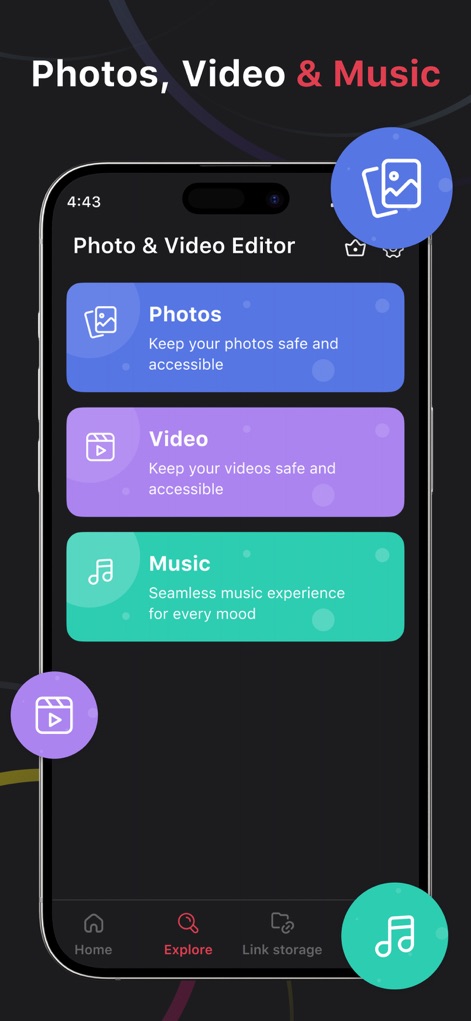
This tool offers a clear interface with dedicated Photos, Video, and Music sections, alongside an intuitive bottom navigation bar for quick access to features.
Centralized Media Hub
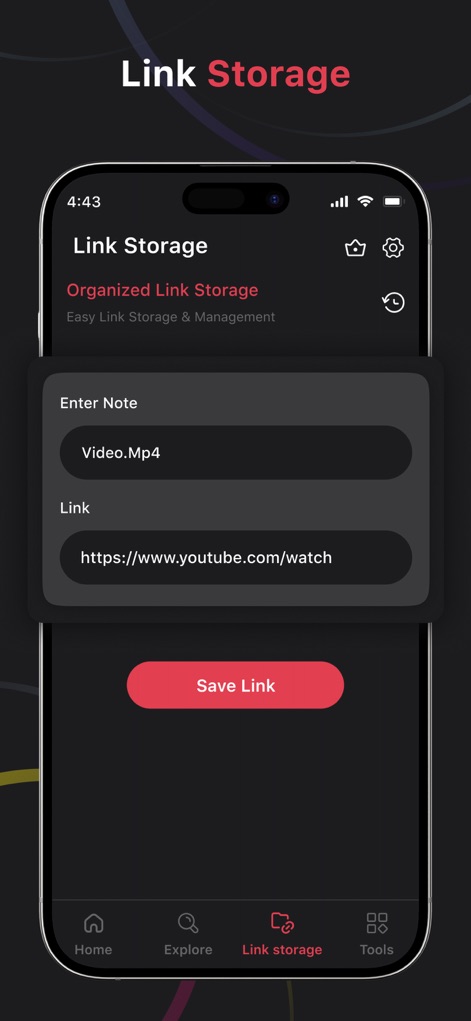
Users can easily save and manage links using the 'Enter Note' field for descriptions and the 'Link' input field for URLs, ensuring organized access.
Smart Link Storage
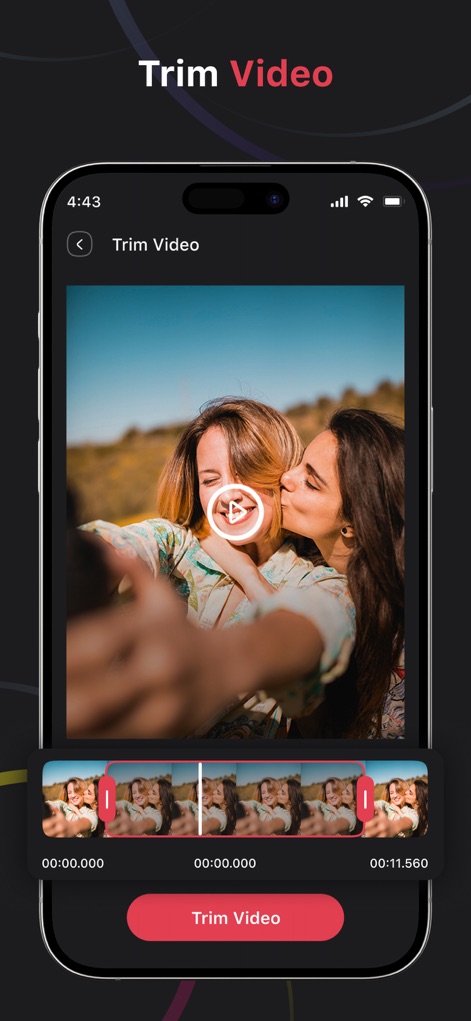
The app enables precise video adjustments through a large video preview and an interactive trimming timeline, allowing users to select optimal segments.
Seamless Video Trimming
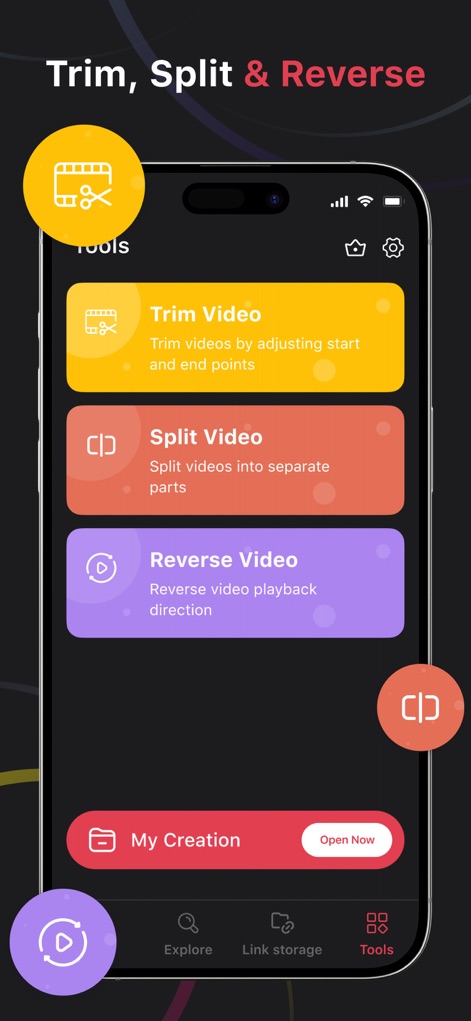
This tool centralizes key video manipulation options like 'Trim Video' and 'Reverse Video', providing a comprehensive suite for creative edits.
Powerful Editing Toolkit
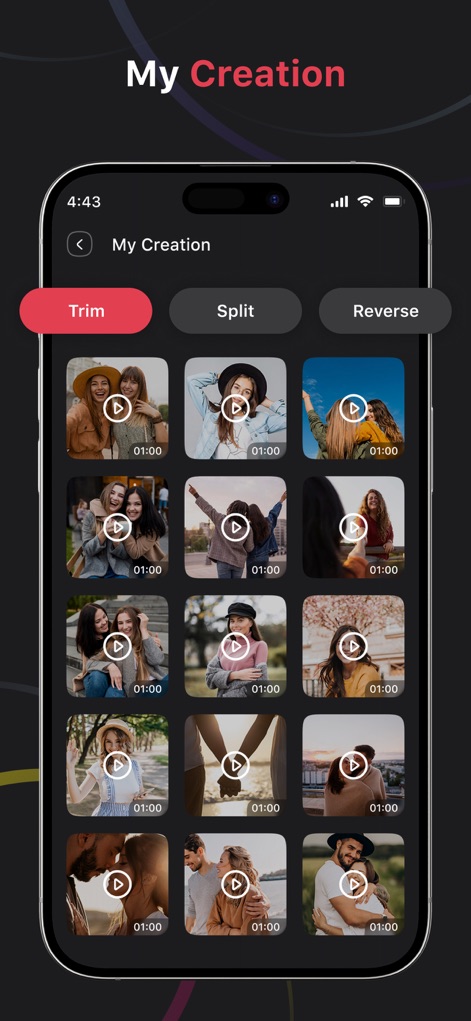
Users can review and access their edited projects within a grid of created videos, with quick top-bar buttons for 'Trim' and 'Split' operations.
Curated Creations Library
Description
Download
More Like This
Apps with similar features and user experience


This page is not an official page of the app or its developer, but an independent editorial publication created for informational and commentary purposes. Unless expressly stated otherwise, neither the app nor its developer is affiliated with, endorsed by, sponsored by, authorized by, or otherwise officially connected with MWM, Apple, Google Play, the app publisher, or the app's developer, and nothing on this page implies that the app was developed using MWM's services. Any trademarks, logos, screenshots, and other content remain the property of their respective owners.