
This page is not an official page of the app or its developer, but an independent editorial publication created for informational and commentary purposes. Unless expressly stated otherwise, neither the app nor its developer is affiliated with, endorsed by, sponsored by, authorized by, or otherwise officially connected with MWM, Apple, Google Play, the app publisher, or the app's developer, and nothing on this page implies that the app was developed using MWM's services. Any trademarks, logos, screenshots, and other content remain the property of their respective owners.


Voffect - Voice effect changer
Transform your voice into cute, robotic, or hilarious characters in seconds. Record, remix, and share your unique sound directly to TikTok, Reels, or your gaming squad.
Downloads
37K+User Rating
Total Ratings
200Publisher
Category
MusicLocales
4Latest Version
1.4.1Size
21.6 MBFirst Released
Nov 17, 2021Level Up Your Audio Content
The ultimate voice toolkit for creators and gamers. From viral TikTok filters to Discord pranks, transform your sound in one tap.
Instant Viral Filters
Transform your voice into 'Cute', 'Robot', or 'Distorted' tones to catch the algorithm's attention and start trends.
Sync Anywhere
Move your tracks instantly to your PC or Mac—perfect for gamers and streamers looking for that custom sound.
Frequently Asked Questions
Everything you need to know about Voffect - Voice effect changer
What is Voffect?
Voffect is a voice changer app that records your voice and converts it into various effects like cute, robot, helium, or choir. It allows users to save, share, and export their modified voices.
What voice effects are available in Voffect?
Voffect offers effects such as None, Reverb, Echo, Robot, Helium, Slow, Fast, Slow / Pitch, Fast / Pitch, Reverse, Higher, Lower, ToneDeaf, Wavy, and Choir for voice modulation.
Can I record my voice using Voffect?
Yes, Voffect allows users to record their voice directly within the app. Recordings can be played back, titled, and managed through an "All Recordings" list.
How can I save or share my voice recordings from Voffect?
Voffect allows users to save their converted voices. You can also share recordings to SNS or send them to a PC. An export option to files is also available.
Does Voffect offer custom voice effects?
Yes, Voffect enables users to create unique custom effects by stacking and adjusting parameters for different voice modifications, such as Reverb, Fast, and Pitch.
What is the subscription model for Voffect?
Voffect offers premium features via a 1-month subscription plan. Payment is charged to your iTunes account upon purchase confirmation. Prices vary by country and region.
How does auto-renewal work for Voffect subscriptions?
Subscriptions for Voffect automatically renew unless auto-renewal is turned off at least 24 hours before the current subscription period ends. Users can manage this in account settings.
Can I get a refund for my Voffect subscription during an active period?
No, you cannot cancel your current Voffect subscription or receive a refund during an active subscription period. Auto-renewal can be turned off for future periods.
What is the output file type for Voffect recordings?
Voffect exports recordings with an m4a output file type. This setting is accessible within the app's menu under the "Output file type" option.
The following screenshots and description are sourced directly from the app's official store listing and are the property of the app developer.
App Store
Screenshots
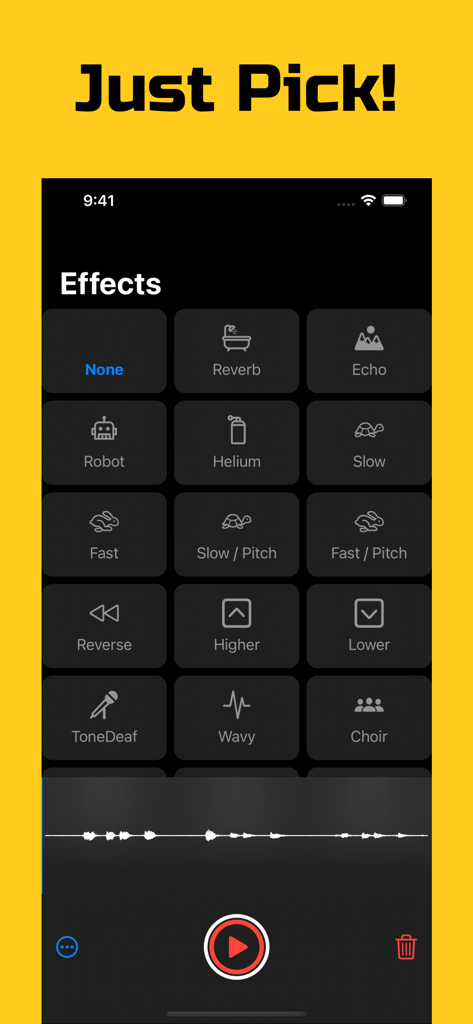
A menu of voice effects in the Voffect app featuring options like robot helium and echo
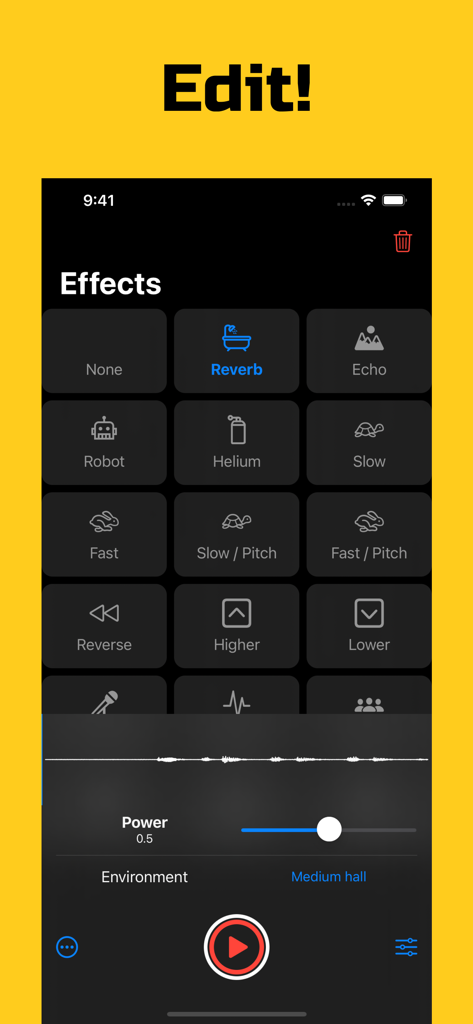
A mobile interface for the Voffect app showing a grid of voice effects like Robot and Helium with audio editing controls.
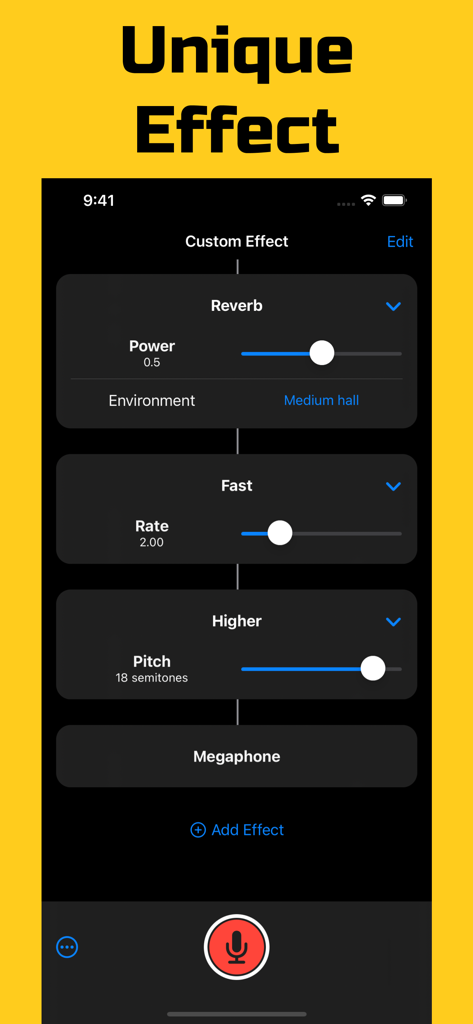
UI of Voffect app showing custom voice effect settings for reverb, speed, and pitch
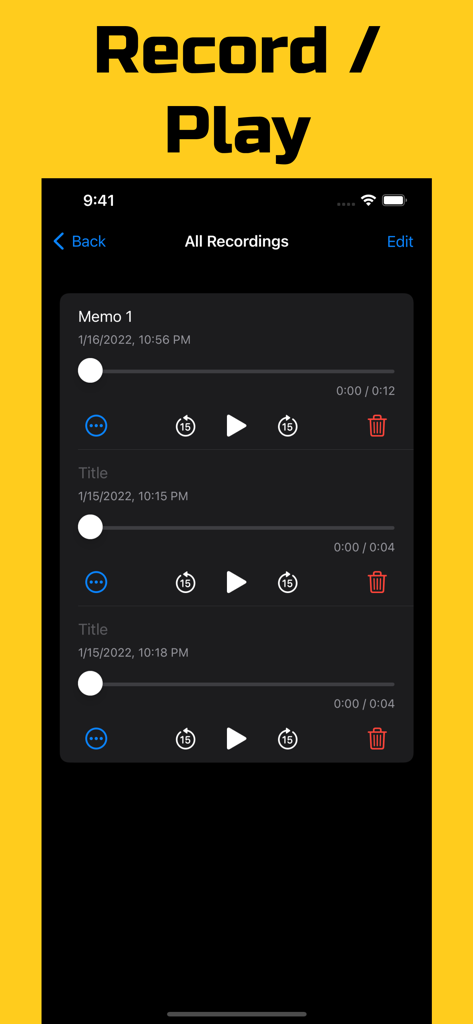
Interface showing a list of voice recordings with playback and edit options
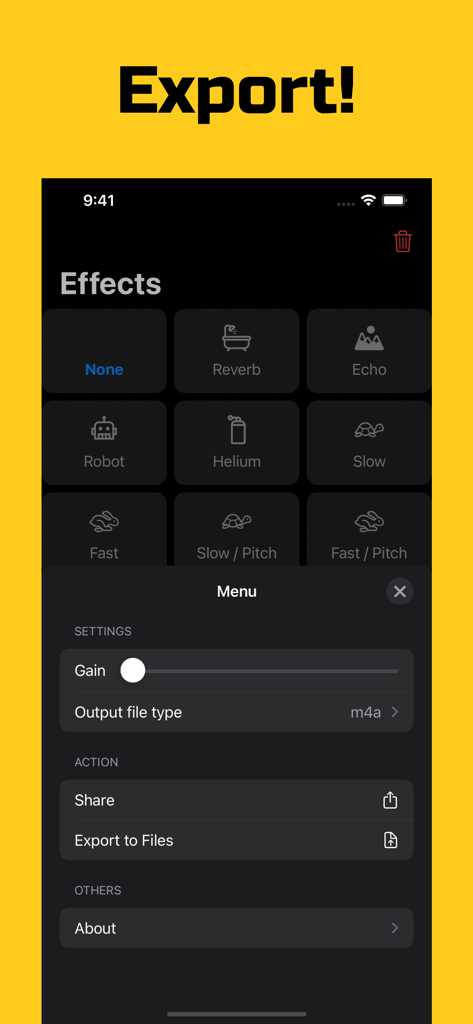
Interface showing export and share options for voice recordings in Voffect
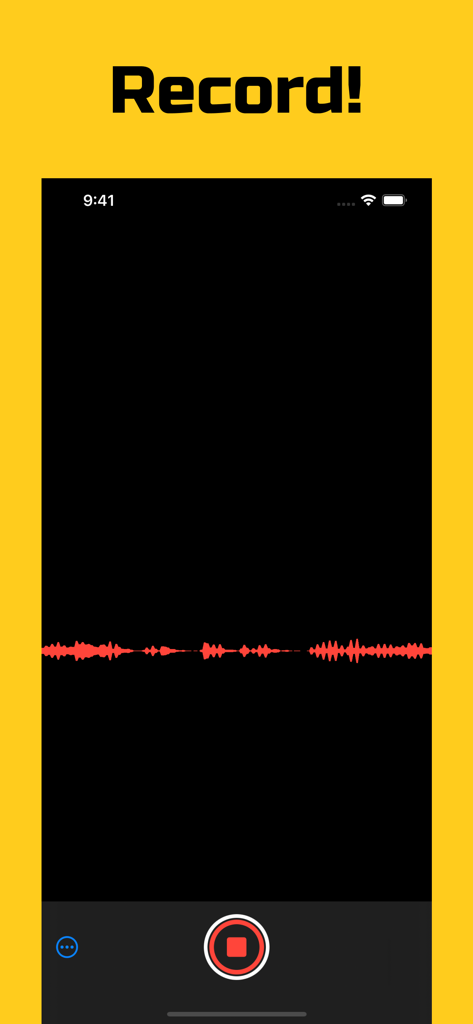
Voffect app recording interface with a red audio waveform on a black screen.
Description
Download
More Like This
Top-ranked apps in the same category

Spotify: Music and Podcasts
Spotify

YouTube Music
Google LLC

Shazam: Find Music & Concerts
Apple Inc.

SoundCloud: The Music You Love
SoundCloud Global Limited & Co KG

Suno - AI Songs & Music
Suno Inc.

QQ音乐 - 听我想听
Tencent Technology (Shenzhen) Company Limited

Audiomack - Play Music Offline
Audiomack, Inc.

GuitarTuna: Tune & Play Guitar
Yousician Ltd

BandLab – Music Maker & Beats
BandLab Singapore Pte Ltd
This page is not an official page of the app or its developer, but an independent editorial publication created for informational and commentary purposes. Unless expressly stated otherwise, neither the app nor its developer is affiliated with, endorsed by, sponsored by, authorized by, or otherwise officially connected with MWM, Apple, Google Play, the app publisher, or the app's developer, and nothing on this page implies that the app was developed using MWM's services. Any trademarks, logos, screenshots, and other content remain the property of their respective owners.