Voice Memo Dictation to Text

Voice Memo Dictation to Text

Download on App Store
Logo of Voice Memo Dictation to Text

Voice Memo Dictation to Text: Transcribe Anything Instantly with AI

Convert voice memos, videos, and YouTube links into accurate text. Save hours of typing and sync your notes seamlessly across iPhone, Mac, and Apple Watch.

Download on App Store

Publisher

Christian Neubauer

Category

Productivity

Downloads

1M+

User Rating

4.4/5

Total Ratings

17K+

Locales

16

Efficiency in Action

Discover the interface used by 1M+ users.

AI-powered voice to text transcription app for audio and video recordings

AI-powered voice to text transcription app for audio and video recordings

Stylized globe icon surrounded by orbiting international flags representing global language translation features

Stylized globe icon surrounded by orbiting international flags representing global language translation features

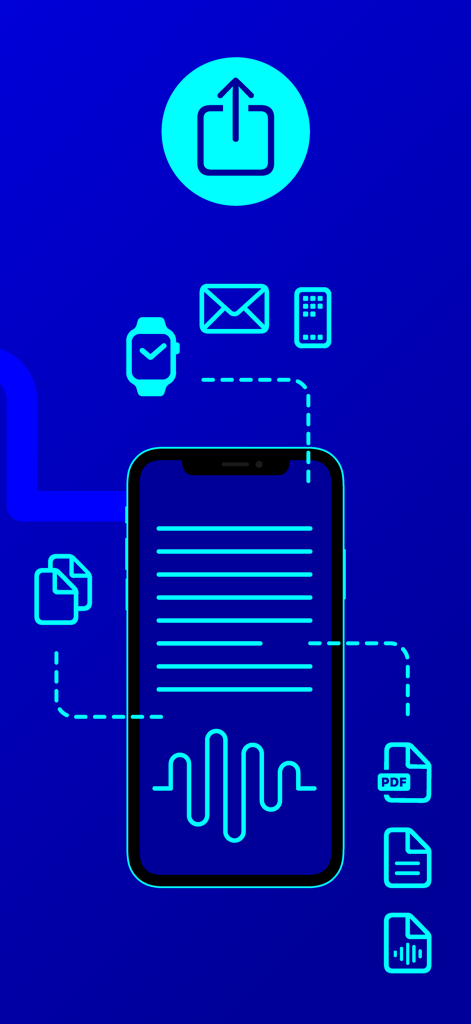
Infographic showing voice to text transcription on a smartphone with sharing options to email Apple Watch and PDF

Infographic showing voice to text transcription on a smartphone with sharing options to email Apple Watch and PDF

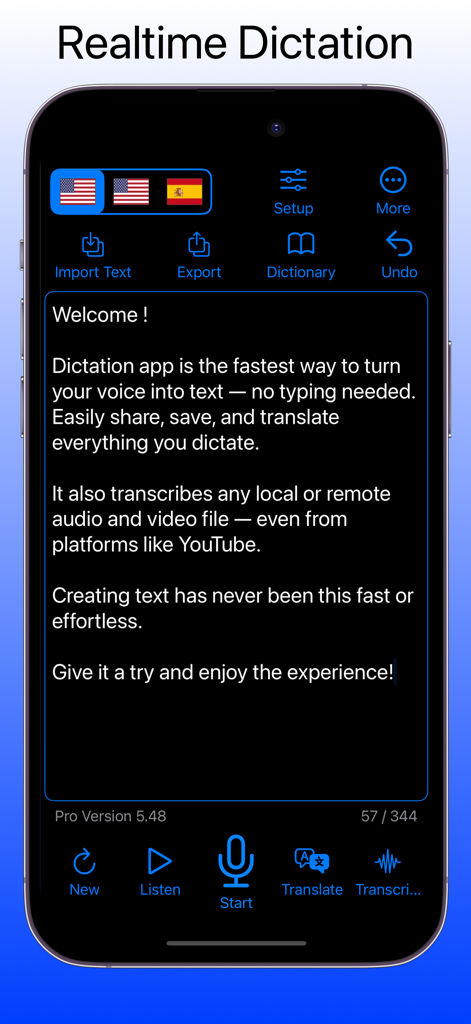
Mobile application interface showing real-time voice to text dictation and transcription features

Mobile application interface showing real-time voice to text dictation and transcription features

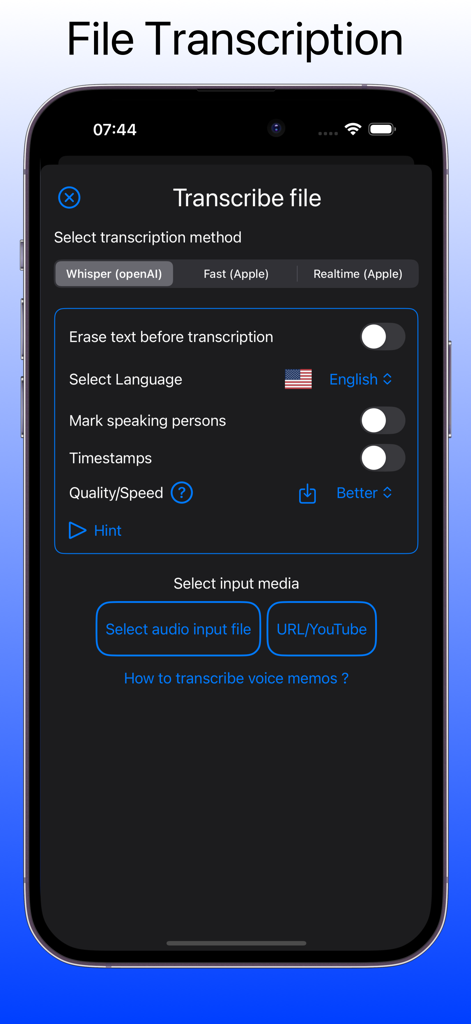
Interface for transcribing audio files and YouTube videos with Whisper AI and language settings.

Interface for transcribing audio files and YouTube videos with Whisper AI and language settings.

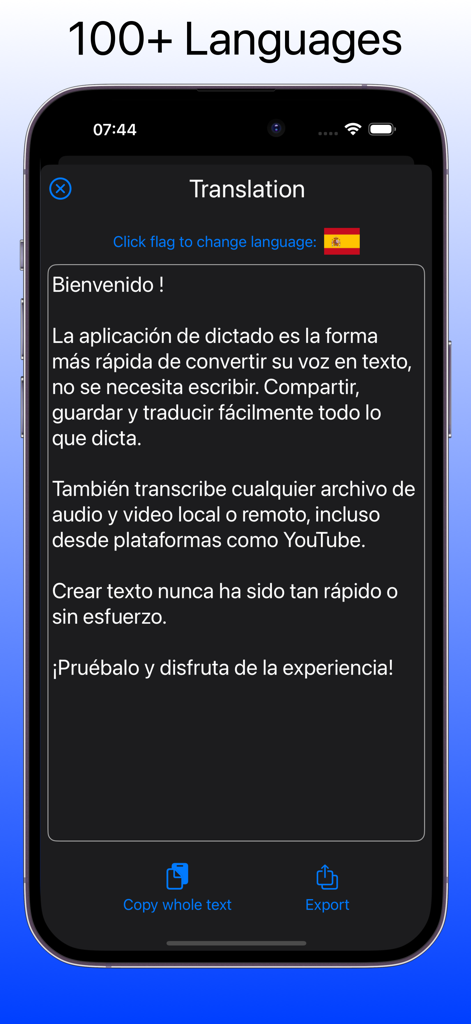
Translation interface of the dictation app showing text translated into Spanish

Translation interface of the dictation app showing text translated into Spanish

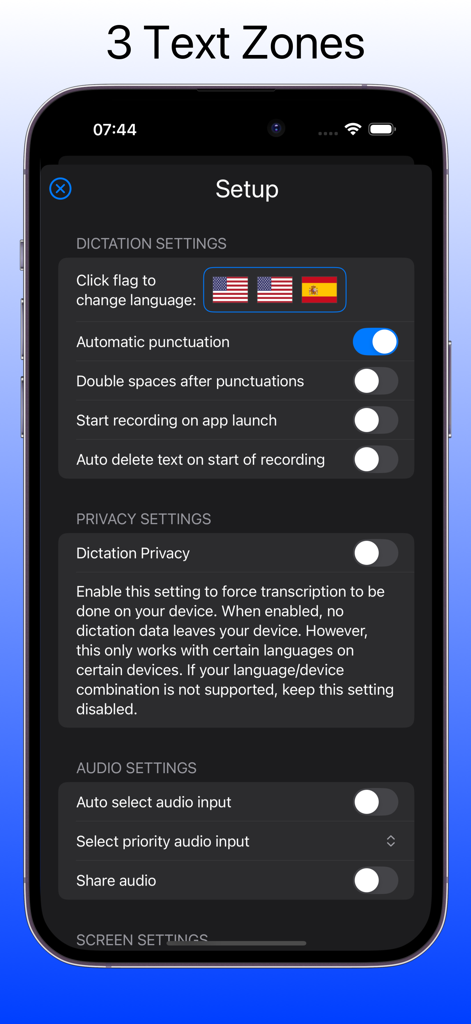
Setup menu of the dictation app showing language zones and privacy settings

Setup menu of the dictation app showing language zones and privacy settings

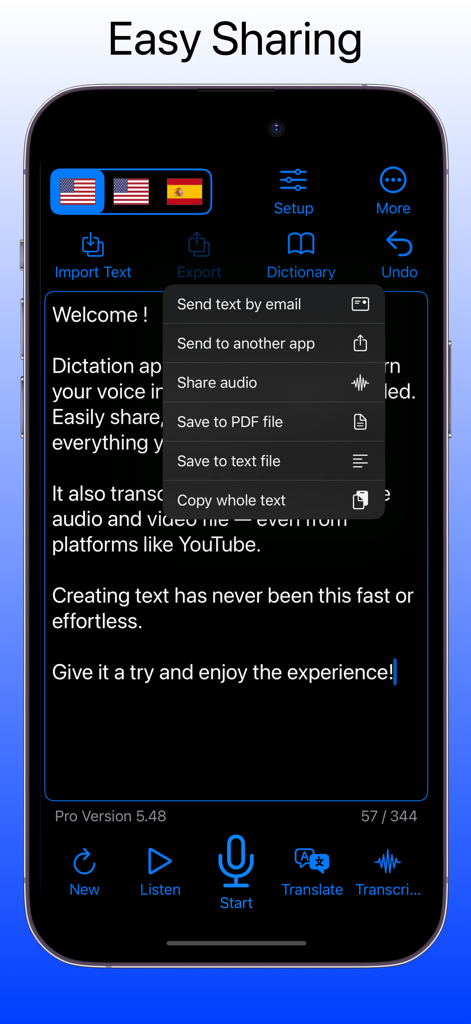
A mobile interface of the Dictation to Text app showing an export menu with options to share text via email, save as PDF, or copy text.

A mobile interface of the Dictation to Text app showing an export menu with options to share text via email, save as PDF, or copy text.

Transform Your Voice into Productivity

The tools that make this app stand out, trusted by 1M+ users.

🤖

Smart AI Transcription

Instantly convert voice notes, audio files, and even YouTube videos into accurate, editable text with support for over 100 languages.

Seamless iCloud Sync

Capture ideas on your Apple Watch while on the go and find them ready on your Mac or iPad for a frictionless professional workflow.

📤

One-Tap Export & Share

Format your transcripts as professional PDFs or share them directly to Slack, WhatsApp, and Mail to keep your team informed.

About the app

Everything you need to know about Voice Memo Dictation to Text.

Description

Speak. Transcribe. Translate — instantly. Turn your voice into text, transcribe audio and video (even YouTube!), and translate speech in real time — all with just your voice. Save time, type less, and stay productive across all your Apple devices. Key Features of 'Dictation - Voice to Text': Smart Voice Dictation • Dictate in real time instead of typing—perfect for writing, notes, journaling, and messaging • Configure three independent language zones for multilingual projects • Supports more than 40 dictation languages AI-Powered Transcription • Convert voice memos, audio recordings, videos, and YouTube links into accurate text • 'Dictation - Voice to Text' uses advanced AI speech recognition for fast, high-quality results • Supports over 100 transcription languages Built-In Translation • Instantly translate spoken or written text into over 40 languages • Easily share translations across your favorite apps with 'Dictation - Voice to Text' Powerful File Handling and Sync • Save and access audio and text files via the Apple Files app • Organize, store, or export your dictation as text files or PDFs • Seamlessly sync across iPhone, iPad, Mac, and Apple Watch with iCloud Quick Export and Sharing Options • Share transcripts and translations via Mail, WhatsApp, Facebook, X, and more • Use one-tap export to streamline your workflow Accessibility Support • Fully compatible with VoiceOver for visually impaired users • Customize font sizes and button layout for better readability and ease of use Additional Features of 'Dictation - Voice to Text': • Apple Shortcuts support • Undo manager for text edits • Custom user dictionary • Audio replay of recorded dictations • Apple Watch integration • Built-in backup tools • Adjustable text sizes • Optional dictation privacy mode (depending on device capabilities) Important Notes Concerning Subscriptions of 'Dictation - Voice to Text' All above AI Transcribe & Dictate subscriptions renew within 24 hours before the current period ends, and you will be charged through your iTunes account. Any unused portion of a free trial period, if offered, will be forfeited when you purchase a subscription. Manage or cancel your subscription from iTunes Account settings. See our Terms & Conditions (https://www.ibn-software.com/app-terms-conditions) and Privacy Policy (https://www.ibn-software.com/app-privacy-policy).

Latest Version

5.74

Size

23.7 MB

First Released

Sep 15, 2016

Ready to reclaim your time?

Join over 1 million professionals and students who turn meetings, ideas, and even YouTube videos into text instantly. Start your seamless dictation workflow across all your Apple devices today.

Download on App Store

App information, icons, screenshots, and descriptions displayed on this page are sourced from the Apple App Store and are the property of their respective developers. Download estimates and rankings are based on MWM's proprietary models and may not reflect actual figures. This page is provided for informational and analytical purposes only.

Believe this page infringes your intellectual property? File a dispute