VRPlayer : 2D 3D 360° Video
Download on App Store

This page is not an official page of the app or its developer, but an independent editorial publication created for informational and commentary purposes. Unless expressly stated otherwise, neither the app nor its developer is affiliated with, endorsed by, sponsored by, authorized by, or otherwise officially connected with MWM, Apple, Google Play, the app publisher, or the app's developer, and nothing on this page implies that the app was developed using MWM's services. Any trademarks, logos, screenshots, and other content remain the property of their respective owners.


Logo of VRPlayer : 2D 3D 360° Video
Download on App Store

VRPlayer : 2D 3D 360° Video

The ultimate power-user tool for immersive media. Stream your desktop library, sync with cloud storage, and take full command with game controller and keyboard support.

Key Figures

Downloads

326K+

User Rating

3.3/5

Total Ratings

800

Publisher

LEE DONG WON

Category

Entertainment

Locales

8

Latest Version

3.3.5

Size

112.7 MB

First Released

Dec 17, 2015
Features

The Ultimate Media Hub for Power Users

Unlock the full potential of your VR headset with advanced desktop streaming, multi-format support, and total hardware integration.

Seamless Desktop Streaming

Skip the file transfers. Use VRPlayer Helper to stream your entire PC library—including MKV and AVI—directly to your headset in real-time.

Immersive 3D & 360° Mastery

The only player you need for 2D, Side-by-Side (SBS) 3D, and 360° panoramic videos with precise motion tracking and zoom control.

The following screenshots and description are sourced directly from the app's official store listing and are the property of the app developer.

App Store

Screenshots
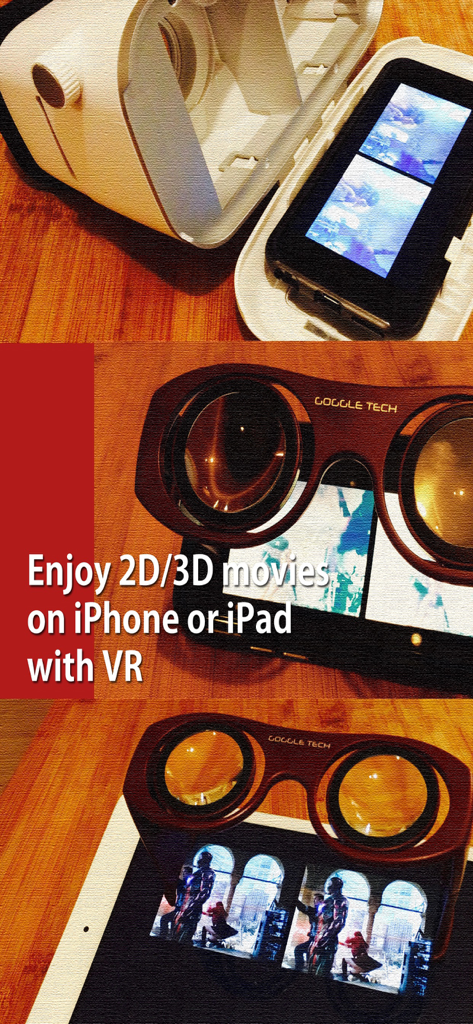
VRPlayer : 2D 3D 360° Video - iPhone and iPad using VR goggles to watch 3D movies with VRPlayer
iPhone and iPad using VR goggles to watch 3D movies with VRPlayer

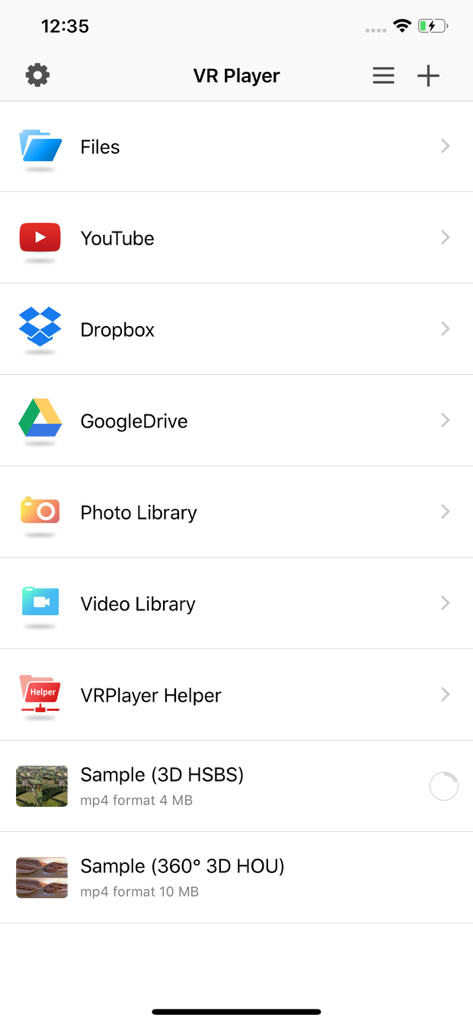
VRPlayer : 2D 3D 360° Video - Main menu of the VRPlayer app displaying options to access media from Files, YouTube, Dropbox, Google Drive, and video libraries.
Main menu of the VRPlayer app displaying options to access media from Files, YouTube, Dropbox, Google Drive, and video libraries.

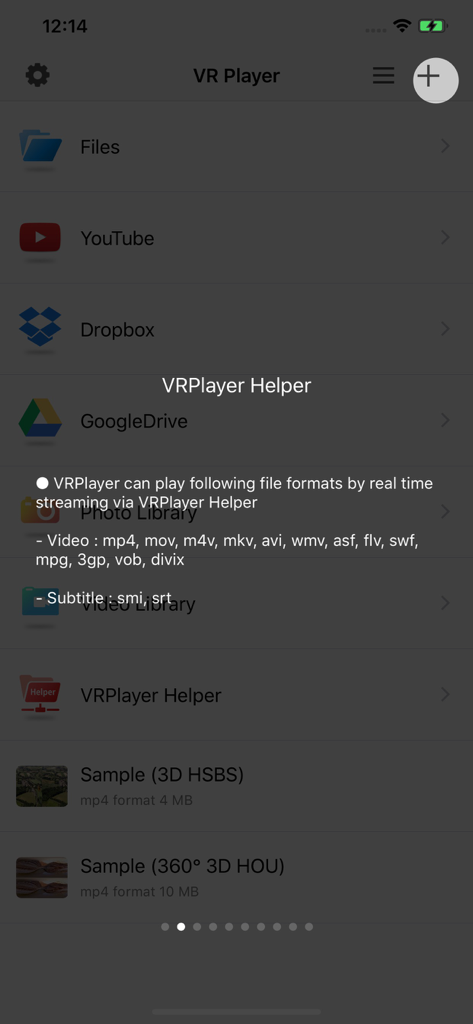
VRPlayer : 2D 3D 360° Video - VRPlayer app screen showing supported video formats for real-time streaming
VRPlayer app screen showing supported video formats for real-time streaming

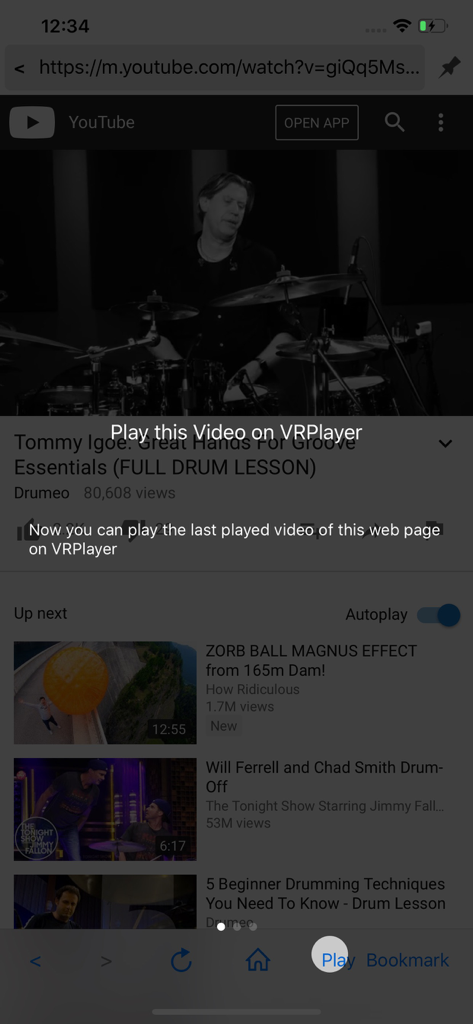
VRPlayer : 2D 3D 360° Video - Screenshot of VRPlayer showing a YouTube video and an overlay prompt to play the video within the app for VR viewing.
Screenshot of VRPlayer showing a YouTube video and an overlay prompt to play the video within the app for VR viewing.

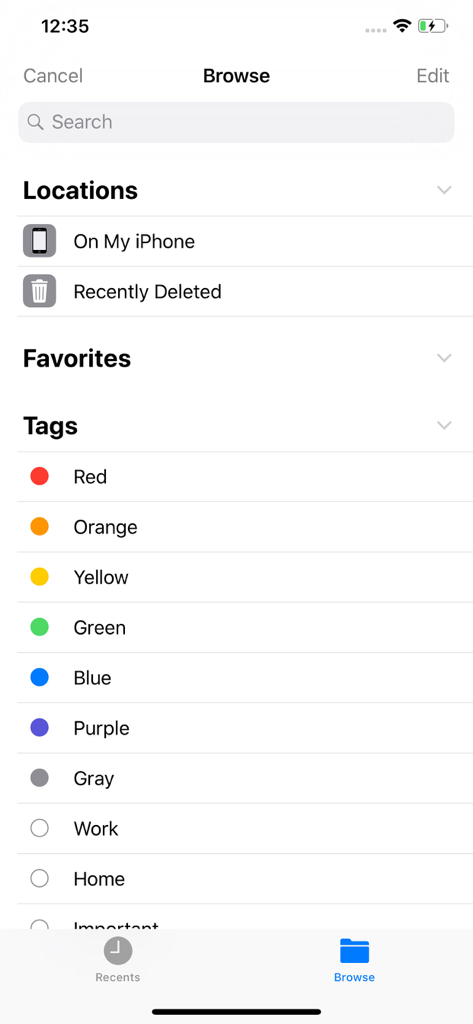
VRPlayer : 2D 3D 360° Video - The browse screen of the VRPlayer app showing file locations like On My iPhone and various color-coded organizational tags.
The browse screen of the VRPlayer app showing file locations like On My iPhone and various color-coded organizational tags.

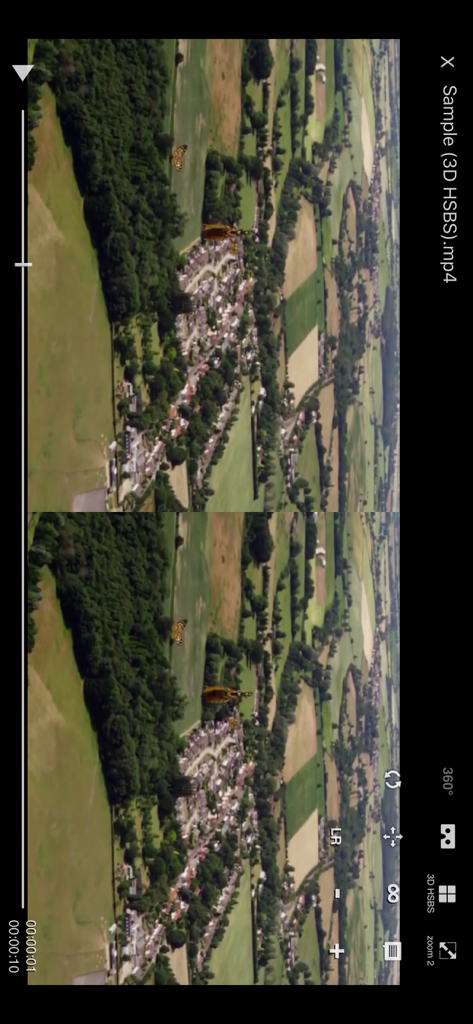
VRPlayer : 2D 3D 360° Video - Smartphone interface of VRPlayer showing a 3D side-by-side aerial video playback
Smartphone interface of VRPlayer showing a 3D side-by-side aerial video playback

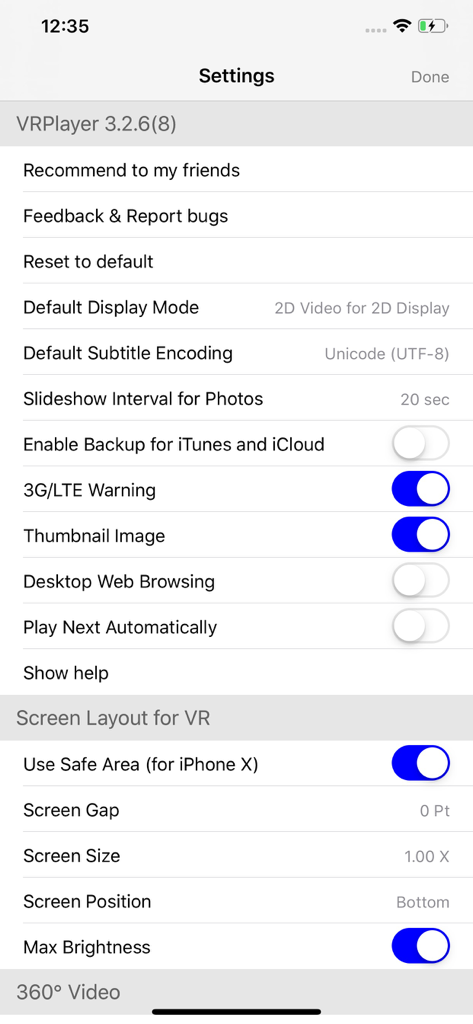
VRPlayer : 2D 3D 360° Video - The settings menu of the VRPlayer app showing VR screen layout and video display options.

The settings menu of the VRPlayer app showing VR screen layout and video display options.

Description

● VRPlayer can record screen/audio of your desktop and streaming it to VRPlayer via VRPlayer Helper. - to use this feature "VRPlayer Helper" should be installed and executed on your desktop. please select or add "VRPlayer Helper" item on vrplayer app and follow instruction first. - this feature is experimental for now. so there might be considerable amount of latency and unstability depends on network environment and system spec where helper is running ● VRPlayer can play not only general 2D movies but also 3D movies (half side by side or over and under) for VR (google cardboard) ● and support the following file formats. - video : mp4, mov, DRM free m4v - subtitle : smi, srt ● VRPlayer can play following file formats by real time streaming via VRPlayer Helper - Video : mp4, mov, m4v, mkv, avi, wmv, asf, flv, swf, mpg, 3gp, vob, divix - Subtitle : smi, srt ※ this app can not play DRM protected videos purchased from iTunes store. ● You can add or access following items - VRPlayer Helper (streaming server) - Folder - FTP Server - GoogleDrive, Dropbox - Video Library ※ VRPlayer Helper is embedded in your own VRPlayer app and the download URL provided by VRPlayer is your own iPhone's IP address itself not an external web server. so iPhone and the server PC should be in the same wifi network to download Helper. tap the "+"button at top right corner of VRPlayer and select VRPlayer Helper then you will see the URL from which you can download helper. ● You can control VRPlayer with keyboard - Bluetooth Keyboard - USB Keyboard (connected by camera kit) - Keyboard of PC on which VRPlayer Helper is installed ※ while navigating - up / down : move cursor by item - up / down + shift : move cursor by page - right / enter / space : select item - left / esc : back to previous ※ while playing - up / down : move cursor by button - enter : select button & do action - esc : stop & back to list - space : play & pause - right : move forward 5 seconds - left : move backward 5 seconds - right + shift : move forward 1 minute - left + shift : move backward 1 minute - up + shift : play previous video - down + shift : play next video - [ : slow down the playback rate - ] : speed up the playback rate - 1 : Toggle 360°/180° Video - 2 : Toggle VR Mode - 3 : Change 2D/3D Mode - 4 : Zoom In/Out - 5 : Back To Center / Motion Tracking - 6 : Motion Tracking Constraint - 7 : Loop - 8 : Audio/Subtitle ● You can control VRPlayer with Game Controller ※ supported controller - XBox controller - Playstation Dualshock controller - Other MFi certified game controller ※ while navigating - up / down : move cursor by item - up / down + RB : move cursor by page - right / A : select item - left / B : back to previous ※ while playing - up / down : move cursor by button - A : select button & do action - B : stop & back to list - X : play & pause - right : move forward 5 seconds - left : move backward 5 seconds - right + RB : move forward 1 minute - left + RB : move backward 1 minute - up + RB : play previous video - down + RB : play next video ● support panorama photo - enjoy your own panorama photos in VR ● Use multiple gestures to control playing - Tap the screen with two fingers to change 2D/3D screen mode. - Double tap the screen to zoom in/out. - Swipe right to skip forward 5 seconds. - Swipe left to skip back 5 seconds. - Swipe right with two fingers to speed up the playback rate. - Swipe left with two fingers to slow down the playback rate. - Long press with one finger to select audio or subtitle. - Drag & drop subtitle to change position. - Pinch in or out screen to change font size of subtitle.

Download

Download on App Store

This page is not an official page of the app or its developer, but an independent editorial publication created for informational and commentary purposes. Unless expressly stated otherwise, neither the app nor its developer is affiliated with, endorsed by, sponsored by, authorized by, or otherwise officially connected with MWM, Apple, Google Play, the app publisher, or the app's developer, and nothing on this page implies that the app was developed using MWM's services. Any trademarks, logos, screenshots, and other content remain the property of their respective owners.








