
This page is not an official page of the app or its developer, but an independent editorial publication created for informational and commentary purposes. Unless expressly stated otherwise, neither the app nor its developer is affiliated with, endorsed by, sponsored by, authorized by, or otherwise officially connected with MWM, Apple, Google Play, the app publisher, or the app's developer, and nothing on this page implies that the app was developed using MWM's services. Any trademarks, logos, screenshots, and other content remain the property of their respective owners.

Weather Diary Pro
Go beyond the daily forecast. Automatically capture local conditions, analyze seasonal trends, and keep a private record of your environment to answer questions like 'was last winter really colder?'—all stored securely on your device.
Downloads
100User Rating
Total Ratings
0Publisher
Category
WeatherLocales
1Latest Version
1.3Size
16.1 MBFirst Released
Jan 8, 2026Master Your Local Environment
Go beyond today's forecast. Weather Diary Pro automatically builds a historical record of your weather patterns, providing the data you need for gardening, home maintenance, and lifestyle planning.
Automated Daily Captures
Our background technology logs morning and afternoon conditions automatically, creating a seamless history without you ever having to open the app.
Data-Driven Comparisons
Was this month rainier than last year? Use pro trend charts and analytics to compare seasons and identify the records that define your climate.
Frequently Asked Questions
Everything you need to know about Weather Diary Pro
What is Weather Diary Pro?
Weather Diary Pro is an iOS app that builds a personal weather archive by collecting weather data twice daily. It allows users to add notes, view historical data, and analyze weather trends.
Does Weather Diary Pro track personal data?
No, Weather Diary Pro does not track personal data. It uses location only for weather requests, has no analytics or third-party tracking, and stores all user data locally on the device.
What are the main features of the Weather Diary Pro app?
Weather Diary Pro offers current conditions, hourly and 10-day forecasts, personal notes, weather history, summary analytics including averages and records, trend charts, and a home screen widget.
Can I add notes to specific days in Weather Diary Pro?
Yes, Weather Diary Pro allows users to add personal notes to any day. These notes are saved with that specific day in the app's history.
What data does Weather Diary Pro collect for its history?
Weather Diary Pro collects weather data twice daily, in the morning and afternoon, including temperature, humidity, UV, and wind. This builds a complete historical archive for analysis.
What is the difference between the free and Pro versions of Weather Diary?
The free version of Weather Diary provides current weather, complete history, notes, CSV export, and analytics for up to 60 days. The Pro version adds extended time ranges and trend charts.
What extended time ranges are available with Weather Diary Pro?
Weather Diary Pro offers extended time ranges for analysis, including 6 months, 1 year, all time, and custom date range selections. These are available via a monthly or yearly subscription.
What iOS version does Weather Diary Pro require?
Weather Diary Pro is built with SwiftUI and requires iOS 26+ to operate.
Where is my data stored in Weather Diary Pro?
All data within Weather Diary Pro is stored locally on the user's device. There are no accounts, no cloud sync, and no tracking involved.
Can Weather Diary Pro export weather data?
Yes, Weather Diary Pro allows users to export weather data and personal notes as a CSV file. This enables backup or use in other applications.
Does Weather Diary Pro support a home screen widget?
Yes, Weather Diary Pro includes a "Weather Mood" widget. Users can add this to their home screen to see the last 7 days at a glance, with emojis and temperatures.
What weather trends can Weather Diary Pro analyze?
Weather Diary Pro (Pro version) analyzes long-term weather trends. It displays charts for temperature, cloudiness, wind speed, and precipitation over extended periods.
How often does Weather Diary Pro collect weather information?
Weather Diary Pro collects weather data twice daily, once in the morning and once in the afternoon. It also collects data in the background to ensure a complete history.
The following screenshots and description are sourced directly from the app's official store listing and are the property of the app developer.
App Store
Screenshots
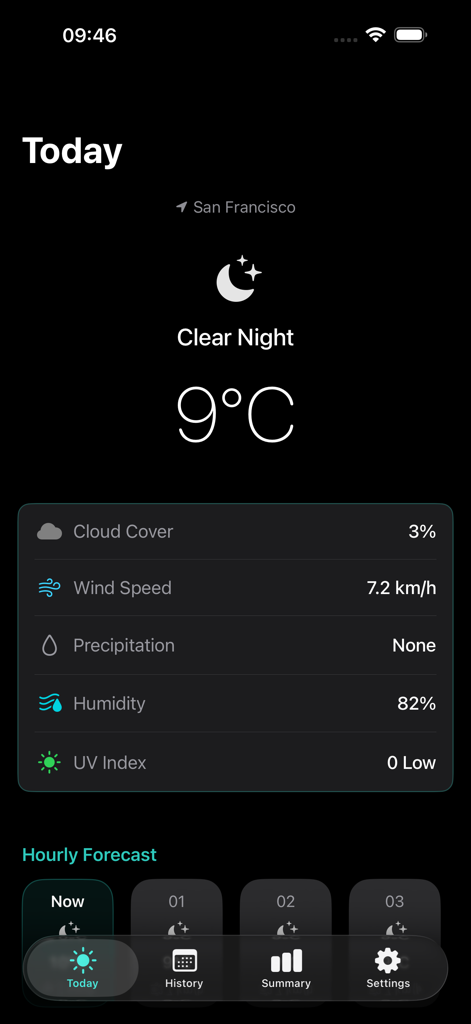
Current weather dashboard for San Francisco in Weather Diary Pro app showing 9 degrees and clear night conditions.
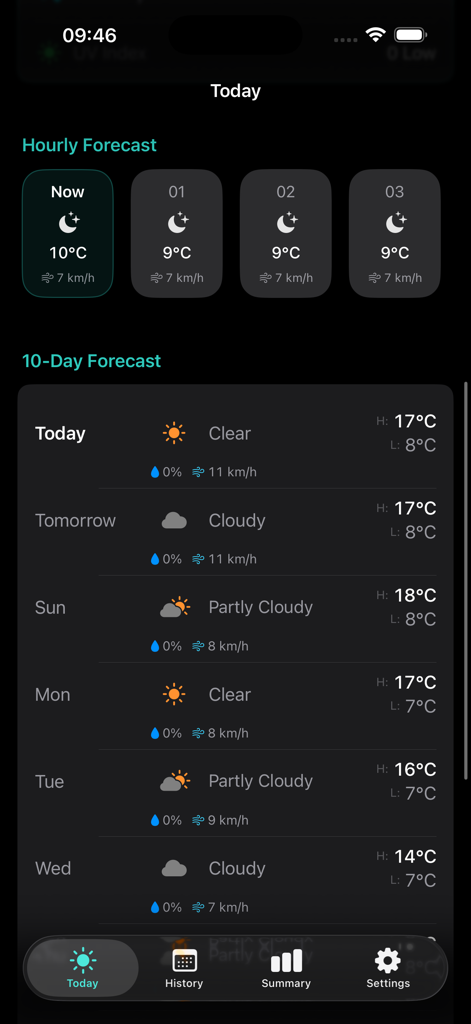
Today screen of Weather Diary Pro app showing hourly and 10-day weather forecasts
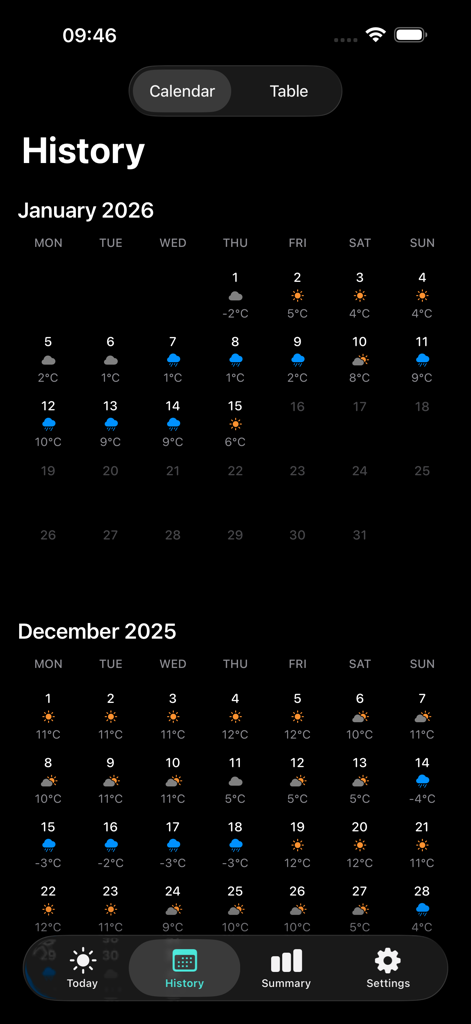
Calendar view of historical weather data in Weather Diary Pro showing daily temperatures and weather icons.
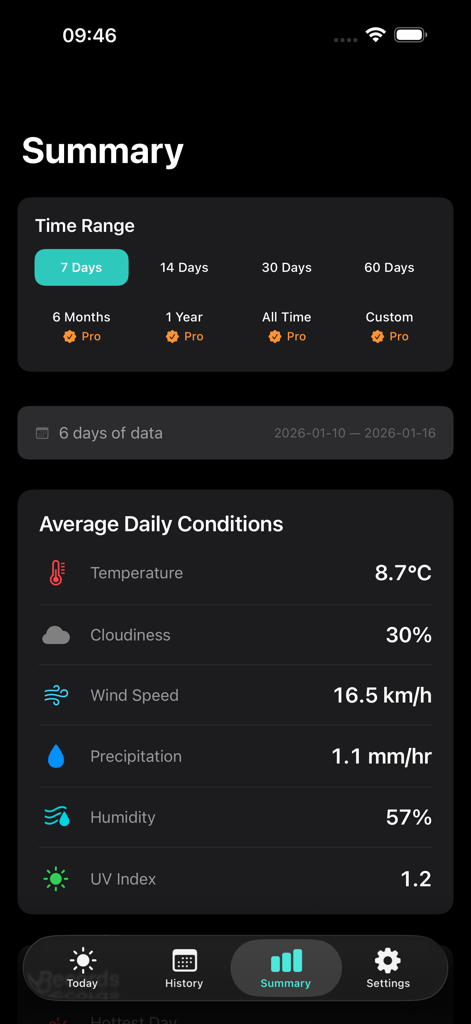
Weather Diary Pro app summary screen displaying average daily weather statistics and time range selection options
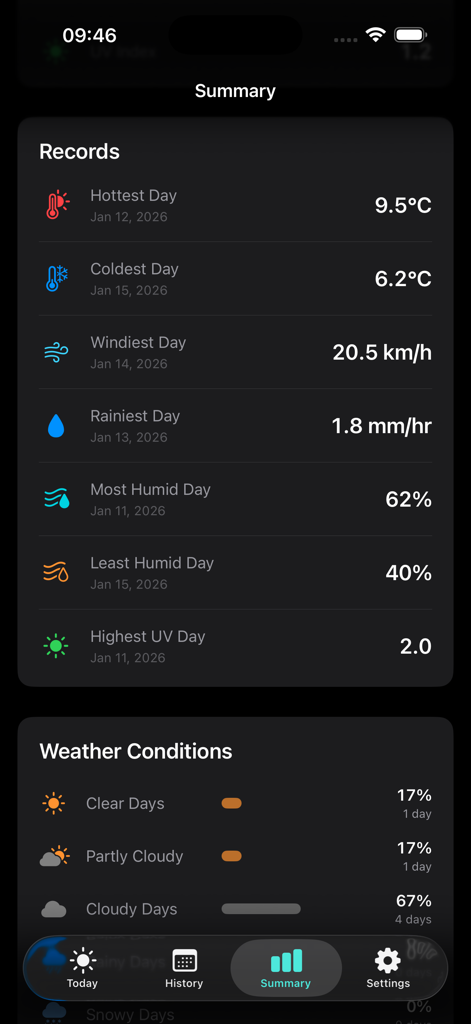
Historical weather summary in Weather Diary Pro showing records and condition trends
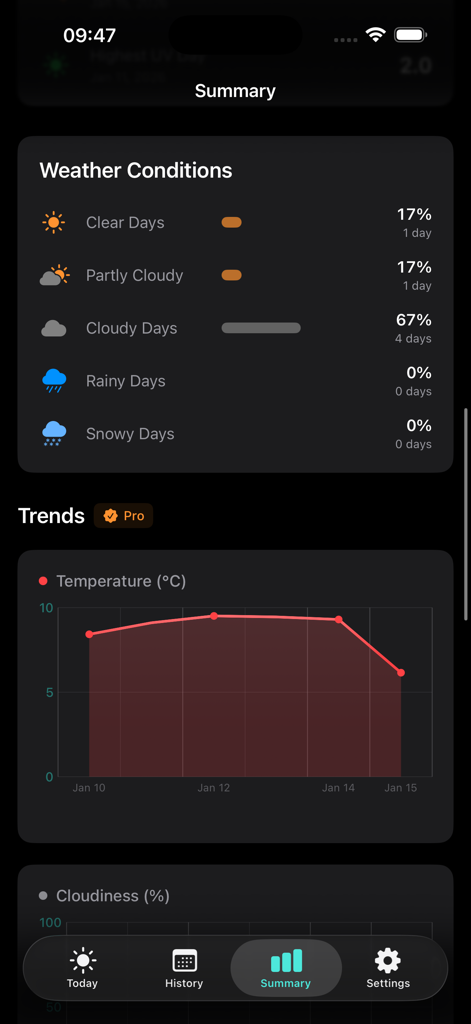
Weather Diary Pro app summary screen displaying weather condition percentages and a temperature trend line chart
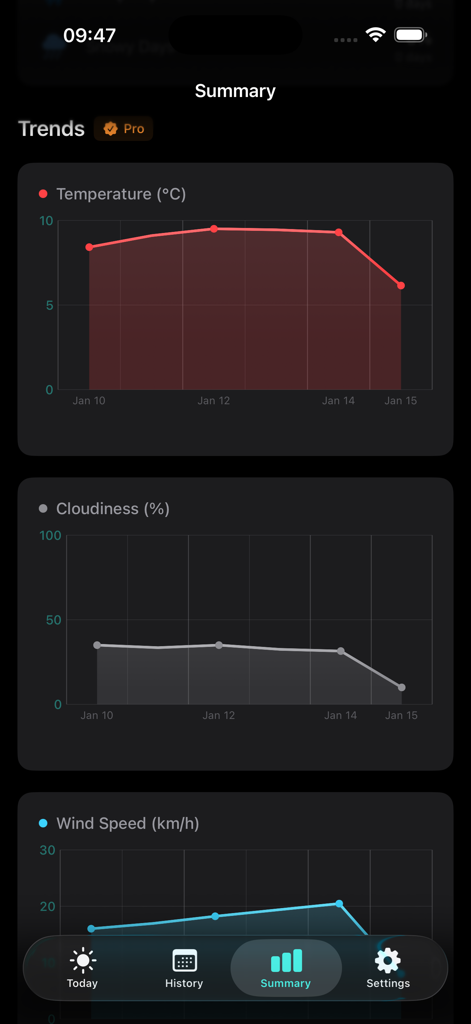
Weather Diary Pro summary screen displaying line charts for temperature cloudiness and wind speed trends
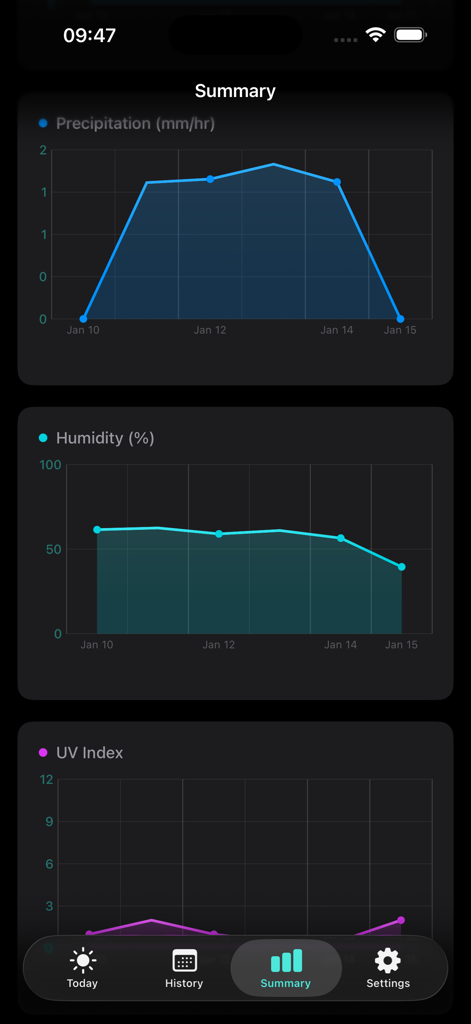
Weather Diary Pro app summary screen with trend charts for precipitation humidity and UV index
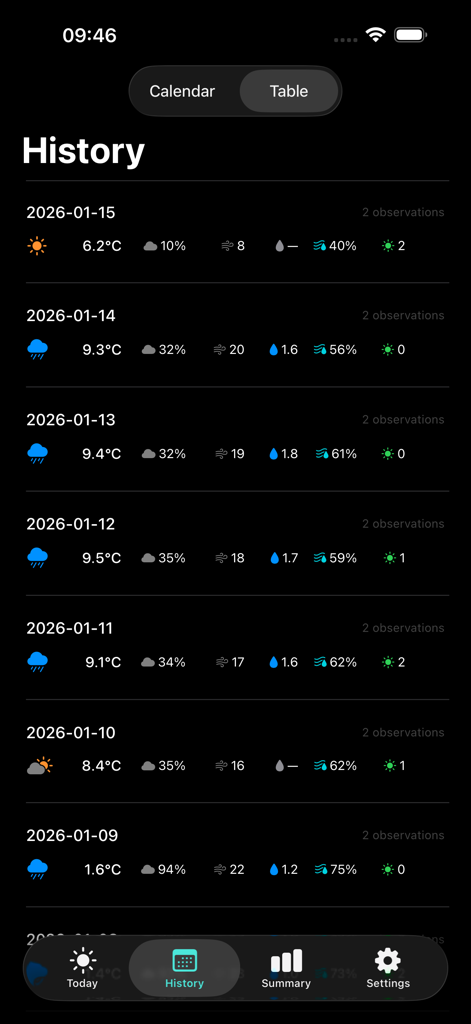
A table view of historical weather records in the Weather Diary Pro app showing daily temperatures and conditions for a week.
Description
Download
More Like This
Top-ranked apps in the same category

墨迹天气-MojiWeather
Beijing MojiFengyun Technology Co.,Ltd.

The Weather Channel - Radar
The Weather Channel

Windy.com
Windyty, SE

天气预报-精准15日天气预报
Chongqing Caochen Technology Co., Ltd.

My Aurora Forecast & Alerts
JRustonApps B.V.

AccuWeather: Weather Forecast
AccuWeather International, Inc.

Weather & Radar - Storm radar
WetterOnline - Meteorologische Dienstleistungen GmbH

天气通
Weibo Internet Technology (China) Co.Ltd.

The Thermometer -Digital-
Vida Apps Incorporated
This page is not an official page of the app or its developer, but an independent editorial publication created for informational and commentary purposes. Unless expressly stated otherwise, neither the app nor its developer is affiliated with, endorsed by, sponsored by, authorized by, or otherwise officially connected with MWM, Apple, Google Play, the app publisher, or the app's developer, and nothing on this page implies that the app was developed using MWM's services. Any trademarks, logos, screenshots, and other content remain the property of their respective owners.