Who's On - Field Hockey
Download on App Store

This page is not an official page of the app or its developer, but an independent editorial publication created for informational and commentary purposes. Unless expressly stated otherwise, neither the app nor its developer is affiliated with, endorsed by, sponsored by, authorized by, or otherwise officially connected with MWM, Apple, Google Play, the app publisher, or the app's developer, and nothing on this page implies that the app was developed using MWM's services. Any trademarks, logos, screenshots, and other content remain the property of their respective owners.


Logo of Who's On - Field Hockey
Download on App Store

Who's On - Field Hockey

The ultimate rotation manager for field hockey coaches. Balance play time with ease, track stats instantly, and keep your focus on the game—not the stopwatch.

Key Figures

Downloads

23K+

User Rating

1.0/5

Total Ratings

0

Publisher

Left Coast Labs Ltd.

Category

Sports

Locales

1

Latest Version

2.6.5

Size

36.6 MB

First Released

Mar 24, 2014
Features

Master the Sideline Stress

Built for youth coaches to simplify game-day rotations, track playtime, and focus on the athletes rather than the logistics.

Ensure Fair Play Time

Use Hot-Cold indicators to track minutes and guarantee every player gets their fair share on the field.

Stress-Free Substitutions

Simply drag and drop players from the bench to the field and rotate with a single tap—no more clipboards.

The following screenshots and description are sourced directly from the app's official store listing and are the property of the app developer.

App Store

Screenshots
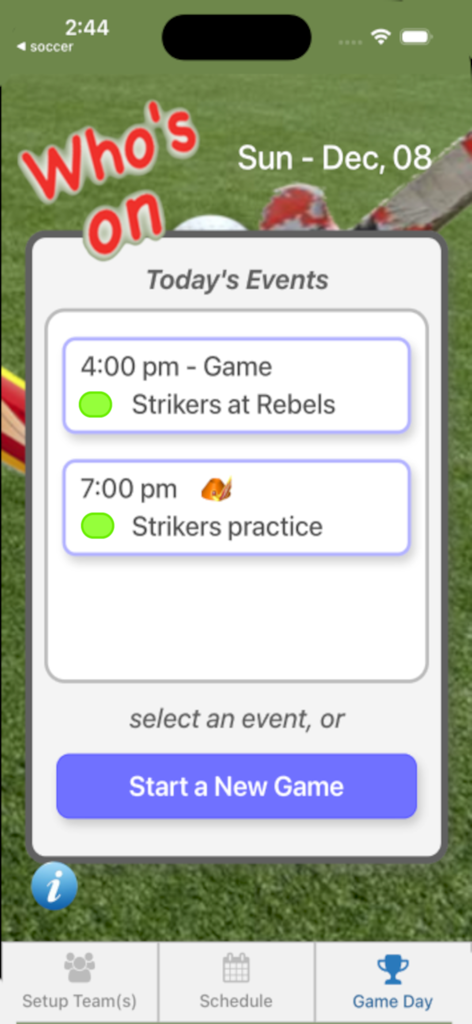
Who's On - Field Hockey - Mobile app interface showing scheduled field hockey games and practices for the current day
Mobile app interface showing scheduled field hockey games and practices for the current day

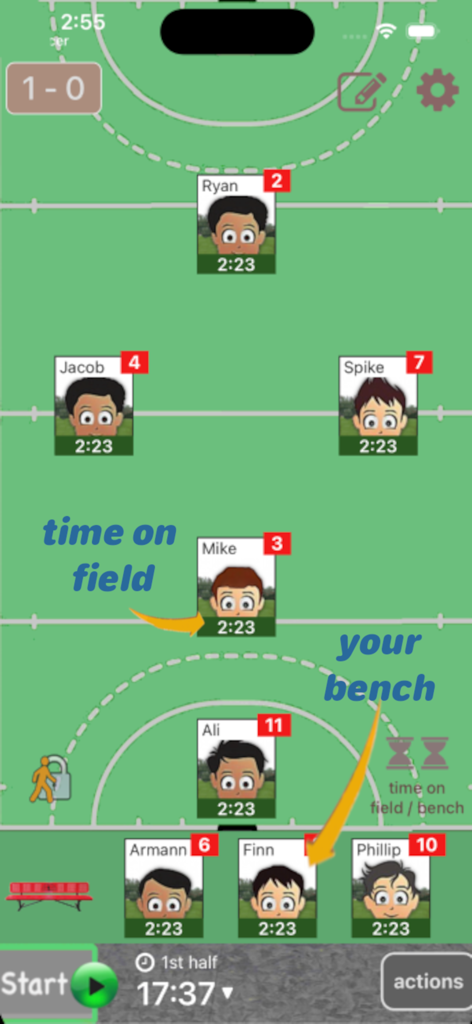
Who's On - Field Hockey - Mobile app interface for tracking field hockey player positions and bench substitutions
Mobile app interface for tracking field hockey player positions and bench substitutions

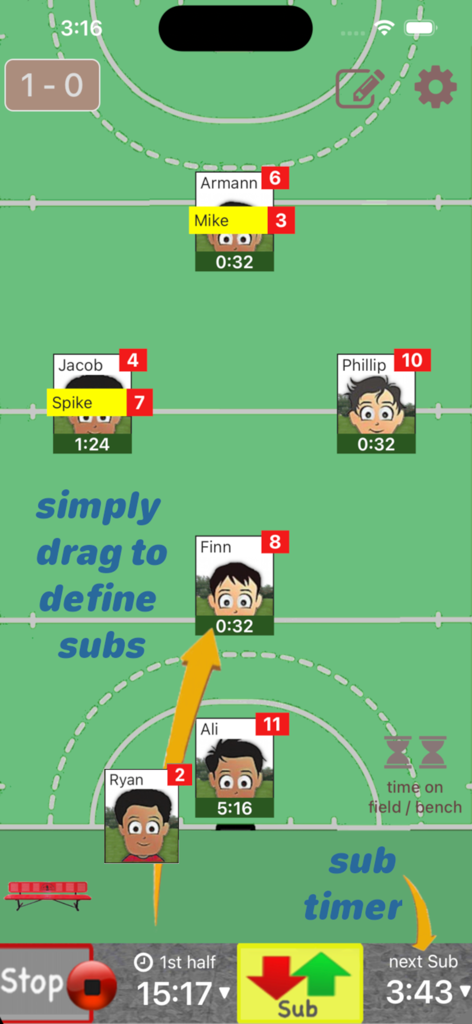
Who's On - Field Hockey - Field hockey coach app interface showing drag and drop player substitutions and game timers
Field hockey coach app interface showing drag and drop player substitutions and game timers

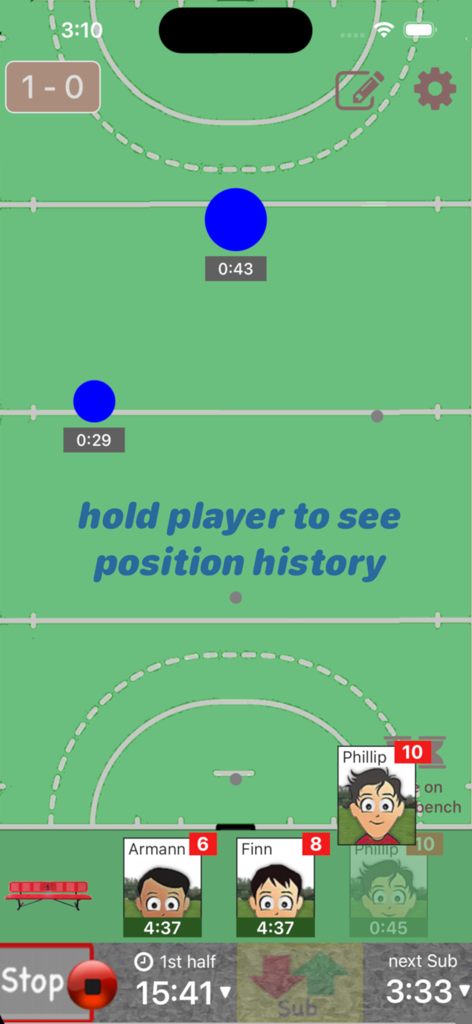
Who's On - Field Hockey - Interface of the Who's On Field Hockey app showing a game clock and player substitution management on a virtual pitch
Interface of the Who's On Field Hockey app showing a game clock and player substitution management on a virtual pitch

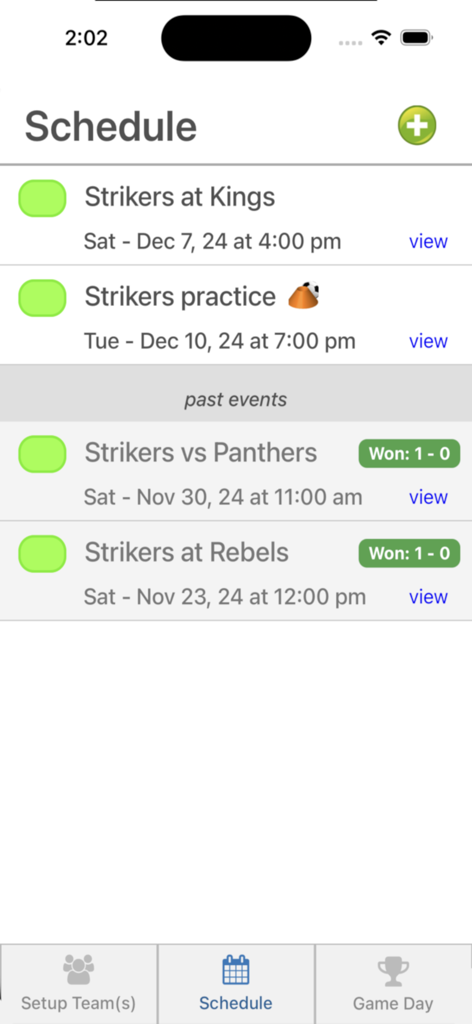
Who's On - Field Hockey - Schedule screen of the Who's On field hockey app showing upcoming games and past match results.
Schedule screen of the Who's On field hockey app showing upcoming games and past match results.

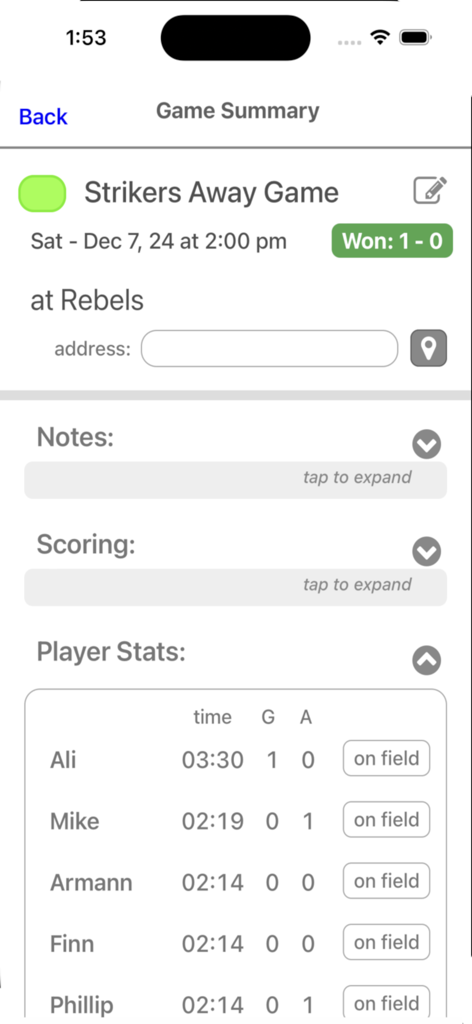
Who's On - Field Hockey - Field hockey game summary screen showing match results and individual player statistics like playtime and goals

Field hockey game summary screen showing match results and individual player statistics like playtime and goals

Description

Who's On-Field Hockey helps youth-field-hockey coaches manage who's on the field and who's going on next. It has been developed for the iPhone and iPad with experienced coaches who find managing rotations and balancing play time awkward and stressful. Watch our feature videos at "http://whos-on.leftcoastlabs.biz/videos/fieldhockey". What coaches have said about Who's On apps... "It's intuitive and easy of use." "It can handle all the unpredictability of coaching youth sports. For instance, I don't know who's going to be there [on game day] until I show up at the game. Players sometimes show up late or leave early. Young players decide at the last minute that they don't want to go on, messing up my planned rotation. This app allows me to handle all this... with ease." "I like how clearly each player's name, number and picture is presented on the screen. I have a lousy memory and remembering new player names at the start of a season is always a problem for me." "The 1-touch Position History is really well done... I wouldn't want to coach again without it!" "I love how easy it is to add player photos to the team." Feature Summary: Simple drag and drop - With Who's On-Field Hockey, you simply drag player icons from the "bench" to "field positions" as you make decisions for your starting lineup or substitutions. The app remembers "who" you've assigned "where" and tracks how long each player has been in each position during the game. 1-screen game information - All game-time information is displayed clearly on one screen (as shown in the screen shots). Bright yellow banners clearly indicate where you've pre-assigned substitutes for your next rotation. 1-button rotation - When it's time to make substitutions, you press one button to indicate that the subs have taken the field and the app records this event. The app then places the icons of the players coming off the field back on the bench ready for their next rotation assignments. Built-in substitution timer - A built-in timer can be used to balance rotation times. Press-and-hold play history (a unique and celebrated feature of Who's On-Field Hockey) – By simply dragging a player's icon to the bottom of the screen, the display will change to show a Position History (graphically indicating where the player has played and for how long). Hot-Cold Indicators - shows which players have significantly more or less play time than the average. Players with significantly more play time are highlighted red (Hot). Similarily, blue (Cold) for less play time. Simple score tracking – Tap the scoreboard and quickly add goals and record who scored and who assisted. All scoring information is automatically stored with the game for post-game review. Fast team setup - We've built Who's On-Field Hockey to allow you to enter a team's information quickly. Typically it only takes a few minutes to enter all your team's information. 1-touch player pictures - Capture player pictures with the app's integrated camera function. 1-touch, point and click. Multiple teams - If you coach or assist with two or more teams, this app supports multiple teams. Simply select the team you want to use from the team list and your ready to go. Flexible field formations - Who's On-Field Hockey supports any field formation. Changing field positions is just another drag and drop activity. You simply "unlock" the field, move, add or remove positions and then "lock" the field. The app will remember the last formation you used for each team you coach. Game / Practice schedules - Who's On-Field Hockey let's you store your team's schedule in your phone if you desire. Game data and notes - Use game notes to track pre-game thoughts and reminders as well as post-game comments. All game data is stored in the team's schedule and game stats can be reviewed at any time or sent to the team's record keeper via email. Supported platforms: - built for iPhone or iPod Touch - runs on iPad as iPhone app

Download

Download on App Store

This page is not an official page of the app or its developer, but an independent editorial publication created for informational and commentary purposes. Unless expressly stated otherwise, neither the app nor its developer is affiliated with, endorsed by, sponsored by, authorized by, or otherwise officially connected with MWM, Apple, Google Play, the app publisher, or the app's developer, and nothing on this page implies that the app was developed using MWM's services. Any trademarks, logos, screenshots, and other content remain the property of their respective owners.








