
This page is not an official page of the app or its developer, but an independent editorial publication created for informational and commentary purposes. Unless expressly stated otherwise, neither the app nor its developer is affiliated with, endorsed by, sponsored by, authorized by, or otherwise officially connected with MWM, Apple, Google Play, the app publisher, or the app's developer, and nothing on this page implies that the app was developed using MWM's services. Any trademarks, logos, screenshots, and other content remain the property of their respective owners.


Wikipedia
Truth distilled. This app turns raw information into instant, verifiable understanding.
Downloads
7.5M+User Rating
Total Ratings
177.6KPublisher
Category
ReferenceLocales
92Latest Version
7.9.3Size
148.1 MBFirst Released
Aug 17, 2009An analytical overview of the Wikipedia app's functionalities for knowledge-seeking individuals.
Key Features of Wikipedia Mobile Application
Unrestricted Knowledge Access
The app provides a completely free, open, and ad-free knowledge experience, supported by a non-profit foundation.
Global & Multilingual Search
It allows users to search across nearly 300 languages, offering access to the world's largest free knowledge project.
Offline Learning
This tool enables users to save articles to custom reading lists for convenient offline access.
Personalized Reading Modes
The app features customizable reading options, including various themes, adjustable text size, and image dimming for comfort.
Efficient Tabbed Navigation
It allows users to open multiple articles in tabs, facilitating easier comparison and in-depth research.
Dynamic Content Discovery
The app provides a personalized feed to explore trending and breaking news, keeping users informed.
Frequently Asked Questions
Everything you need to know about Wikipedia
Is the Wikipedia app for iOS free to use?
Yes, the official Wikipedia app for iOS is free of charge and completely ad-free. It is supported by the nonprofit Wikimedia Foundation.
Does the Wikipedia app contain advertisements?
No, the official Wikipedia app for iOS is completely ad-free. It provides access to knowledge without advertisements or user tracking.
How many articles are available in the Wikipedia app?
The Wikipedia app provides access to over 60 million articles. These articles are available in nearly 300 different languages, making it a vast knowledge resource.
Can I read Wikipedia articles offline using the app?
Yes, the Wikipedia app allows users to save articles to custom reading lists. These saved articles are accessible offline, ideal for travel or learning without internet access.
Does the Wikipedia app offer different reading themes?
Yes, the Wikipedia app offers various reading themes, including light, sepia, dark, and pure black. Users can also adjust text size and image dimming for comfortable reading.
How do I discover articles about nearby places in the Wikipedia app?
The Wikipedia app features map-based article discovery to explore nearby landmarks and locations. Users can learn about places around them or places they plan to visit.
Can I use widgets with the Wikipedia app on my iOS device?
Yes, the Wikipedia app supports widgets for the iOS Home Screen. These widgets provide quick access to trending articles, featured content, or the 'Picture of the Day.'
Does the Wikipedia app track user activity?
No, the Wikipedia app explicitly states 'no tracking.' It focuses on providing knowledge without monitoring user behavior or collecting personal data for advertising.
How can I provide feedback for the Wikipedia iOS app?
Users can provide feedback directly within the Wikipedia app. Navigate to the Settings menu and select the 'Send app feedback' option to submit comments or suggestions.
Does the Wikipedia app allow me to open multiple articles at once?
Yes, the Wikipedia app features tabs, allowing users to open and easily switch between multiple articles. This helps in comparing topics and staying organized.
The following screenshots and description are sourced directly from the app's official store listing and are the property of the app developer.
App Store
Screenshots

Users can personalize their Home Screen with widgets, such as the 'On this day' feature and a display of 'Trending articles', for instant knowledge access.
Quick Access Widgets
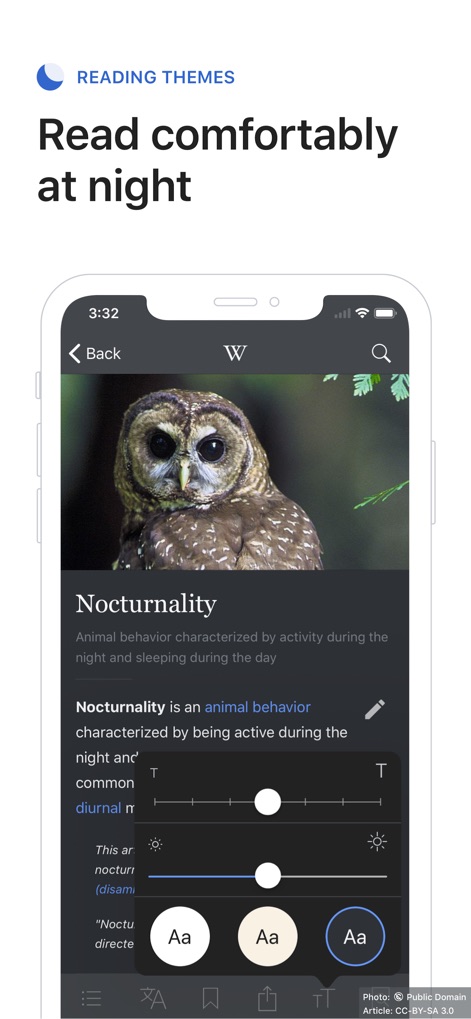
This tool allows users to customize their reading environment by selecting a dark reading theme and precisely adjusting the text size for optimal visual comfort.
Custom Reading Experience
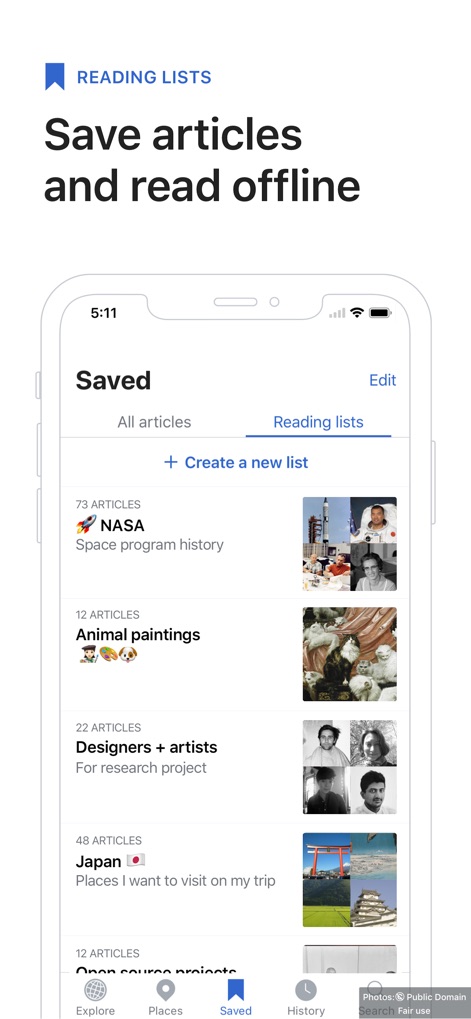
The app enables users to organize their research into custom reading lists, visually presented with article thumbnails and clear article counts, for convenient offline access.
Organized Offline Reading
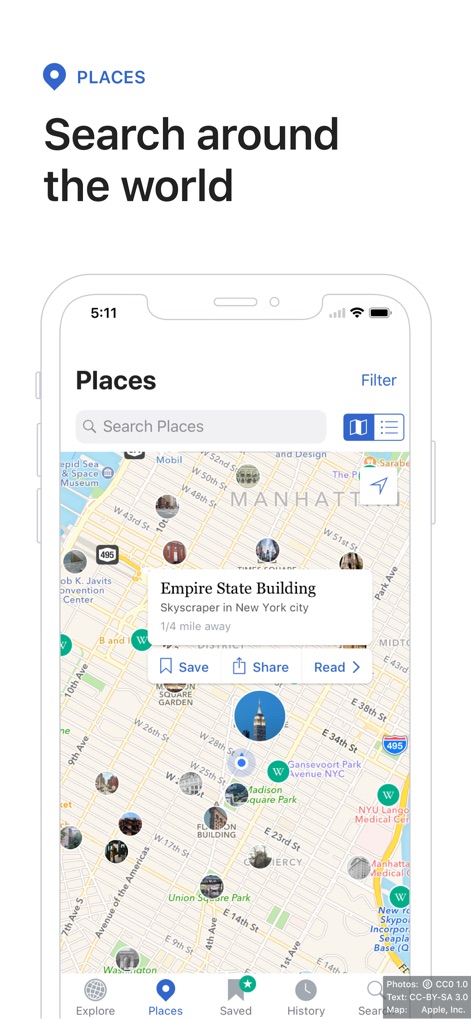
Users can explore global landmarks and points of interest through an interactive map interface, which reveals location-based article previews for deeper discovery.
Map-Based Discovery
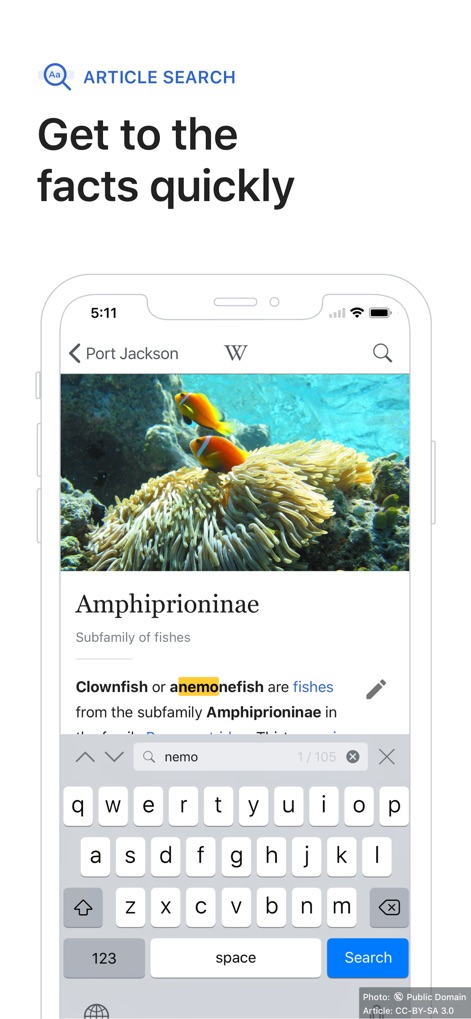
This tool provides an efficient in-article search function, allowing users to quickly locate specific information with the assistance of a visible keyboard and highlighted search terms.
Efficient Article Search
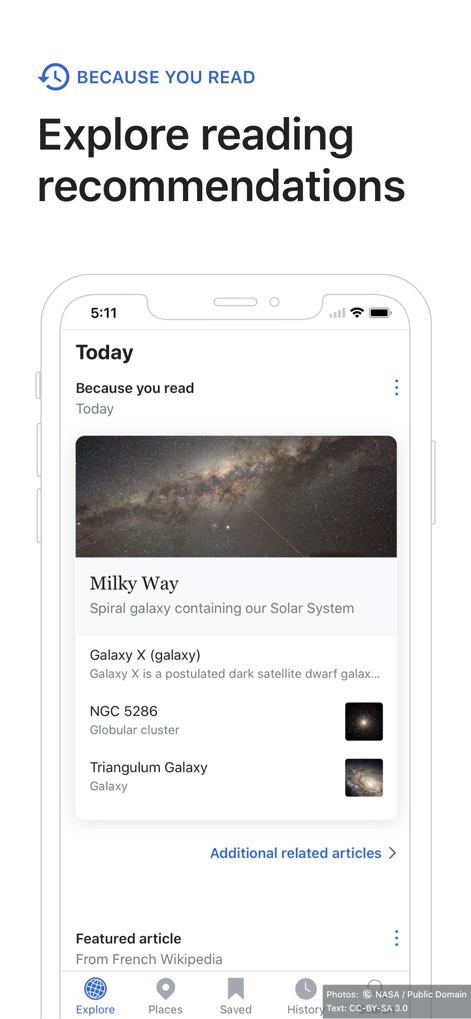
The app offers personalized reading recommendations, showcasing related articles and featured content with engaging images based on individual user activity.
Curated Content Suggestions
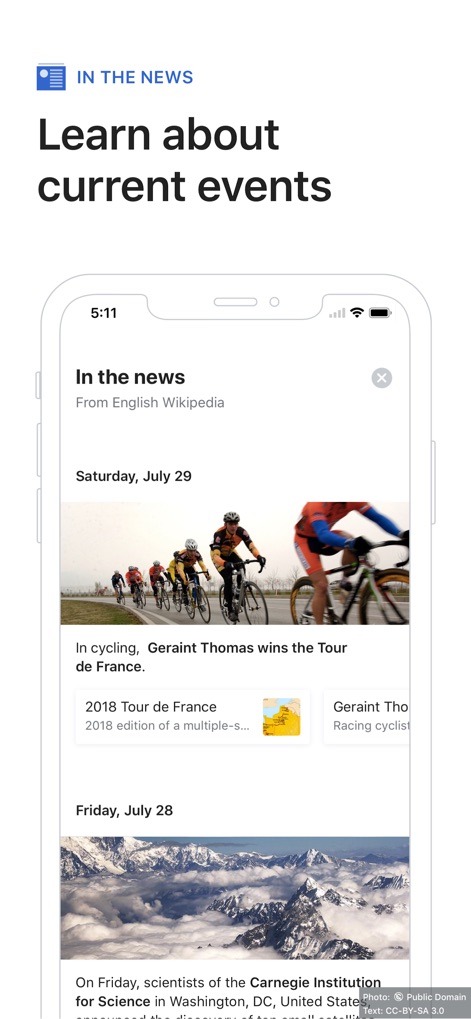
Users can stay informed about current affairs through the dedicated 'In the news' feed, which presents trending stories and relevant articles with accompanying images.
Current Events Digest
Description
Download
More Like This
Apps with similar features and user experience

默沙东诊疗手册(大众版)
Merck Sharp & Dohme LLC

Kiwix
Wikimedia CH

Wikipanion Plus for iPad
Robert Chin

Wikipanion for iPad
Robert Chin

wikiHow
wikiHow

Sex Facts-Foreplay Fun
Benjamin Satterwhite

IBGE
Servicos e Informacoes do Brasil

WeatherCyclopedia™ Premium
Telemet, Inc.

StudyLearn Ai
Muhammad Bilal Ghulam Murtaza
This page is not an official page of the app or its developer, but an independent editorial publication created for informational and commentary purposes. Unless expressly stated otherwise, neither the app nor its developer is affiliated with, endorsed by, sponsored by, authorized by, or otherwise officially connected with MWM, Apple, Google Play, the app publisher, or the app's developer, and nothing on this page implies that the app was developed using MWM's services. Any trademarks, logos, screenshots, and other content remain the property of their respective owners.