
This page is not an official page of the app or its developer, but an independent editorial publication created for informational and commentary purposes. Unless expressly stated otherwise, neither the app nor its developer is affiliated with, endorsed by, sponsored by, authorized by, or otherwise officially connected with MWM, Apple, Google Play, the app publisher, or the app's developer, and nothing on this page implies that the app was developed using MWM's services. Any trademarks, logos, screenshots, and other content remain the property of their respective owners.


Word Master - Classic
Mastery over language: This app gives users absolute control, turning wordplay into a strategic battleground.
Downloads
1M+User Rating
Total Ratings
67.5KPublisher
Category
GamesLocales
1Latest Version
4.1Size
107.6 MBFirst Released
Apr 26, 2015An evaluation of core functionalities catering to word game enthusiasts and casual players.
Key Feature Analysis: Word Master - Classic
Offline Playability
The app allows users to enjoy the classic word game experience anywhere without requiring an internet connection.
Post-Turn Analysis & Tips
The app helps users enhance their strategic thinking by revealing optimal word plays after each turn and offering real-time word creation tips.
Intelligent AI Opponent
It provides a challenging and customizable AI opponent for solo play, allowing users to practice and improve at their own pace.
Customizable Board Design
It empowers users to tailor their gameplay experience by designing custom board layouts and bonus square placements.
Integrated Word Definitions
It allows players to enrich their vocabulary by instantly accessing definitions for any word played on the board.
Real-time Word Validation
The app instantly verifies word validity and displays scores, streamlining gameplay and providing immediate feedback.
Challenge Mode
It offers a competitive mode that rewards optimal word choices, encouraging players to maximize their scores and strategy.
Pass-and-Play Multiplayer
This tool facilitates social interaction, enabling users to play local multiplayer games with friends on a single device.
Game Progress & Statistics
The app allows users to save and resume games at their convenience, and track detailed statistics for self-assessment.
Extensive Language Support
It caters to a diverse global audience by supporting numerous languages, broadening its accessibility.
Frequently Asked Questions
Everything you need to know about Word Master - Classic
Does Word Master - Classic require an internet connection to play?
No, Word Master - Classic does not require an internet connection for core gameplay. It is designed for quick offline training and play against AI or friends on the same device.
What languages does Word Master - Classic support?
Word Master - Classic supports 14 languages, including English, French, Portuguese, German, Spanish, Italian, Dutch, Norwegian, Swedish, Romanian, Greek, Polish, and Catalan.
Can I play Word Master - Classic against a computer opponent?
Yes, Word Master - Classic allows players to play against a computer opponent. Users can choose the level of difficulty and game duration for single-player matches.
How can I play Word Master - Classic with friends offline?
Word Master - Classic features a "PASS N' PLAY" mode, enabling friends to play offline against each other using the same device. This is ideal for shared device gameplay.
Does Word Master - Classic provide word definitions?
Yes, Word Master - Classic provides word definitions. Users can swipe across any word on the board to view its definition, which requires an internet connection.
Can players customize the game board in Word Master - Classic?
Yes, Word Master - Classic allows players to design their own game board. Users can customize the placement of bonus squares, such as Double Letter and Triple Word tiles.
How does Word Master - Classic help improve vocabulary and skills?
Word Master - Classic improves skills by showing possible words after each turn in "IMPROVE YOUR PERFORMANCE WITH THE MASTER" mode. It also provides word definitions and validates words as they are played.
Does Word Master - Classic offer tips for valid words from my letter rack?
Yes, Word Master - Classic offers tips for valid words that can be created from your letter rack. This feature can be enabled or disabled at any time within the game settings.
Can I save my game progress in Word Master - Classic?
Yes, Word Master - Classic allows players to save their current game progress and resume it later. This ensures users can continue their word-building sessions at their convenience.
Does Word Master - Classic track player statistics?
Yes, Word Master - Classic tracks player records and statistics. This includes metrics such as the best final score, the best word ever played, and the total number of bingos.
The following screenshots and description are sourced directly from the app's official store listing and are the property of the app developer.
App Store
Screenshots
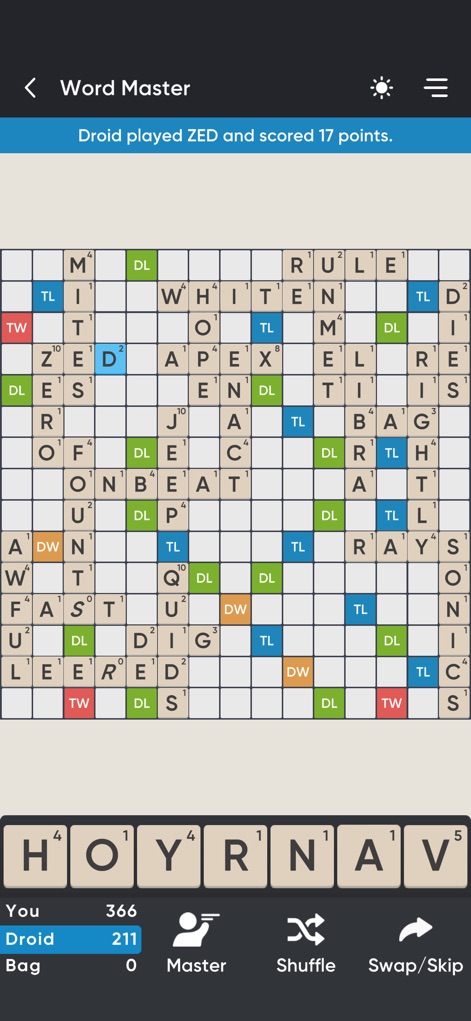
This app showcases an engaging game board with placed words and the dynamic score tracker for both players.
Strategic Board Play
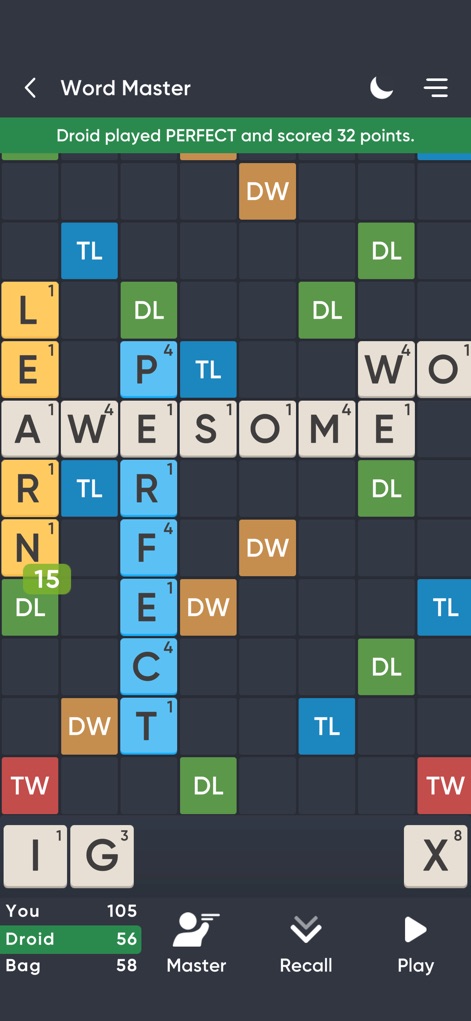
Observe the varied board layouts in play and the integrated dark theme for comfortable extended gameplay.
Dynamic Gameplay View
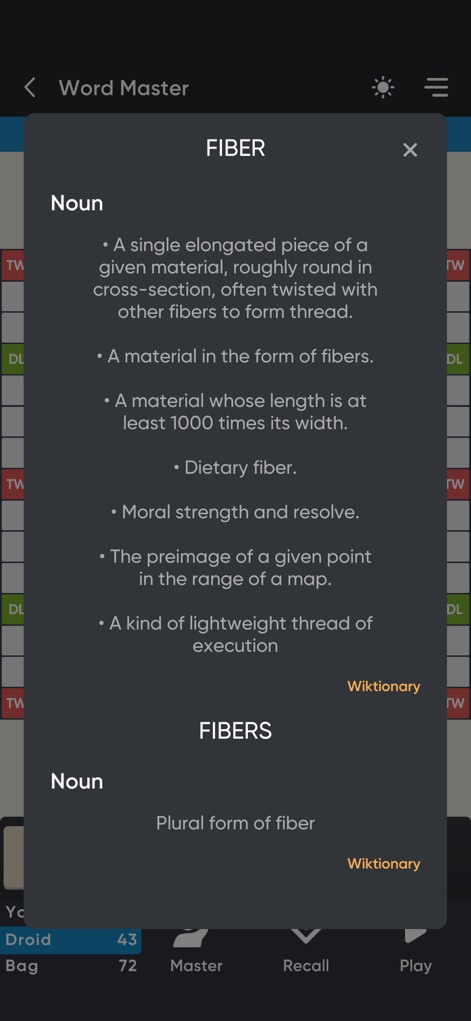
Users can access instant word definitions via a detailed pop-up, directly sourcing from Wiktionary to enhance vocabulary.
Vocabulary Enrichment
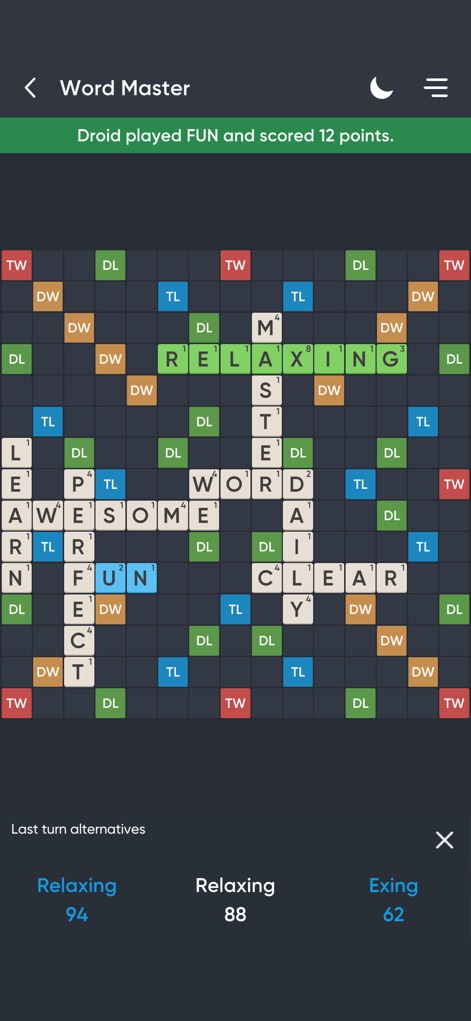
This view highlights the game board in progress, complemented by "Last turn alternatives" offering strategic insights for improvement.
Master Your Moves

The app empowers users to design custom game boards, clearly displaying counts for Double Letter and Triple Word bonus squares.
Custom Board Design

Experience an ongoing word match on the classic 15x15 grid, complete with the current player's tile rack for strategic planning.
Real-time Match
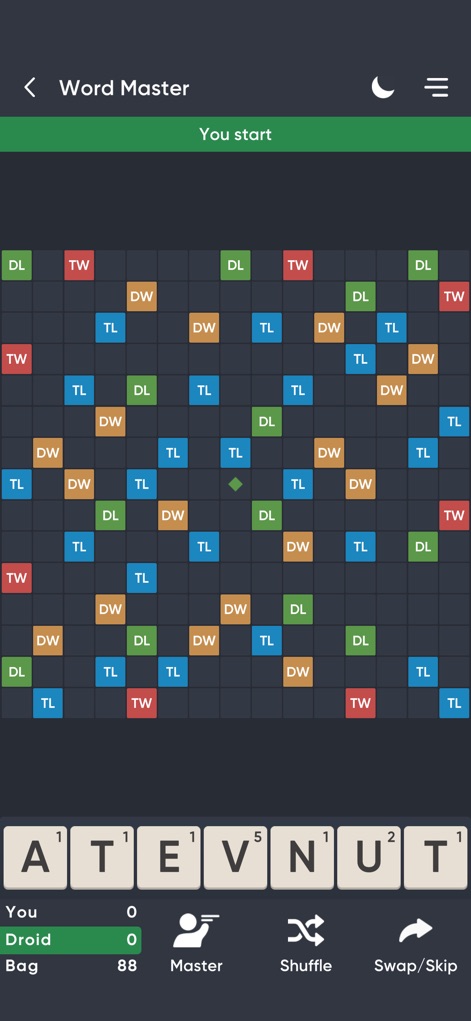
This screenshot displays a pristine game board with its initial bonus tile distribution and the user's starting letter rack.
Game Start Prep
Description
Download
More Like This
Top-ranked apps in the same category

Block Blast!
ARETIS LIMITED

Heartopia
XD Entertainment Co., Ltd.

Solitaire Associations Journey
Hitapps Games LTD

Roblox
Roblox Corporation

Gossip Harbor®: Merge & Story
Microfun Limited

Arrows – Puzzle Escape
Lessmore UG haftungsbeschraenkt

Township
PLR Worldwide Sales Limited

Last War:Survival
FUNFLY PTE. LTD.

Vita Mahjong
VITA STUDIO PTE. LTD.
This page is not an official page of the app or its developer, but an independent editorial publication created for informational and commentary purposes. Unless expressly stated otherwise, neither the app nor its developer is affiliated with, endorsed by, sponsored by, authorized by, or otherwise officially connected with MWM, Apple, Google Play, the app publisher, or the app's developer, and nothing on this page implies that the app was developed using MWM's services. Any trademarks, logos, screenshots, and other content remain the property of their respective owners.