
This page is not an official page of the app or its developer, but an independent editorial publication created for informational and commentary purposes. Unless expressly stated otherwise, neither the app nor its developer is affiliated with, endorsed by, sponsored by, authorized by, or otherwise officially connected with MWM, Apple, Google Play, the app publisher, or the app's developer, and nothing on this page implies that the app was developed using MWM's services. Any trademarks, logos, screenshots, and other content remain the property of their respective owners.

Wrap For Tesla
Personalize your in-car visualization with custom photos and AI-powered tools. Experience total privacy with a 100% offline workflow and no subscriptions—ever.
Downloads
100User Rating
Total Ratings
0Publisher
Category
Graphics & DesignLocales
22Latest Version
1.4.2Size
11.0 MBFirst Released
Jan 7, 2026Your Tesla, Your Style
Transform your vehicle's in-car visualization with custom digital wraps. Design, preview, and export stunning graphics without ever leaving your iPhone or using a computer.
Zero-Cloud Privacy
Experience total digital sovereignty. No accounts, no subscriptions, and zero data tracking. All AI processing happens locally on your device for maximum security.
Seamless Mobile-to-Car Workflow
Skip the complex design software. Create optimized, vehicle-ready files in seconds and plug them directly into your Tesla's USB port for an instant display update.
The following screenshots and description are sourced directly from the app's official store listing and are the property of the app developer.
App Store
Screenshots
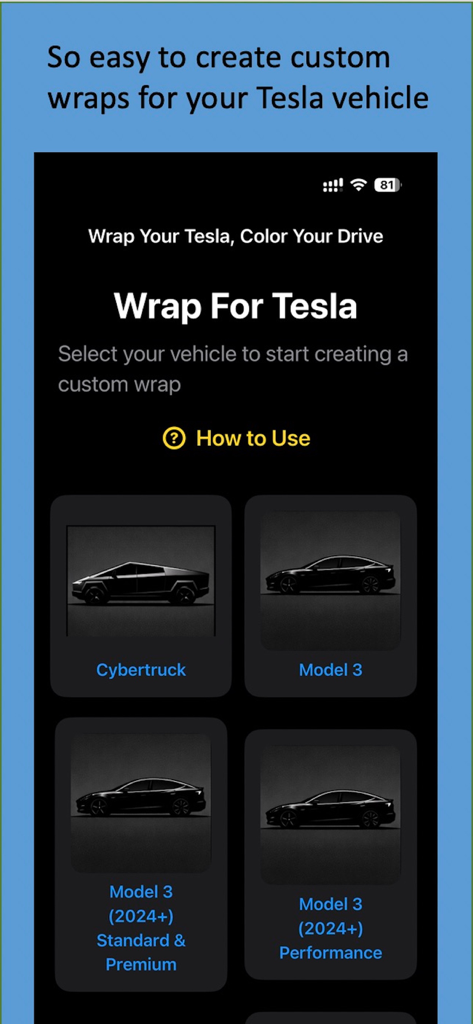
Selection screen in the Wrap For Tesla app showing vehicle models like Cybertruck and Model 3.
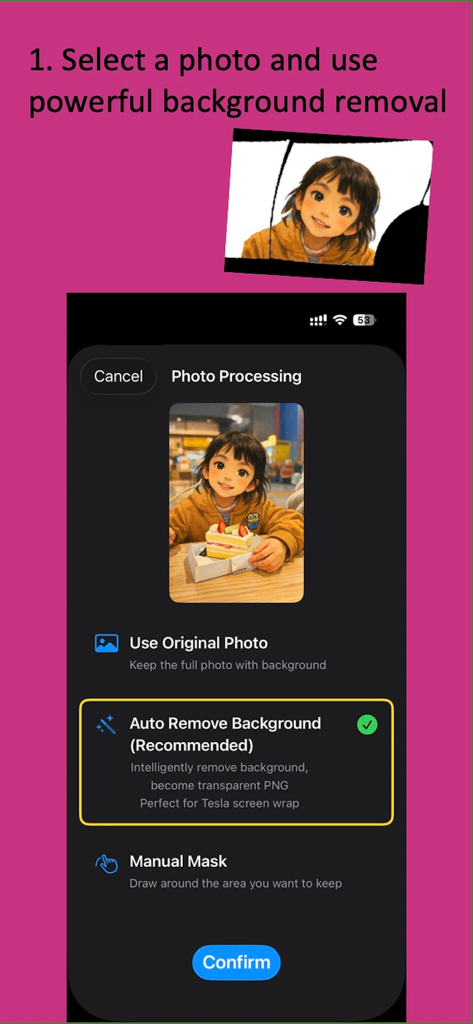
Wrap For Tesla app interface showing AI background removal for a custom photo wrap.
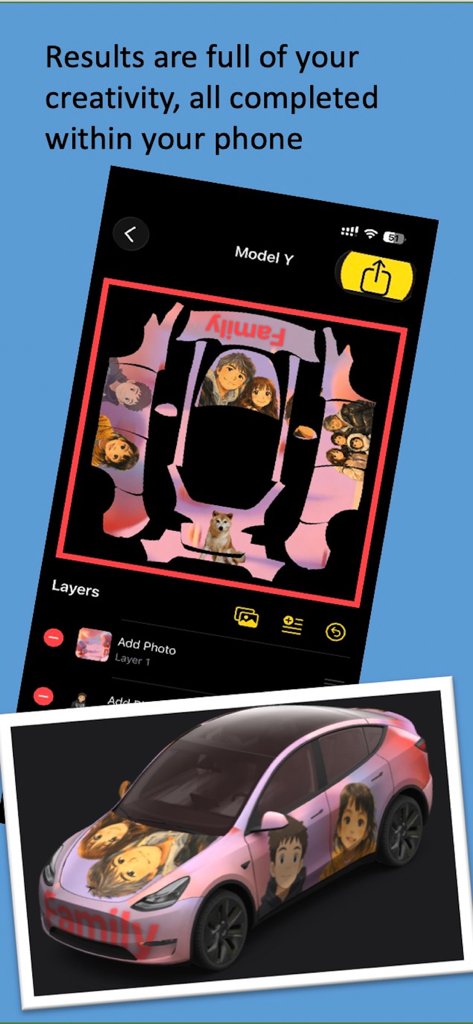
Interface of Wrap For Tesla app showing Model Y wrap customization with personal photos and a 3D car preview.
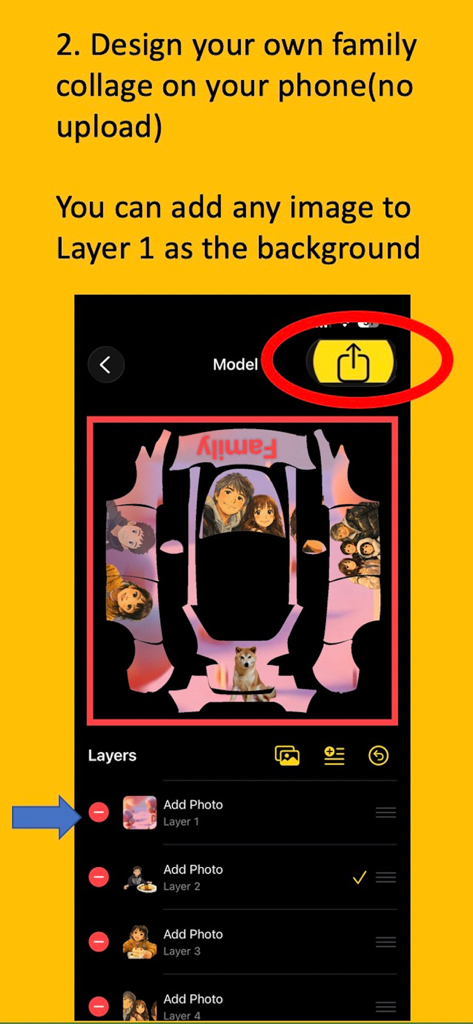
User interface of Wrap For Tesla app showing family photo layers on a car template for a custom digital wrap
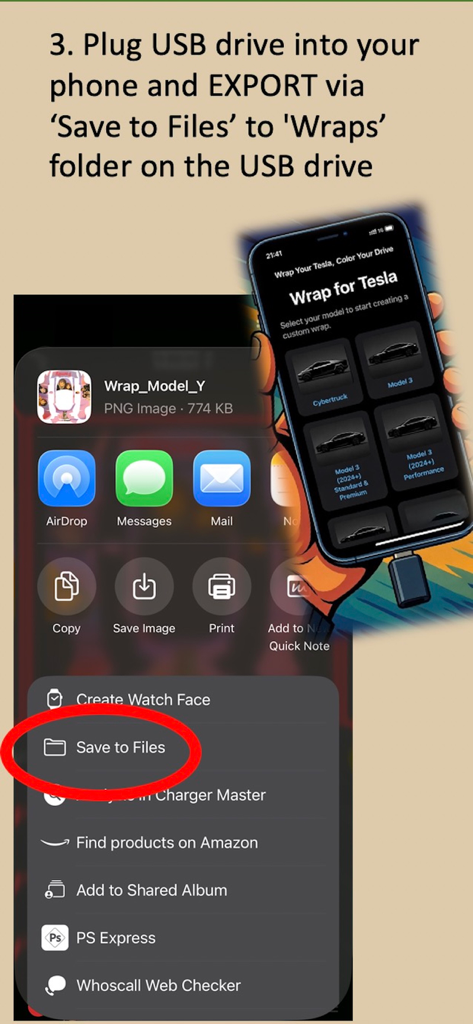
Step-by-step guide showing how to export a custom Tesla wrap from an iPhone to a USB drive using the Save to Files menu.
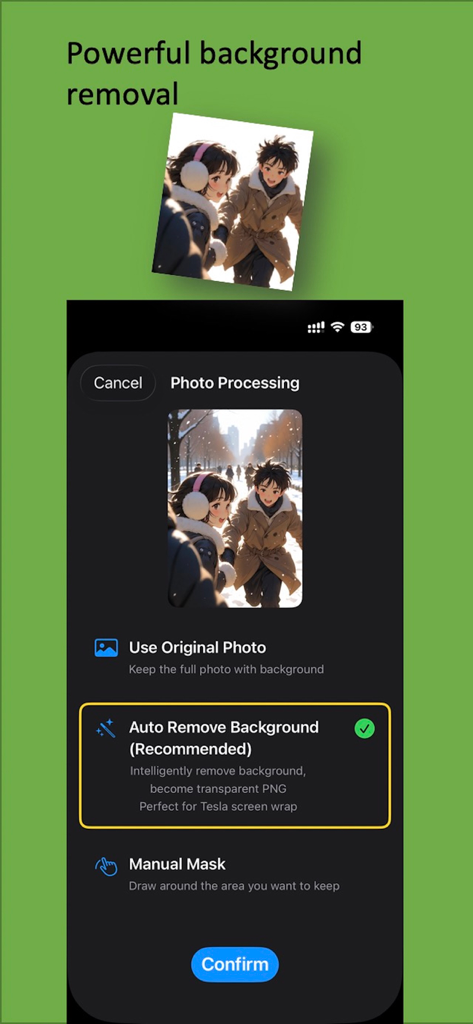
A screenshot of the Wrap For Tesla app showing the automatic background removal tool for custom photos.
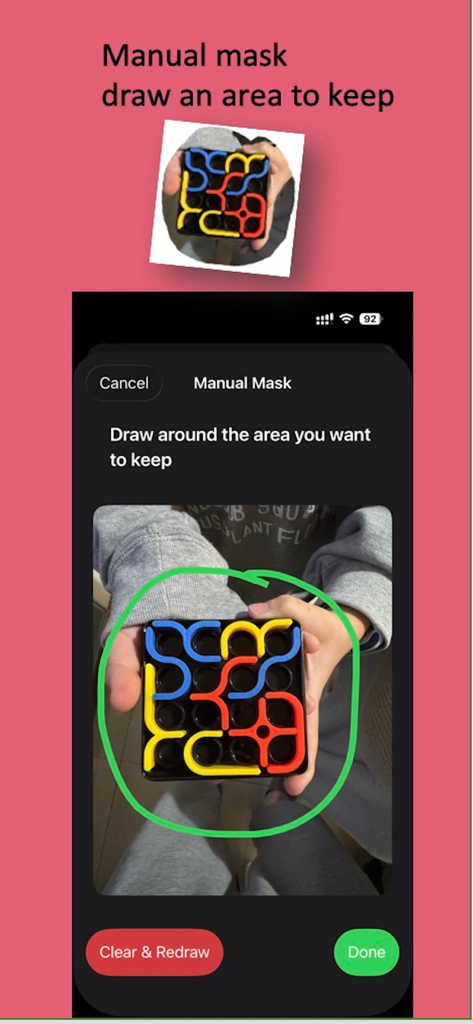
Screenshot of the Wrap For Tesla app demonstrating the manual mask tool to select a specific area of a photo for a custom digital wrap
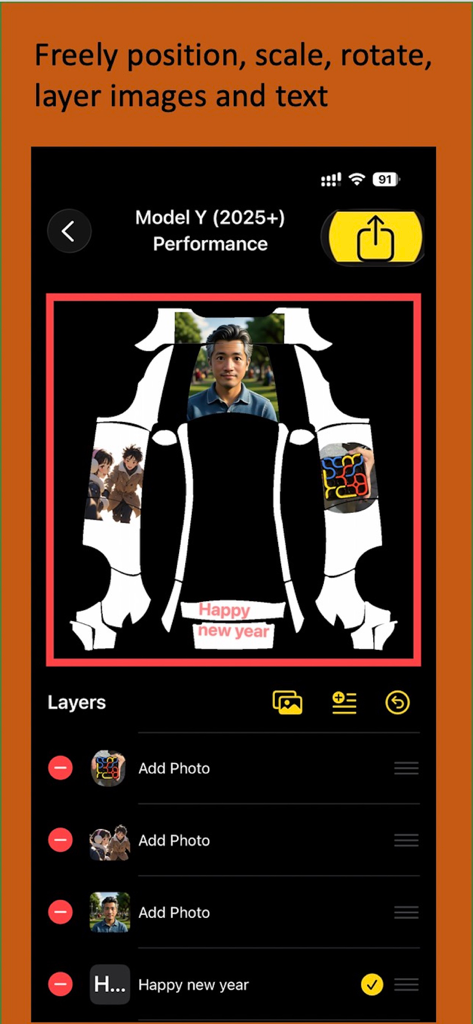
Interface of the Wrap For Tesla app showing image and text layering on a Model Y car wrap template.
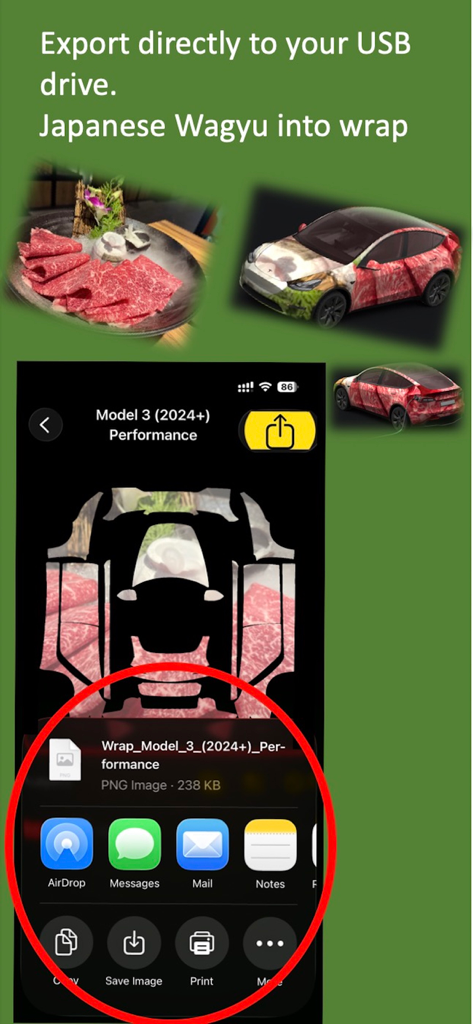
Wrap For Tesla app interface showing the export of a custom wagyu beef car wrap design to a USB drive
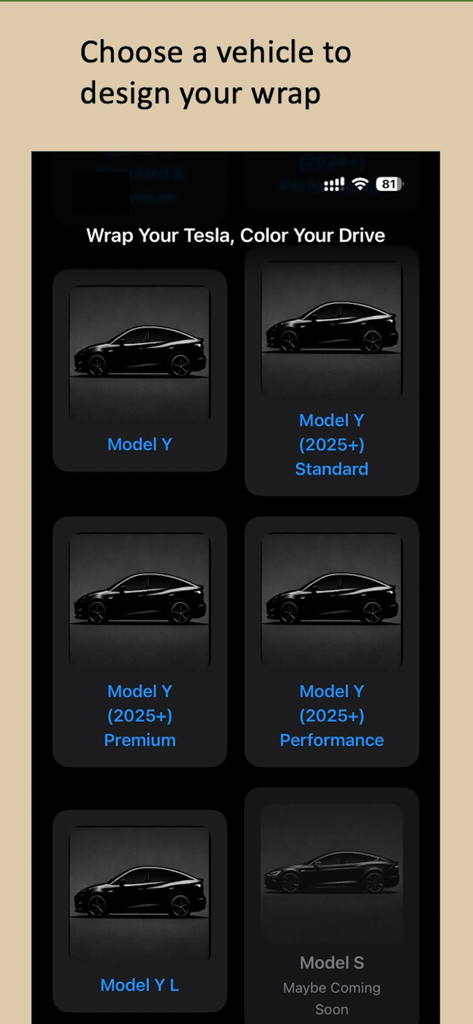
A screen in the Wrap For Tesla app showing options to select different Tesla models for wrap customization.
Description
Download
More Like This
Top-ranked apps in the same category

iScreen - Widgets & Wallpaper
Xiamen ShenZhuo Information Technology Co., Ltd.

Kling AI: AI Image&Video Maker
LOHAS GAMES PTE. LTD.

Home AI - AI Interior Design
HUBX YAZILIM HIZMETLERI ANONIM SIRKETI

ibis Paint X
ibis inc.

Dreamina AI: Image&Video Maker
BYTEDANCE PTE. LTD.

ThemeKit: Widget & Icon Themes
Woohoo Tech. Ltd.

Sketchbook®
Sketchbook, Inc.
Colorful Widget- Widget&Themes
Guangzhou ZHIFENG Information Technology Co.,Ltd.

AR Drawing: Sketch & Paint
Digital Solutions Technologies Limited
This page is not an official page of the app or its developer, but an independent editorial publication created for informational and commentary purposes. Unless expressly stated otherwise, neither the app nor its developer is affiliated with, endorsed by, sponsored by, authorized by, or otherwise officially connected with MWM, Apple, Google Play, the app publisher, or the app's developer, and nothing on this page implies that the app was developed using MWM's services. Any trademarks, logos, screenshots, and other content remain the property of their respective owners.