YouCam Video: The Ultimate AI Video Editor & Viral Reel Maker
Join millions of creators using pro-level face retouching, AI outpainting, and instant text-to-video tools to create trend-setting content for TikTok and Instagram in seconds.
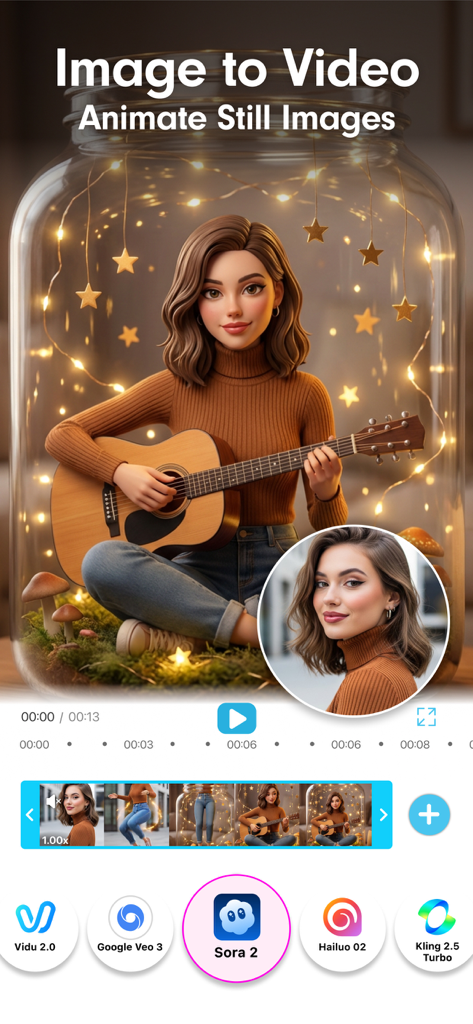
YouCam Video app interface showing the Image to Video feature using AI models to animate a still photo
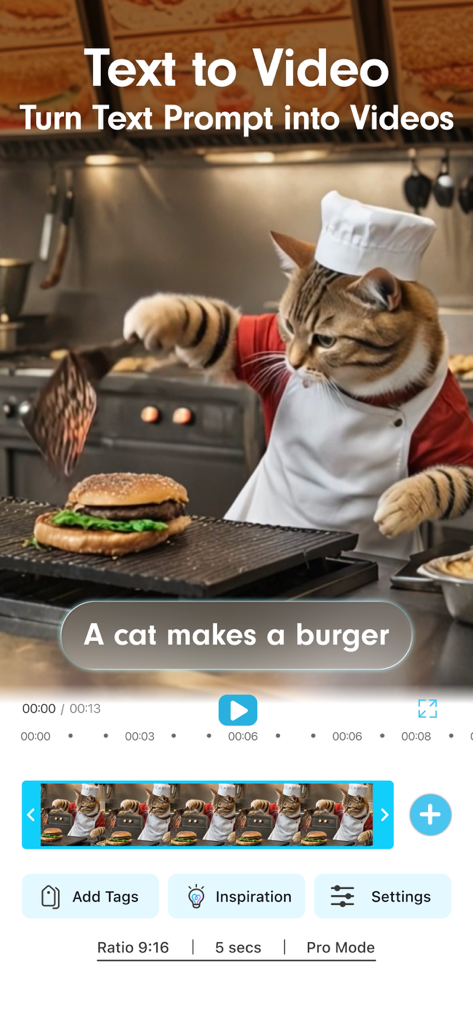
YouCam Video app interface showing the AI text to video feature with a cat chef making a burger
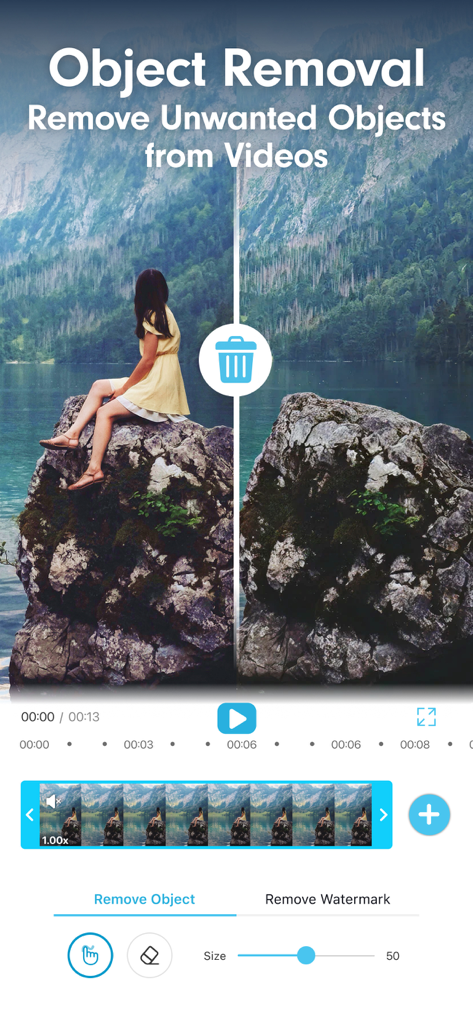
YouCam Video app interface demonstrating the AI object removal feature to erase a person from a video background
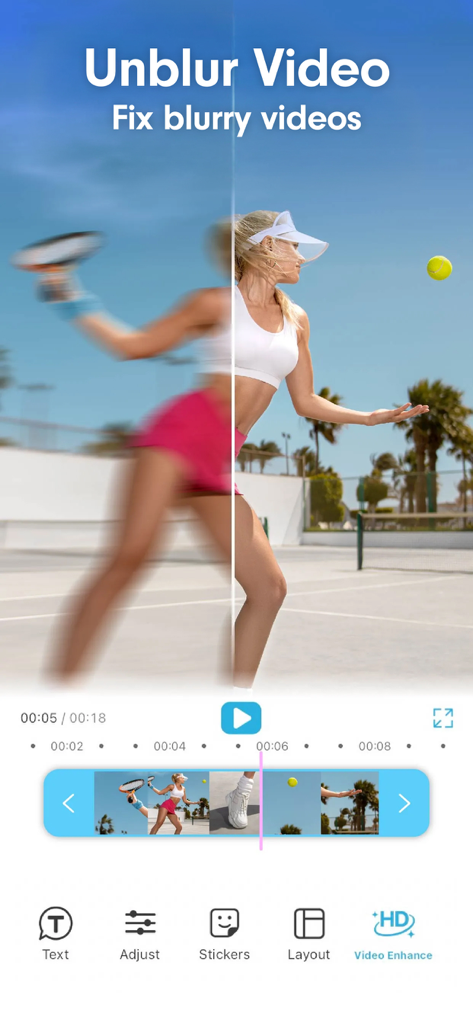
Side by side comparison showing a blurry tennis video being sharpened and unblurred using the YouCam Video AI editor.
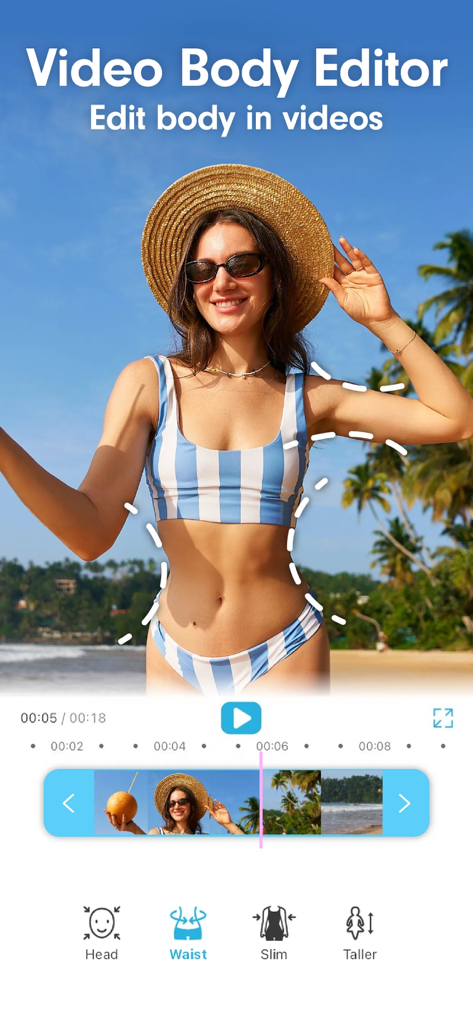
YouCam Video app interface showing AI body editor tools to reshape waist and slim figures in videos.
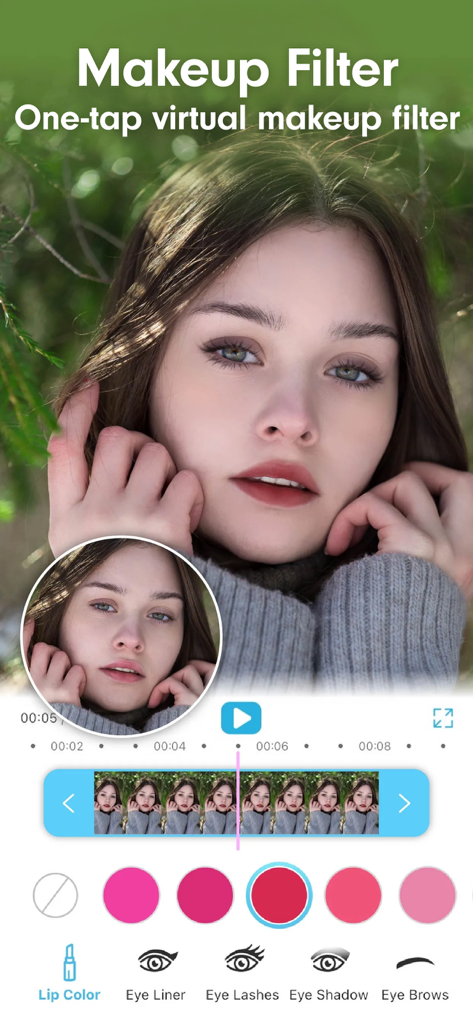
Interface of YouCam Video app showing a virtual makeup filter with lip color and eye makeup options for video retouching
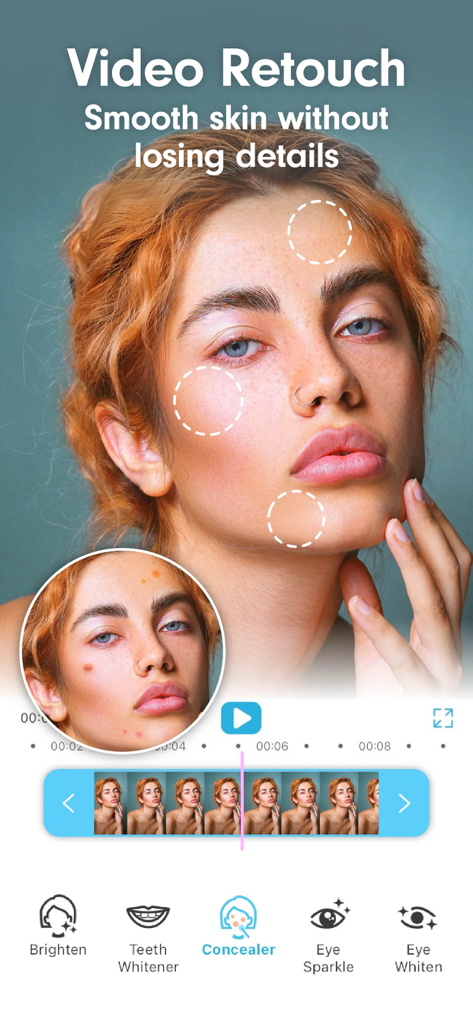
The YouCam Video app interface showing skin smoothing and concealer tools being used on a womans face
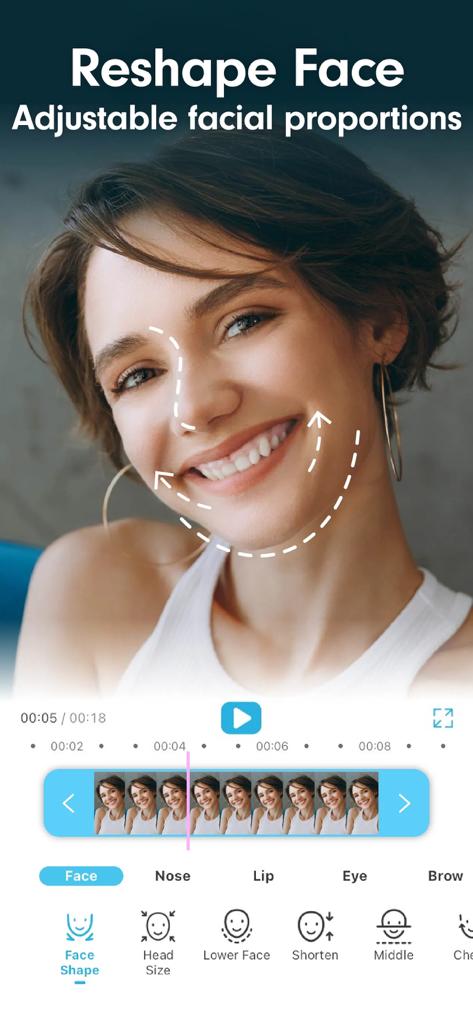
AI face reshape and facial proportions tool in the YouCam Video editor
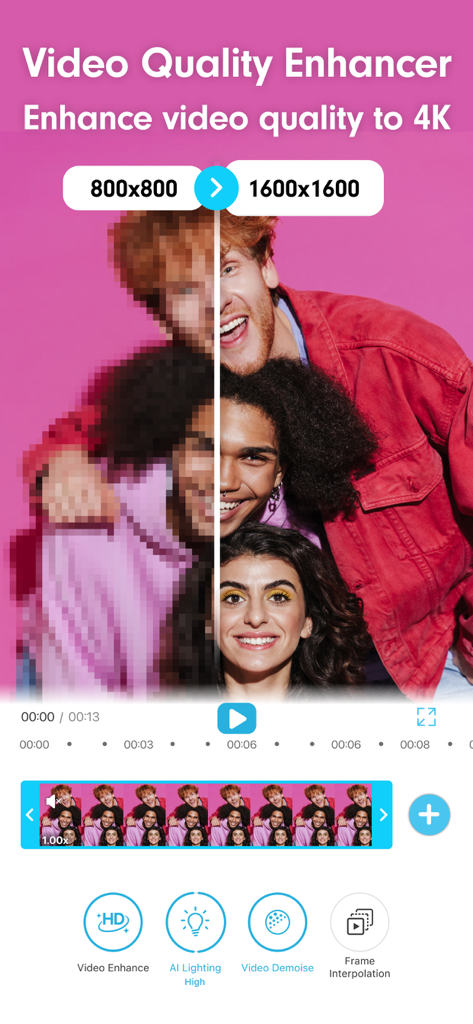
Comparison showing a blurry low resolution video transformed into a clear high definition video using YouCam Video AI enhancement
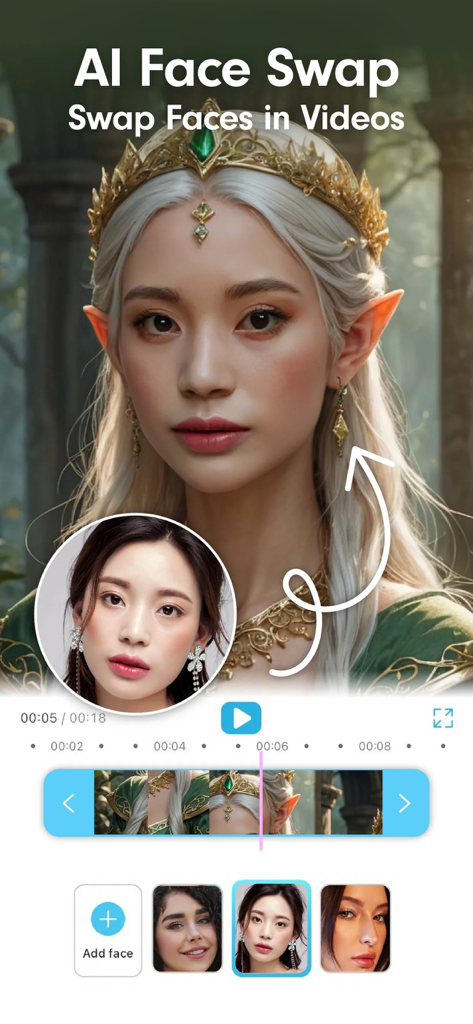
YouCam Video app displaying the AI face swap feature with a fantasy elf character
Your AI-Powered Studio for Viral Content
The tools that make this app stand out, trusted by 5M+ users.
✨
Flawless AI Retouch & Makeup
Look your best with professional-grade face reshaping, skin smoothing, and virtual makeup that stays perfectly in place during every move.
🖼️
Smart AI Frame Expansion
Never worry about the wrong aspect ratio again. Instantly expand your video's borders or convert horizontal clips to vertical Reels with AI outpainting.
🪄
Text-to-Video & Style Magic
Bring your imagination to life by generating cinematic clips from simple text prompts or transforming your footage into trending AI animation styles.
Review Analysis
Insights from user reviews.
Sentiment Score
18%
Negative
Summary
The mobile app receives predominantly negative feedback from users. While a few users appreciate its video editing capabilities, AI transformation features, and ease of use, these positive aspects are largely overshadowed by severe concerns. The most frequent complaints revolve around a misleading pricing and subscription model, including hidden costs for credits even after paying for premium, and deceptive free trial practices that result in unexpected charges. Many users also report significant app functionality issues, poor AI output quality, and difficulties obtaining refunds.
Common Themes
Overall App Experience(5)
Ease of Use(1)
Video Editing Quality(1)
AI Transformation Features(1)
Initial Subscription Functionality(1)
About the app
Everything you need to know about YouCam Video: AI Video Editor.
Description
Create viral videos in seconds with YouCam Video! The ultimate AI video editor and reel maker.
Join millions of creators, influencers, and businesses using the world’s most advanced AI video app. Whether you are retouching a selfie vlog, generating cinematic scenes from text, or simply trimming a clip, YouCam Video makes content creation effortless.
New! AI Video Expansion & Video Outpainting
• Instantly expand your video’s borders beyond the original frame.
• Seamlessly convert horizontal YouTube clips into vertical TikToks or Reels without cropping out key details. Let AI intelligently fill in the missing background to fit the 9:16 frame perfectly.
• Accidentally framed your shot too tight? Use AI frame expansion to add breathing room around your subject.
Powerful All-In-One Video Editor
We provide a robust suite of essential tools that every video editor needs for daily creation.
•AI Video Editor: One tap green screen, background replacement, object removal, and instant scene changes.
•Enhance Voice: Automatically enhance human voices for clearer speech, reduce background noise, and deliver a cleaner listening experience.
•Cut, Trim & Merge: Precisely trim unwanted footage, merge clips, and split videos with frame-by-frame accuracy.
•Speed Control: Create dramatic slow-motion effects or energetic time-lapses. Adjust video speed from 0.12x to 5.0x.
•Video Transitions: Choose from 100+ cinematic transitions (Fade, Zoom, Glitch, Dissolve) to make your cuts flow smoothly.
Next-Gen AI Video Generator
Experience the future of video production. Powered by the industry's top models (Sora, Kling, Veo, Vidu, Hailuo), our AI video generator turns imagination into reality.
•Text-to-Video: Type a prompt and watch it come to life.
•Image-to-Video: Breathe life into static photos with fluid motion and animation.
•AI Style Transfer: Transform ordinary footage into Anime, Manga, or 3D Cartoon instantly.
Viral Reel Maker & TikTok Editor
Our reel maker toolkit helps you jump on trends faster.
•Auto Captions (Subtitles): Automatically generate accurate captions for your talking videos. Keep viewers engaged even with sound off.
•Trending Templates: Access viral effects in one tap. Perfect for Challenges and Trends.
•AI Music Generator: Create unique, royalty-free soundtracks that match your video's mood.
Pro-Level Face Retouch & Makeup
•Face Reshape & Smooth: Remove blemishes, smooth skin, conceal dark circles, and refine jawlines while keeping texture natural.
•Virtual Makeup: Apply realistic lipstick, eyeshadow, blush, and lashes that stay perfectly tracked to your movement (AR Tracking).
•Hair Color Changer: Experiment with new hair dyes virtually in your videos.
Body Tuner & Shaping
•Full Body Edit: Adjust waist, legs, arms, and posture naturally.
•Proportions: Subtle slimming or height adjustment for fitness content and OOTD videos.
•Background Protection: Our advanced AI ensures your background doesn't warp when you edit your body shape.
Video Enhancer & Quality Booster
•HD Upscaling: Fix blurry, low-res footage instantly. Convert old videos to High Definition.
•Noise Reduction: Clean up grainy night shots for a crisp, professional finish.
•Color Correction: Auto-adjust lighting, contrast, saturation, and temperature for cinematic vibrancy.
Perfect for every Video Creator
•Vloggers: Retouch selfie videos and add auto-captions for daily updates.
•Influencers: The fastest reel maker for Instagram and TikTok growth.
•Businesses: Generate ad videos, promos, and UGC in minutes without hiring a production team.
•Filmmakers: Use AI generation to visualize storyboards and concepts.
Download YouCam Video now and experience the best AI video editor on the market. Expand your creativity, refine your look, and create your next viral hit today!
Perfect Corp’s Terms of Use (https://www.beautycircle.com/info/terms-of-service.action)
Privacy Policy (https://www.beautycircle.com/info/privacy.action).
Latest Version
1.59.0
Size
218.1 MB
First Released
Jan 3, 2021
Ready to Create Your Next Viral Hit?
Join 5 million+ creators using the world’s most advanced AI video editor to perfect every frame. Download YouCam Video and start trending today.
FAQ
Frequently Asked Questions
Everything you need to know about YouCam Video: AI Video Editor

What is YouCam Video and what does it do?
YouCam Video is an AI video editor and reel maker that helps users create viral videos. It includes AI tools for video expansion, text-to-video generation, object removal, and face/body retouching, making content creation effortless.
Can YouCam Video convert horizontal videos to vertical for TikTok?
Yes, YouCam Video allows you to convert horizontal YouTube clips into vertical TikToks or Reels. Its AI intelligently fills in the missing background to fit the 9:16 frame perfectly without cropping key details.
What AI editing features are available in YouCam Video?
YouCam Video's AI video editor offers one-tap green screen, background replacement, object removal, and instant scene changes. It also enhances voice, controls speed, and provides cinematic transitions for comprehensive editing.
Does YouCam Video have an AI video generator?
Yes, YouCam Video provides an AI video generator. Powered by models like Sora, Kling, Veo, and Vidu, it supports text-to-video, image-to-video conversion, and AI style transfer to transform footage into Anime or 3D Cartoon.
How does YouCam Video enhance faces in videos?
YouCam Video includes a Pro-Level Face Retouch feature to remove blemishes, smooth skin, conceal dark circles, and refine jawlines. It maintains natural texture and offers virtual makeup application with AR tracking.
Can YouCam Video edit body shapes in videos?
Yes, YouCam Video offers a Body Tuner & Shaping tool. It allows users to adjust waist, legs, arms, and posture naturally. The advanced AI ensures the background does not warp during body shape edits.
How does YouCam Video improve video quality?
YouCam Video enhances video quality through HD Upscaling to fix blurry, low-res footage and Noise Reduction for grainy night shots. It also provides Color Correction for cinematic vibrancy.
Does YouCam Video provide tools for creating viral Reels and TikToks?
YouCam Video automatically generates accurate captions for talking videos to keep viewers engaged. It also provides trending templates for viral effects and an AI music generator for unique, royalty-free soundtracks.
What is AI Video Expansion in YouCam Video?
YouCam Video uses advanced AI to expand video borders beyond the original frame. This feature seamlessly converts horizontal videos to vertical and adds breathing room around subjects without cropping key details.
Can YouCam Video create videos from text prompts?
YouCam Video supports text-to-video generation, allowing users to type a prompt and watch it come to life. This feature is powered by industry-leading AI models like Sora, Kling, Veo, Vidu, and Hailuo.
App information, icons, screenshots, and descriptions displayed on this page are sourced from the Apple App Store and are the property of their respective developers. Download estimates and rankings are based on MWM's proprietary models and may not reflect actual figures. This page is provided for informational and analytical purposes only.
Believe this page infringes your intellectual property? File a dispute