
This page is not an official page of the app or its developer, but an independent editorial publication created for informational and commentary purposes. Unless expressly stated otherwise, neither the app nor its developer is affiliated with, endorsed by, sponsored by, authorized by, or otherwise officially connected with MWM, Apple, Google Play, the app publisher, or the app's developer, and nothing on this page implies that the app was developed using MWM's services. Any trademarks, logos, screenshots, and other content remain the property of their respective owners.


Z-IOT CAM
Security, simplified. This app cuts the cord, putting surveillance power directly in users' hands.
Downloads
75k+User Rating
Total Ratings
86Publisher
Category
UtilitiesLocales
2Latest Version
1.9.0Size
179.2 MBFirst Released
Sep 6, 2024An evaluation of key functionalities for remote surveillance and management.
Z-IOT CAM: Core Features Analysis
Real-time Remote Monitoring
It allows users to view live video feeds from their network cameras remotely, ensuring constant oversight of their property or loved ones from anywhere.
Secure User Authentication
It incorporates secure login protocols, safeguarding user accounts and preventing unauthorized access to sensitive camera feeds and controls.
Instant Security Alerts
This tool features alarm functionalities that notify users of detected events, enabling a quick response to potential security breaches or significant activities.
Flexible Footage Playback
The app supports both local and remote playback of recorded videos, giving users the flexibility to review footage from any location at their convenience.
Convenient Camera Binding
The app provides a straightforward process to quickly connect and bind network cameras, simplifying the initial setup for users.
On-Demand Recording & Snapshots
It allows users to capture live video recordings and still snapshots directly from the camera feed, providing immediate documentation of events.
Comprehensive Media Management
This tool offers functionalities for managing recordings and photos, including options to delete, download, and share media, enhancing data control for users.
Automated Monitoring Schedules
The app provides scheduling capabilities, allowing users to pre-set times for monitoring or recording, thereby automating their security routines.
Frequently Asked Questions
Everything you need to know about Z-IOT CAM
What is Z-IOT CAM software used for?
Z-IOT CAM is network camera client software. It enables users to bind, connect, and remotely access network cameras for real-time monitoring and control functions.
What monitoring features does Z-IOT CAM provide?
Z-IOT CAM offers real-time monitoring, scheduling, alarms, live recording, and snapshot capture. It also supports real-time image parameter settings for connected cameras.
Can users manage recordings and photos in Z-IOT CAM?
Yes, Z-IOT CAM allows local and remote playback, deletion, downloading, and sharing of recordings and photos. This functionality ensures comprehensive media management.
Does Z-IOT CAM require user login?
Yes, Z-IOT CAM features secure login for account access. Users must enter an account and password, and they can register a new account from the login screen.
How do I add a camera to Z-IOT CAM?
Users can add a network camera device in Z-IOT CAM via the "Add device" button located on the main home screen. This initiates the binding process.
Does Z-IOT CAM support remote camera access?
Yes, Z-IOT CAM supports both direct connection and remote access to network cameras. This capability allows users to monitor their cameras from any location.
Where can I review the privacy policy for Z-IOT CAM?
The Z-IOT CAM Privacy Policy & User Agreement is available on the login screen. It is also accessible within the "My" section of the app settings.
The following screenshots and description are sourced directly from the app's official store listing and are the property of the app developer.
App Store
Screenshots
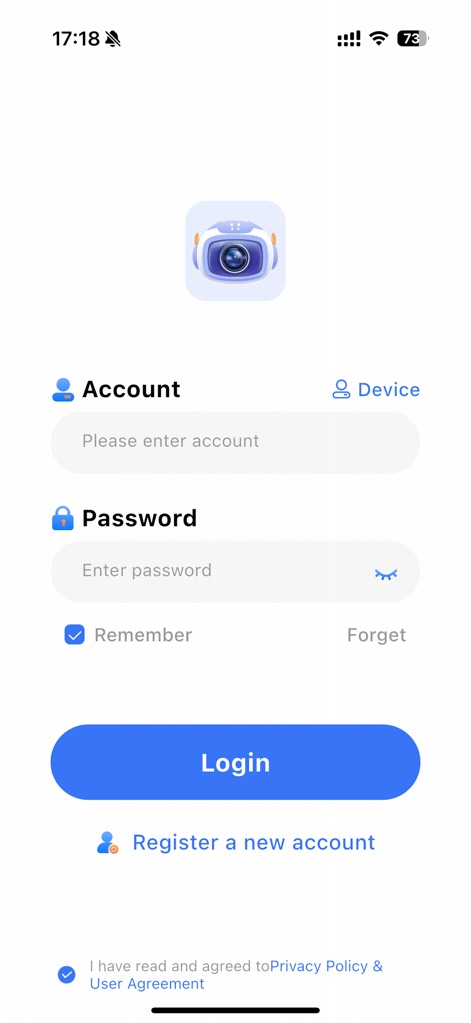
Users can effortlessly log in or register for a new account, ensuring secure access to their camera management features while acknowledging the privacy policy.
Secure Access Portal
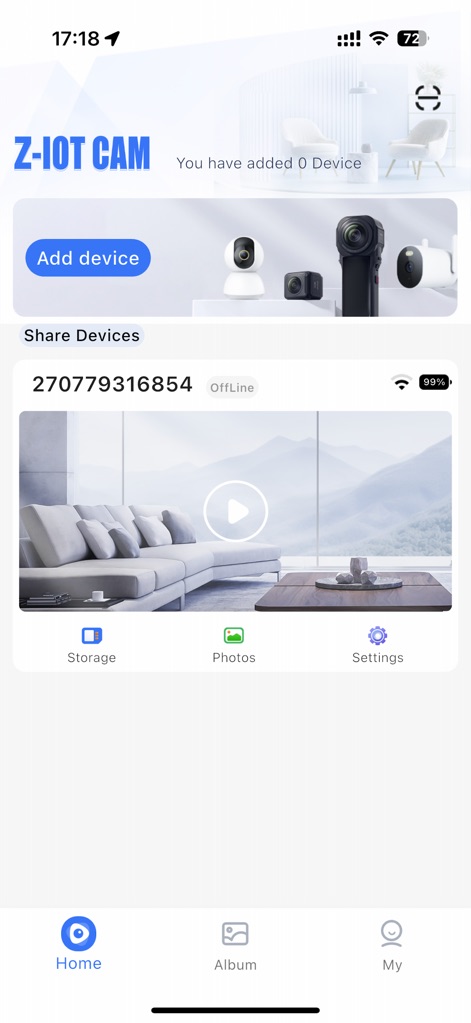
The app provides a centralized monitoring hub, allowing users to effortlessly add new devices and view the real-time status of their connected network cameras.
Device Monitoring Hub
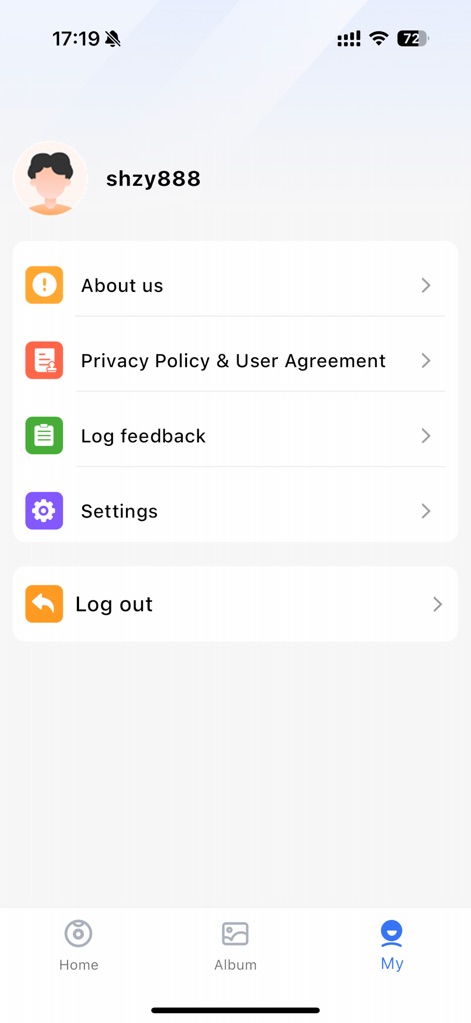
This tool offers comprehensive personal account settings, providing quick access to app information and crucial options like 'Privacy Policy & User Agreement'.
Personal Account Settings
Description
Download
More Like This
Apps with similar features and user experience

TP-Link VIGI
TP-Link Systems Inc.
Intelbras ISIC Lite
Intelbras S.A. Ind. de Telecom. Elet. Brasileira
Intelbras Guardian
Intelbras S.A. Ind. de Telecom. Elet. Brasileira
Smart Security Camera App
On Hand Apps - FZCO

Guarding Vision
明军 顾
IPEYE CCTV
KONSTANTA, OOO Apps

BoifunCam
健 冯

Prama Online
PRAMA INDIA PRIVATE LIMITED

Annke Vision
Shenzhen Kean Digital Co. LTD.
This page is not an official page of the app or its developer, but an independent editorial publication created for informational and commentary purposes. Unless expressly stated otherwise, neither the app nor its developer is affiliated with, endorsed by, sponsored by, authorized by, or otherwise officially connected with MWM, Apple, Google Play, the app publisher, or the app's developer, and nothing on this page implies that the app was developed using MWM's services. Any trademarks, logos, screenshots, and other content remain the property of their respective owners.