
This page is not an official page of the app or its developer, but an independent editorial publication created for informational and commentary purposes. Unless expressly stated otherwise, neither the app nor its developer is affiliated with, endorsed by, sponsored by, authorized by, or otherwise officially connected with MWM, Apple, Google Play, the app publisher, or the app's developer, and nothing on this page implies that the app was developed using MWM's services. Any trademarks, logos, screenshots, and other content remain the property of their respective owners.

Zoho Bookings
The ultimate mobile scheduler for professionals to manage appointments, automate reminders, and eliminate no-shows—all from the palm of your hand.
Downloads
10K+User Rating
Total Ratings
200Publisher
Category
BusinessLocales
1Latest Version
3.0.13Size
59.5 MBFirst Released
Dec 31, 2018Streamline Your Appointments, Scale Your Business
Zoho Bookings gives you a professional, automated scheduling system that fits in your pocket, designed for the modern solopreneur.
Instant Online Booking
Stop the email tag. Share your unique link so clients can view your availability and book in seconds, 24/7.
Automated Reminders
Slash no-shows with smart notifications. Send timely alerts to clients so they never miss an appointment again.
Frequently Asked Questions
Everything you need to know about Zoho Bookings
How does the Zoho Bookings app help me manage my appointments?
The Zoho Bookings app enables users to easily book, reschedule, and cancel appointments online. It offers smart scheduling, flexible time slots, and the ability to view, update, and track all bookings efficiently in one place.
Can I reschedule or cancel appointments using the Zoho Bookings app?
Yes, the Zoho Bookings app allows you to effortlessly reschedule and cancel appointments directly from the application. This ensures flexible and easy management of your schedule.
Does the Zoho Bookings app provide automated reminders for appointments?
Yes, Zoho Bookings includes automated reminders. This feature ensures a smooth booking experience by helping clients and professionals stay informed about upcoming appointments.
Can I book appointments on behalf of my customers using Zoho Bookings?
Yes, Zoho Bookings allows professionals to book appointments on behalf of their customers. You can also add key notes and keep track of important details for these bookings.
How can I share my booking page with customers using Zoho Bookings?
Zoho Bookings allows you to share your booking pages easily. You can expand your reach by sharing them via social media, email, or various messaging applications directly from the app.
What customer management features does the Zoho Bookings app include?
Zoho Bookings streamlines customer management by allowing you to view customer details, track booking history, and update or cancel appointments effortlessly directly from the app.
Can the Zoho Bookings app track the cost or payment status of appointments?
Yes, Zoho Bookings can track the cost of appointments, as seen with listed prices like $300. It also displays payment details, including the status (e.g., 'Paid'), for individual bookings.
Does the Zoho Bookings app allow for setting pre-buffer and post-buffer times for appointments?
Yes, Zoho Bookings allows users to set pre-buffer and post-buffer times for appointments. This feature helps manage transition times between scheduled events, as shown in the new appointment screen.
Can I access customer contact information and notes within Zoho Bookings?
Yes, Zoho Bookings provides access to customer details, including email and phone numbers, within appointment records. It also allows users to add and view notes for specific bookings.
The following screenshots and description are sourced directly from the app's official store listing and are the property of the app developer.
App Store
Screenshots
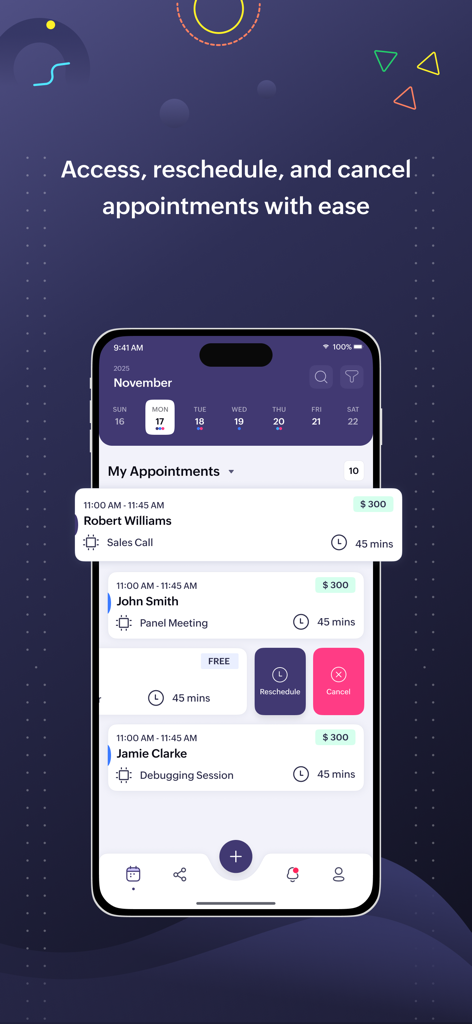
Zoho Bookings app interface for managing and rescheduling client appointments.
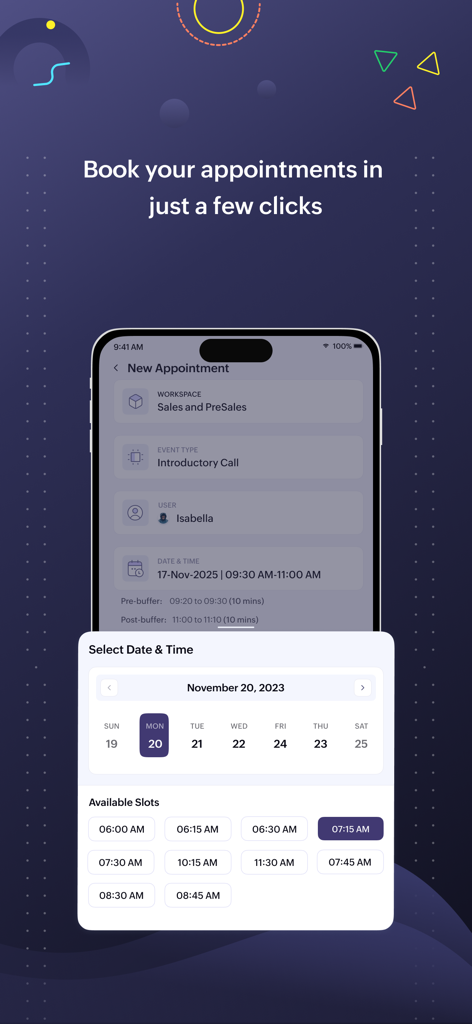
Zoho Bookings mobile interface showing the date and time selection for a new appointment
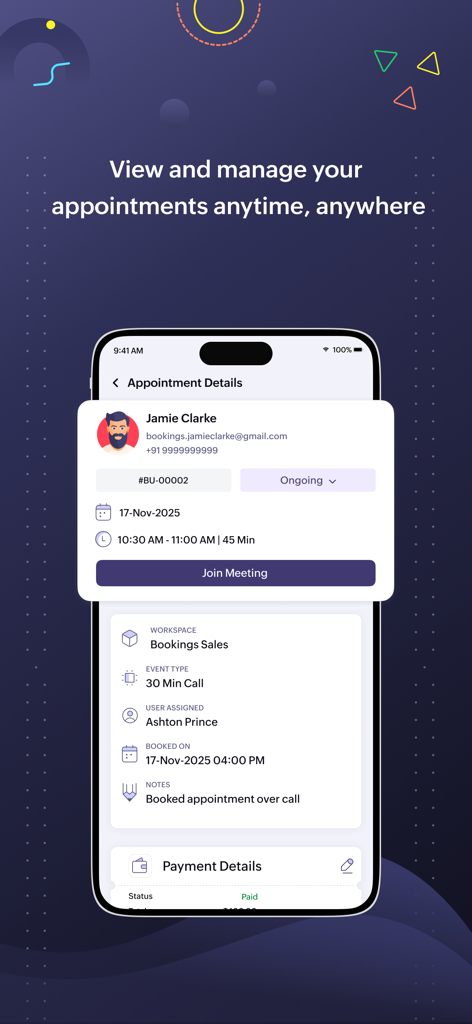
Zoho Bookings mobile app interface showing detailed appointment information for a scheduled meeting
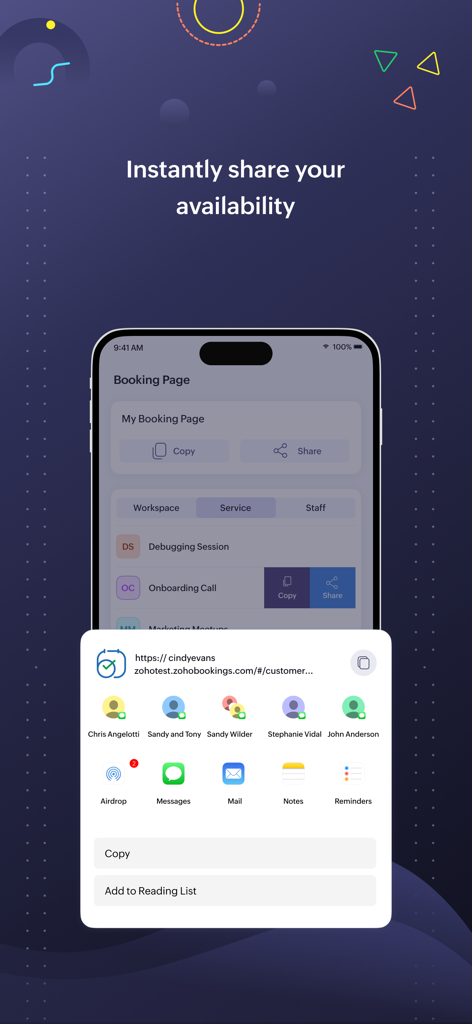
Zoho Bookings mobile interface showing the feature to instantly share a professional booking link via various messaging and email apps.
Description
Download
More Like This
Top-ranked apps in the same category

Microsoft Teams
Microsoft Corporation

Zoom Workplace
Zoom Communications, Inc.

WhatsApp Business
WhatsApp Inc.

Indeed Job Search
Indeed Inc.

LinkedIn: Network & Job Finder
LinkedIn Corporation

Adobe Acrobat Reader: Sign PDF
Adobe Inc.

WeCom-Work Communication&Tools
Tencent Technology (Shenzhen) Company Limited

BOSS直聘-招聘求职找工作神器
Beijing China Product Bo Farce Network Technology Co., Ltd.

DingDing - Redefine Work in AI
DingTalk Technology Co., Ltd.
This page is not an official page of the app or its developer, but an independent editorial publication created for informational and commentary purposes. Unless expressly stated otherwise, neither the app nor its developer is affiliated with, endorsed by, sponsored by, authorized by, or otherwise officially connected with MWM, Apple, Google Play, the app publisher, or the app's developer, and nothing on this page implies that the app was developed using MWM's services. Any trademarks, logos, screenshots, and other content remain the property of their respective owners.