
This page is not an official page of the app or its developer, but an independent editorial publication created for informational and commentary purposes. Unless expressly stated otherwise, neither the app nor its developer is affiliated with, endorsed by, sponsored by, authorized by, or otherwise officially connected with MWM, Apple, Google Play, the app publisher, or the app's developer, and nothing on this page implies that the app was developed using MWM's services. Any trademarks, logos, screenshots, and other content remain the property of their respective owners.


Zoho Lens
Empower your field technicians with real-time augmented reality assistance. Reduce downtime and eliminate travel costs by guiding your team through complex repairs with interactive AR annotations and HD video streaming.
Downloads
1K+User Rating
Total Ratings
0Publisher
Category
BusinessLocales
11Latest Version
2.16.1Size
37.5 MBFirst Released
Sep 6, 2019Empower Your Field Operations
Bridge the gap between expert knowledge and on-site execution with real-time AR assistance designed to slash downtime and eliminate travel costs.
Precision AR Annotations
Eliminate communication errors by drawing digital instructions that anchor to real-world objects, ensuring technicians know exactly what to fix.
Instant Expert Collaboration
Bring your most experienced engineers to any job site virtually, allowing one specialist to support multiple field teams from a central dashboard.
The following screenshots and description are sourced directly from the app's official store listing and are the property of the app developer.
App Store
Screenshots
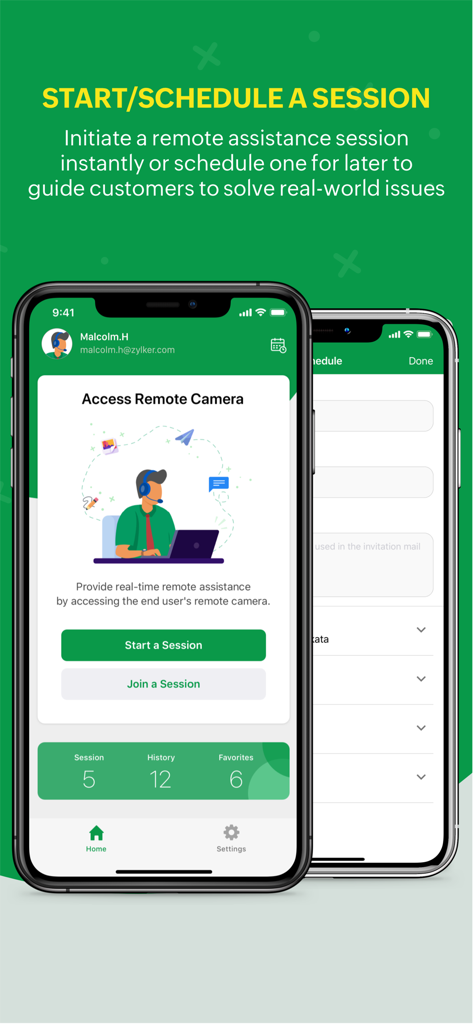
Zoho Lens app screen showing start and schedule session options for remote support
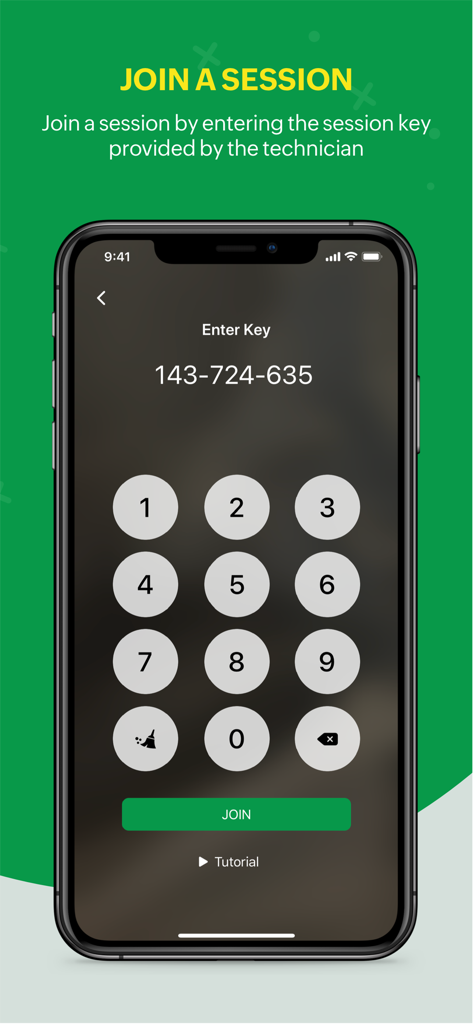
Zoho Lens mobile app screen showing a numeric keypad to enter a session key and join a remote assistance session
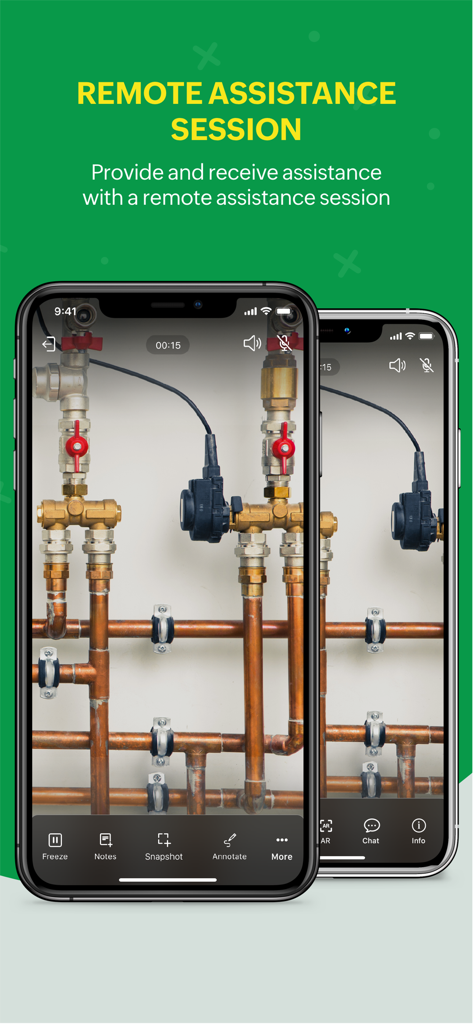
Zoho Lens mobile app interface showing a remote assistance session
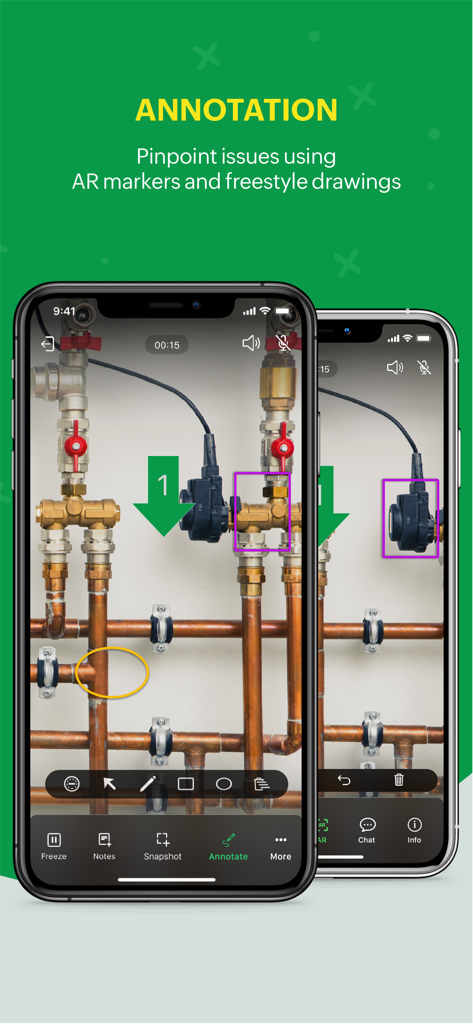
Two smartphones showing the Zoho Lens app with AR annotations and markers on industrial pipes for remote technical support.
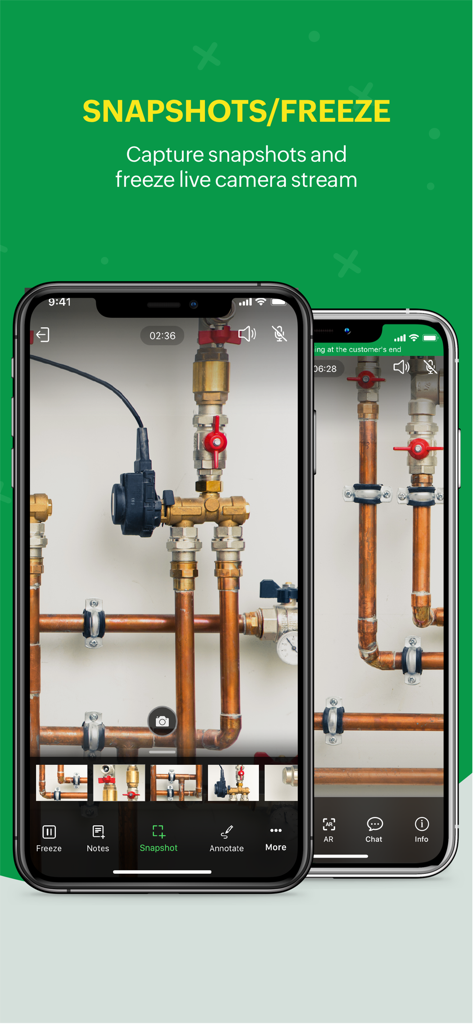
Zoho Lens mobile interface showing the snapshots and freeze live camera stream feature for remote technical assistance on industrial pipes
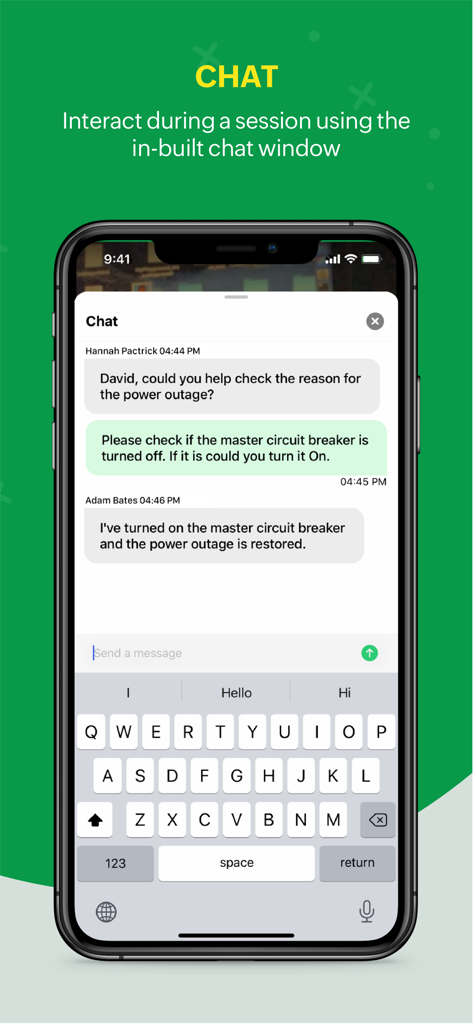
In-app chat interface of Zoho Lens showing communication between a technician and an expert during a remote session
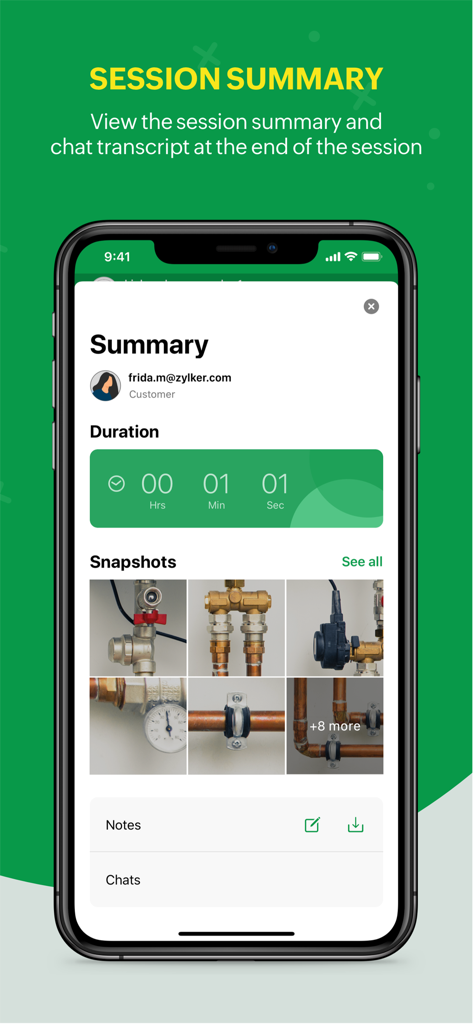
Zoho Lens app session summary screen showing duration snapshots of pipes and notes
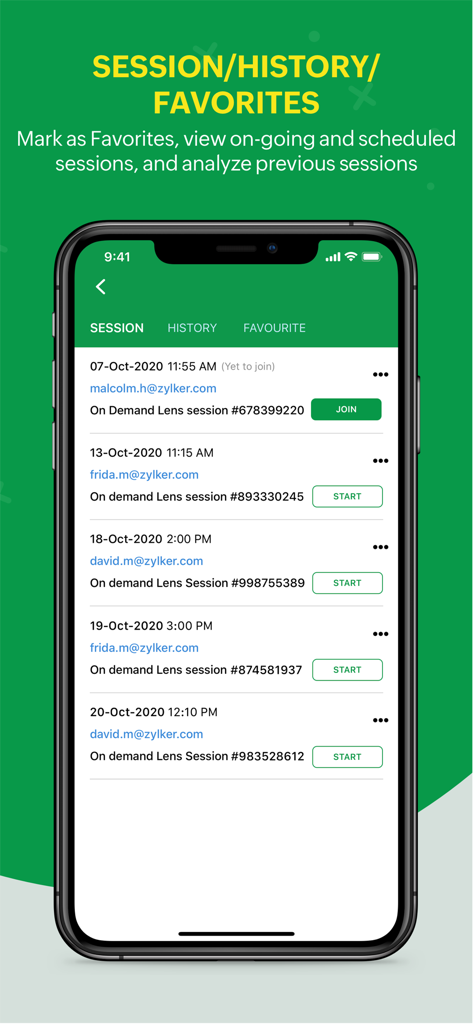
Zoho Lens app interface displaying a list of ongoing and scheduled remote assistance sessions with history and favorites tabs
Description
Download
More Like This
Top-ranked apps in the same category

Microsoft Teams
Microsoft Corporation

Zoom Workplace
Zoom Communications, Inc.

WhatsApp Business
WhatsApp Inc.

Indeed Job Search
Indeed Inc.

LinkedIn: Network & Job Finder
LinkedIn Corporation

Adobe Acrobat Reader: Sign PDF
Adobe Inc.

WeCom-Work Communication&Tools
Tencent Technology (Shenzhen) Company Limited

BOSS直聘-招聘求职找工作神器
Beijing China Product Bo Farce Network Technology Co., Ltd.

DingDing - Redefine Work in AI
DingTalk Technology Co., Ltd.
This page is not an official page of the app or its developer, but an independent editorial publication created for informational and commentary purposes. Unless expressly stated otherwise, neither the app nor its developer is affiliated with, endorsed by, sponsored by, authorized by, or otherwise officially connected with MWM, Apple, Google Play, the app publisher, or the app's developer, and nothing on this page implies that the app was developed using MWM's services. Any trademarks, logos, screenshots, and other content remain the property of their respective owners.