Zoho Sheet: Spreadsheet App
Download on App Store

This page is not an official page of the app or its developer, but an independent editorial publication created for informational and commentary purposes. Unless expressly stated otherwise, neither the app nor its developer is affiliated with, endorsed by, sponsored by, authorized by, or otherwise officially connected with MWM, Apple, Google Play, the app publisher, or the app's developer, and nothing on this page implies that the app was developed using MWM's services. Any trademarks, logos, screenshots, and other content remain the property of their respective owners.


Logo of Zoho Sheet: Spreadsheet App
Download on App Store

Zoho Sheet: Spreadsheet App

Transform your mobile productivity with smart OCR data entry, real-time collaboration, and advanced AI insights. Secure, ad-free, and designed for the modern professional on the go.

Key Figures

Downloads

56K+

User Rating

4.8/5

Total Ratings

1K+

Publisher

Zoho Corporation

Category

Productivity

Locales

44

Latest Version

3.0.51

Size

384.7 MB

First Released

Mar 8, 2021
Features

Master Your Workflow on the Go

Turn your iPhone into a data powerhouse with AI-driven automation and iron-clad privacy designed for the modern professional.

Instant Data Capture

Stop typing and start scanning. Convert physical tables and printed receipts into perfectly formatted spreadsheets in seconds using powerful OCR.

AI-Powered Analytics

Get instant answers. Use Zia, your built-in AI assistant, to generate charts, pivot tables, and complex insights via simple voice or text commands.

The following screenshots and description are sourced directly from the app's official store listing and are the property of the app developer.

App Store

Screenshots
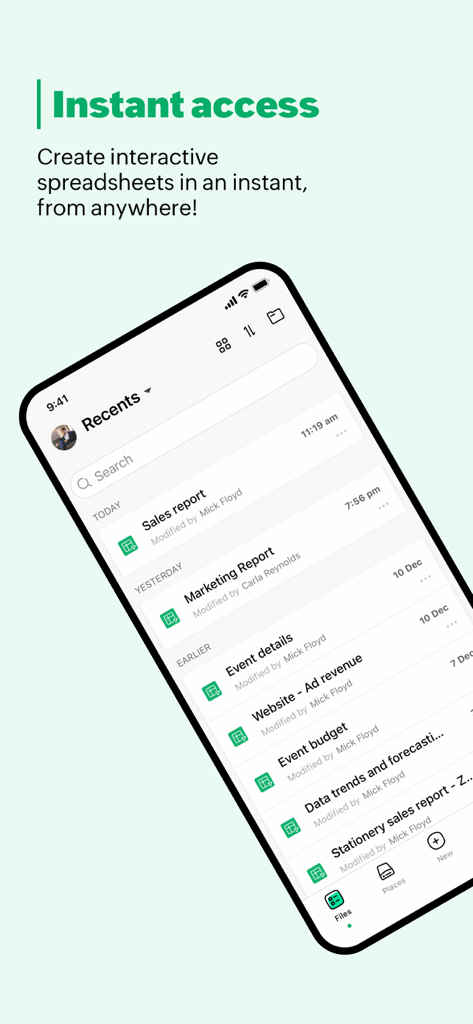
Zoho Sheet: Spreadsheet App - Zoho Sheet mobile app interface showing a list of recent spreadsheet files including sales and marketing reports.
Zoho Sheet mobile app interface showing a list of recent spreadsheet files including sales and marketing reports.

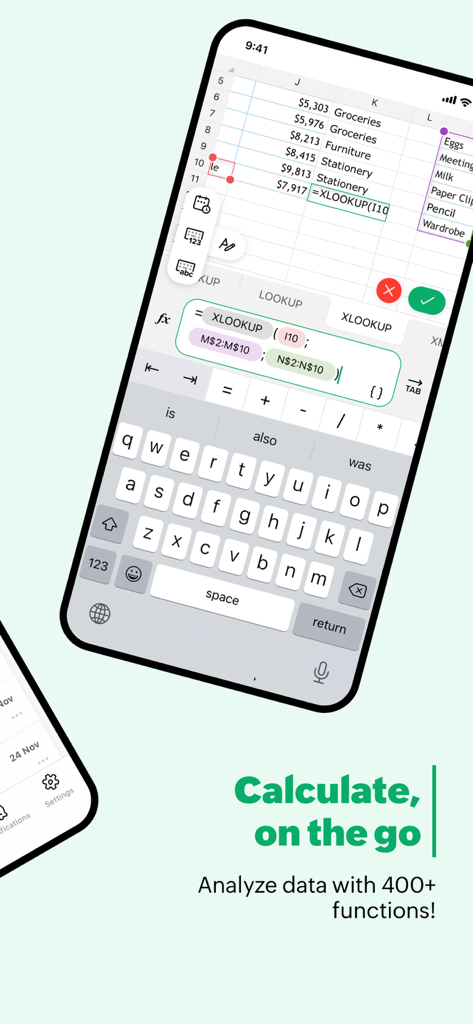
Zoho Sheet: Spreadsheet App - Zoho Sheet mobile app interface showing a spreadsheet with a formula being edited and data analysis features on a smartphone screen.
Zoho Sheet mobile app interface showing a spreadsheet with a formula being edited and data analysis features on a smartphone screen.

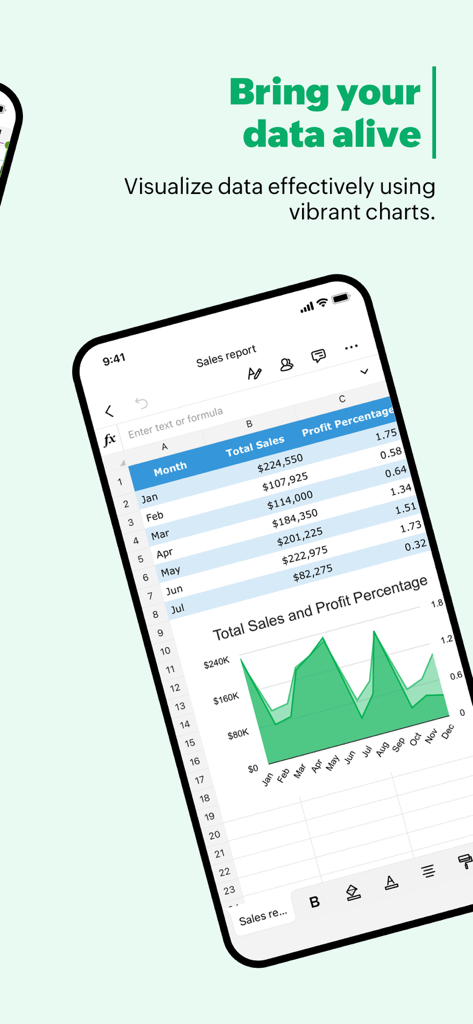
Zoho Sheet: Spreadsheet App - A mobile spreadsheet app showing a sales report with a table and an area chart
A mobile spreadsheet app showing a sales report with a table and an area chart

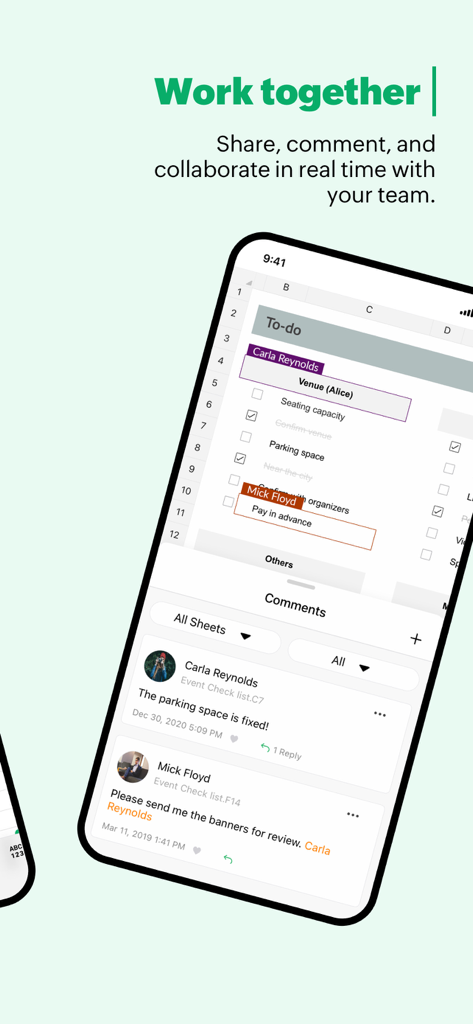
Zoho Sheet: Spreadsheet App - Zoho Sheet mobile app interface showing real time team collaboration and comments on a spreadsheet checklist
Zoho Sheet mobile app interface showing real time team collaboration and comments on a spreadsheet checklist

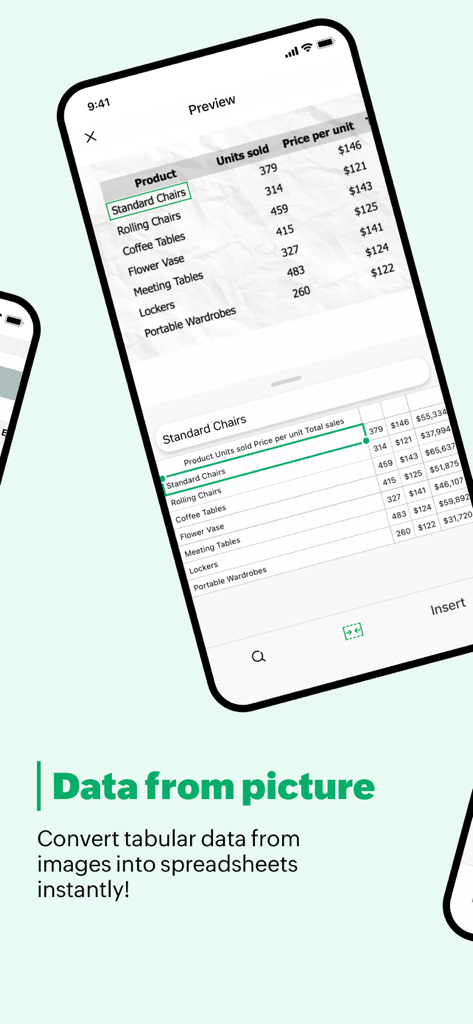
Zoho Sheet: Spreadsheet App - Zoho Sheet mobile app interface demonstrating how to convert a printed table from a photo into a digital spreadsheet using OCR technology.
Zoho Sheet mobile app interface demonstrating how to convert a printed table from a photo into a digital spreadsheet using OCR technology.

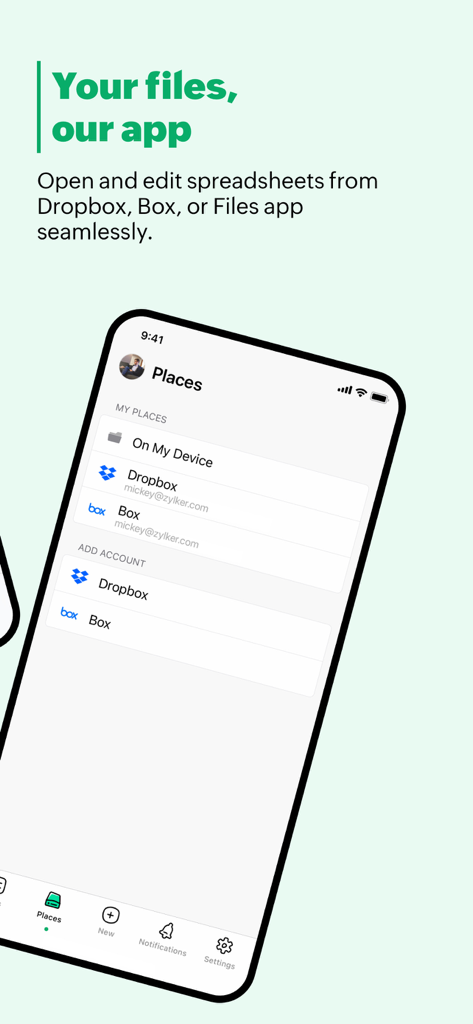
Zoho Sheet: Spreadsheet App - Zoho Sheet mobile app interface showing cloud storage integration with Dropbox and Box for spreadsheet management

Zoho Sheet mobile app interface showing cloud storage integration with Dropbox and Box for spreadsheet management

Description

Create a new spreadsheet or import an Excel file to work on, break down data with collaborators in real time, and share your spreadsheets with the free Zoho Sheet app for iOS. With this spreadsheet app on your iPhone, you can: Import files from your device or cloud apps Bring in .csv, .tsv, and .xlsx files from your device and continue where you left off. You can also open, edit, and save spreadsheets from Dropbox and Box in Zoho Sheet or simply sync the changes back to your files stored in the cloud. Scan and insert data from pictures Save time on data entry with an effortless, two-step process. Scan data from printed materials or from images saved in your iPhone Photos app. Preview and insert the data into your worksheets. Collaborate on your spreadsheets Track budgets, stocks, manage projects, create monthly reports, calendars, or generate charts for your next big presentation—all with the power of real-time collaboration. Add cell- or range-specific comments and use @mentions to tag collaborators for seamless teamwork. Export files Choose the optimal format for each spreadsheet and download them as Microsoft Excel (.xlsx, .xls), PDF or other supported file formats to access them offline, store hard copies, or share the finished results of your work. Analyze and visualize Crunch numbers with more than 350 functions and formulas and visualize your findings with more than 35 types of charts. Increase productivity with AI Get suggestions for analyzing your data and automatically generate charts and pivot tables instantly with Zia, our in-house artificial intelligence. Even better, use voice commands to ask Zia your data-related questions. Build spreadsheets faster with templates Solve your use cases quickly with our gallery of ready-made spreadsheet templates like inventory tracker, invoice, and more. Get a unified experience across devices Access and manage your spreadsheets with ease, whether you are on your iPhone or using Zoho Sheet on the web. Your data is automatically synced every time you make a change, allowing you to switch between the two platforms whenever you want. Assure the privacy of your data Zoho prioritizes privacy because we know it's important to our users, especially in the productivity and collaboration app segment. We have never shared our users' information with anyone for advertising purposes, nor have we generated revenue by displaying ads from other sources. The Zoho advantage for businesses Zoho Sheet is part of the Zoho Office Suite, which also includes Writer, an online word processor, and Show, our online presentation software. This means when you sign up for Zoho Sheet, you'll get access to a full set of tools to manage your worksheets, presentations, and word documents in one place. It's even possible to integrate across apps to automatically add the latest data to the graphs in your upcoming presentation or report. Zoho's single sign-on account means you can easily access all the Zoho apps you need. Our ecosystem currently offers 55+ apps across business categories like sales, marketing, email and collaboration, finance, HR, and more. For more details visit: https://www.zoho.com/sheet/mobile.html If you have questions before you try the app or while using it, please write to us at ios-support@zohosheet.com.

Download

Download on App Store

This page is not an official page of the app or its developer, but an independent editorial publication created for informational and commentary purposes. Unless expressly stated otherwise, neither the app nor its developer is affiliated with, endorsed by, sponsored by, authorized by, or otherwise officially connected with MWM, Apple, Google Play, the app publisher, or the app's developer, and nothing on this page implies that the app was developed using MWM's services. Any trademarks, logos, screenshots, and other content remain the property of their respective owners.