Zones for Training
Zones for Training
Download on App Store

This page is not an official page of the app or its developer, but an independent editorial publication created for informational and commentary purposes. Unless expressly stated otherwise, neither the app nor its developer is affiliated with, endorsed by, sponsored by, authorized by, or otherwise officially connected with MWM, Apple, Google Play, the app publisher, or the app's developer, and nothing on this page implies that the app was developed using MWM's services. Any trademarks, logos, screenshots, and other content remain the property of their respective owners.


Logo of Zones for Training
Download on App Store

Zones for Training

Maximize every workout on your Apple Watch. Track your Fat Burn and Cardio zones with precision data to reach your fitness goals faster and more efficiently.

Key Figures

Downloads

1M+

User Rating

4.7/5

Total Ratings

24K+

Publisher

Flask LLP

Category

Health & Fitness

Locales

2

Latest Version

9.0.0

Size

40.2 MB

First Released

Sep 13, 2016
Features

Train with Scientific Precision

Turn your Apple Watch into a high-performance training dashboard. Zones visualizes your heart rate data in real-time to help you work out smarter, recover faster, and reach your goals.

Targeted Training Zones

Stop guessing your effort levels. Our four color-coded zones—from Fat Burn to Peak performance—ensure every minute you spend exercising is optimized for your specific goals.

Seamless Haptic Coaching

Stay focused on your workout without checking your screen. Your Apple Watch provides intuitive wrist taps to alert you the moment you transition between heart rate zones.

The following screenshots and description are sourced directly from the app's official store listing and are the property of the app developer.

App Store

Screenshots
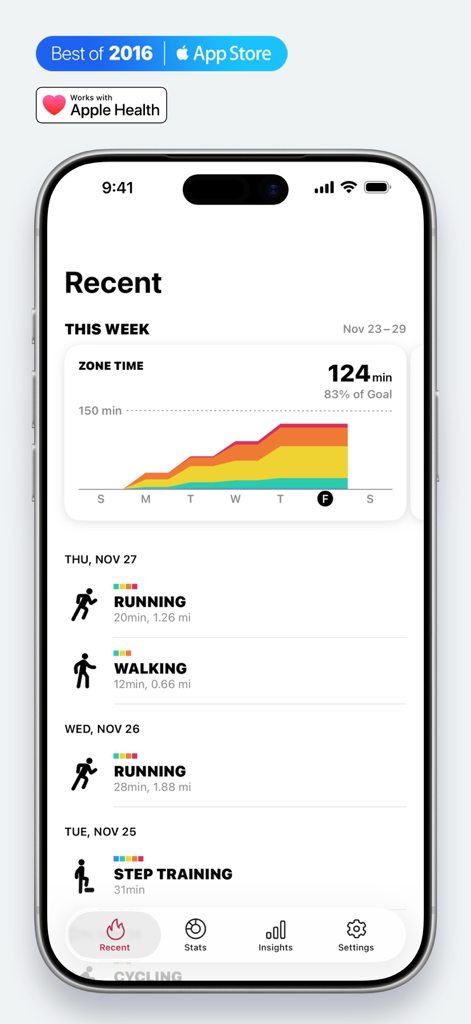
Zones for Training - Weekly heart rate zone time chart and recent workout history in the Zones for Training app dashboard
Weekly heart rate zone time chart and recent workout history in the Zones for Training app dashboard

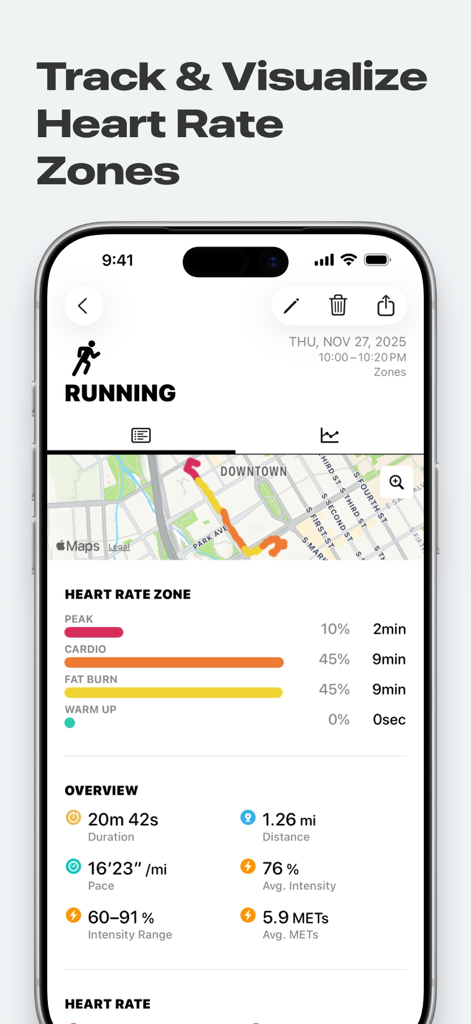
Zones for Training - Zones for Training app interface showing detailed heart rate zone analysis for a running workout.

Zones for Training app interface showing detailed heart rate zone analysis for a running workout.
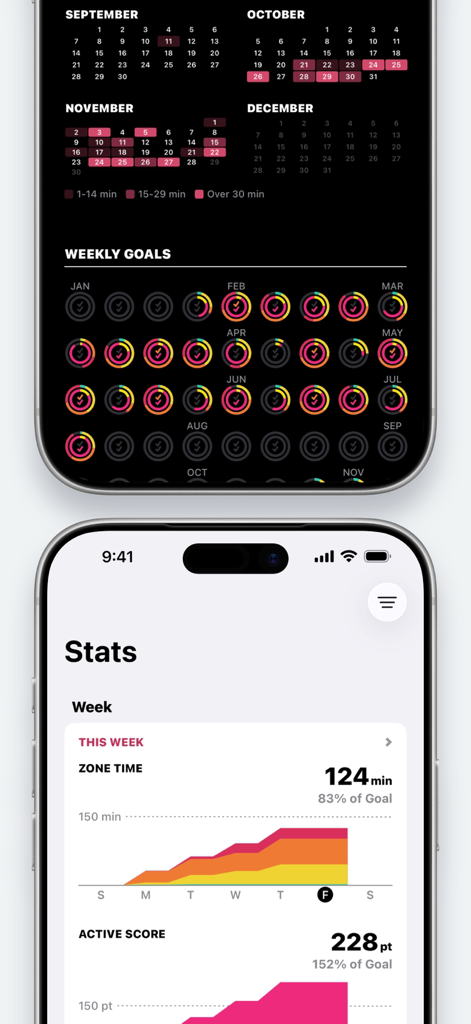
Zones for Training - iPhone screens from the Zones for Training app displaying weekly workout statistics, heart rate zone distribution graphs, and annual monthly goal progress rings.
iPhone screens from the Zones for Training app displaying weekly workout statistics, heart rate zone distribution graphs, and annual monthly goal progress rings.

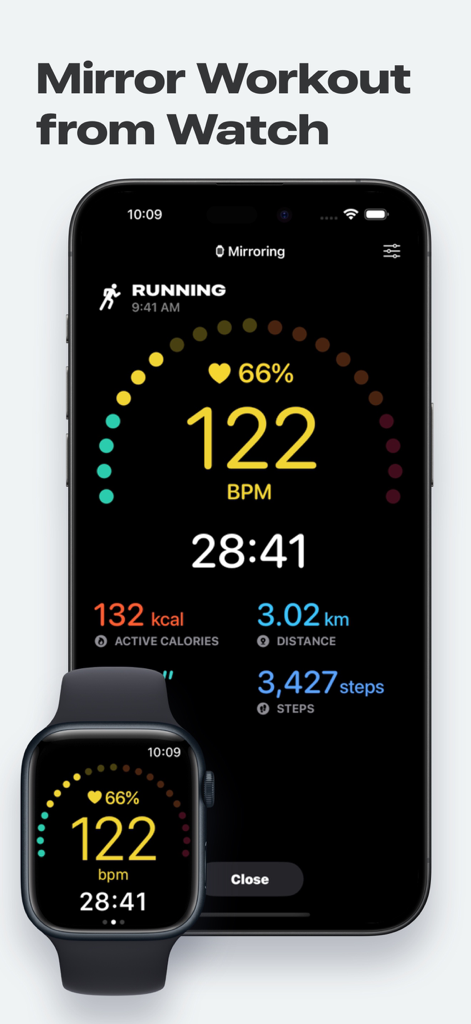
Zones for Training - Zones for Training app mirroring a running workout from an Apple Watch to an iPhone showing heart rate and duration
Zones for Training app mirroring a running workout from an Apple Watch to an iPhone showing heart rate and duration

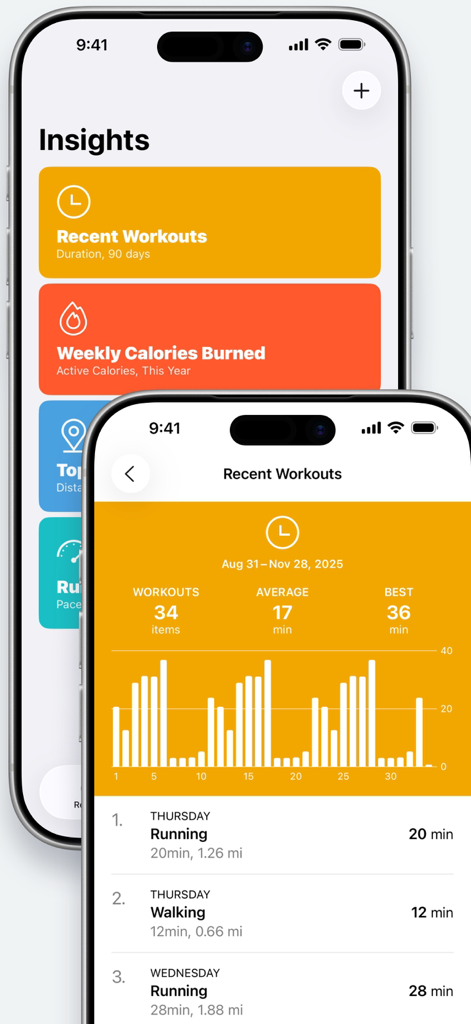
Zones for Training - Two iPhone screens displaying workout insights and a detailed list of recent activities with bar charts in the Zones for Training app
Two iPhone screens displaying workout insights and a detailed list of recent activities with bar charts in the Zones for Training app

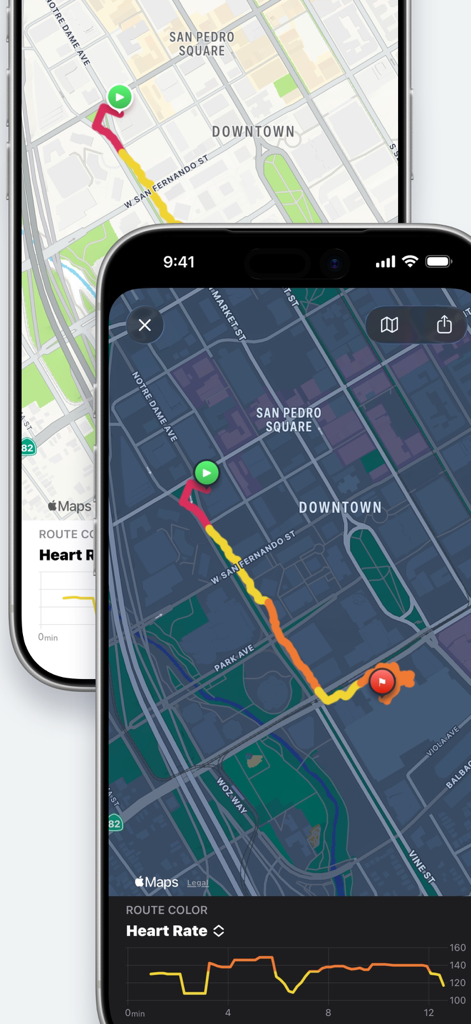
Zones for Training - Workout route map color coded by heart rate zones and intensity levels
Workout route map color coded by heart rate zones and intensity levels

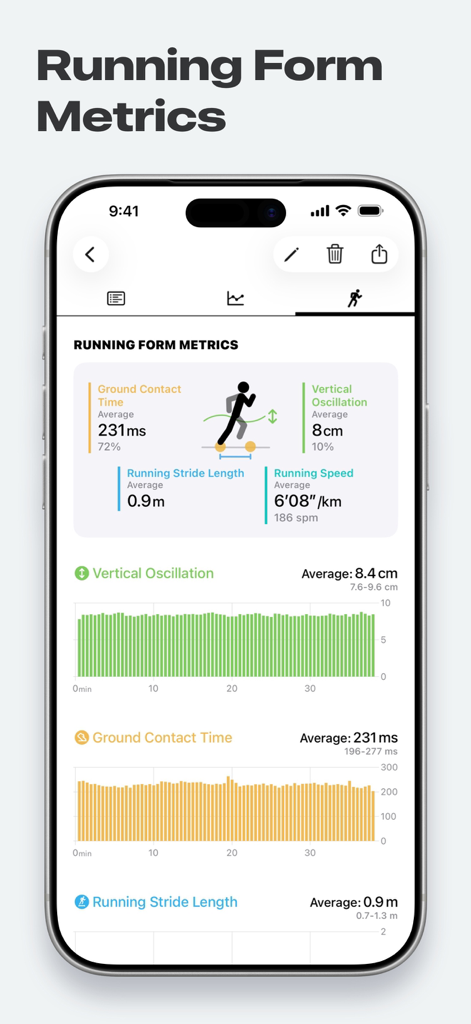
Zones for Training - Running form metrics dashboard showing vertical oscillation and ground contact time data
Running form metrics dashboard showing vertical oscillation and ground contact time data

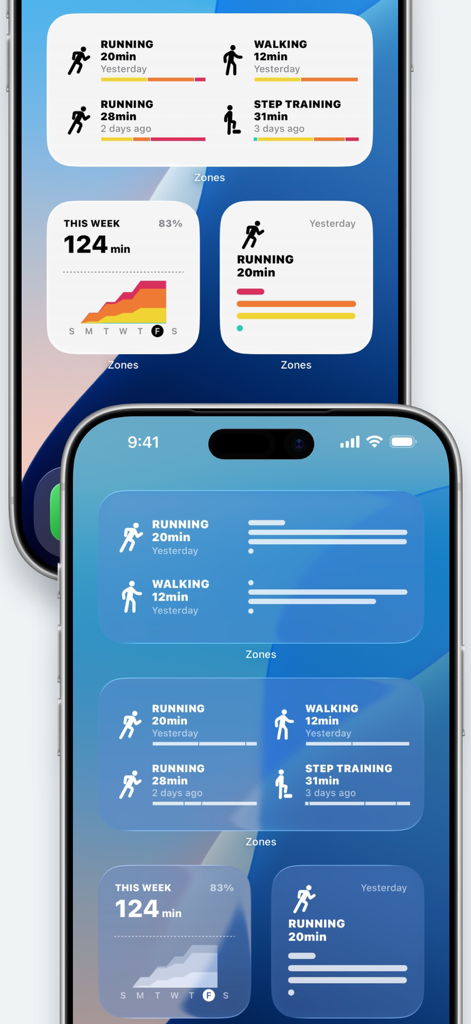
Zones for Training - iPhone home screen displaying Zones for Training widgets with workout summaries and heart rate intensity charts

iPhone home screen displaying Zones for Training widgets with workout summaries and heart rate intensity charts

Description

Get the most out of your Apple Watch! Zones monitors your exercise intensity and visualize it in meaningful ways. Know your activities and be smart about how you work out. Zones supports over 70 types of workouts like Running, Walking, Cycling, Treadmill, Exercise Bike, and Strength Training. Great for outdoor/indoor/gym workouts. Measure it on your Apple Watch, review it on your iPhone. Efficient workouts with Zones! ------------------------------------------------ ■ Features ------------------------------------------------ ◎ Monitor real-time exercise intensity and heart rate during workouts. (Apple Watch only) ◎ Show your time spent in the four Heart Rate Zones. ◎ Display all workouts data from the Apple Health app, so that you can use Zones as a total workouts dashboard. ------------------------------------------------ ■ Training With Heart Rate Zones ------------------------------------------------ Everybody has a different purpose for their training. Someone run for diet, someone ride for improving their cardio endurance. Exercising at the correct intensity can help you get the most out of your workouts. This app shows you your exercise intensity using your real-time heart rate, and it has four heart rate zones to understand your exercise intensity at a glance. • PEAK - for improving performance and speed. • CARDIO - for improving cardio endurance. • FAT BURN - For longer exercise. Predominantly uses fat for energy. • WARM UP - For preparation and recovery. With these four zones, you can start heart rate training very easily and quickly. You don't have to remember your target heart rate or intensity %. ------------------------------------------------ ■ Measuring with Apple Watch ------------------------------------------------ ◎ Heart Rate and Exercise Intensity in real-time • You can easily see which Heart Rate Zone you are in while exercise. • Your Apple Watch taps you on the wrist when heart rate zone changes. • Automatic pause/resume function (Running only) ◎ Review your improvements with Recovery Heart Rate Recovery Heart Rate is the difference between your exercising heart rate and your heart rate one minutes after the exercise has stopped. It is a good indicator to gauge your fitness level! This app measures it automatically right after your workouts. (Over CARDIO intensities only) ◎ Leave your iPhone at home You can leave your iPhone at home when you go for training! ※ Measurement function is only available on the Apple Watch. ------------------------------------------------ ■ Detailed Information of Your Workouts ------------------------------------------------ ◎ Details of Workout • Duration • Active Calories • Distance, Pace, Splits • Time in heart rate zones • Heart Rate and Exercise Intensity (Average, min/max heart rate) • Graphs of heart rate and pace • Show your workout on Widgets ◎ Insights (Graphs & Lists) • Recent Workouts • Weekly Calories Burned • Top 10 Distance • Running Pace ------------------------------------------------ ■ Many Ways to Use Zones ------------------------------------------------ ◎ Supports over 70 types of workouts Running, Walking, Cycling, Core Training, Flexibility, Strength Training... and so on! ◎ Works great with other apps through the Apple Health Zones reads all Workouts data from the Apple Health app, so you can use Zones as a total workouts dashboard. In this way, you can continue using the apps you already love. Of course, you can see your workouts data from Apple Workouts app in Zones. ◎ Upgrade to PRO • Stats (Weekly, Monthly, Yearly) • Create & customize Insights • Change Heart Rate Zones • Create Custom Workouts (5 Zones) • Edit Workout Name ------------------------------------------------ ■ Required Device ------------------------------------------------ Apple Health is required to use. For iPad, please update your OS to iPadOS 17 or higher.

Download

Download on App Store

This page is not an official page of the app or its developer, but an independent editorial publication created for informational and commentary purposes. Unless expressly stated otherwise, neither the app nor its developer is affiliated with, endorsed by, sponsored by, authorized by, or otherwise officially connected with MWM, Apple, Google Play, the app publisher, or the app's developer, and nothing on this page implies that the app was developed using MWM's services. Any trademarks, logos, screenshots, and other content remain the property of their respective owners.








