Astropad Studio Drawing Tablet
Herunterladen auf App Store

Diese Seite ist keine offizielle Seite der App oder ihres Entwicklers, sondern eine unabhängige redaktionelle Veröffentlichung, die zu Informations- und Kommentarzwecken erstellt wurde. Sofern nicht ausdrücklich anders angegeben, sind weder die App noch ihr Entwickler mit MWM, Apple, Google Play, dem App-Herausgeber oder dem Entwickler der App verbunden, von ihnen unterstützt, gesponsert, autorisiert oder anderweitig offiziell verbunden, und nichts auf dieser Seite impliziert, dass die App unter Verwendung der Dienste von MWM entwickelt wurde. Alle Marken, Logos, Screenshots und andere Inhalte bleiben Eigentum ihrer jeweiligen Inhaber.


Logo von Astropad Studio Drawing Tablet
Herunterladen auf App Store

Astropad Studio Drawing Tablet

Verwandeln Sie Ihr iPad in einen High-End-Kreativarbeitsplatz für Mac und PC. Entwickelt für Profis, die verzögerungsfreie Leistung, vollständige Gestenanpassung und die Freiheit verlangen, überall zu arbeiten.

Kennzahlen

Downloads

883K+

Bewertung

4.6/5

Bewertungen gesamt

4K+

Herausgeber

Astro HQ LLC

Kategorie

Productivity

Sprachen

4

Neueste Version

5.5.2

Größe

109.8 MB

Erstveröffentlichung

11. Jan. 2017
Funktionen

Entwickelt für den professionellen Workflow

Astropad Studio verwandelt Ihr iPad in ein High-End-Produktionswerkzeug, das die Präzision des Apple Pencil mit der vollen Leistung Ihrer Desktop-Kreativsuite kombiniert.

Geschwindigkeit und Präzision auf Profi-Niveau

Erleben Sie verzögerungsfreies Zeichnen mit der Liquid Extreme-Technologie und farbkorrigierter Retina-Auflösung, die Ihren Desktop perfekt spiegelt.

Benutzerdefinierte Magic Gestures

Erstellen Sie Ihre eigenen Touch- und Stiftkombinationen, um Kurzbefehle auszulösen, damit Sie sich auf die Leinwand konzentrieren können und die Hand nicht mehr auf die Tastatur legen müssen.

Die folgenden Screenshots und die Beschreibung stammen direkt aus dem offiziellen Store-Eintrag der App und sind Eigentum des Entwicklers.

App Store

Screenshots
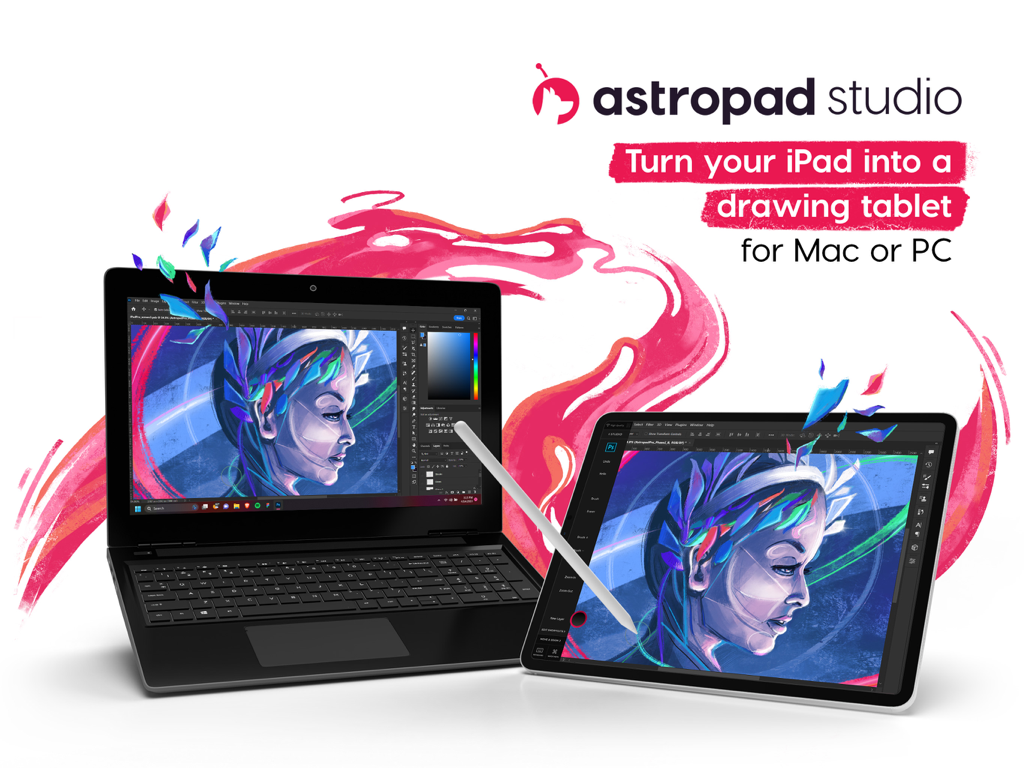
Astropad Studio Drawing Tablet - Ein iPad, das als professionelles Grafiktablett verwendet wird, verbunden mit einem Laptop, auf dem Kreativsoftware läuft
Ein iPad, das als professionelles Grafiktablett verwendet wird, verbunden mit einem Laptop, auf dem Kreativsoftware läuft

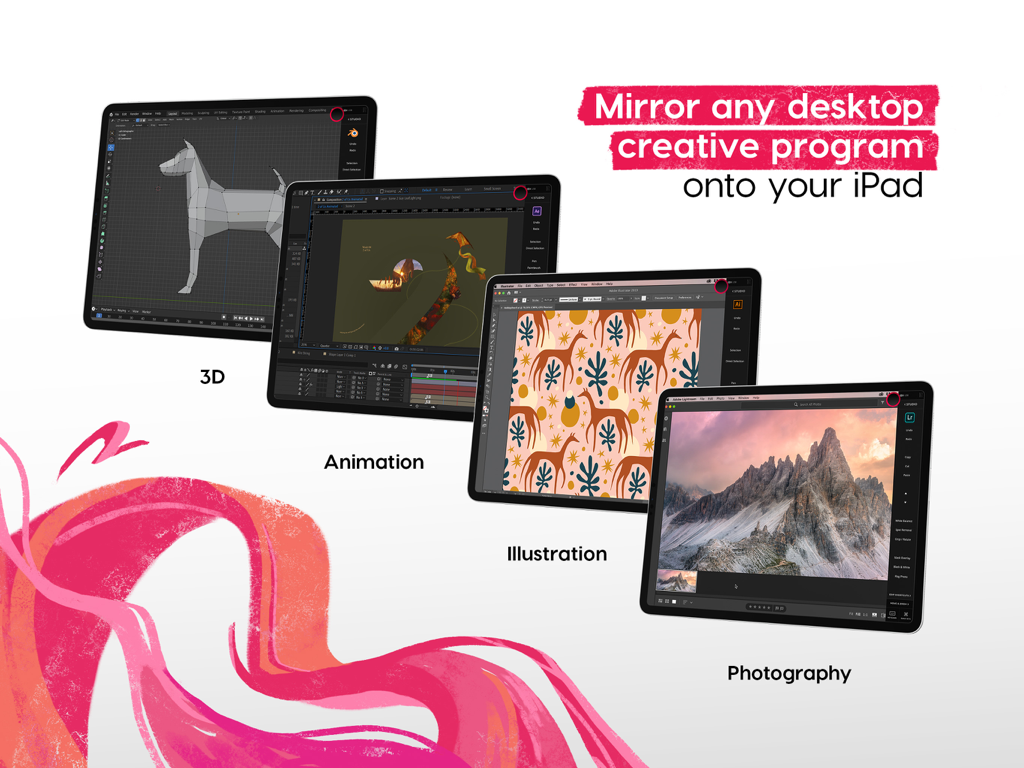
Astropad Studio Drawing Tablet - Astropad Studio spiegelt Desktop-Kreativsoftware wie 3D-Animation und Illustration auf ein iPad
Astropad Studio spiegelt Desktop-Kreativsoftware wie 3D-Animation und Illustration auf ein iPad

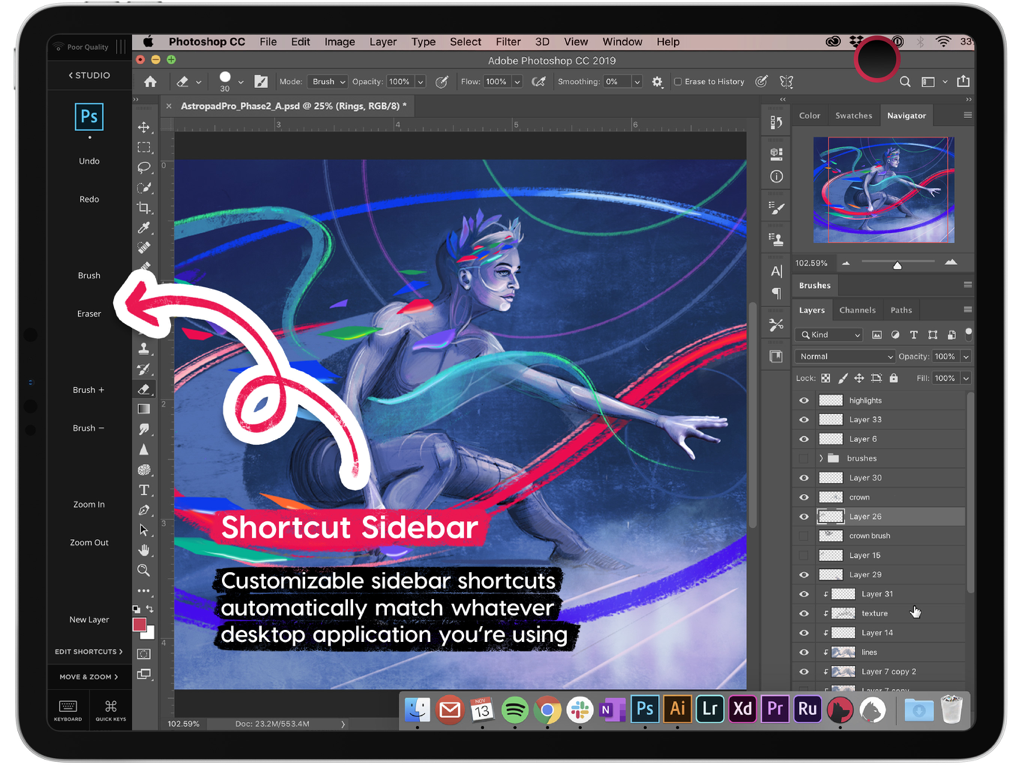
Astropad Studio Drawing Tablet - Seitenleiste für Astropad Studio-Kurzbefehle mit anpassbaren Werkzeugen für Photoshop auf dem iPad

Seitenleiste für Astropad Studio-Kurzbefehle mit anpassbaren Werkzeugen für Photoshop auf dem iPad
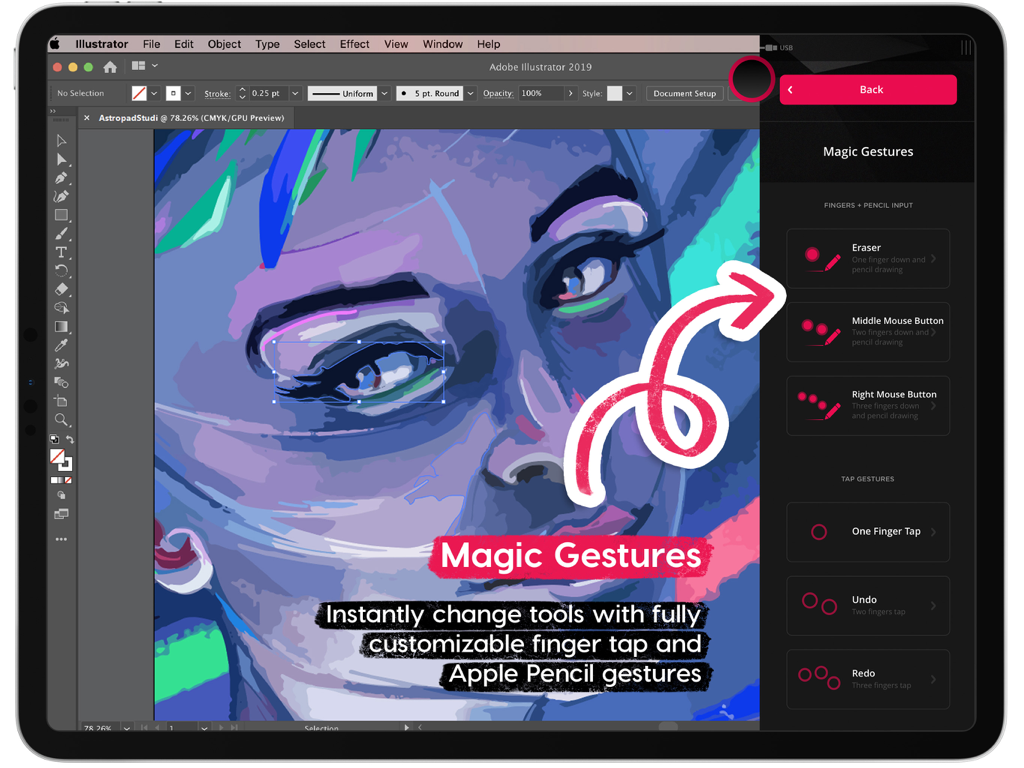
Astropad Studio Drawing Tablet - Astropad Studio Magic Gestures-Benutzeroberfläche für anpassbare Tastenkombinationen beim Zeichnen auf dem iPad
Astropad Studio Magic Gestures-Benutzeroberfläche für anpassbare Tastenkombinationen beim Zeichnen auf dem iPad

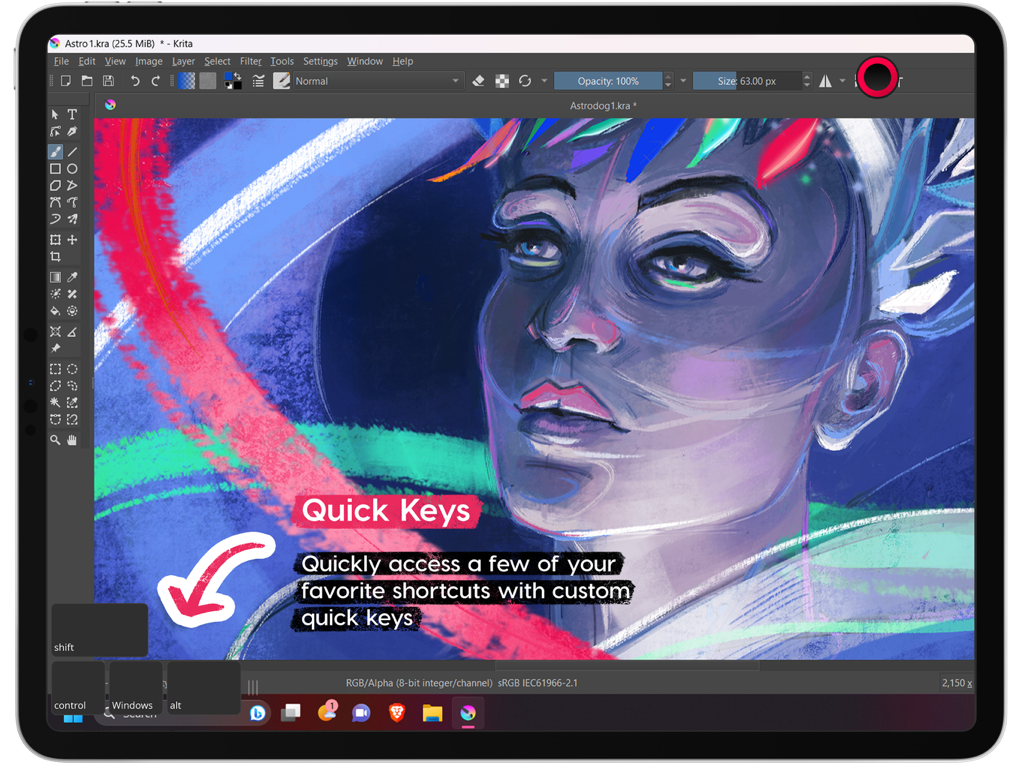
Astropad Studio Drawing Tablet - Astropad Studio-Benutzeroberfläche auf dem iPad, die die Quick-Keys-Funktion hervorhebt, während die Krita-Software läuft
Astropad Studio-Benutzeroberfläche auf dem iPad, die die Quick-Keys-Funktion hervorhebt, während die Krita-Software läuft

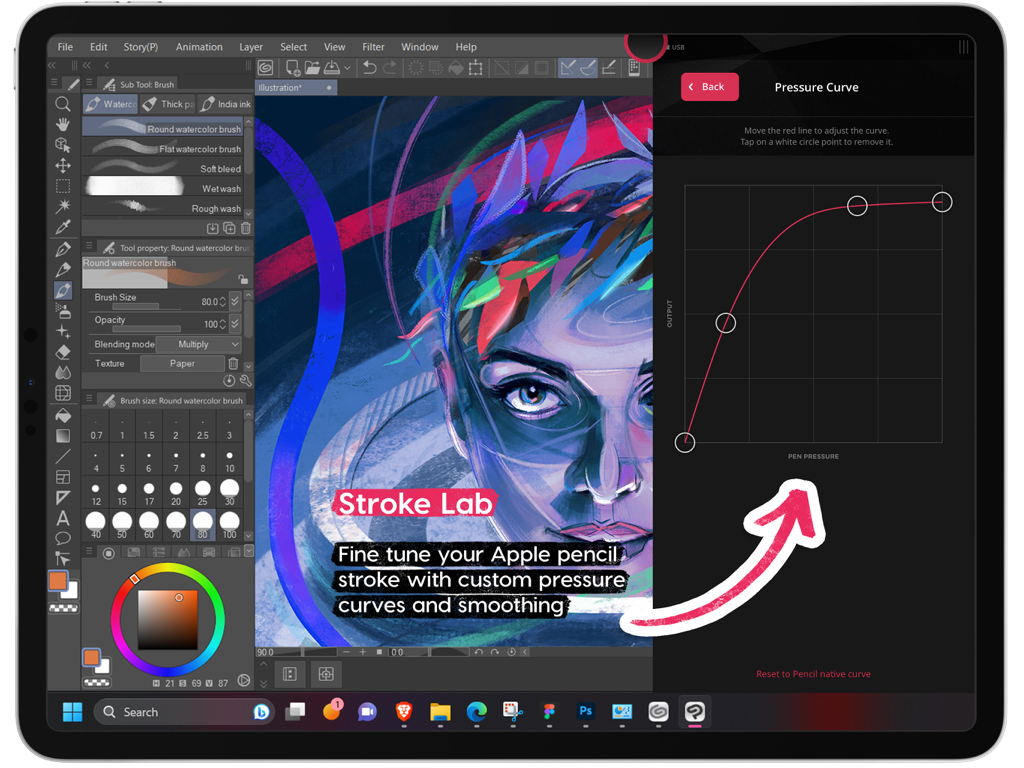
Astropad Studio Drawing Tablet - Benutzerdefinierte Druckkurveneinstellungen in Astropad Studio für den Apple Pencil auf dem iPad
Benutzerdefinierte Druckkurveneinstellungen in Astropad Studio für den Apple Pencil auf dem iPad

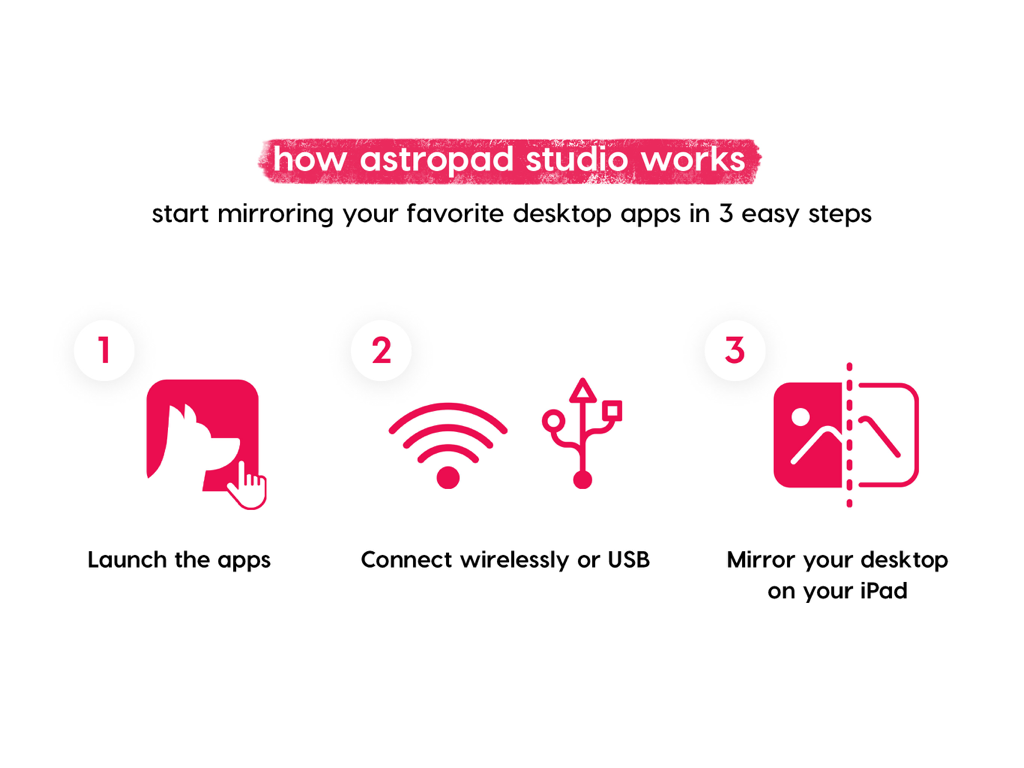
Astropad Studio Drawing Tablet - Infografik, die erklärt, wie man Desktop-Apps in drei Schritten mit Astropad Studio auf das iPad spiegelt
Infografik, die erklärt, wie man Desktop-Apps in drei Schritten mit Astropad Studio auf das iPad spiegelt

Astropad Studio Drawing Tablet - Angebotsbildschirm für die kostenlose 14-tägige Testversion von Astropad Studio

Angebotsbildschirm für die kostenlose 14-tägige Testversion von Astropad Studio

Beschreibung

Go beyond a drawing tablet with Astropad Studio. Start a free 14-day trial today! Astropad Studio is the ultimate wireless drawing tablet, designed for the most demanding creative work. With complete workspace customization, Studio allows artists to work faster and more efficiently, with the freedom to work in the studio, at home, or on-the-go. Built for creative professionals with features like: · Wifi or USB connectivity · Built in 2nd display · Crystal clear & ultra-fast · Gesture shortcut customization · Keyboard support · Customizable pressure curves · Magic Gestures: Create your own gesture shortcuts with touch-Pencil combinations · Shortcut Sets: Sidebar shortcuts automatically adapt to match whatever Mac app you’re working in · Unlimited upgrades · Works on Mac and PC $14.99 monthly or $79.99 annually ___ STREAMLINED PRODUCTIVITY · Pinch to Zoom: Pinch to zoom and pan in Mac or PC Apps · Liquid Extreme: Up to 5x faster than baseline Liquid · Wifi & USB: Use your iPad as a drawing tablet plugged in or wirelessly · Keyboard Support: Access our built-in keyboard or use your own Bluetooth keyboard · Velocity Control: Analyzes network conditions dozens of times per second to balance image quality and latency COMPLETE CUSTOMIZATION · Magic Gestures: Create your own gesture shortcuts with touch-Pencil combinations · Shortcut Sets: Sidebar shortcuts automatically adapt to match whatever Mac app you’re working in BUILT FOR CREATIVES · Apple Pencil Optimized: Designed exclusively for the precision of Apple Pencil · Color Corrected: True to your source material with color corrected output and retina resolution ___ SYSTEM REQUIREMENTS · Mac: OS X 10.14 or later · PC: Windows 10 64-bit, build 1809 or later · iPad iOS 13.1 or later: iPad Mini 4 (2015+), iPad Air (2014+), iPad Pro (2016+), iPad 5th generation (2017+) · Optimized for iPad Pro and Apple Pencil SUBSCRIPTION TERMS · $14.99 monthly or $79.99 annually · Price may vary by location. ___ Subscriptions will be charged to your credit card using your iTunes account. Your subscription will automatically renew unless canceled at least 24 hours before the end of the current period. Subscriptions may be managed by the user and auto-renewal may be turned off by going to the user's Account Settings after purchase. No cancellation of the current subscription is allowed during active subscription period. Any unused portion of a free trial period will be forfeited when the user purchases a subscription. Your account will be charged for renewal within 24-hours prior to the end of the current period. ___ MORE RESOURCES Download the free desktop companion app: astropad.com/downloads FAQ: astropad.com/faq Support: support@astropad.com Twitter: @astropad Instagram: @astropadco Facebook: facebook.com/astropadco ___ Privacy Policy: http://astropad.com/studio/privacy.html Terms of Use: http://astropad.com/studio/terms.html

Download

Herunterladen auf App Store

Diese Seite ist keine offizielle Seite der App oder ihres Entwicklers, sondern eine unabhängige redaktionelle Veröffentlichung, die zu Informations- und Kommentarzwecken erstellt wurde. Sofern nicht ausdrücklich anders angegeben, sind weder die App noch ihr Entwickler mit MWM, Apple, Google Play, dem App-Herausgeber oder dem Entwickler der App verbunden, von ihnen unterstützt, gesponsert, autorisiert oder anderweitig offiziell verbunden, und nichts auf dieser Seite impliziert, dass die App unter Verwendung der Dienste von MWM entwickelt wurde. Alle Marken, Logos, Screenshots und andere Inhalte bleiben Eigentum ihrer jeweiligen Inhaber.








