
Diese Seite ist keine offizielle Seite der App oder ihres Entwicklers, sondern eine unabhängige redaktionelle Veröffentlichung, die zu Informations- und Kommentarzwecken erstellt wurde. Sofern nicht ausdrücklich anders angegeben, sind weder die App noch ihr Entwickler mit MWM, Apple, Google Play, dem App-Herausgeber oder dem Entwickler der App verbunden, von ihnen unterstützt, gesponsert, autorisiert oder anderweitig offiziell verbunden, und nichts auf dieser Seite impliziert, dass die App unter Verwendung der Dienste von MWM entwickelt wurde. Alle Marken, Logos, Screenshots und andere Inhalte bleiben Eigentum ihrer jeweiligen Inhaber.

Camo Camera
Verbessern Sie Ihre Videoanrufe, Streams und Aufnahmen mit filmischem Bokeh, manuellen Anpassungen und automatischer Zentrierung. Die mit dem Apple Design Award ausgezeichnete Lösung für vielbeschäftigte Profis, die sich nicht mit körnigen Laptop-Webcams zufriedengeben wollen.
Downloads
1M+Bewertung
Bewertungen gesamt
13K+Herausgeber
Kategorie
UtilitiesSprachen
13Neueste Version
2.3.3Größe
73.4 MBErstveröffentlichung
16. Juli 2020Verbessern Sie Ihr professionelles Erscheinungsbild sofort
Vergessen Sie die körnige Laptop-Kamera. Camo nutzt die fortschrittliche Optik Ihres iPhones, um Studio-Qualitätsvideos, intelligente Bildausschnitte und detaillierte Kontrolle über jedes Bild zu liefern.
Filmischer Porträt- & Spotlight-Modus
Sehen Sie bei jedem Licht am besten aus. Verwischen Sie mühelos Ihren Hintergrund und hellen Sie Ihr Erscheinungsbild auf für einen polierten, hochwertigen Look, der in Meetings hervorsticht.
Intelligente automatische Zentrierung
Bleiben Sie zentriert und professionell, ohne stillzustehen. Unsere intelligente Zentrierung hält Sie perfekt im Bild, während Sie präsentieren oder sich bewegen, und sorgt dafür, dass Sie immer im Fokus stehen.
Häufig gestellte Fragen
Alles, was Sie über wissen müssen Camo Camera
Was ist Camo Camera?
Camo Camera ist eine App, die für die Apple Design Awards 2023 nominiert wurde. Sie verwandelt dein iPhone in eine professionelle Webcam und ermöglicht so professionelle Videos für Besprechungen, Streaming oder Aufnahmen auf deinem Mac oder PC.
Wie verbindet sich Camo Camera mit einem Computer?
Camo Camera verbindet sich mit deinem Mac oder PC entweder über eine drahtlose WLAN-Verbindung oder ein herkömmliches USB-Kabel. Beide Optionen bieten Flexibilität und einfache Einrichtung.
Kann ich Videoeinstellungen mit Camo Camera anpassen?
Ja, Camo Studio bietet umfassende Kontrolle über dein Video. Benutzer können Objektive, Belichtung, Farben, Kontrast, Zoom, Zuschneiden und Fokus präzise einstellen, um die gewünschte Bildqualität zu erzielen.
Hat Camo Camera Filter für Videos?
Ja, Camo Camera enthält 18 exklusive Filter für filmisches Styling und Farbkorrektur. Es unterstützt auch benutzerdefinierte Cube-, 3DL- und LUT-Dateien für erweiterte kreative Optionen.
Was ist die Spotlight-Funktion in Camo Camera?
Spotlight ist eine Funktion von Camo Camera, die schlechte Lichtverhältnisse ausgleicht. Sie hellt den Benutzer vor dem Hintergrund auf, sodass er in hinterleuchteten oder unterbelichteten Umgebungen hervorsticht.
Bietet Camo Camera Hintergrundeffekte?
Ja, Camo Camera bietet 'Ersetzen', einen virtuellen Greenscreen zum Austauschen von Hintergründen, und 'Privatsphäre', der einen diffusen Bildeffekt erzeugt, um die Umgebung zu verdecken. Beides sorgt für klare Vordergrunddetails.
Ist Camo Camera mit gängigen Videoanruf-Apps kompatibel?
Ja, Camo Camera lässt sich nahtlos in über 40 Anwendungen integrieren. Dazu gehören beliebte Plattformen wie Zoom, Google Meet, Microsoft Teams, Safari, FaceTime und OBS Studio.
Respektiert Camo Camera die Privatsphäre der Benutzer?
Ja, Camo Camera legt Wert auf Privatsphäre und Sicherheit. Es erfasst oder überträgt deinen Videostream nicht und leitet ihn direkt von deinem iPhone an deinen Computer weiter.
Kann Camo Camera mit iPad-Geräten verwendet werden?
Ja, Camo Camera bietet native Unterstützung für iPadOS, sodass iPad-Benutzer die Kamera ihres Geräts nutzen können. Es verfügt außerdem über einen schönen Dunkelmodus in der gesamten Anwendung.
Was sind die Systemanforderungen für Camo Studio?
Camo Studio benötigt macOS 10.13 oder eine neuere Version oder Windows 10 oder eine neuere Version, um zu funktionieren. Dies sind die Mindestvoraussetzungen für das Betriebssystem.
Verfügt Camo Camera über eine Autoframing-Funktion?
Ja, Camo Camera verfügt über eine Autoframing-Funktion. Dies stellt sicher, dass der Benutzer zentriert und proportional auf dem Bildschirm bleibt, auch wenn er sich während eines Anrufs oder einer Präsentation bewegt.
Beeinträchtigt Camo Camera die Computerleistung?
Nein, Camo Camera lagert die gesamte Videoverarbeitung auf dein iOS-Gerät aus. Dieses Design sorgt dafür, dass dein Computer kühl und schnell bleibt und seine Leistung während der Nutzung erhalten bleibt.
Die folgenden Screenshots und die Beschreibung stammen direkt aus dem offiziellen Store-Eintrag der App und sind Eigentum des Entwicklers.
App Store
Screenshots
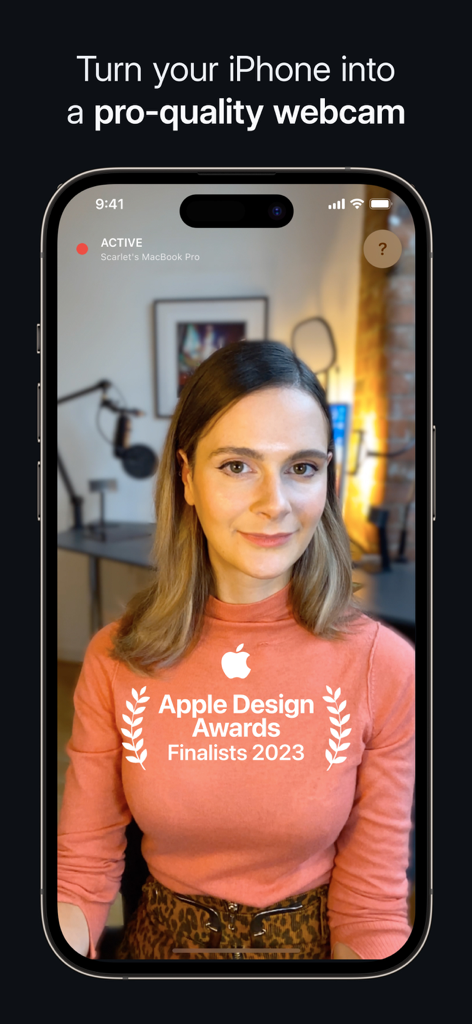
Camo Camera App-Oberfläche, die ein iPhone in eine professionelle Webcam verwandelt, mit einem Apple Design Award Finalist-Abzeichen
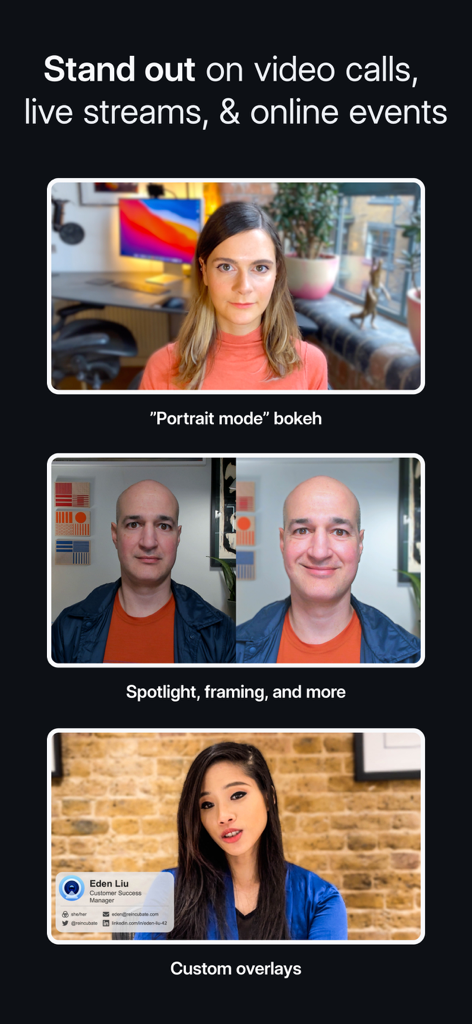
Eine Demonstration der Camo-Kamerafunktionen, einschließlich Porträtmodus-Bokeh, Spotlight-Fokus-Einstellungen und benutzerdefinierter professioneller Overlays für Videoanrufe
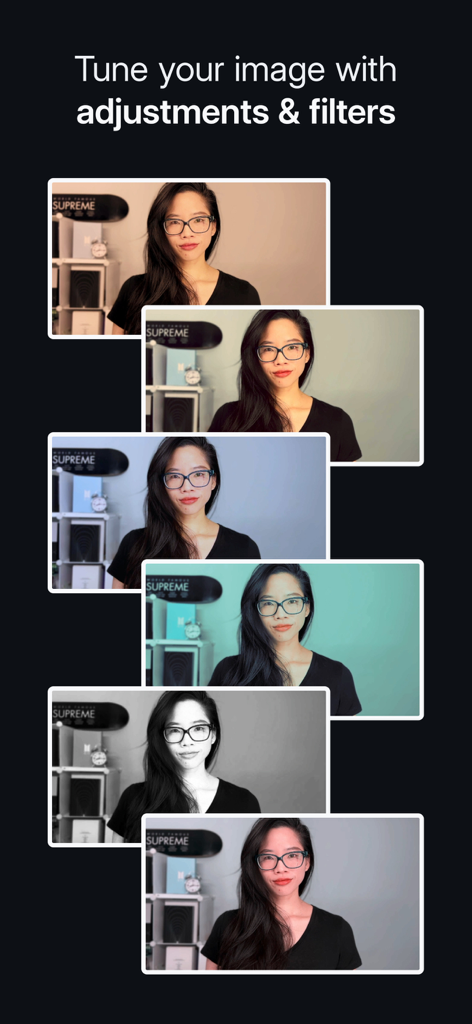
Eine Reihe von Videobildern, die verschiedene Filter und Bildeinstellungen in Camo Camera zeigen
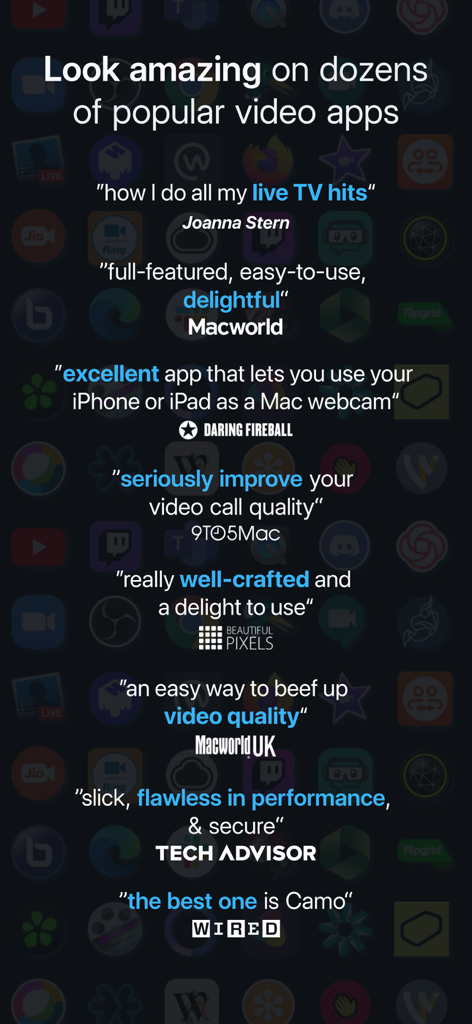
Eine Sammlung positiver Bewertungen und Testimonials für die Camo Camera App von großen Technikpublikationen, darunter Wired und Macworld.
Beschreibung
Download
Ähnliche Apps
Apps mit ähnlichen Funktionen und Nutzererfahrung

Mouse · Keyboard
Remote Sunrise LTD

DroidCam Webcam & OBS Camera
DEV47 APPS LTD.

spacedesk - USB Display for PC
datronicsoft Technology GmbH

iVCam Webcam
俊红 柴

Remote Mouse
耀 阮

CamX - USB Camera
Touchbits Inc.

Genki Studio
Human Things, Inc

Astropad Studio Drawing Tablet
Astro HQ LLC

Remote Mouse & Keyboard
horhe dor
Diese Seite ist keine offizielle Seite der App oder ihres Entwicklers, sondern eine unabhängige redaktionelle Veröffentlichung, die zu Informations- und Kommentarzwecken erstellt wurde. Sofern nicht ausdrücklich anders angegeben, sind weder die App noch ihr Entwickler mit MWM, Apple, Google Play, dem App-Herausgeber oder dem Entwickler der App verbunden, von ihnen unterstützt, gesponsert, autorisiert oder anderweitig offiziell verbunden, und nichts auf dieser Seite impliziert, dass die App unter Verwendung der Dienste von MWM entwickelt wurde. Alle Marken, Logos, Screenshots und andere Inhalte bleiben Eigentum ihrer jeweiligen Inhaber.