
Diese Seite ist keine offizielle Seite der App oder ihres Entwicklers, sondern eine unabhängige redaktionelle Veröffentlichung, die zu Informations- und Kommentarzwecken erstellt wurde. Sofern nicht ausdrücklich anders angegeben, sind weder die App noch ihr Entwickler mit MWM, Apple, Google Play, dem App-Herausgeber oder dem Entwickler der App verbunden, von ihnen unterstützt, gesponsert, autorisiert oder anderweitig offiziell verbunden, und nichts auf dieser Seite impliziert, dass die App unter Verwendung der Dienste von MWM entwickelt wurde. Alle Marken, Logos, Screenshots und andere Inhalte bleiben Eigentum ihrer jeweiligen Inhaber.

DaVinci Resolve for iPad
Erleben Sie die weltweit einzige Lösung, die legendäre Farbkorrektur und High-Speed-Bearbeitung kombiniert. Entfesseln Sie Ihre Kreativität mit KI-gestützten Werkzeugen und nahtloser Cloud-Kollaboration, wo immer Sie sind.
Downloads
2M+Bewertung
Bewertungen gesamt
8K+Herausgeber
Kategorie
Photo & VideoSprachen
12Neueste Version
20.3.1Größe
3.6 GBErstveröffentlichung
21. Dez. 2022Hollywoods Power, jetzt mobil
Erleben Sie die fortschrittlichsten Bearbeitungs- und Farbkorrekturwerkzeuge der Welt, neu konzipiert für das iPad Pro, um Ihnen einen professionellen Studio-Workflow zu ermöglichen, wo immer Sie sind.
Legendäre Farbkorrektur
Erreichen Sie den filmischen 'Hollywood-Look' mit denselben primären Rädern und HDR-Grading-Werkzeugen, die bei großen Kinofilmen verwendet werden.
DaVinci KI Neural Engine
Sparen Sie Stunden manueller Arbeit mit KI-gestützter Magic Mask-Nachverfolgung, Stimmisolierung für professionelle Audioaufnahmen und Smart Reframe für soziale Medien.
Häufig gestellte Fragen
Alles, was Sie über wissen müssen DaVinci Resolve for iPad
Was ist DaVinci Resolve für iPad?
DaVinci Resolve für iPad ist ein professionelles Software-Tool, das Bearbeitung und Farbkorrektur in einer einzigen Anwendung kombiniert. Es bietet eine elegante Oberfläche sowohl für neue Benutzer als auch für Profis, um schneller und mit hochwertigen Ergebnissen zu arbeiten.
Unterstützt DaVinci Resolve für iPad die Zusammenarbeit?
Ja, DaVinci Resolve für iPad unterstützt die Blackmagic Cloud Collaboration. Dies ermöglicht es mehreren Benutzern, mit Cloud-basierten Workflows und einer Blackmagic Cloud ID an derselben Projekt-Timeline zu arbeiten.
Welche KI-Tools sind in DaVinci Resolve für iPad verfügbar?
DaVinci Resolve für iPad verfügt über KI-Tools, die von der DaVinci AI Neural Engine angetrieben werden, darunter Magic Mask, Smart Reframe und Voice Isolation. Diese Tools sind über einen Studio In-App-Kauf erhältlich.
Kann DaVinci Resolve für iPad Material für soziale Medien neu formatieren?
Ja, DaVinci Resolve für iPad verfügt über Smart Reframe, ein KI-Tool, das Material für verschiedene Seitenverhältnisse neu aufbereitet. Es erkennt die Szenenaktivität und schwenkt darin, um quadratische oder vertikale Versionen für soziale Medien zu erstellen.
Was sind die Kompatibilitätsanforderungen für DaVinci Resolve für iPad?
DaVinci Resolve für iPad wird für Apple iPad Pro M1 oder neuere Modelle mit mindestens 8 GB RAM empfohlen. Ältere iPads können Feature-Einschränkungen aufweisen und auf HD-Ausgabe beschränkt sein.
Sind DaVinci Resolve für iPad-Projekte mit Desktop-Versionen kompatibel?
Ja, DaVinci Resolve für iPad-Projekte (drp) und Projektarchive (dra) sind vollständig mit DaVinci Resolve 20 auf dem Desktop kompatibel. Dies gewährleistet einen nahtlosen Workflow zwischen den Geräten.
Welche Dateiformate unterstützt DaVinci Resolve für iPad?
DaVinci Resolve für iPad unterstützt die Dateiformate H.264, H.265, Apple ProRes und Blackmagic RAW. Dies gewährleistet eine breite Kompatibilität für professionelle Video-Workflows.
Welche Eingabegeräte unterstützt DaVinci Resolve für iPad?
DaVinci Resolve für iPad unterstützt das Magic Keyboard, Apple Pencil und Studio sowie PRO XDR Displays. Diese Zubehörteile verbessern die Benutzererfahrung und erweitern die Funktionalität.
Enthält DaVinci Resolve für iPad erweiterte Farbkorrekturfunktionen?
Ja, die Farbseite von DaVinci Resolve für iPad enthält PowerWindows™, Qualifier, 3D-Tracker und erweiterte HDR-Grading-Tools. Sie verfügt auch über primäre Regler für präzise Anpassungen.
Kann ich unerwünschte Geräusche aus Dialogen in DaVinci Resolve für iPad entfernen?
Ja, DaVinci Resolve für iPad bietet Voice Isolation als KI-Tool. Diese Funktion ermöglicht es Benutzern, laute, unerwünschte Geräusche aus Interviews und Dialogaufnahmen aus lauten Umgebungen einfach zu entfernen.
Wofür ist die 'Cut Page' in DaVinci Resolve für iPad konzipiert?
Die 'Cut Page' in DaVinci Resolve für iPad ist für Projekte mit engen Zeitplänen konzipiert, wie z. B. Dokumentarfilme. Sie bietet eine optimierte Oberfläche mit Funktionen wie Source Tape und Smart Editing Tools für eine schnelle Bearbeitung.
Wie kann ich Objekte in einem Video mit DaVinci Resolve für iPad verfolgen?
DaVinci Resolve für iPad bietet das KI-Tool Magic Mask, das Personen, Merkmale und Objekte in einer Aufnahme mit einem einzigen Strich findet und verfolgt. Die Software verfügt auch über einen "Tracker - Window", wie in der Benutzeroberfläche gezeigt.
Hat DaVinci Resolve für iPad Funktionen zur Gesichtsoptimierung?
Ja, DaVinci Resolve für iPad enthält "Face Refinement" im Effekte-Panel, wie die Benutzeroberfläche zeigt. Diese Funktion ermöglicht eine detaillierte Analyse und Anpassung von Gesichtern im Filmmaterial.
Die folgenden Screenshots und die Beschreibung stammen direkt aus dem offiziellen Store-Eintrag der App und sind Eigentum des Entwicklers.
App Store
Screenshots
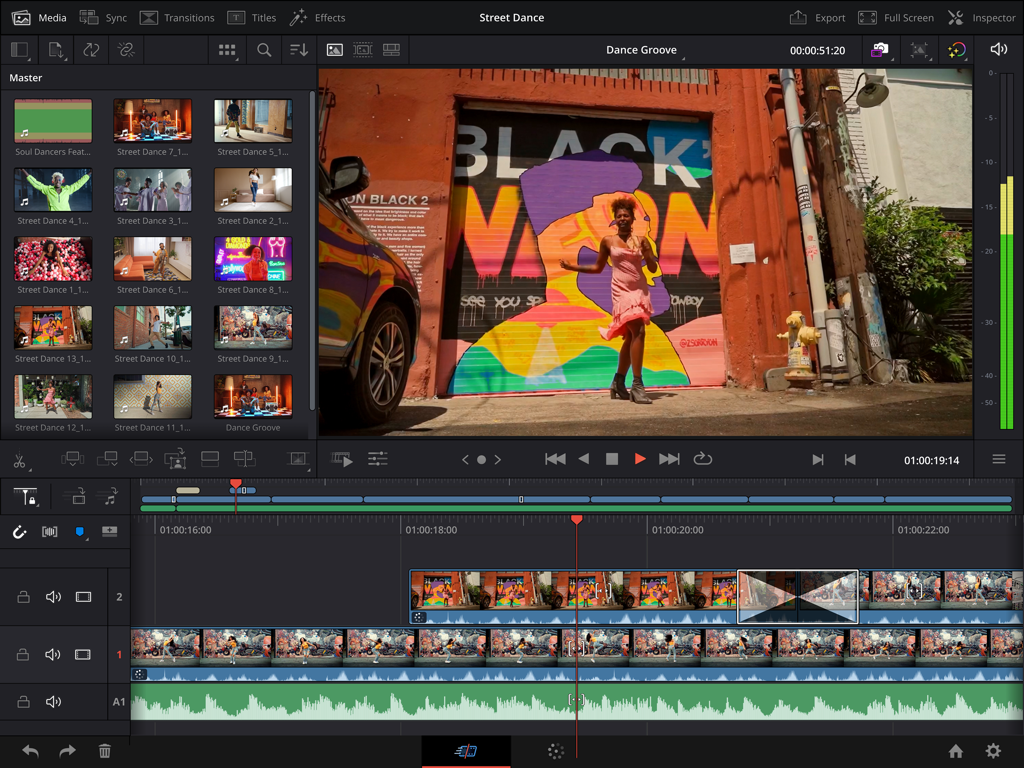
DaVinci Resolve für iPad-Oberfläche, die eine professionelle Videobearbeitungs-Timeline und das KI-Tool Magic Mask zeigt
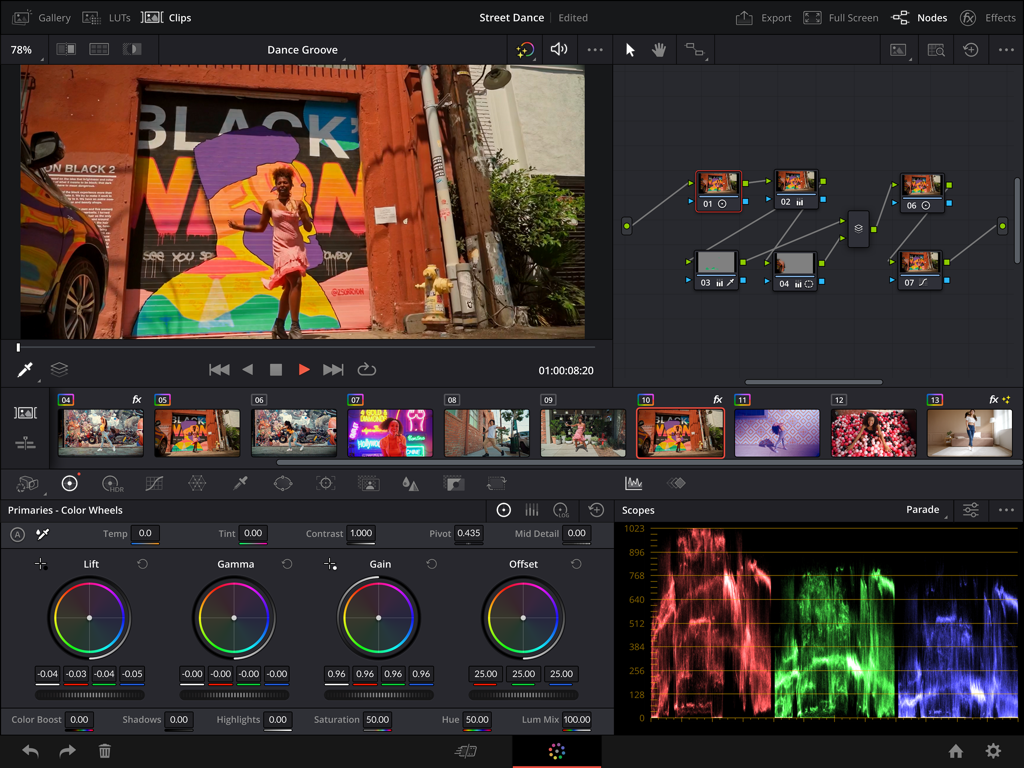
Professionelle Farbkorrektur-Oberfläche auf DaVinci Resolve für iPad mit Farbrädern, Node-Baum und Scopes.
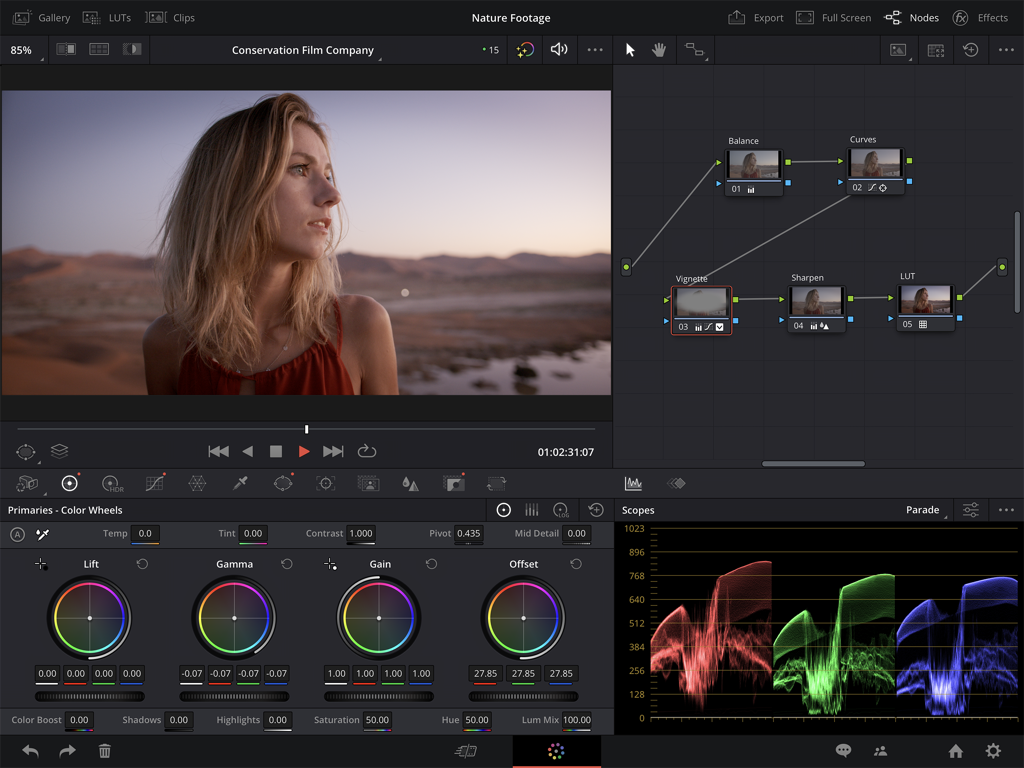
Professionelle Farbkorrektur-Oberfläche auf DaVinci Resolve für iPad mit Farbrädern und Scopes
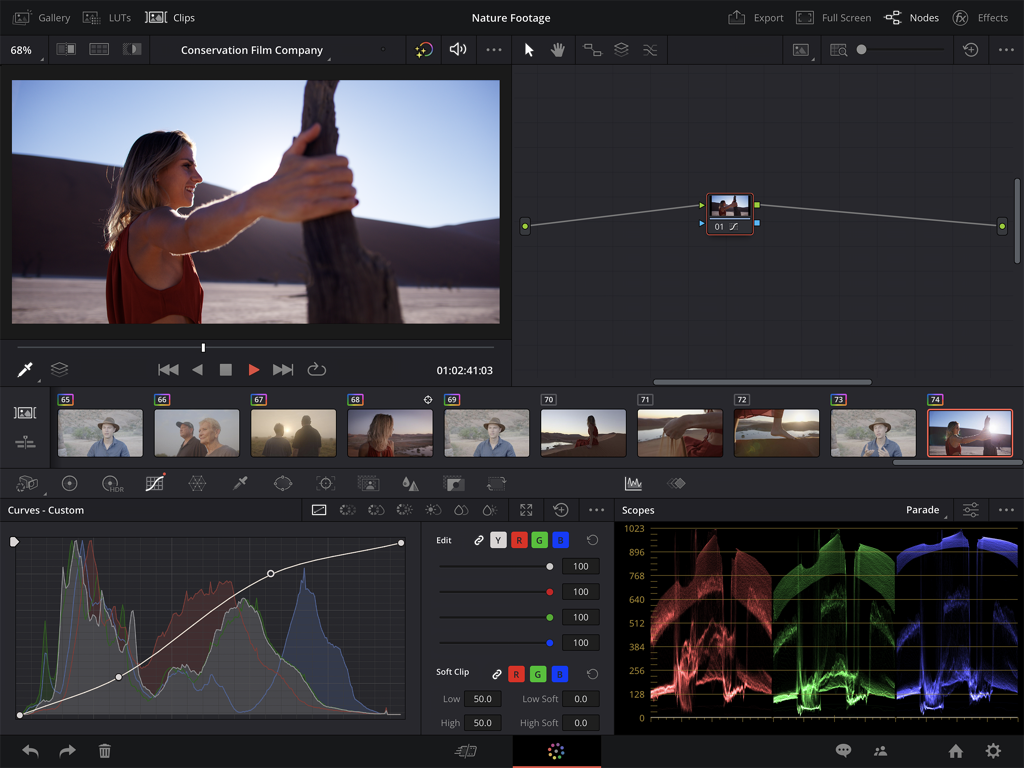
Professionelle Videofarbkorrektur-Oberfläche in DaVinci Resolve für iPad mit Kurven und Scopes
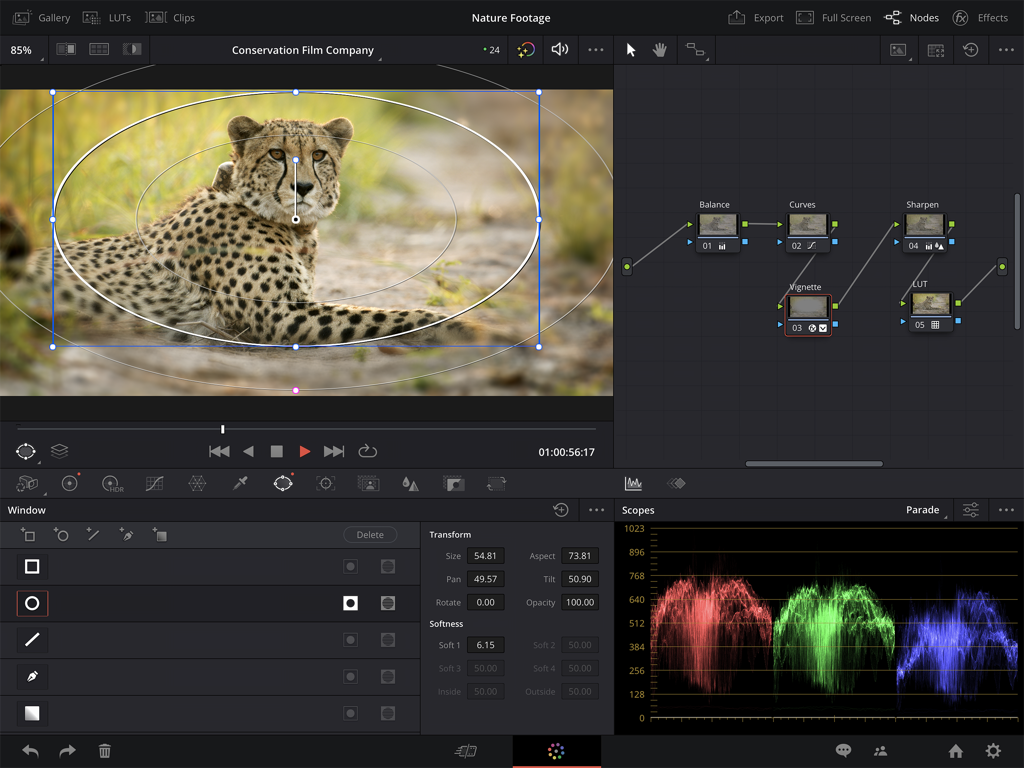
Professionelle Farbkorrektur-Oberfläche auf DaVinci Resolve für iPad, die einen Node-Graphen und Video-Scopes zeigt
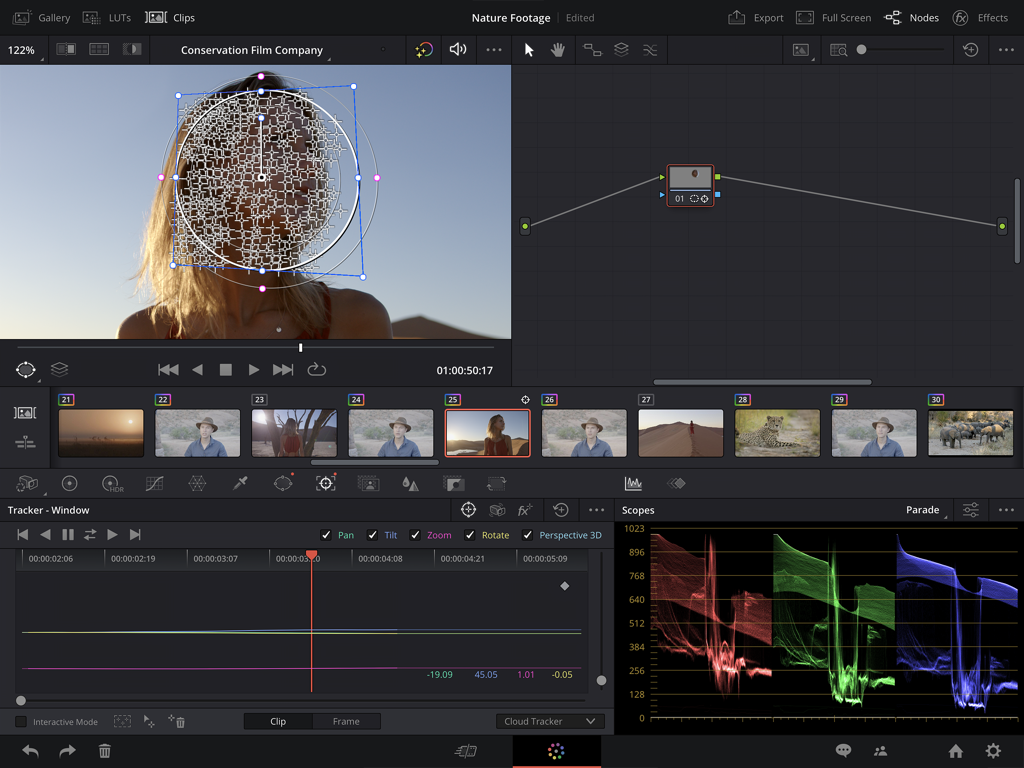
Professionelle Farbkorrektur- und Gesichtsnachverfolgungswerkzeuge von DaVinci Resolve für iPad
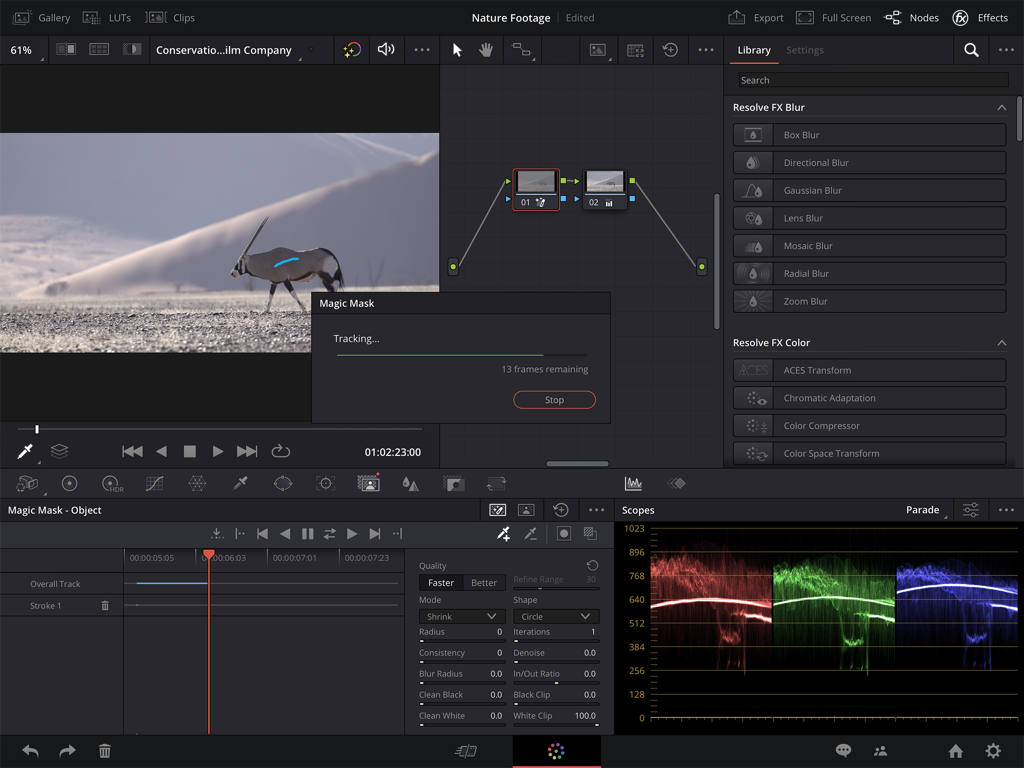
Professionelle Videobearbeitungs-Oberfläche von DaVinci Resolve für iPad mit KI Magic Mask-Nachverfolgung und Farbkorrektur-Scopes
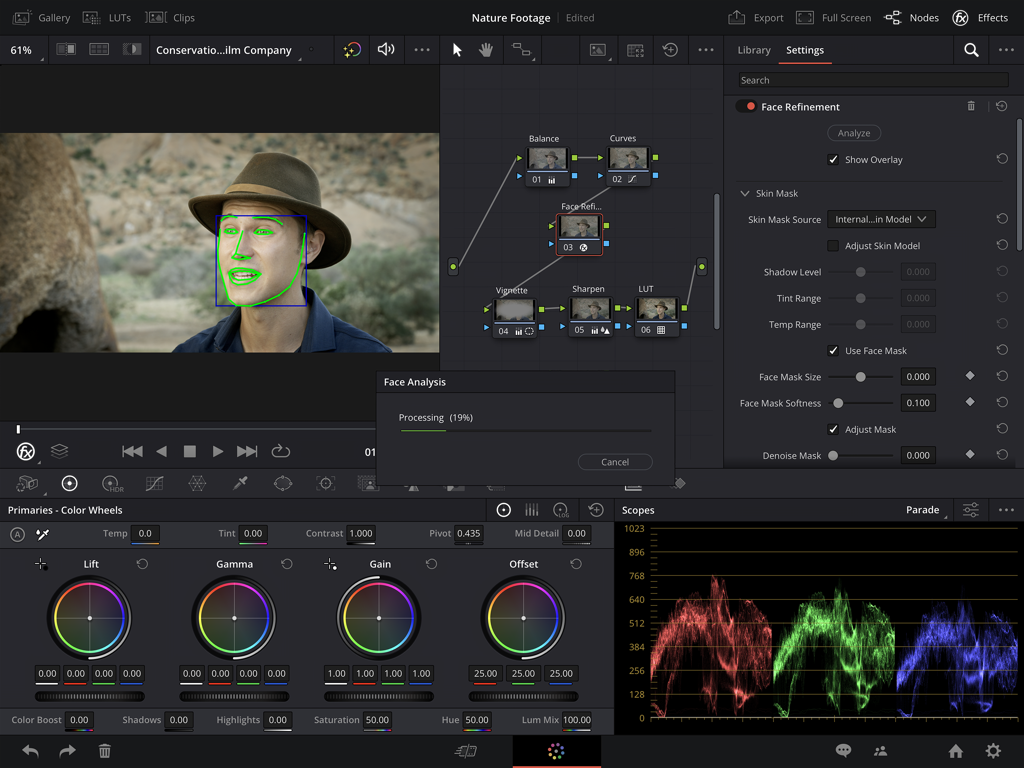
Professionelle Farbkorrektur-Oberfläche von DaVinci Resolve für iPad, die das KI-Tool zur Gesichtsoptimierung und Farbräder zeigt
Beschreibung
Download
Ähnliche Apps
Apps mit ähnlichen Funktionen und Nutzererfahrung

VN: AI Video Editor
Ubiquiti Labs, LLC

Splice - Video Editor & Maker
Bending Spoons Apps ApS

Blurrr-Music video editor
TBPS INTERNATIONAL TECHNOLOGY PTE. LTD.

Node Video
小为 罗

Filmmaker Pro - Video Editor
Tinkerworks Apps

Time Cut: Smooth Slow Motion
立亚 林

LumaFusion
Luma Touch LLC

Slow Motion Video Fx Editor
Brain Craft Ltd

WEILO - My Last Video Editor
vimosoft
Diese Seite ist keine offizielle Seite der App oder ihres Entwicklers, sondern eine unabhängige redaktionelle Veröffentlichung, die zu Informations- und Kommentarzwecken erstellt wurde. Sofern nicht ausdrücklich anders angegeben, sind weder die App noch ihr Entwickler mit MWM, Apple, Google Play, dem App-Herausgeber oder dem Entwickler der App verbunden, von ihnen unterstützt, gesponsert, autorisiert oder anderweitig offiziell verbunden, und nichts auf dieser Seite impliziert, dass die App unter Verwendung der Dienste von MWM entwickelt wurde. Alle Marken, Logos, Screenshots und andere Inhalte bleiben Eigentum ihrer jeweiligen Inhaber.