
Diese Seite ist keine offizielle Seite der App oder ihres Entwicklers, sondern eine unabhängige redaktionelle Veröffentlichung, die zu Informations- und Kommentarzwecken erstellt wurde. Sofern nicht ausdrücklich anders angegeben, sind weder die App noch ihr Entwickler mit MWM, Apple, Google Play, dem App-Herausgeber oder dem Entwickler der App verbunden, von ihnen unterstützt, gesponsert, autorisiert oder anderweitig offiziell verbunden, und nichts auf dieser Seite impliziert, dass die App unter Verwendung der Dienste von MWM entwickelt wurde. Alle Marken, Logos, Screenshots und andere Inhalte bleiben Eigentum ihrer jeweiligen Inhaber.

Notion: Music Notation and Tab
Entfesseln Sie Ihre Kreativität mit professionellen Kompositionen, die Sie in Ihren Händen halten. Von intuitiver Handschrifterkennung bis hin zum erstklassigen Sound des London Symphony Orchestra – erstellen und synchronisieren Sie Noten mühelos auf iPhone, iPad und Mac.
Downloads
563K+Bewertung
Bewertungen gesamt
600Herausgeber
Kategorie
MusicSprachen
9Neueste Version
3.5.1Größe
146.0 MBErstveröffentlichung
16. Dez. 2011Professionelle Komposition, überall
Erwecken Sie Ihre musikalischen Visionen mit einer leistungsstarken, preisgekrönten Notations-Engine zum Leben, die sowohl für das Klassenzimmer als auch für das Aufnahmestudio entwickelt wurde.
Natürliche Handschrifteingabe
Schreiben Sie Musik auf Ihre Weise. Verwenden Sie Ihren Apple Pencil, um Noten direkt auf das Notensystem zu skizzieren, und beobachten Sie, wie unsere fortschrittliche Erkennungs-Engine sie in professionelle digitale Noten umwandelt.
Legendäre Klangqualität
Erleben Sie Ihre Arbeit, aufgeführt vom London Symphony Orchestra. Genießen Sie atemberaubend realistische Wiedergabe mit echten Audio-Samples, aufgenommen in den ikonischen Abbey Road Studios.
Häufig gestellte Fragen
Alles, was Sie über wissen müssen Notion: Music Notation and Tab
Wie viel kostet Fender Notion: Music & Tab?
Fender Notion: Music & Tab kann kostenlos heruntergeladen und verwendet werden und bietet unbegrenzte Notensysteme und Kernsoundsets. Zusätzliche Funktionen wie Handschrifterkennung und erweiterte Soundsets sind über ein In-App-Kauf-Feature-Bundle oder eine Fender Studio Pro+-Mitgliedschaft erhältlich.
Was ist Fender Notion: Music & Tab?
Fender Notion: Music & Tab ist ein preisgekröntes Musikkompositionswerkzeug für iOS, iPadOS und macOS. Es ermöglicht Benutzern, dynamische Kompositionen in traditioneller Musiknotation oder Gitarrentabulatur über eine intuitive, berührungsbasierte Oberfläche zu erstellen.
Kann ich mit Gitarrentabulatur in Fender Notion Musik komponieren?
Ja, Fender Notion: Music & Tab ermöglicht es Benutzern, mühelos dynamische Kompositionen in Gitarrentabulatur zu erstellen. Die App bietet eine spezielle Oberfläche für die Eingabe und Bearbeitung von Gitarrentabulatur.
Unterstützt Fender Notion Handschrifterkennung?
Ja, Fender Notion: Music & Tab bietet Handschrifterkennung, die von MyScript unterstützt wird. Diese Funktion ist Teil des Feature-Bundles und unterstützt Apple Pencil für druckempfindliche Eingaben auf kompatiblen Geräten.
Welche Klangbeispiele verwendet Fender Notion für die Wiedergabe?
Fender Notion bietet eine realistische Wiedergabe mit echten Audio-Samples, die vom London Symphony Orchestra in den Abbey Road Studios aufgenommen wurden. Es enthält auch gesampelte Gitarren, Bässe, Schlagzeuge und andere beliebte Instrumente für umfassende Kompositionen.
Kann Fender Notion Musik über mehrere Geräte hinweg synchronisieren?
Ja, Fender Notion: Music & Tab unterstützt die Synchronisierung von Arbeiten über mehrere Geräte hinweg. Benutzer können dies über ihren bevorzugten Cloud-Anbieter oder über optionale drahtlose Übertragung zwischen Anwendungen auf jedem Gerät erreichen.
Welche Exportformate sind in Fender Notion verfügbar?
Fender Notion ermöglicht den kostenlosen Export von Kompositionen als MIDI-, MusicXML-, PDF-, WAV- und MP3-Dateien. Das Feature-Bundle fügt zusätzliche Audioformate wie M4A, OPUS und FLAC hinzu.
Ist Fender Notion eine plattformübergreifende Anwendung?
Ja, Fender Notion: Music & Tab ist eine native plattformübergreifende Anwendung. Sie ermöglicht es Benutzern, Musik auf verschiedenen Geräten, einschließlich iOS, iPadOS und macOS, zu schreiben, ohne eine ständige Internetverbindung zu benötigen.
Enthält Fender Notion ein Drum-Pad für die Komposition?
Ja, Fender Notion: Music & Tab enthält ein interaktives Drum-Pad. Diese Funktion erleichtert die einfache Komposition von Schlagzeugparts mit verschiedenen Instrumentenanschlägen direkt in der Anwendung.
Kann ich Fender Notion offline verwenden?
Ja, Fender Notion: Music & Tab funktioniert offline. Es ist eine native plattformübergreifende App, mit der Benutzer überall und auf jedem Gerät Musik komponieren können, ohne eine ständige Internetverbindung zu benötigen.
Die folgenden Screenshots und die Beschreibung stammen direkt aus dem offiziellen Store-Eintrag der App und sind Eigentum des Entwicklers.
App Store
Screenshots
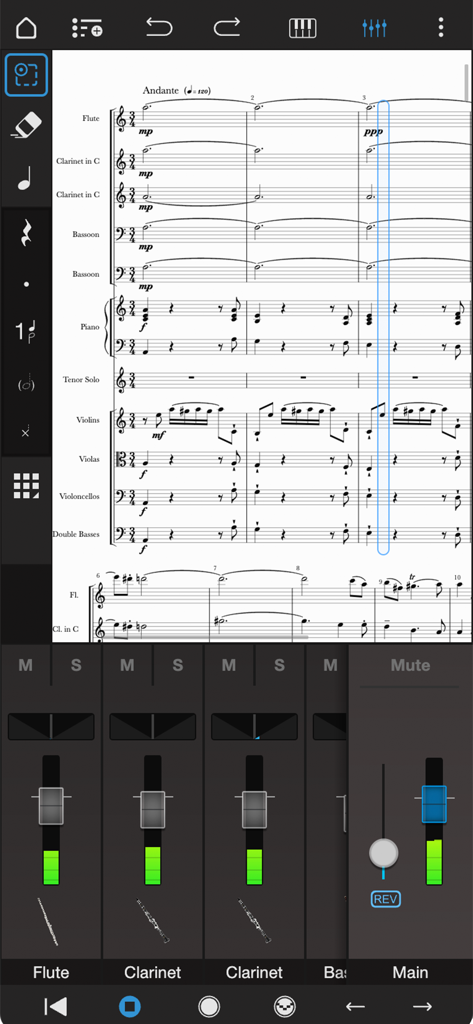
Professionelle orchestrale Partitur-Bearbeitung und Audio-Mixer-Oberfläche in Notion Mobile.
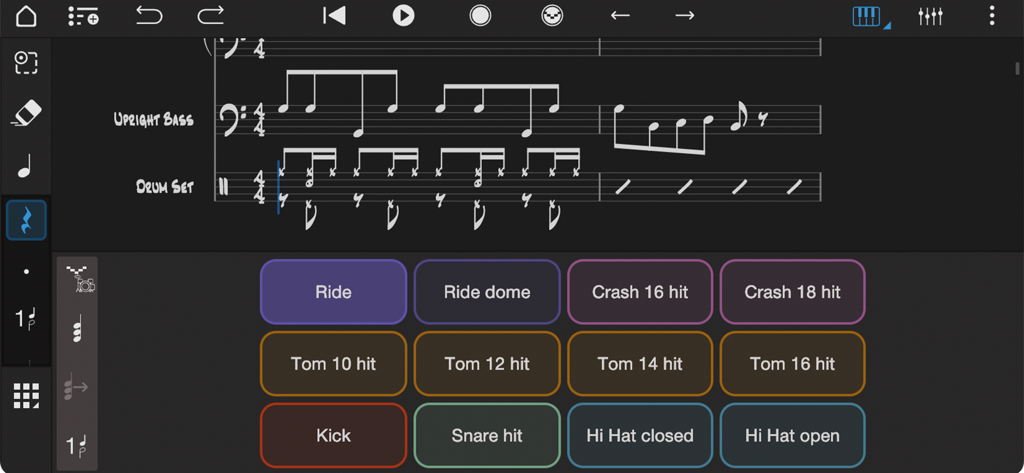
Oberfläche der Notion-Musik-App mit einem Drum-Pad-Controller und Noten für Kontrabass und Schlagzeug
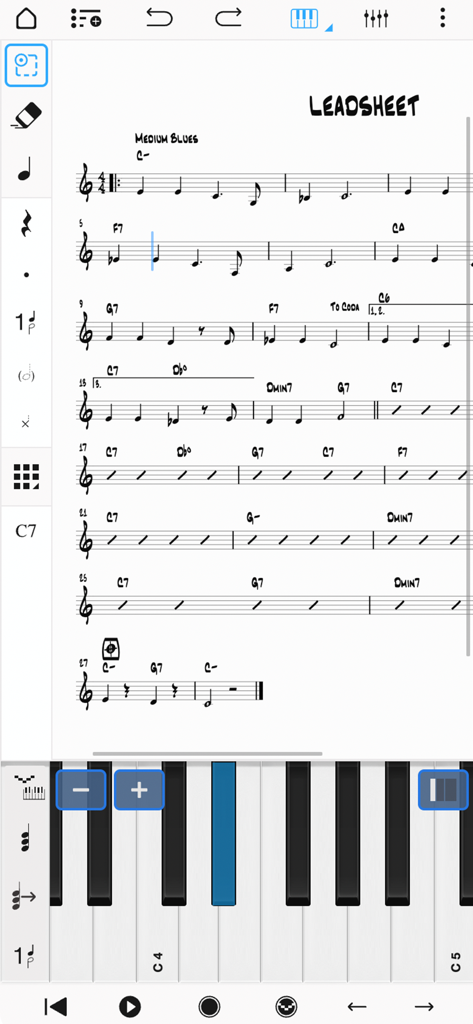
Oberfläche der Notion Mobile-App mit einem musikalischen Lead Sheet und einem virtuellen Klavier für die Noteneingabe
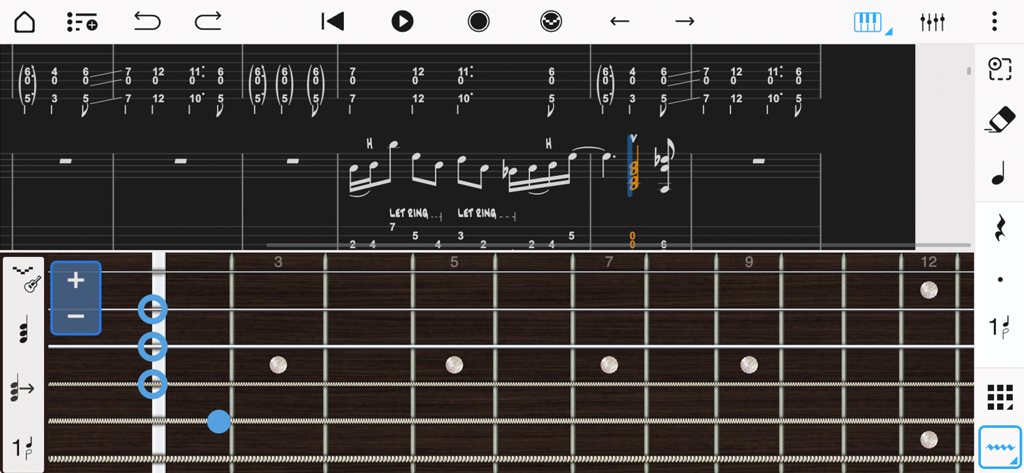
Notations- und Gitarren-Tabulatur-Oberfläche mit einem virtuellen Griffbrett für die Noteneingabe in Notion Mobile.
Beschreibung
Download
Ähnliche Apps
Apps mit ähnlichen Funktionen und Nutzererfahrung

来音制谱-sheet music editing
Beijing Xihang Technology Co., Ltd.

Dorico - Compose Music
Steinberg Media Technologies GmbH

Composer Pro - Score Creator
嵩 张

Sibelius
Avid Technology Inc

Notation Pad-Sheet Music Score
嵩 张

Piano+ - Sheet Music Composer
嵩 张

Score Creator: compose music
Sharp Notes Company Limited

Maestro - Music Composer
Future Sculptor Pty Ltd

NotateMe
Neuratron Limited
Diese Seite ist keine offizielle Seite der App oder ihres Entwicklers, sondern eine unabhängige redaktionelle Veröffentlichung, die zu Informations- und Kommentarzwecken erstellt wurde. Sofern nicht ausdrücklich anders angegeben, sind weder die App noch ihr Entwickler mit MWM, Apple, Google Play, dem App-Herausgeber oder dem Entwickler der App verbunden, von ihnen unterstützt, gesponsert, autorisiert oder anderweitig offiziell verbunden, und nichts auf dieser Seite impliziert, dass die App unter Verwendung der Dienste von MWM entwickelt wurde. Alle Marken, Logos, Screenshots und andere Inhalte bleiben Eigentum ihrer jeweiligen Inhaber.