
Diese Seite ist keine offizielle Seite der App oder ihres Entwicklers, sondern eine unabhängige redaktionelle Veröffentlichung, die zu Informations- und Kommentarzwecken erstellt wurde. Sofern nicht ausdrücklich anders angegeben, sind weder die App noch ihr Entwickler mit MWM, Apple, Google Play, dem App-Herausgeber oder dem Entwickler der App verbunden, von ihnen unterstützt, gesponsert, autorisiert oder anderweitig offiziell verbunden, und nichts auf dieser Seite impliziert, dass die App unter Verwendung der Dienste von MWM entwickelt wurde. Alle Marken, Logos, Screenshots und andere Inhalte bleiben Eigentum ihrer jeweiligen Inhaber.


GPS Geotag Map Camera - Tagofy
Erfassen Sie jedes Detail mit automatisierten GPS-Stempeln, benutzerdefinierten Zeitstempeln und Markenlogos. Das ultimative Werkzeug für Immobilien, Feldarbeit und die Dokumentation Ihrer globalen Abenteuer.
Downloads
418K+Bewertung
Bewertungen gesamt
5K+Herausgeber
Kategorie
Photo & VideoSprachen
1Neueste Version
3.5Größe
190.8 MBErstveröffentlichung
29. Aug. 2023Intelligente Dokumentation, reichere Erinnerungen
Kombinieren Sie hochpräzise GPS-Ortung mit professionellem Branding, um Fotos zu erstellen, die die ganze Geschichte erzählen, egal ob Sie auf einer Baustelle oder auf einem Berggipfel sind.
Automatische präzise Geotags
Betten Sie sofort genaue Adressen, Koordinaten und Höhen in Ihre Fotos ein, um absolute Standortgenauigkeit und Nachvollziehbarkeit zu gewährleisten.
Professionelles benutzerdefiniertes Branding
Laden Sie Ihr Geschäftslogo hoch und fügen Sie benutzerdefinierte Projektnotizen hinzu, um einfache Aufnahmen in verifizierte professionelle Berichte zu verwandeln.
Häufig gestellte Fragen
Alles, was Sie über wissen müssen GPS Geotag Map Camera - Tagofy
Was ist die GPS Geotag Map Camera - Tagofy App?
Die GPS Geotag Map Camera - Tagofy App nimmt Fotos mit eingebetteten Datums-/Zeitstempel-, Geotag-, Standortkoordinaten-, Wetter- und Kompassinformationen auf. Sie fügt den Bildern auch einen Zeitstempel-Wasserzeichen hinzu.
Wie fügt GPS Geotag Map Camera - Tagofy Standort zu Fotos hinzu?
Tagofy fügt GPS-Standort zu Fotos hinzu, indem es nach der App-Installation und -Anpassung automatisch Stempel einbettet. Benutzer wählen einen Stempel, passen sein Format an und nehmen dann ein Foto innerhalb der App auf.
Können Benutzer Wasserzeichen in der GPS Geotag Map Camera - Tagofy App anpassen?
Ja, Benutzer können Wasserzeichen in der GPS Geotag Map Camera - Tagofy App anpassen. Optionen umfassen das Umschalten des Wasserzeichens, das Anpassen eines Logos und das Hinzufügen von benutzerdefiniertem Text zur Personalisierung.
Unterstützt GPS Geotag Map Camera - Tagofy die Videoaufnahme?
Ja, GPS Geotag Map Camera - Tagofy unterstützt die Aufnahme von hochwertigen Videos. Benutzer können Qualität und Bitrate anpassen, zwischen MOV- und MP4-Formaten wählen und Zeitrafferaufnahmen mit Stabilisierung aufnehmen.
Welche Arten von Informationen kann GPS Geotag Map Camera - Tagofy in Fotos einbetten?
Tagofy kann Datums-/Zeitstempel, Geotag, Breiten-, Längen-, Höhen-, Wetter-, Magnetfeld-, Zeitstempel- und Kompassinformationen einbetten. Benutzer können Fotos auch Adressen, Notizen, Logos und Hashtags hinzufügen.
Bietet die GPS Geotag Map Camera - Tagofy App kreative Vorlagen für Geotagging-Fotos an?
Ja, die GPS Geotag Map Camera - Tagofy App bietet kreative Vorlagen für Geotagging-Fotos an. Diese Vorlagen rufen automatisch Stempeldetails ab und vereinfachen so das Hinzufügen von Informationen zu Bildern.
Kann ich mit GPS Geotag Map Camera - Tagofy ein benutzerdefiniertes Markenlogo zu Fotos hinzufügen?
Ja, Benutzer können ihr eigenes Markenlogo hochladen, um Fotos in der GPS Geotag Map Camera - Tagofy App zu personalisieren. Diese Funktion ist in den Einstellungen des Abschnitts 'Advanced Template' verfügbar.
Welche benutzerdefinierten Kameraoptionen sind in GPS Geotag Map Camera - Tagofy verfügbar?
Die benutzerdefinierte GPS-Kamera von Tagofy bietet Optionen für Gitter, Seitenverhältnis, Front- und Selfie-Kamera, Blitz, Fokus, Spiegel, Timer und Unterstützung für Aufnahmetöne für vielfältige Fotografieanforderungen.
Die folgenden Screenshots und die Beschreibung stammen direkt aus dem offiziellen Store-Eintrag der App und sind Eigentum des Entwicklers.
App Store
Screenshots

Collage von Reisefotos mit Orts- und Zeitstempeln von der Tagofy GPS Geotag Map Camera App.
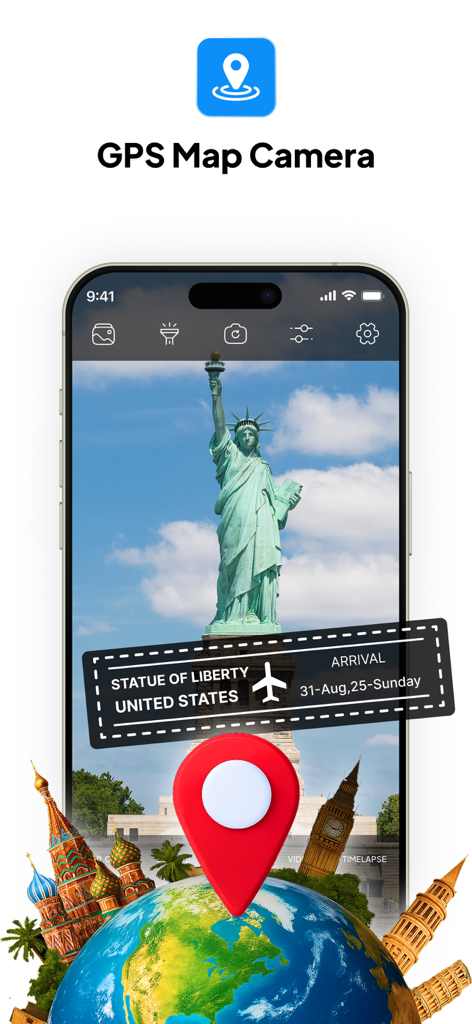
Oberfläche der GPS-Kartenkamera-App mit Orts- und Datumsstempel auf einem Foto der Freiheitsstatue
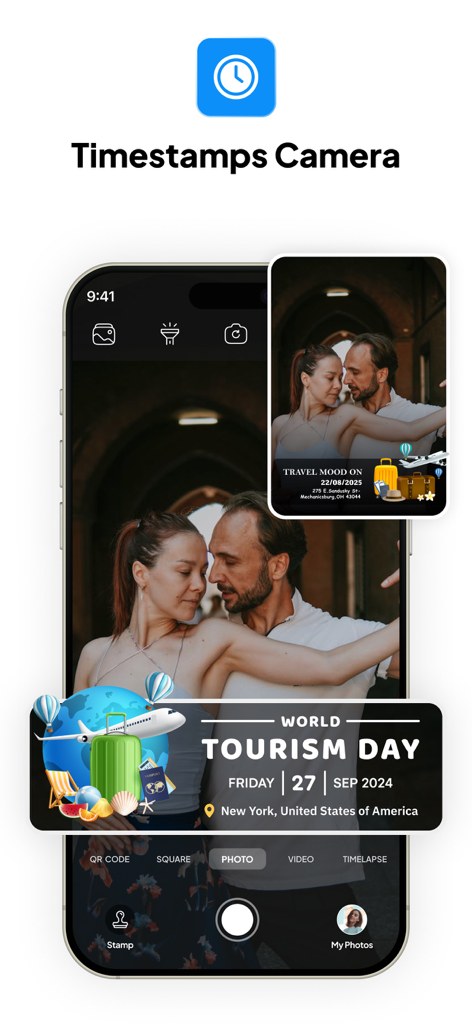
Tagofy App-Oberfläche mit einem Foto, das einen GPS-Geotag-Stempel für den World Tourism Day in New York zeigt
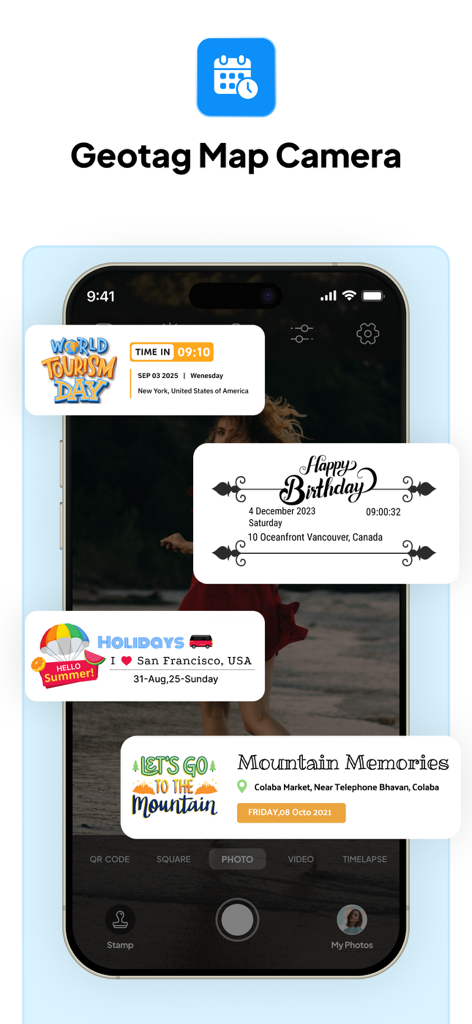
Tagofy App-Oberfläche, die benutzerdefinierte Fotostempel für Reisen und Veranstaltungen mit GPS-Ortungsdaten zeigt
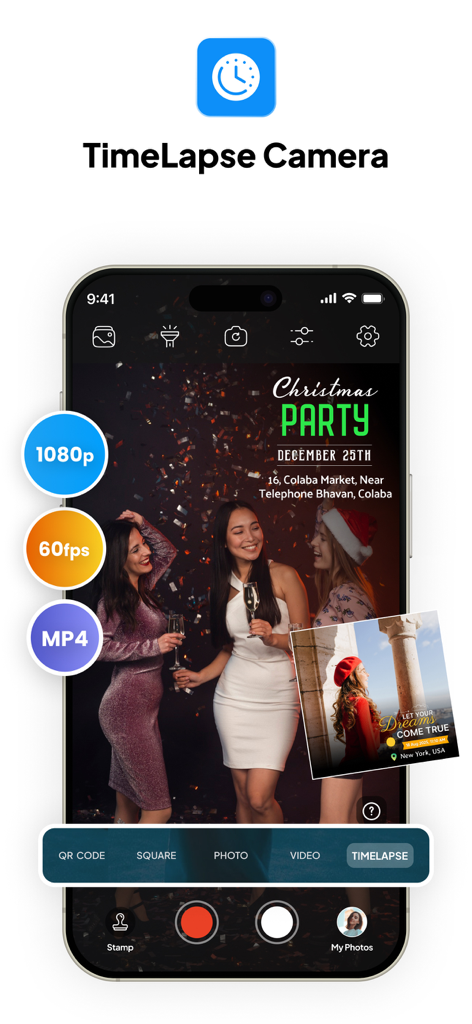
Tagofy App-Oberfläche, die den Zeitraffer-Kameramodus mit 1080p- und 60fps-Einstellungen zeigt
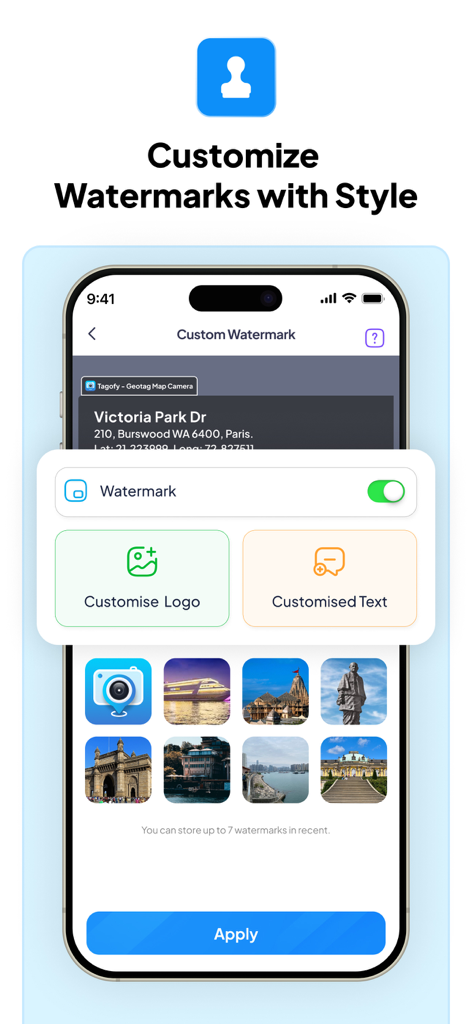
Smartphone-Bildschirm, der das Menü zur Anpassung von Wasserzeichen der Tagofy App mit Optionen für benutzerdefinierte Logos und Text anzeigt.
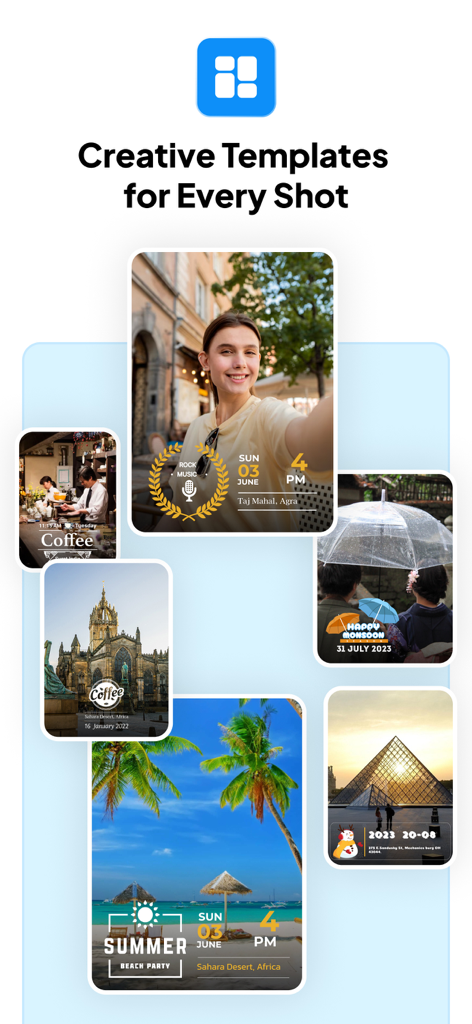
Eine Sammlung von Fotos, die kreative Vorlagen für GPS-Geotags und Zeitstempel zeigen
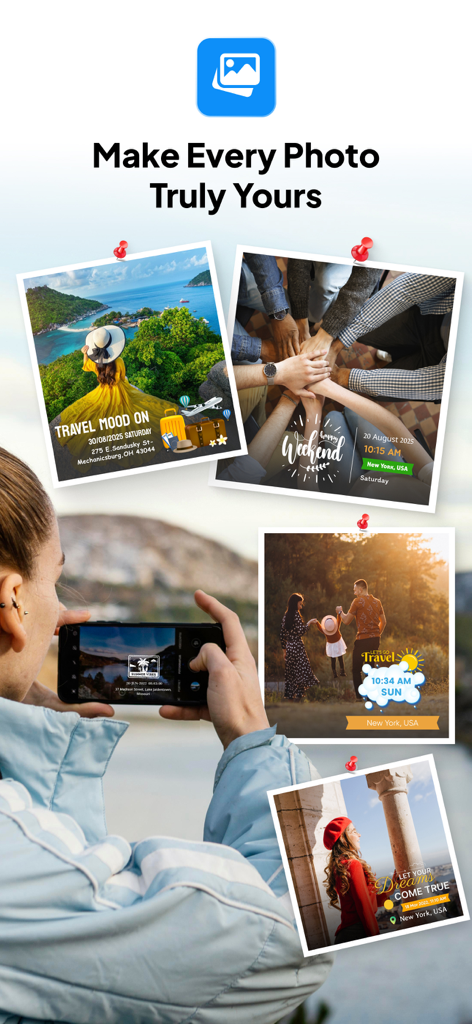
Collage von Reisefotos mit benutzerdefinierten GPS-Ortungs- und Datumsstempeln von der Tagofy App
Beschreibung
Download
Ähnliche Apps
Apps mit ähnlichen Funktionen und Nutzererfahrung

Timestamp Camera -AI Timestamp
Shanghai Zongchong Information Technology Co., Ltd

Timestamp Camera - Date Stamp
Artify Inc.

Timestamp Camera: Time & GPS
Practical Apps from Sweden AB

Timestamp camera - gps cam
Guangzhou Siyue Network Technology Co., Ltd.

DateStamper
Jordan Hipwell

Timestamp Camera Basic
玉彬 陈

GPS Map Camera : Geo Photos
Chirag Gabani

Timestamp Camera: Time stamp
燕倩 费

Timestamp Camera - Time & GPS
Shaanxi Ruidebao Technology Co.,Ltd
Diese Seite ist keine offizielle Seite der App oder ihres Entwicklers, sondern eine unabhängige redaktionelle Veröffentlichung, die zu Informations- und Kommentarzwecken erstellt wurde. Sofern nicht ausdrücklich anders angegeben, sind weder die App noch ihr Entwickler mit MWM, Apple, Google Play, dem App-Herausgeber oder dem Entwickler der App verbunden, von ihnen unterstützt, gesponsert, autorisiert oder anderweitig offiziell verbunden, und nichts auf dieser Seite impliziert, dass die App unter Verwendung der Dienste von MWM entwickelt wurde. Alle Marken, Logos, Screenshots und andere Inhalte bleiben Eigentum ihrer jeweiligen Inhaber.