
Diese Seite ist keine offizielle Seite der App oder ihres Entwicklers, sondern eine unabhängige redaktionelle Veröffentlichung, die zu Informations- und Kommentarzwecken erstellt wurde. Sofern nicht ausdrücklich anders angegeben, sind weder die App noch ihr Entwickler mit MWM, Apple, Google Play, dem App-Herausgeber oder dem Entwickler der App verbunden, von ihnen unterstützt, gesponsert, autorisiert oder anderweitig offiziell verbunden, und nichts auf dieser Seite impliziert, dass die App unter Verwendung der Dienste von MWM entwickelt wurde. Alle Marken, Logos, Screenshots und andere Inhalte bleiben Eigentum ihrer jeweiligen Inhaber.


Nutstore-Cloud Storage&Backup
Die essentielle Brücke für WebDAV-fähige Apps wie Zotero und Notability. Synchronisieren Sie jeden Ordner mühelos, stellen Sie den Versionsverlauf wieder her und halten Sie Ihre wichtigen Dateien geräteübergreifend auf PC, Mac und iOS offline zugänglich.
Downloads
1M+Bewertung
Bewertungen gesamt
17K+Herausgeber
Kategorie
ProductivitySprachen
2Neueste Version
5.6.24Größe
288.9 MBErstveröffentlichung
27. Juni 2011Beschleunigen Sie Ihre Forschung und Ihren professionellen Workflow
Erleben Sie nahtlose plattformübergreifende Synchronisierung, die für Power-User entwickelt wurde, die mehr als nur einen Ordner in der Cloud benötigen.
Universelle WebDAV-Integration
Die perfekte Brücke für Ihre bevorzugten Produktivitätstools wie Zotero, Notability und GoodReader.
Intelligenter Offline-Zugriff
Greifen Sie ohne Verbindung auf 'Favorisierte Ordner' zu. Schnelle LAN-Geschwindigkeitsaktualisierungen stellen sicher, dass Ihre Arbeit bereit ist, wenn Sie es sind.
Häufig gestellte Fragen
Alles, was Sie über wissen müssen Nutstore-Cloud Storage&Backup
Unterstützt Nutstore die geräteübergreifende Dateisynchronisierung?
Ja, Nutstore bietet eine Echtzeit-Dateisynchronisierung zwischen Mac, PC, iPhone und iPad und überträgt Daten zwischen Mobilgeräten und Computern.
Welche Apps können mit Nutstore über WebDAV integriert werden?
Nutstore unterstützt das WebDAV-Protokoll und ermöglicht die Integration mit beliebten Apps wie iWork, GoodReader, Notability und Zotero zum Lesen und Schreiben von Dateien.
Wie ermöglicht Nutstore den Offline-Zugriff auf Dateien?
Die Funktion „Favoritenordner“ von Nutstore ermöglicht den Offline-Zugriff. Dateien in diesem Ordner werden automatisch vom LAN-Desktop-Client aktualisiert, sodass sie auch ohne Netzwerk zugänglich sind.
Kann ich Fotos und Videos automatisch auf Nutstore hochladen?
Ja, Nutstore bietet eine automatische Upload-Funktion für Fotos und Videos von Ihrem Gerät und sichert diese in Ihrem Cloud-Speicher.
Wie viel kostet Nutstore Standard Pro jährlich?
Nutstore Standard Pro kostet 40,99 US-Dollar pro Jahr. Dieses Abonnement beinhaltet unbegrenzte Upload- und Download-Datenübertragung sowie zusätzliche Funktionen.
Was ist der jährliche Preis für Nutstore Advanced Pro?
Nutstore Advanced Pro kostet 86,99 US-Dollar pro Jahr. Dieses Abonnement bietet unbegrenzte Datenübertragung für Uploads und Downloads sowie zusätzliche Funktionen.
Wie kann ich die automatische Verlängerung meines Nutstore-Abonnements stoppen?
Um eine Verlängerung zu verhindern, müssen Sie die automatische Verlängerung in Ihren iTunes-Kontoeinstellungen mindestens 24 Stunden vor Ablauf Ihres Nutstore-Abonnements deaktivieren.
Welche Dateitypen kann Nutstore direkt in der App anzeigen?
Nutstore kann Office-, PDF-, Foto- und Multimedia-Dateien direkt anzeigen. Es bietet auch eine intelligente Dateiansicht, die Lesepositionen speichert und wiederherstellt.
Können Benutzer Textdateien mit Nutstore erstellen und bearbeiten?
Ja, Nutstore ermöglicht es Benutzern, Textdateien direkt in der App zu erstellen und zu bearbeiten. Diese Dateien werden nach dem Speichern automatisch auf den Server hochgeladen.
Wo befindet sich die Nutstore-Datenschutzrichtlinie?
Die offizielle Nutstore-Datenschutzrichtlinie ist über den Link in der App-Beschreibung zugänglich: http://help.jianguoyun.com/?p=3961.
Wie kann ich Dateien mit der Nutstore-App teilen?
Nutstore ermöglicht die einfache gemeinsame Nutzung von Dateien mit Freunden. Funktionen umfassen die Definition eines Freigabebereichs, das Festlegen einer Ablaufzeit und das Hinzufügen eines Zugriffspassworts.
Die folgenden Screenshots und die Beschreibung stammen direkt aus dem offiziellen Store-Eintrag der App und sind Eigentum des Entwicklers.
App Store
Screenshots
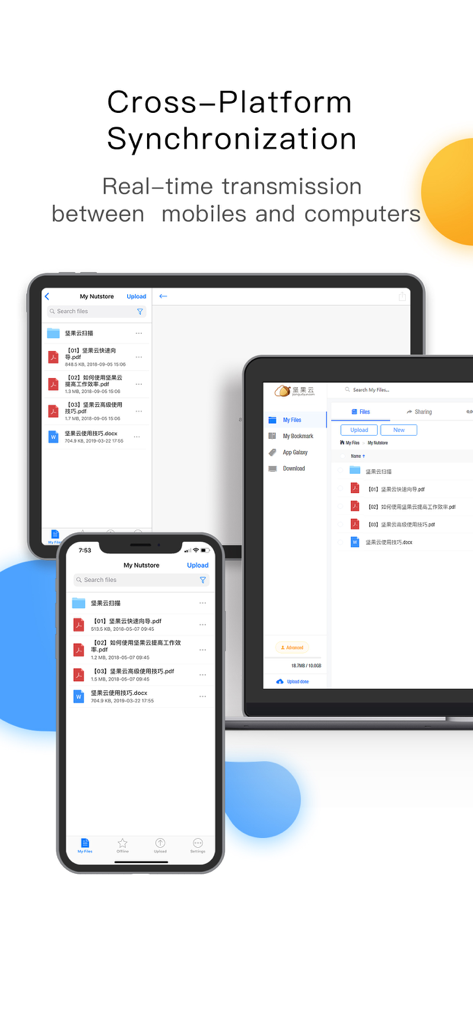
Nutstore App-Oberfläche, die Echtzeit-Dateisynchronisierung über Smartphone, Tablet und Laptop zeigt
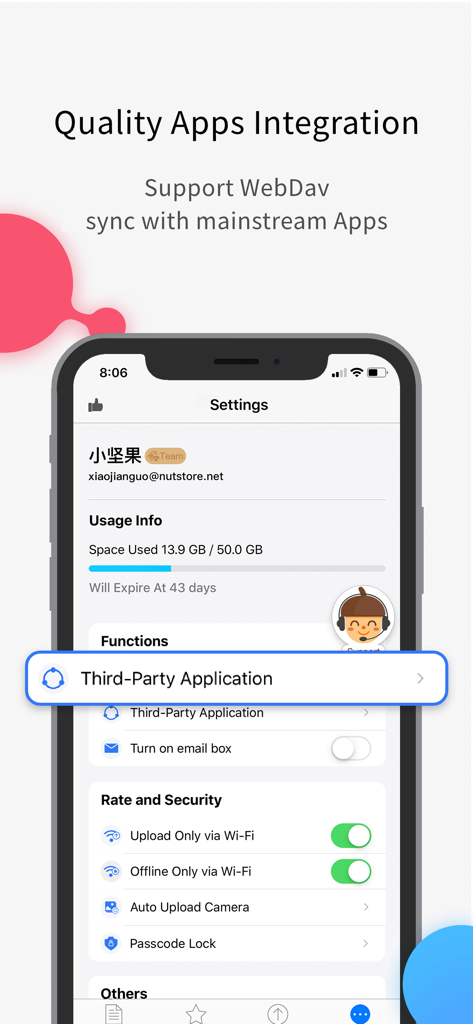
Screenshot der Nutstore App-Einstellungen, der WebDAV-Unterstützung und Integrationsoptionen für Drittanbieter-Anwendungen anzeigt.
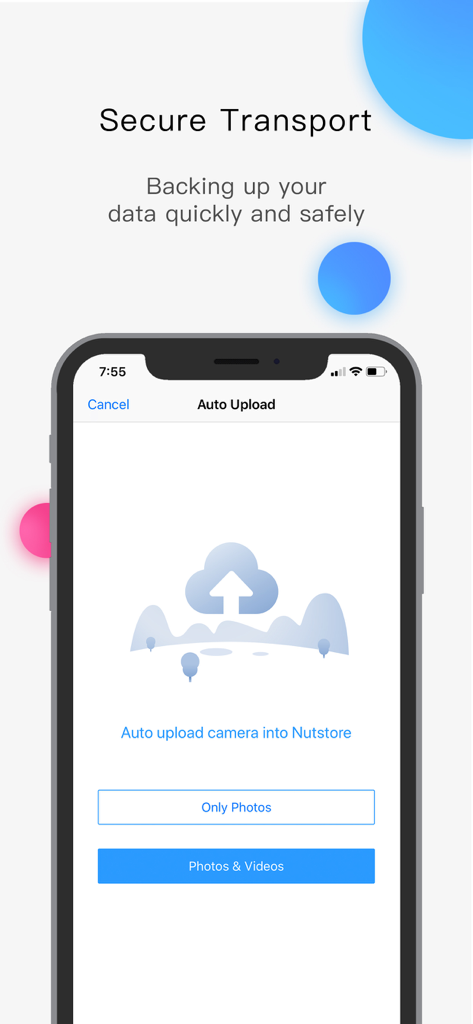
Nutstore mobile App-Oberfläche, die Optionen für den automatischen Upload von Fotos und Videos in den Cloud-Speicher anzeigt
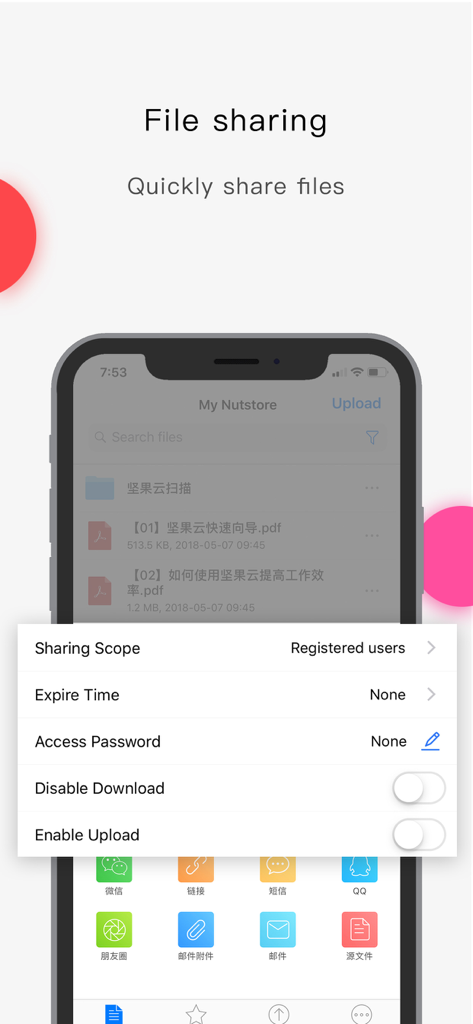
Smartphone-Bildschirm, der Nutstore-Dateifreigabeoptionen wie Freigabebereich, Ablaufzeit und Zugriffspasswort anzeigt
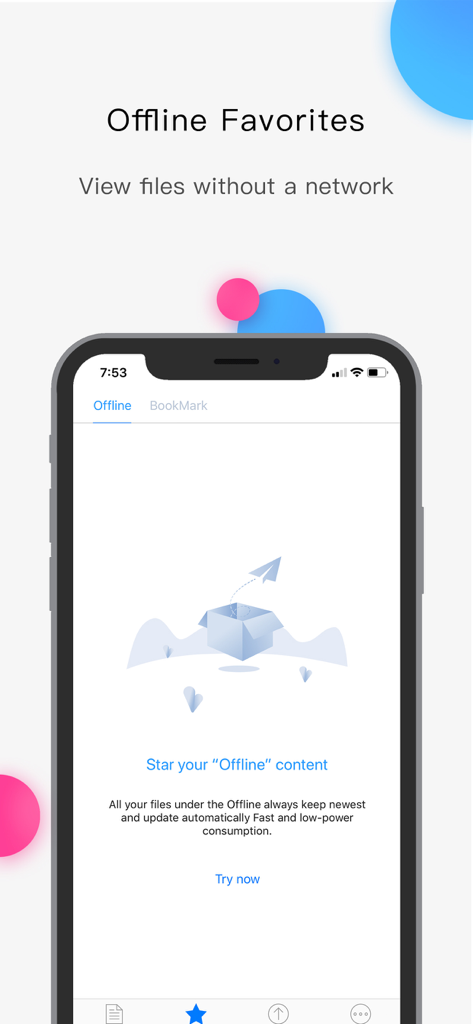
Nutstore App-Oberfläche zur Verwaltung von favorisierten Offline-Dateien ohne Internetverbindung.
Beschreibung
Download
Ähnliche Apps
Apps mit ähnlichen Funktionen und Nutzererfahrung

Google Drive
Google LLC

Яндекс Диск - Облако для фото
DIRECT CURSUS COMPUTER SYSTEMS TRADING LLC

Cloud: 1 drive - more storage
V Kontakte OOO

Microsoft OneDrive
Microsoft Corporation

Dropbox: Cloud Storage Backup
Dropbox, Inc.

Google One
Google LLC

Cloud Storage: Cloud Drive App
Fazcon PTY LTD

Lifebox: Storage & Backup
LIFECELL BULUT COZUMLERI ANONIM SIRKETI

JioAICloud - Storage & Photos
JIO PLATFORMS LIMITED
Diese Seite ist keine offizielle Seite der App oder ihres Entwicklers, sondern eine unabhängige redaktionelle Veröffentlichung, die zu Informations- und Kommentarzwecken erstellt wurde. Sofern nicht ausdrücklich anders angegeben, sind weder die App noch ihr Entwickler mit MWM, Apple, Google Play, dem App-Herausgeber oder dem Entwickler der App verbunden, von ihnen unterstützt, gesponsert, autorisiert oder anderweitig offiziell verbunden, und nichts auf dieser Seite impliziert, dass die App unter Verwendung der Dienste von MWM entwickelt wurde. Alle Marken, Logos, Screenshots und andere Inhalte bleiben Eigentum ihrer jeweiligen Inhaber.