
Diese Seite ist keine offizielle Seite der App oder ihres Entwicklers, sondern eine unabhängige redaktionelle Veröffentlichung, die zu Informations- und Kommentarzwecken erstellt wurde. Sofern nicht ausdrücklich anders angegeben, sind weder die App noch ihr Entwickler mit MWM, Apple, Google Play, dem App-Herausgeber oder dem Entwickler der App verbunden, von ihnen unterstützt, gesponsert, autorisiert oder anderweitig offiziell verbunden, und nichts auf dieser Seite impliziert, dass die App unter Verwendung der Dienste von MWM entwickelt wurde. Alle Marken, Logos, Screenshots und andere Inhalte bleiben Eigentum ihrer jeweiligen Inhaber.


ONLYOFFICE Documents
Übernehmen Sie die volle Kontrolle über Ihren Workflow mit einem datenschutzorientierten All-in-One-Editor für Dokumente, Tabellen und Präsentationen. Bearbeiten Sie nahtlos MS Office- und Apple-Formate ohne Werbung, ohne In-App-Käufe und mit voller Cloud-Flexibilität.
Downloads
239K+Bewertung
Bewertungen gesamt
200Herausgeber
Kategorie
ProductivitySprachen
15Neueste Version
9.2.1Größe
361.4 MBErstveröffentlichung
2. Apr. 2015Der intelligentere Weg, mobil zu arbeiten
Holen Sie sich Desktop-fähige Produktivität ohne Abonnement-Müdigkeit. ONLYOFFICE Documents bietet eine sichere, werbefreie Suite für Profis, die die volle Kontrolle über ihre Dateien fordern.
Universelle Formatkompatibilität
Hören Sie auf, zwischen Apps zu wechseln. Bearbeiten Sie nahtlos MS Office-, Apple iWork- und ODT-Dateien mit perfekter Layout-Erhaltung auf Ihrem iPhone oder iPad.
Datenschutz & Cloud-Souveränität
Holen Sie sich Ihre Daten zurück. Verbinden Sie sich mit privaten Clouds wie Nextcloud oder ownCloud und arbeiten Sie in sicheren virtuellen Datenräumen mit flexiblen Berechtigungen zusammen.
Häufig gestellte Fragen
Alles, was Sie über wissen müssen ONLYOFFICE Documents
Was ist ONLYOFFICE Documents?
ONLYOFFICE Documents ist eine kostenlose Office-App für iOS. Sie ermöglicht Benutzern, Dokumente, Tabellenkalkulationen, Präsentationen, Formulare und PDFs direkt auf ihrem iPhone oder iPad zu erstellen und zu bearbeiten.
Ist die ONLYOFFICE Documents App kostenlos?
Ja, ONLYOFFICE Documents kann absolut kostenlos heruntergeladen und verwendet werden. Sie enthält keine Werbung oder In-App-Käufe und bietet ein voll funktionsfähiges Erlebnis ohne Kosten.
Welche Dokumentenformate unterstützt ONLYOFFICE Documents?
ONLYOFFICE Documents unterstützt MS Office (DOCX, XLSX, PPTX), Apple (Pages, Numbers, Keynote), Hangul (HWP, HWPX), ODG-Zeichnungen, Markdown und verschiedene Mediendateien zur Bearbeitung und Erstellung.
Kann sich ONLYOFFICE Documents mit Cloud-Speicherdiensten verbinden?
Ja, ONLYOFFICE Documents verbindet sich mit mehreren Cloud-Diensten. Dazu gehören ONLYOFFICE DocSpace, Workspace, Dropbox, Box, iCloud, Nextcloud, ownCloud, kDrive und andere WebDAV-Clouds.
Bietet ONLYOFFICE Documents Echtzeit-Kollaboration?
Ja, ONLYOFFICE Documents bietet robuste Echtzeit-Kollaboration. Benutzer können sich mit einem DocSpace-Hub verbinden, um Kommentare abzugeben, Änderungen nachzuverfolgen, Versionen zu verwalten, Berechtigungen zuzuweisen und Links mit externen Mitarbeitern zu teilen.
Kann ich Dokumente mit ONLYOFFICE Documents scannen?
Ja, ONLYOFFICE Documents ermöglicht das Scannen von Papierdokumenten mit Ihrer Kamera. Es extrahiert Text aus den Scans und wandelt ihn in bearbeitbare Dateien um, was die digitale Dokumentenverwaltung erleichtert.
Welche Dokumentenbearbeitungswerkzeuge sind in ONLYOFFICE Documents enthalten?
Der Dokumenteneditor in ONLYOFFICE Documents enthält Werkzeuge zum Einfügen von Tabellen, Autoshape-Objekten, Bildern, Diagrammen, grafischen Anmerkungen, Fußnoten und Seitenzahlen. Benutzer können auch Schriftarteigenschaften festlegen und Dokumente schützen.
Enthält ONLYOFFICE Documents einen Tabellenkalkulationseditor?
Ja, ONLYOFFICE Documents verfügt über einen Tabellenkalkulationseditor. Er unterstützt Datenauswahl, Zellgestaltung, Rahmen, Ausrichtung, Textumbruch, Formeln, Diagramme, Bilder und kollaboratives Arbeiten.
Kann ich Präsentationen mit ONLYOFFICE Documents erstellen?
Ja, ONLYOFFICE Documents bietet einen Präsentationseditor. Er ermöglicht Benutzern, Layouts und Hintergründe zu ändern, Übergänge anzuwenden, Tabellen, Bilder und Diagramme einzufügen und Anmerkungen hinzuzufügen. Er unterstützt auch den Passwortschutz.
Wie behandelt ONLYOFFICE Documents PDF-Formulare?
ONLYOFFICE Documents ermöglicht es Benutzern, PDF-Formulare direkt zu öffnen und auszufüllen. Es unterstützt die Verwendung fertiger Vorlagen, den Schutz von Formularen mit Passwörtern und den Export ausgefüllter Formulare als DOCX- oder PDF-Dateien.
Kann ich meine Dateien in ONLYOFFICE Documents mit einem Passwort schützen?
Ja, ONLYOFFICE Documents bietet einen Passwortschutz für Dokumente, Tabellenkalkulationen, Präsentationen und PDF-Formulare. Diese Funktion erhöht die Sicherheit Ihrer sensiblen Informationen innerhalb der App.
Die folgenden Screenshots und die Beschreibung stammen direkt aus dem offiziellen Store-Eintrag der App und sind Eigentum des Entwicklers.
App Store
Screenshots
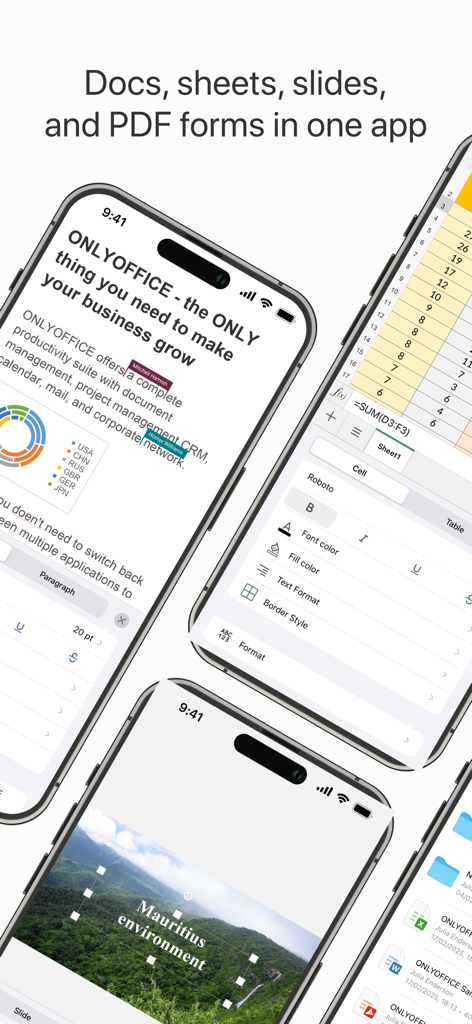
ONLYOFFICE Documents App zeigt Bearbeitungsfunktionen für Dokumente, Tabellen und Folien auf Mobilgeräten
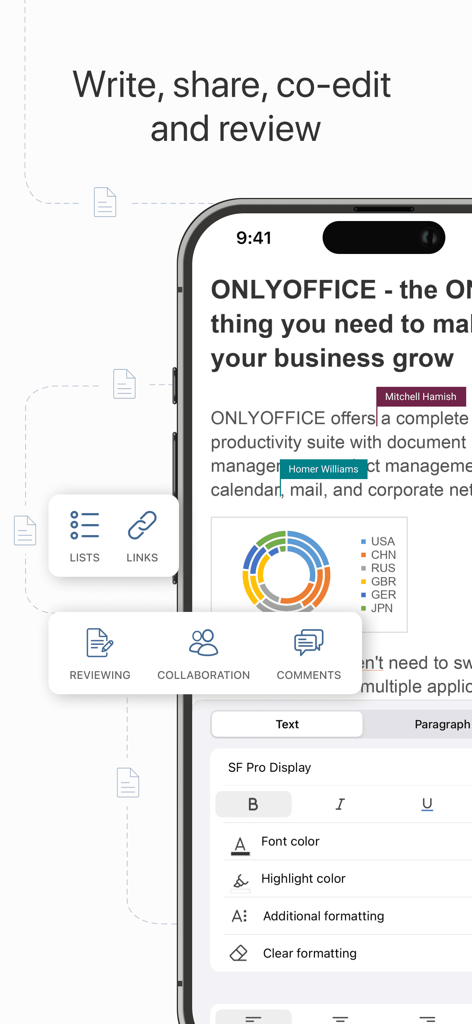
ONLYOFFICE Documents Mobile App-Oberfläche zeigt Dokumentenbearbeitung und Echtzeit-Kollaboration.
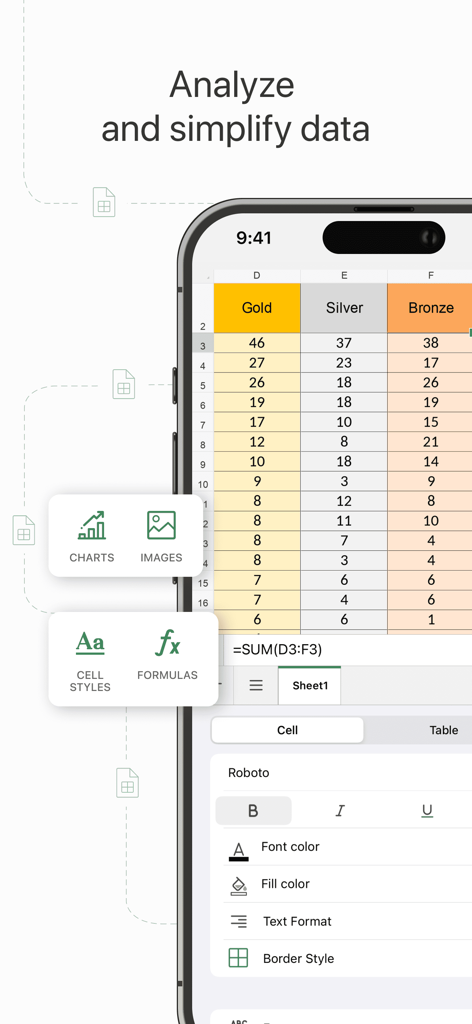
Eine mobile Oberfläche für ONLYOFFICE Documents, die eine Tabelle mit Datenanalyse-Tools und Formatierungsoptionen anzeigt
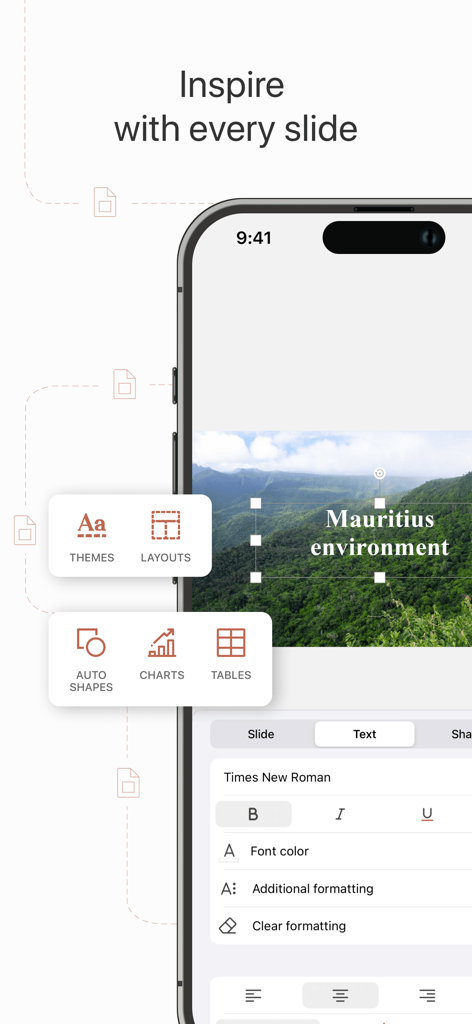
ONLYOFFICE Documents Präsentationseditor-Oberfläche auf dem iPhone, die Folienlayout und Textformatierungswerkzeuge anzeigt
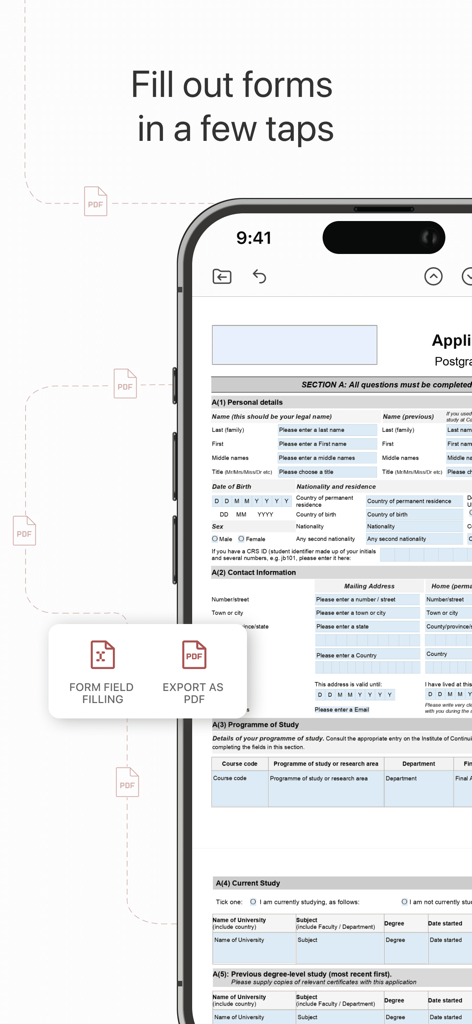
ONLYOFFICE Documents Mobile App zeigt ein PDF-Formular, das auf einem Smartphone ausgefüllt wird
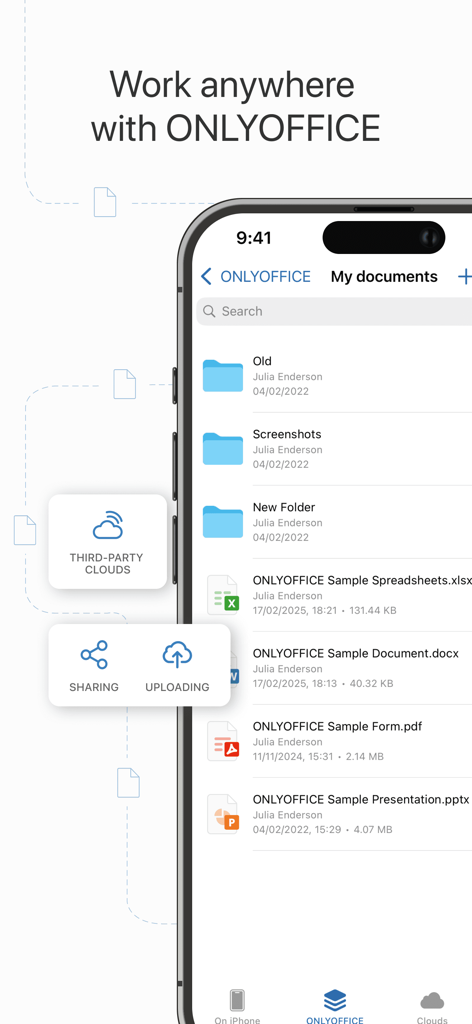
ONLYOFFICE Documents Mobile App-Oberfläche mit Dateiliste und Cloud-Speicherfunktionen
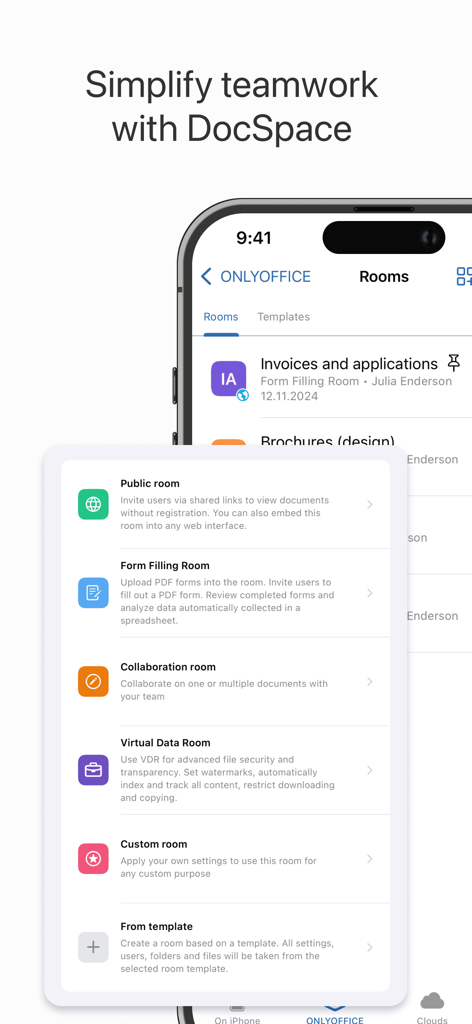
ONLYOFFICE DocSpace Mobile-Oberfläche mit Optionen für Kollaborationsräume, einschließlich Öffentliche, Formularausfüllung und Virtuelle Datenräume.
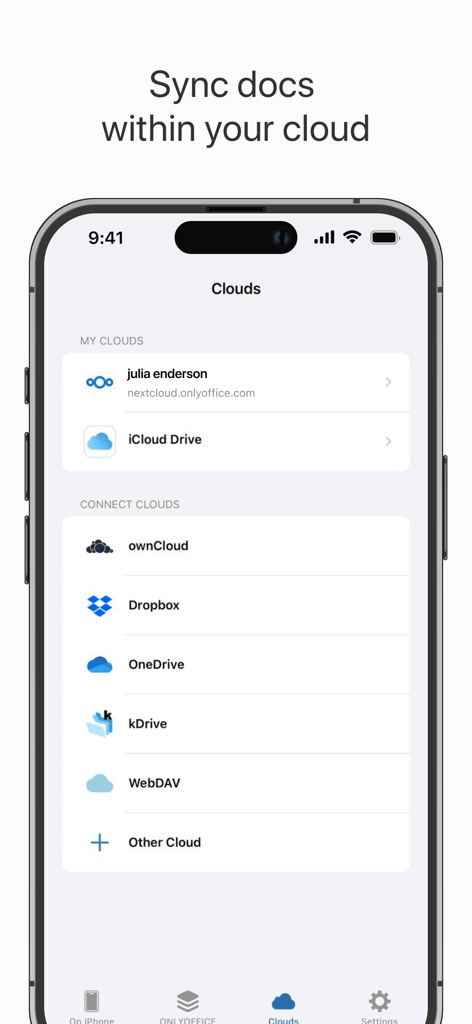
ONLYOFFICE Documents App-Oberfläche mit Optionen für Cloud-Speicher-Verbindungen, einschließlich Nextcloud, iCloud Drive und Dropbox
Beschreibung
Download
Ähnliche Apps
Apps mit ähnlichen Funktionen und Nutzererfahrung

石墨文档 - 在线文档协作编辑和表格制作
ChuXin Tec Co., Ltd.

Documents - Create & Edit
Normal Vector Limited

全能办公文档-在线word文档手机版、在线文档编辑
亚敏 陈

表格手机版 -手机编辑表格文档
晶晶 姜

word文档手机版-在线文档编辑办公软件
根根 黄

OpenDocument Reader - view ODT
Stefl und Taschauer OG

xlsx表格手机版 -移动端表格编辑
华 杨

文档手机版-手机办公软件
卓臻 李

AO Office
Akikazu Yoshikawa
Diese Seite ist keine offizielle Seite der App oder ihres Entwicklers, sondern eine unabhängige redaktionelle Veröffentlichung, die zu Informations- und Kommentarzwecken erstellt wurde. Sofern nicht ausdrücklich anders angegeben, sind weder die App noch ihr Entwickler mit MWM, Apple, Google Play, dem App-Herausgeber oder dem Entwickler der App verbunden, von ihnen unterstützt, gesponsert, autorisiert oder anderweitig offiziell verbunden, und nichts auf dieser Seite impliziert, dass die App unter Verwendung der Dienste von MWM entwickelt wurde. Alle Marken, Logos, Screenshots und andere Inhalte bleiben Eigentum ihrer jeweiligen Inhaber.