
Diese Seite ist keine offizielle Seite der App oder ihres Entwicklers, sondern eine unabhängige redaktionelle Veröffentlichung, die zu Informations- und Kommentarzwecken erstellt wurde. Sofern nicht ausdrücklich anders angegeben, sind weder die App noch ihr Entwickler mit MWM, Apple, Google Play, dem App-Herausgeber oder dem Entwickler der App verbunden, von ihnen unterstützt, gesponsert, autorisiert oder anderweitig offiziell verbunden, und nichts auf dieser Seite impliziert, dass die App unter Verwendung der Dienste von MWM entwickelt wurde. Alle Marken, Logos, Screenshots und andere Inhalte bleiben Eigentum ihrer jeweiligen Inhaber.


PaperCut Hive - Secure Print
Optimieren Sie Ihren hybriden Workflow mit sicherer, kontaktloser Dokumentenfreigabe. Drucken Sie von jedem Gerät aus und holen Sie Ihre Dokumente ab, wenn Sie bereit sind – so bleiben Ihre Daten privat und Ihr Büro umweltfreundlich.
Downloads
152K+Bewertung
Bewertungen gesamt
0Herausgeber
Kategorie
ProductivitySprachen
1Neueste Version
1.17.6Größe
14.5 MBErstveröffentlichung
29. Okt. 2020Revolutionieren Sie Ihr Bürodruckerlebnis
PaperCut Hive bringt Sicherheit, Nachhaltigkeit und mobilen Komfort an Ihren Arbeitsplatz und macht die Verwaltung von Dokumenten von jedem Gerät aus einfacher als je zuvor.
Sichere Druckfreigabe
Schützen Sie Ihre Vertraulichkeit und beenden Sie den „Drucker-Sprint“. Vertrauliche Dokumente werden erst freigegeben, wenn Sie physisch am Drucker sind, um sie abzuholen.
Berührungslose Abholung
Genießen Sie einen hygienischen, kontaktlosen Workflow. Scannen Sie einfach einen QR-Code oder tippen Sie mit Ihrem iPhone auf einen NFC-Aufkleber, um Aufträge freizugeben, ohne den Gemeinschaftsbildschirm zu berühren.
Die folgenden Screenshots und die Beschreibung stammen direkt aus dem offiziellen Store-Eintrag der App und sind Eigentum des Entwicklers.
App Store
Screenshots
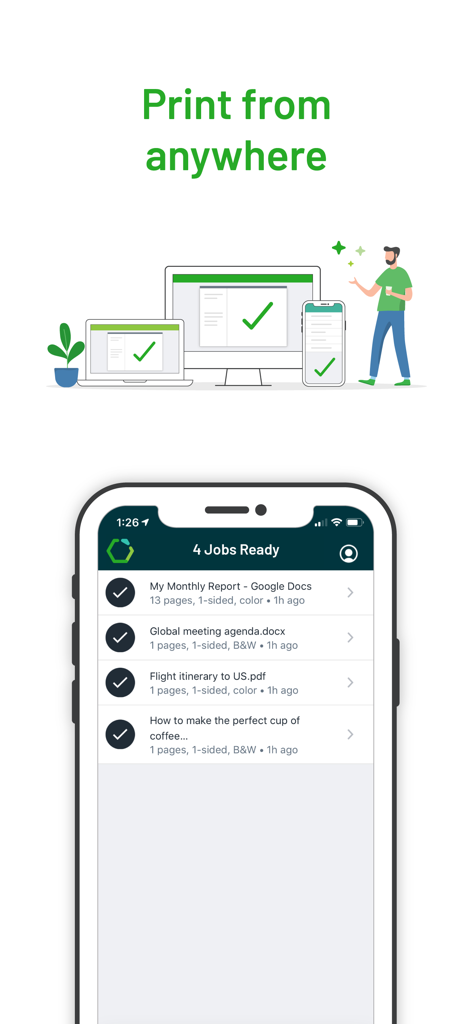
Mobiler Bildschirm der PaperCut Hive App, der druckbereite Aufträge zur sicheren Freigabe auflistet
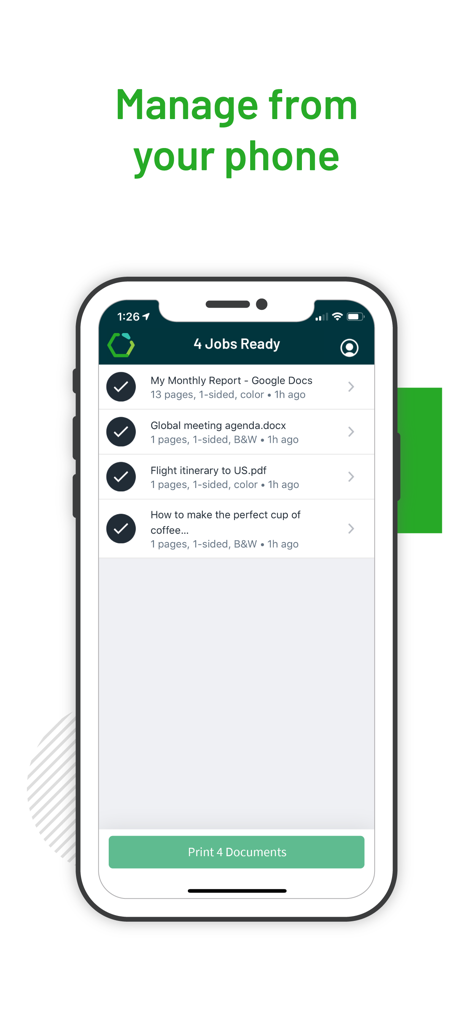
iPhone-Anzeige der PaperCut Hive App, die vier zur sicheren Druckfreigabe bereite Dokumente zeigt
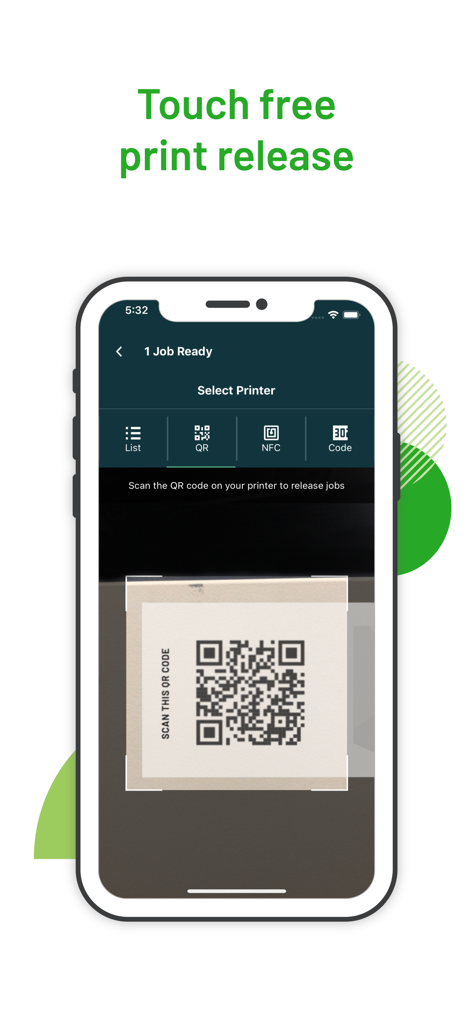
PaperCut Hive mobile App-Oberfläche, die eine berührungslose Druckfreigabe durch Scannen eines QR-Codes auf einem Drucker zeigt
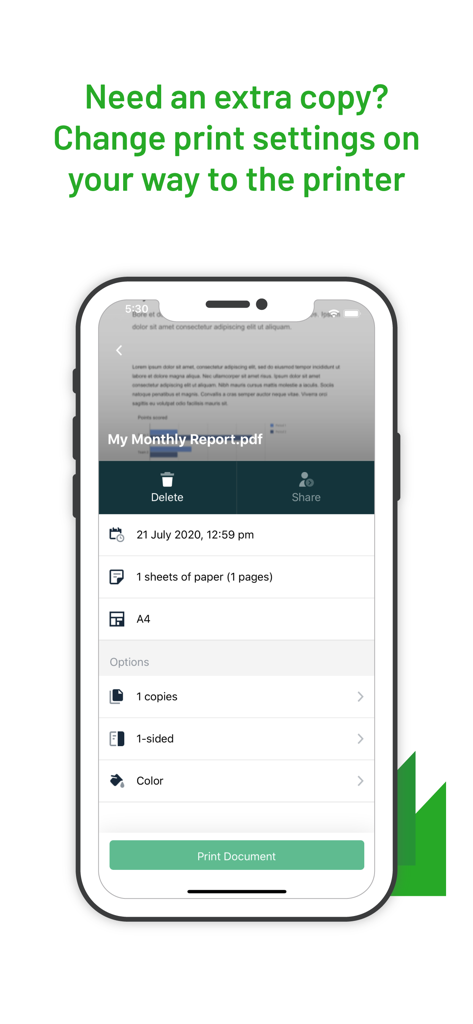
PaperCut Hive App-Oberfläche, die mobile Druckoptionen für Kopien und Farbeinstellungen anzeigt
Beschreibung
Download
Ähnliche Apps
Apps mit ähnlichen Funktionen und Nutzererfahrung

Canopy Client Portal
Canopy Tax, Inc.

Content - Workspace ONE
Wandering WiFi LLC

智建存档
QuShuo Network Technology Co.Ltd

SharePlus for Office 365
Infragistics Business Solutions, Inc.

ADDISON OneClick Lohnordner
Wolters Kluwer Tax & Accounting Deutschland GmbH
Secure Reader for BlackBerry
Good.iWare, Inc.
Azure Information Protection
Microsoft Corporation

ONP Solicitors
Lavatech Limited

Access Evo
Access UK Ltd
Diese Seite ist keine offizielle Seite der App oder ihres Entwicklers, sondern eine unabhängige redaktionelle Veröffentlichung, die zu Informations- und Kommentarzwecken erstellt wurde. Sofern nicht ausdrücklich anders angegeben, sind weder die App noch ihr Entwickler mit MWM, Apple, Google Play, dem App-Herausgeber oder dem Entwickler der App verbunden, von ihnen unterstützt, gesponsert, autorisiert oder anderweitig offiziell verbunden, und nichts auf dieser Seite impliziert, dass die App unter Verwendung der Dienste von MWM entwickelt wurde. Alle Marken, Logos, Screenshots und andere Inhalte bleiben Eigentum ihrer jeweiligen Inhaber.